To make your sound clearer without spending anything, focus on how you position your speakers and yourself. Keep speakers at ear level and angle them inward toward your listening area. Avoid placing them too close to walls or reflective surfaces, and sit slightly angled with soft furnishings behind you to absorb echoes. Small adjustments in placement can notably improve clarity by reducing reflections and echo. If you want to learn more effective tips, keep exploring ways to optimize your space.

Get comfort and recovery gear delivered free with Prime
- Fast, free delivery on millions of items
- Prime Video, Amazon Music and more included
- Member-only deals all year
Key Takeaways
- Position speakers at ear level and angle them inward toward your listening area for focused sound.
- Use soft furnishings like rugs, cushions, and curtains to absorb reflections and reduce echo.
- Avoid placing speakers near walls or reflective surfaces to minimize sound bouncing and muddiness.
- Sit at a slight angle away from large windows or bare walls to limit acoustic reflections.
- Reposition speakers and seating in small adjustments to find optimal clarity and reduce sound distortion.
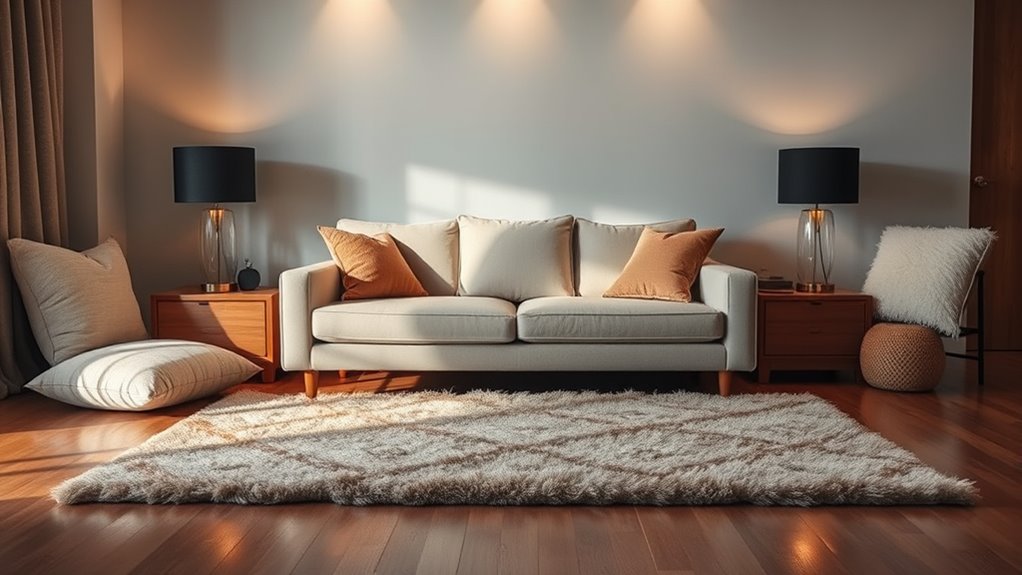
If you’re tired of struggling to hear clearly during calls or while watching videos, the good news is that you can improve your sound quality without spending a dime. The key lies in how you position your speakers or your device relative to your room. Proper speaker placement makes a noticeable difference because it directly influences how sound waves travel and interact within your space. When you place your speakers carefully, you reduce unwanted acoustic reflections that can muddy sound and create echoes, making it harder to discern dialogue or details.
Start by positioning your speakers or device at ear level, roughly where your head would be when you’re seated comfortably. This ensures sound is directed straight toward you rather than bouncing off surfaces before reaching your ears. If you’re using external speakers, avoid placing them too close to walls or corners. Walls and corners reflect sound waves, creating acoustic reflections that interfere with the direct sound, often causing muddiness or a reverberant quality. By giving your speakers some space from reflective surfaces, you allow the direct sound to dominate, resulting in clearer audio.
Position speakers at ear level and keep them away from walls for clearer sound.
Another simple but effective trick involves the placement of your listening area within the room. Position yourself so that your ears are not directly facing reflective surfaces like large windows or bare walls. Instead, try to sit at a slight angle, with your back to a soft surface like a carpeted wall or a piece of furniture. This helps absorb some acoustic reflections, preventing sound from bouncing around excessively. If you notice particular spots where sound seems echoey or muffled, experiment with moving your seating or the speakers a few inches at a time until you find a spot where clarity improves.
Additionally, consider the shape and size of your room. Smaller, cluttered spaces tend to produce more acoustic reflections, which can distort sound. Filling the room with soft furnishings—curtains, rugs, cushions—can absorb reflections, making the sound clearer. If you can’t rearrange furniture, simply reposition your speakers to minimize the influence of reflective surfaces. Sometimes, angling your speakers slightly inward toward your listening position can focus the sound and reduce reflections bouncing off walls. Using room acoustics principles to optimize your setup can further enhance clarity.
In essence, paying attention to speaker placement and understanding how acoustic reflections affect sound can considerably enhance your listening experience. You don’t need expensive equipment or complex setups—just a little mindful positioning can make your audio clearer and more enjoyable.
As an affiliate, we earn on qualifying purchases.
Frequently Asked Questions
Does Room Size Affect How Well Sound Improves With Positioning?
Yes, room size affects how well sound improves with positioning. Larger rooms tend to have more complex acoustics, with increased sound reflection and echoes, making precise placement even more vital. Smaller rooms might have simpler acoustics, so adjusting your position can considerably enhance sound clarity. By understanding room acoustics and minimizing sound reflection, you can optimize your setup for better audio, regardless of room size.
Can Furniture Placement Influence Sound Clarity Effectively?
Yes, furniture placement can considerably influence sound clarity. You can improve acoustics by strategically arranging furniture to reduce echoes and absorb sound reflections. Incorporate basic acoustic treatments like rugs, curtains, or bookshelves to enhance this effect. Using soundproofing techniques such as placing soft furnishings in key spots helps minimize noise and echo, making your space sound clearer without spending extra money. Proper placement is key to achieving better sound quality naturally.
Are There Specific Spots to Avoid for Better Sound Quality?
You should avoid placing your speakers directly against walls or in corners, as this causes unwanted wall reflections that muddy sound clarity. Keep your speaker placement a few inches away from walls to minimize reflections and guarantee better sound quality. Additionally, steer clear of furniture that blocks or directs sound waves improperly. By optimizing your speaker placement and reducing wall reflections, you’ll enjoy clearer, more balanced sound without spending extra money.
How Often Should I Adjust My Room Setup for Optimal Sound?
You should adjust your room setup whenever you notice sound quality slipping—maybe after rearranging furniture or adding new equipment. Regularly check your speaker placement and consider simple acoustic treatments like rugs or curtains to keep things balanced. Aim to tweak your setup every few months or if something changes in your space. Consistent adjustments help maintain ideal sound, ensuring your listening experience stays clear and immersive.
Will Changing My Seating Position Impact Sound Clarity?
Yes, changing your seating position can impact sound clarity. When you move, you may avoid acoustic dead spots and improve your experience by aligning your ears with your speakers’ ideal orientation. Adjusting your seat can help you find the sweet spot, ensuring clearer sound without extra equipment. Experiment with different positions, and you’ll notice a significant difference in the clarity and richness of your audio.
As an affiliate, we earn on qualifying purchases.
Conclusion
Now that you know this simple room placement trick, your space will sing with clarity like a well-tuned orchestra. No need for fancy gadgets or pricey upgrades—just a little strategic thinking. Think of your room as a canvas, and your positioning as the brushstrokes that bring the sound to life. With this easy tweak, you’ll turn your space into a concert hall, where every note resonates pure and true, right in your own home.
As an affiliate, we earn on qualifying purchases.
acoustic treatment for small rooms
As an affiliate, we earn on qualifying purchases.
As an affiliate, we earn on qualifying purchases.
Halloween Picks
halloween
As an affiliate, we earn on qualifying purchases.