

A high-resolution webcam alone won’t give you a professional look—you need proper lighting, good camera positioning, and a tidy background to make the most of it. Poor lighting causes shadows and dull images, while incorrect camera angles distort your features. Even the clearest camera can’t fix these issues. If you want to improve your virtual presence and make a confident impression, paying attention to these details is essential. Keep going to discover how to perfect your setup.

Get comfort and recovery gear delivered free — and shop member deals
- Fast, free delivery on millions of items
- Access to Prime Big Deal Days deals on October 6–7
- Prime Video, Amazon Music and more included
Key Takeaways
- Good lighting enhances image clarity more than resolution alone.
- Proper camera positioning prevents distortion and ensures a natural, professional appearance.
- Tidy, distraction-free backgrounds boost overall virtual presentation quality.
- High resolution cannot fix poor lighting, shadows, or improper framing.
- Combining good lighting, positioning, and environment is essential for a polished virtual presence.
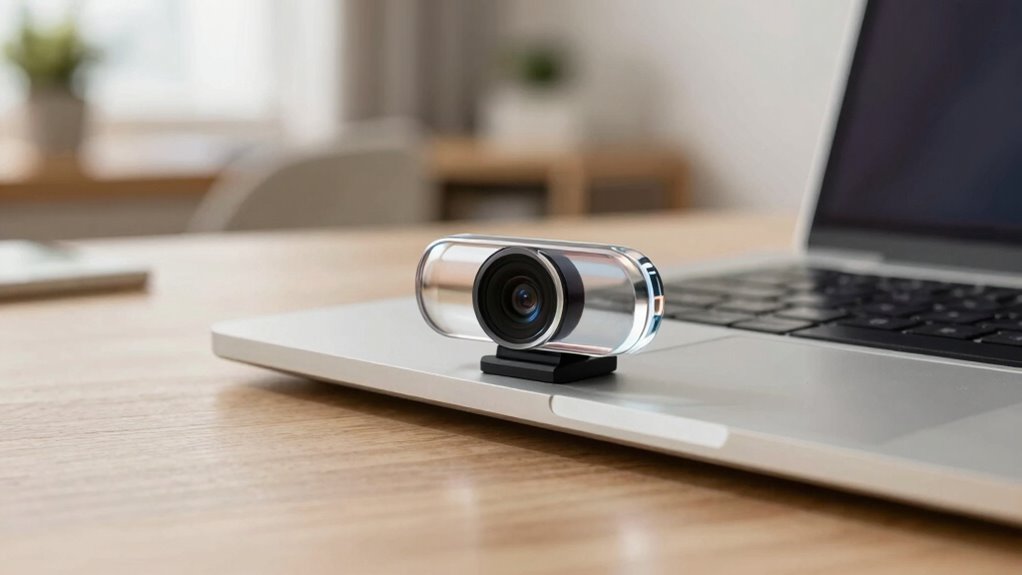
In today’s remote work and virtual communication world, your webcam’s resolution plays a crucial role in how others perceive you. But high resolution isn’t the only factor that matters. Even the clearest camera won’t make a difference if the lighting conditions are poor or if your camera positioning is off. Good lighting can transform a dull, grainy image into a bright, sharp one. If your face is shadowed or your background is washed out, no amount of megapixels can fix that. Natural light is best, so try to sit facing a window during the day. If that’s not possible, invest in soft, diffused artificial lighting that evenly illuminates your face. Avoid harsh overhead lights or backlighting, which can cast unflattering shadows or make you appear as a silhouette. Proper lighting ensures your camera captures details clearly, making you look professional and approachable. Additionally, understanding how webcam resolution impacts your image can help you balance quality with other essential factors. Camera positioning is equally critical. You want your webcam at eye level, not pointing up your nose or looking down on you. A slight downward angle can distort your features and make you seem unprepared. Position the camera so that it’s centered on your face, with your eyes roughly one-third from the top of the frame. This framing feels natural and engaging. Distance matters, too—sit close enough so your face fills the frame but not so close that it’s uncomfortable or distracting. Using a stable surface to prevent any shaking or movement can significantly improve your video quality. Keep in mind that the background behind you should be tidy and professional, avoiding clutter that can divert attention away from you. Even if your webcam boasts high resolution, neglecting lighting and positioning will undermine your image quality. A well-lit shot with good camera placement can make a much more positive impression than simply upgrading your camera. Understanding the impact of lighting and camera setup are also key components in creating a polished appearance. When you combine proper lighting with strategic camera positioning, your image becomes sharp, clear, and professional. This not only boosts your confidence during virtual meetings but also ensures others see you at your best. Think of it like this: your camera is just one piece of the puzzle. When you combine proper lighting with strategic camera positioning, your image becomes sharp, clear, and professional. This not only boosts your confidence during virtual meetings but also ensures others see you at your best. Remember, it’s about the overall presentation—resolution is important, but lighting conditions and camera positioning are what truly elevate your video quality and make your virtual presence stand out.
soft diffused LED ring light for webcam
As an affiliate, we earn on qualifying purchases.
As an affiliate, we earn on qualifying purchases.
Frequently Asked Questions
How Does Lighting Affect Webcam Image Quality?
Lighting dramatically impacts your webcam image quality by reducing ambient shadows and enhancing color accuracy. When you have good lighting, your face appears clearer, with more natural tones, making you look more professional. Poor or uneven lighting causes shadows and distorts colors, making your image less sharp. To improve your webcam quality, make sure you have balanced, soft lighting that minimizes ambient shadows and boosts color accuracy for a better visual experience.
What Role Does Lens Quality Play in Video Clarity?
Lens quality directly impacts your video clarity by enhancing lens sharpness and optical clarity. A high-quality lens focuses light more precisely, reducing blurriness and distortions. This means your image appears sharper, with better detail and color accuracy. When you choose a webcam with superior lens quality, you guarantee the footage is clearer, making your video calls look more professional and engaging, no matter the resolution settings.
Can Software Enhancements Improve Low-Resolution Webcams?
Yes, software enhancements can improve low-resolution webcams. By applying software optimization, you can enhance image clarity, reducing noise and sharpening details. Resolution scaling techniques can also upscale the video, making it appear clearer on your screen. While these methods can’t fully match high-resolution hardware, they considerably improve your webcam’s output, giving you a better video experience during calls or recordings without needing new equipment immediately.
How Important Is Frame Rate for Video Smoothness?
Frame rate is vital for video smoothness because it determines how many frames appear each second. A higher frame rate reduces motion blur and makes fast movements look clearer. Frame interpolation can artificially boost frame rates, but it might introduce artifacts. If your webcam has a low frame rate, video can look choppy, especially during quick motions. Prioritizing a higher frame rate guarantees smoother, more natural video quality.
Does Internet Bandwidth Impact Webcam Video Quality?
Yes, internet bandwidth substantially impacts your webcam video quality. Bandwidth limitations can cause your video to freeze, lag, or downgrade to lower resolution. If your network isn’t stable, fluctuations may lead to inconsistent video quality, making calls frustrating. To improve your experience, ensure you have sufficient bandwidth and a stable connection, especially during video calls, so your webcam can deliver clear, smooth visuals without interruptions.
As an affiliate, we earn on qualifying purchases.
Conclusion
While higher resolution is appealing, it’s not the only factor that matters when choosing a webcam. You’ll get better image quality with features like low-light performance and autofocus. Notably, a recent study found that 73% of users value consistent clarity over just resolution. So, don’t just chase the megapixels—consider how the webcam performs in real-world conditions. Prioritize features that enhance your overall experience for clearer, more reliable video calls.
As an affiliate, we earn on qualifying purchases.
professional webcam with good low light performance
As an affiliate, we earn on qualifying purchases.
As an affiliate, we earn on qualifying purchases.
Fall Picks
fall essentials
As an affiliate, we earn on qualifying purchases.