
If you need quick, portable access to large files, an external SSD offers high speed and easy portability. But if you want centralized storage you can access across multiple devices and locations, a NAS provides scalable, secure, network-based storage with automatic backups. Your choice depends on whether mobility or collaboration matters most. Keep exploring to discover how you can optimize your remote work setup with the right storage solution.
Key Takeaways
- External SSDs offer high-speed, portable storage ideal for remote workers needing quick access on the go.
- NAS devices provide centralized, network-based storage suitable for remote teams collaborating across multiple devices.
- External SSDs require physical connection, while NAS offers network access, enhancing flexibility for remote work setups.
- NAS supports scalable storage and advanced security features, beneficial for managing large or sensitive data remotely.
- Combining external SSDs with cloud backups enhances data security and accessibility for remote workers.

When choosing the right storage solution for remote work, understanding the differences between external SSDs and NAS devices is fundamental. Both options serve to store your files, but they do so in very different ways, influencing your workflow, data security, and backup strategies. External SSDs are portable, fast, and easy to connect directly to your laptop or computer via USB or Thunderbolt. They’re ideal for quick access to large files or projects you’re actively working on, especially when you’re on the go. However, because they’re standalone devices, their data security depends heavily on your personal practices—if you lose the drive or it gets stolen, your data could be compromised. That’s where cloud backup options come into play, offering an extra layer of security by storing copies of your files remotely and safely. Relying solely on the external SSD without cloud backup can leave you vulnerable to data loss, so integrating both ensures your data remains protected even if the physical drive fails or is misplaced.
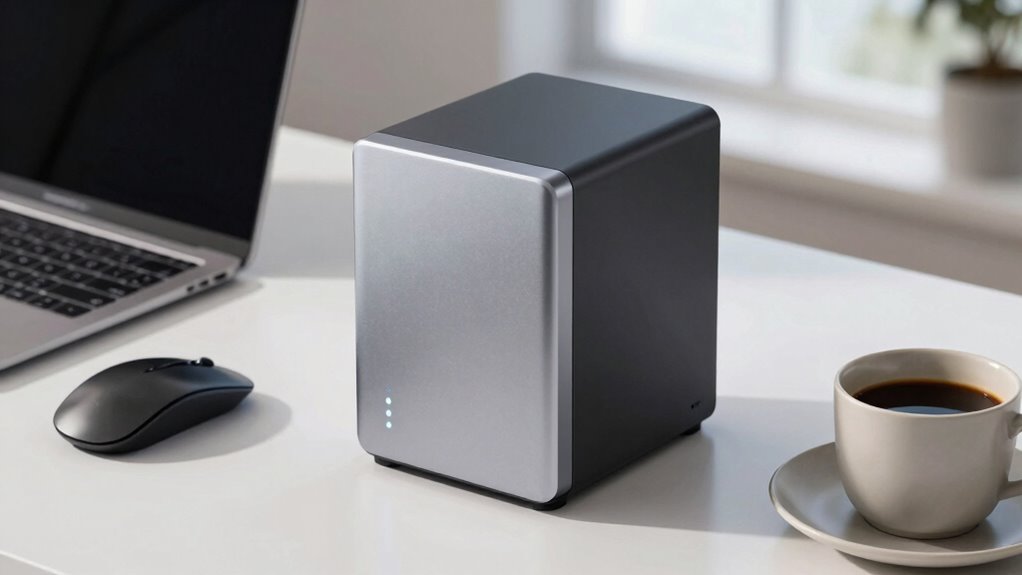
On the other hand, NAS (Network Attached Storage) devices are designed to connect to your local network, making files accessible across multiple devices and locations. They often come with multiple bays for drives, allowing you to expand storage as needed. With a NAS, you benefit from centralized data management, making it easier to organize, share, and back up files automatically. Because NAS devices are connected to your network, they can also support advanced data security features like encryption and user access controls, giving you peace of mind about who can see or modify your files. Furthermore, many NAS solutions include their own cloud backup options, allowing you to synchronize data with cloud services for added redundancy. This setup ensures your remote team can access shared files securely, even when working from different locations, without risking data breaches or unauthorized access. Additionally, understanding data security measures and how they apply to different storage options can help you make informed decisions about protecting your information. Incorporating proper network configuration can further enhance the security and performance of your NAS setup. Moreover, implementing regular firmware updates is essential to maintain the security and reliability of your NAS device.
Choosing between an external SSD and a NAS depends on your specific needs—whether you prioritize portability and speed or centralized, scalable storage with strong data security. External SSDs excel for mobile, on-the-fly work and quick file transfers, but they require careful management of backups and security measures. NAS devices, meanwhile, are better suited for teams or individuals who need a detailed, secure, and collaborative storage system that can be backed up to the cloud for extra protection. Ultimately, combining these solutions with reliable cloud backup services can provide a robust, flexible approach to data security, ensuring your remote work environment remains efficient, secure, and resilient.
external SSD portable high speed
As an affiliate, we earn on qualifying purchases.
As an affiliate, we earn on qualifying purchases.
Frequently Asked Questions
How Secure Is Data Stored on External SSDS Versus NAS Devices?
Data stored on external SSDs is generally less secure than on NAS devices because NAS systems often feature advanced data encryption and multiple layers of physical security. With external SSDs, you rely on your own encryption methods and careful physical handling. NAS devices typically offer better protection against theft and unauthorized access, making them more secure options for remote workers concerned about safeguarding sensitive information.
Can External SSDS Be Used for Collaborative Team Work?
Yes, external SSDs can be used for collaborative team work, but they’re less ideal than cloud collaboration tools for data sharing. You can physically share files by passing the SSD around, but it’s slower and risks data loss or duplication. For seamless collaboration, it’s better to use cloud platforms that allow real-time editing, instant data sharing, and centralized access, making teamwork smoother and more efficient.
What Is the Typical Lifespan of an External SSD?
An external SSD typically lasts around 5 to 10 years, depending on usage and build quality. Data durability is maintained through wear leveling, which evenly distributes writes to prolong lifespan. Heavy or frequent writing can accelerate wear, reducing lifespan. To maximize longevity, avoid constant large transfers, keep the device cool, and use reliable brands. Regular backups also guarantee your data stays safe, even if the drive eventually wears out.
Do NAS Devices Require Regular Maintenance or Updates?
Yes, NAS devices do require regular maintenance and updates. You should regularly check for firmware updates to enhance security and performance, and keep the system’s software current. Additionally, monitor hardware durability by inspecting drives and components for signs of wear or failure. Performing these updates and maintenance tasks helps guarantee your NAS runs smoothly, remains secure, and extends its lifespan, making it a reliable storage solution for remote work.
How Does Power Consumption Compare Between External SSDS and NAS?
External SSDs generally consume less power than NAS devices, making them more energy-efficient for remote work setups. In a power comparison, SSDs are designed for minimal energy use during data transfer and standby, whereas NAS units, especially those with multiple drives or features, require more power to operate continuously. If you prioritize energy efficiency, an external SSD might be the better choice for your remote work needs.
As an affiliate, we earn on qualifying purchases.
Conclusion
So, whether you opt for a sleek external SSD or a bustling NAS, remember—your data’s safety and accessibility are on the line. Ironically, in trying to simplify remote work, you might just complicate your setup. But hey, at least with an external SSD, you can pretend you’re a digital nomad, while a NAS keeps your files as cozy as a home body. Choose wisely—your remote workflow depends on it!
As an affiliate, we earn on qualifying purchases.
network attached storage for remote work
As an affiliate, we earn on qualifying purchases.
As an affiliate, we earn on qualifying purchases.