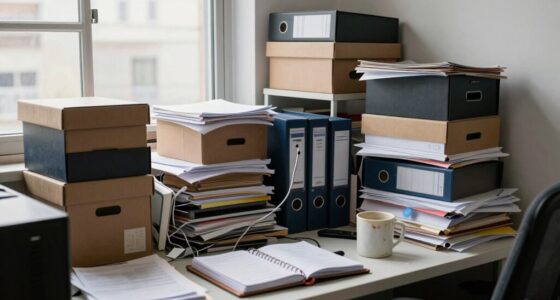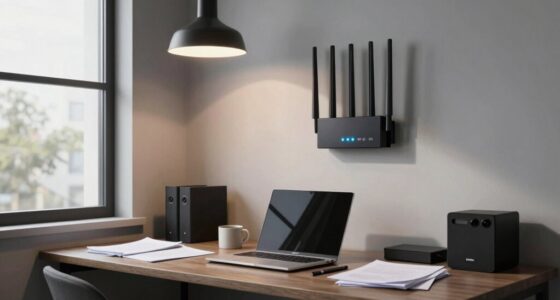
For a limited-space home office, establish a simple paper workflow by digitizing important documents with a high-quality scanner or mobile app and organizing them into clearly labeled digital folders on cloud platforms like Google Drive or Dropbox. Keep essential papers in a small, labeled filing system for quick access. Regularly review and purge unnecessary documents. This approach minimizes clutter, keeps files accessible across devices, and enhances your productivity—discover more tips to optimize your workspace.

Get comfort and recovery gear delivered free with Prime
- Fast, free delivery on millions of items
- Prime Video, Amazon Music and more included
- Member-only deals all year
Key Takeaways
- Digitize documents using high-quality scanners or mobile apps, then organize files in clearly labeled cloud folders.
- Use a small, labeled physical filing system for essential papers, regularly purging unnecessary items.
- Establish a consistent workflow combining digital storage and physical filing to maintain organization.
- Utilize cloud storage for secure, accessible, and space-saving document management across devices.
- Implement routine reviews to keep physical clutter minimal and ensure digital files are current and well-organized.
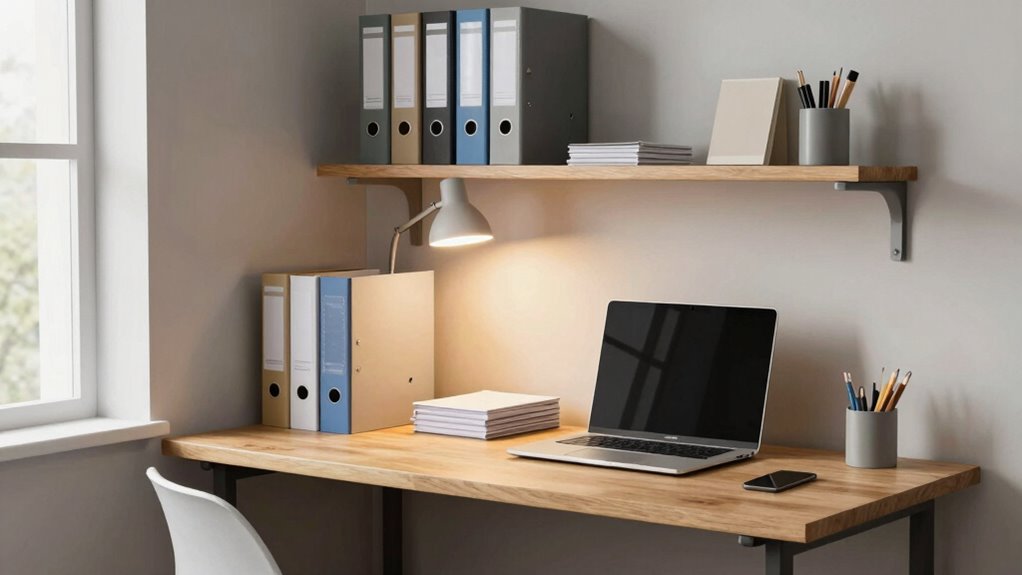
If your home office has limited space, organizing your paper workflow becomes essential to stay productive and clutter-free. Managing physical documents can quickly overwhelm a small area, but with the right strategies, you can keep everything organized without sacrificing valuable space. One effective approach is to adopt digital document management. Instead of piling up papers, scan important documents and save them digitally. This not only reduces physical clutter but also makes files easier to find and access. Use a high-quality scanner or a mobile scanning app to digitize receipts, contracts, and notes. Once scanned, organize these files into clearly labeled folders on your computer, making retrieval quick and simple. Moving to digital documents also means you can access your files from anywhere, which adds flexibility to your workflow.
To enhance your digital management system, leverage cloud storage solutions. Cloud services like Google Drive, Dropbox, or OneDrive offer a central place to store all your digital files securely. These platforms sync across your devices, so whether you’re working from your laptop, tablet, or phone, your documents are always within reach. Cloud storage also reduces the risk of losing important papers due to physical damage or misplacement. Plus, many providers offer collaboration features, allowing you to share documents effortlessly with colleagues or family members. This integration streamlines your workflow and minimizes the need for physical copies of documents, freeing up space in your home office.
In addition to digitizing and storing files in the cloud, create a streamlined physical paper system for those documents you need to keep in hard copy. Designate a small, organized filing cabinet or portable file box for essential papers that require physical storage. Use labeled folders or color-coded tabs to categorize documents by type or urgency. Regularly review and purge unnecessary papers to prevent accumulation. When you receive new documents, scan and upload them immediately, then file or discard the originals as appropriate. Establishing a consistent filing system will help you stay organized and prevent clutter from building up over time. Incorporating digital document management into your routine will further help maintain organization and save space. Additionally, implementing regular review and purging practices ensures your physical filing system remains clutter-free and manageable. Developing a clear workflow routine that integrates both digital and physical organization methods will make it easier to keep your workspace neat and functional.
As an affiliate, we earn on qualifying purchases.
Frequently Asked Questions
How Can I Recycle Paper Efficiently in a Small Space?
To recycle paper efficiently in a small space, you should establish a designated recycling bin that’s easy to access. Use creative storage solutions like stackable bins or wall-mounted containers to save space. Make eco-friendly recycling simple by sorting paper immediately and flattening it to maximize space. Regularly empty and clean your bin to prevent clutter. This organized approach keeps your workspace tidy while supporting sustainable practices.
What Are the Best Compact Filing Systems for Limited Areas?
You should choose a compact filing system that emphasizes efficient document categorization and clear labeling strategies. Opt for a vertical file cabinet or portable file boxes that fit your space and allow easy access. Use color-coded labels or tabbed dividers to quickly identify categories. This setup keeps your papers organized, minimizes clutter, and streamlines your workflow, making it perfect for small home offices where space is limited.
How Do I Prevent Paper Clutter From Accumulating?
To stop paper clutter from taking over your space, you need to be relentless. Regularly shred unnecessary documents—don’t let piles grow like monsters! Use efficient note-taking methods like digital notes or quick summaries, so you don’t keep every scrap. Set a weekly routine to sort, file, or toss papers. Stay disciplined, so your workspace stays manageable instead of chaos. Consistency keeps clutter from spiraling out of control!
Are Digital Alternatives to Paper Storage Effective?
Digital alternatives to paper storage are highly effective if you prioritize paper digitization and digital security. By scanning important documents and storing them securely in encrypted cloud services, you reduce clutter while keeping files accessible. Make certain to use strong passwords and encryption to protect sensitive information. This approach streamlines your workspace, saves space, and guarantees your documents are safe, organized, and easy to retrieve whenever needed.
How Often Should I Review and Organize My Paper Files?
You should review and organize your paper files at least once every three to six months. During each session, focus on paper shredding for outdated documents and update your filing categorization to keep everything streamlined. Regular reviews prevent clutter, make retrieval easier, and guarantee sensitive information is securely disposed of. Establishing a routine helps maintain an efficient, clutter-free workspace, especially in limited space home offices.
As an affiliate, we earn on qualifying purchases.
Conclusion
Think of your limited space as a small garden—every paper and tool is a carefully chosen seed. With a smart workflow, you nurture organization like tending delicate blooms, ensuring nothing gets lost or overgrown. A tidy desk becomes a fertile plot for productivity, where clarity blossoms and chaos withers. By cultivating this mindful approach, your home office transforms into a thriving oasis—where efficiency grows, and you can flourish amidst the constraints.
labeled filing system for home office
As an affiliate, we earn on qualifying purchases.
As an affiliate, we earn on qualifying purchases.
As an affiliate, we earn on qualifying purchases.
Fall Picks
fall essentials
As an affiliate, we earn on qualifying purchases.