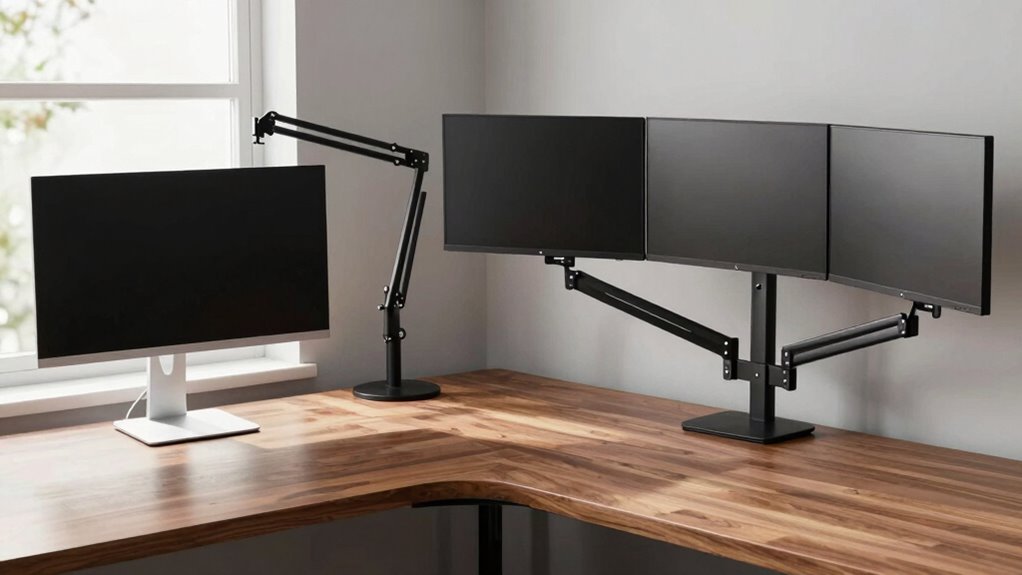

Choosing between single, dual, or triple monitor arms depends on your workspace, multitasking needs, and ergonomic preferences. If you work with one screen or have limited space, a single arm offers simplicity and easy upgrades. For multitasking or professional tasks requiring extra screen real estate, dual or triple arms boost productivity and comfort by providing adjustable, ergonomic setups. To find the best fit for your workflow, consider your workspace and monitor compatibility—more details will help you make an informed choice.
Key Takeaways
- Choose a single monitor arm for simple setups and limited space; dual or triple arms for multitasking and increased productivity.
- Consider ergonomic benefits: multiple monitors allow better height, tilt, and swivel adjustments to reduce strain.
- Assess workspace capacity: dual and triple arms need more desk space and sturdy support for stability.
- Match monitor size and weight with arm capacity to ensure stability and proper fit.
- Determine your workflow needs: basic tasks suit single arms, while complex multitasking benefits from dual or triple setups.

Choosing the right monitor arm setup can considerably boost your productivity and comfort, whether you work from home or in an office. When deciding between single, dual, or triple monitor arms, it’s vital to weigh how each setup supports your workflow and physical well-being. The ergonomic benefits of a properly chosen monitor arm are significant—you can adjust height, tilt, and swivel easily, reducing neck, shoulder, and eye strain. However, you also need to think about installation considerations, such as desk space, weight capacity, and compatibility with your monitors. These factors influence how smoothly you can set up and maintain your workspace.
Choosing the right monitor arm boosts productivity and comfort by supporting ergonomic adjustments and fitting your workspace needs.
A single monitor arm is ideal if you mostly work with one screen or have limited space. It offers straightforward installation and allows you to move your monitor to the most comfortable position. The ergonomic benefits are clear—you can raise your monitor to eye level, minimizing strain, and easily switch between different viewing angles. Installation considerations here are minimal, often just requiring a clamp or grommet mount that fits onto your desk. Just confirm your monitor’s weight and size are within the arm’s capacity to prevent instability. Single arms are budget-friendly and simple to use, but if you need multiple screens for multitasking, they might fall short. Additionally, a single arm can be easily upgraded or expanded upon if your workspace needs change. Properly assessing your workspace layout is essential for an efficient setup. Considering the ergonomic benefits of a monitor arm can help prevent long-term discomfort.
Dual monitor arms are a popular choice for professionals who need more screen real estate without cluttering their desk. They provide enhanced ergonomic benefits by enabling you to position each monitor independently, creating an ideal viewing setup. With dual arms, you can align both screens at the same height and angle, reducing awkward neck movements. When evaluating installation, you must verify that your desk can support two arms, and check the weight capacity for each monitor to avoid sagging or instability. Dual setups can be more complex to install but offer a balanced solution for productivity and ergonomics. They’re perfect if your work involves multitasking, coding, or detailed design work. Ensuring that your desk has enough space for dual mounts is crucial for a seamless setup. Additionally, choosing compatible mounts that support your monitor sizes and weights can help prevent future issues. Proper cable management is also easier with dual arms, helping to keep your workspace tidy.
Triple monitor arms are suited for power users who need extensive screen space. They maximize your productivity by allowing you to spread out multiple windows simultaneously. The ergonomic benefits are substantial—you can set each monitor at an ideal height and angle, promoting comfortable viewing over long periods. Proper cable management and monitor compatibility are additional factors to consider for a seamless setup. Installation considerations become more critical with triple arms; your desk must be sturdy enough to handle the added weight and width. Proper cable management also becomes essential to prevent clutter. Although more complex to set up, triple monitor arms can dramatically improve workflow, especially in fields like video editing, finance, or programming where multiple data streams are common. It’s also beneficial to regularly review the ergonomic setup to prevent strain during extended use. Keep in mind that the overall setup should support your specific workflow needs for maximum efficiency.
As an affiliate, we earn on qualifying purchases.
Frequently Asked Questions
Are Dual and Triple Monitor Arms Compatible With All Desk Types?
Dual and triple monitor arms aren’t compatible with all desk types. You need to take into account desk compatibility, especially the thickness and material, to ensure proper mounting. Many arms offer various mounting options like clamp or grommet mount, but some desks may lack the necessary features. Check your desk’s structure and available space before purchasing, and verify the arm’s mounting options to ensure a secure, stable setup.
How Do Monitor Weight Limits Affect Arm Selection?
Monitor weight limits play a vital role in your arm selection—you don’t want to push its capacity. If your monitors are heavy, check for monitor weight compatibility to make certain the arm can handle the load. Ignoring arm strength requirements risks instability or damage. So, assess your monitors’ weight carefully, choose an arm with the right weight capacity, and enjoy a secure, smooth setup that supports your workspace needs seamlessly.
Can Monitor Arms Be Adjusted for Ergonomic Comfort?
Yes, monitor arms can be adjusted for ergonomic comfort. You can tweak the height, tilt, and swivel to achieve an ergonomic posture, reducing strain on your neck and eyes. Look for arms with adjustable height features, so you can position your monitor at eye level. This flexibility helps you maintain proper alignment and comfort during long work sessions, making your workspace more ergonomic and tailored to your needs.
What Are the Cable Management Options for Multi-Monitor Arms?
Oh, cable management on multi-monitor arms? It’s a breeze—if you enjoy tangled cords and chaos. You can use cable routing systems built into the arms or attach cable clips along the mounts to keep things tidy. For a truly clutter-free setup, embrace wireless solutions like wireless keyboards and mice. This way, you minimize cable clutter and enjoy a cleaner workspace, making cable management almost enjoyable.
Do Monitor Arms Require Professional Installation?
Monitor arms don’t always require professional installation; many are designed for easy setup with clear instructions. However, for larger or more complex arms, especially dual or triple options, you might prefer professional help to guarantee stability and safety. Consider monitor arm aesthetics and durability when installing, as proper setup prevents damage and keeps your workspace tidy. If you’re unsure, consulting an expert can save you time and avoid potential issues.
As an affiliate, we earn on qualifying purchases.
Conclusion
Choosing the right monitor arm depends on your specific needs and workspace. Whether you opt for single, dual, or triple setups, make sure it aligns with your workflow and comfort. Remember, it’s better to have it right than to keep juggling multiple options. Sometimes, fewer moving parts mean fewer headaches. So, weigh your options carefully, and don’t be afraid to think outside the box—after all, the devil is in the details when it comes to creating an efficient workspace.
As an affiliate, we earn on qualifying purchases.
ergonomic monitor arm for multiple screens
As an affiliate, we earn on qualifying purchases.
As an affiliate, we earn on qualifying purchases.