To stop paper from taking over your desk, start by digitizing documents like receipts, memos, and invoices to save space and reduce clutter. Use cloud storage and organize files with clear folders for quick access. Regularly review and delete outdated files, and set a routine for digital maintenance. Cutting down on printed materials and adopting eco-friendly practices can also help create a cleaner, more efficient workspace. Keep exploring for more tips to transform your workspace today.

Get comfort and recovery gear delivered free with Prime
- Fast, free delivery on millions of items
- Prime Video, Amazon Music and more included
- Member-only deals all year
Key Takeaways
- Digitize receipts, memos, and invoices to reduce paper clutter and create more desk space.
- Organize digital files with clear folders and consistent naming for quick access.
- Regularly review and delete unnecessary digital documents to prevent clutter buildup.
- Use cloud storage platforms for efficient, eco-friendly document management.
- Adopt eco-conscious office practices like double-sided printing and mindful paper use.
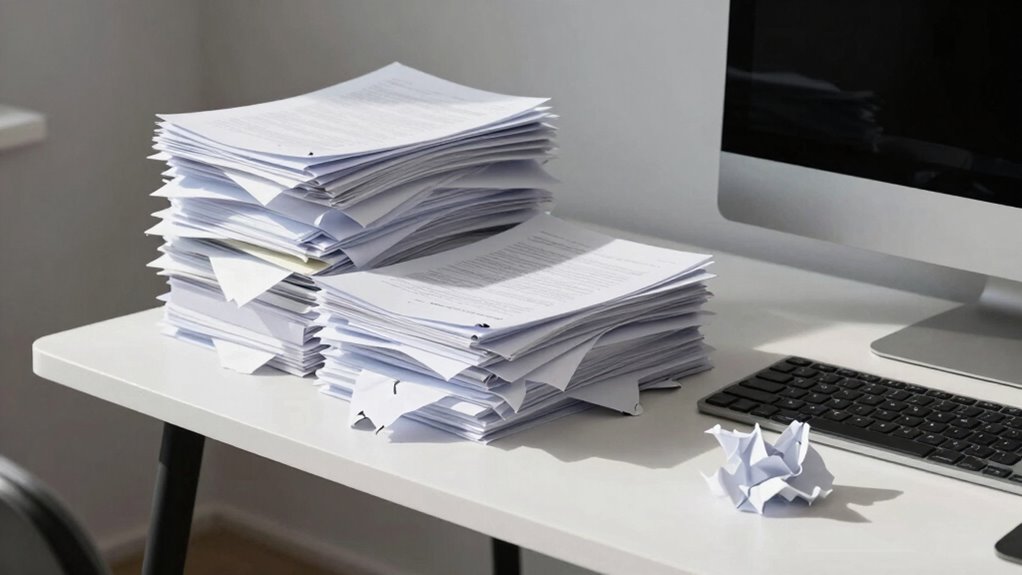
If your desk has become a mountain of paper, it’s time to take control before chaos takes over. Cluttered workspaces not only slow you down but also create unnecessary stress. The first step is to embrace digital organization. Moving from paper to digital files saves space and makes your documents easier to access. Use cloud-based platforms like Google Drive or Dropbox to store and organize your files efficiently. Create folders for different projects, dates, or categories to keep everything tidy and easy to find. Name your files clearly, and develop a consistent naming system so you’re not wasting time searching for that one important document.
Digital organization isn’t just about convenience; it’s also about reducing waste. By digitizing your paperwork, you cut down on paper consumption and contribute to eco-friendly practices. Replacing paper notes with digital ones on apps like Evernote or OneNote helps you stay organized without harming the environment. When possible, scan receipts, invoices, or memos instead of stacking them in drawers or on your desk. Not only does this declutter your workspace, but it also minimizes your carbon footprint, aligning your habits with sustainability goals. Incorporating digital tools into your routine can further streamline your workflow and keep your workspace organized. Taking steps to digitize documents can significantly improve your efficiency and reduce clutter. Additionally, establishing a routine for digital maintenance can help prevent digital clutter from accumulating and becoming overwhelming.
Making the switch to digital also encourages you to develop a disciplined routine. Regularly review your files, deleting outdated or unnecessary documents. Set aside time weekly or monthly to tidy your digital workspace, just like you would a physical one. This practice helps prevent digital clutter from piling up and ensures you can quickly locate essential files when needed. Additionally, invest in good quality hardware, like a scanner and a reliable external hard drive, to streamline the digitization process. Using digital organization strategies can help you stay on top of your files and maintain a clutter-free environment.
Incorporating eco-friendly practices into your organization routine can make a big difference. Use recycled paper when printing is necessary, and opt for double-sided printing to cut paper usage in half. When you do print, consider using eco-friendly ink and recycled paper options. Always think critically about whether you really need a hard copy or if an email or digital note will suffice. These small changes add up over time, helping you maintain a clean, efficient workspace that’s better for the planet. Practicing mindful printing habits and sustainable office supplies can further support your eco-conscious goals.
document scanner for home office
As an affiliate, we earn on qualifying purchases.
As an affiliate, we earn on qualifying purchases.
Frequently Asked Questions
How Can I Digitize My Existing Paper Documents Effectively?
You can digitize your existing paper documents effectively by starting with paper scanning using a reliable scanner or mobile app. Make certain you save the scans directly to cloud storage for easy access and organization. Name files clearly and categorize them into folders. Regularly back up your digital copies, and consider using OCR (Optical Character Recognition) to make your documents searchable. This way, your paper clutter turns into a well-organized digital archive.
What Are the Best Tools for Organizing Digital Files?
Think of organizing digital files as tending to a garden—you want everything in its right place. Use cloud storage like Google Drive or Dropbox for easy access and sharing. Keep your files tidy with clear, consistent file naming conventions, making it simple to find what you need quickly. This combo guarantees your digital workspace stays neat, accessible, and protected, saving you time and frustration in the long run.
How Do I Prevent Digital Clutter From Becoming Overwhelming?
To prevent digital clutter from becoming overwhelming, adopt a paperless mindset and commit to regular digital decluttering. Set aside time each week to delete unnecessary files, organize important ones into clearly labeled folders, and utilize tools like cloud storage and automation. By staying consistent and mindful, you keep your digital workspace tidy, reduce stress, and guarantee quick access to what matters most, making your digital life more manageable.
What Habits Help Maintain a Paperless Workspace Long-Term?
Did you know that the average office worker handles about 10,000 sheets of paper annually? To keep your workspace paperless long-term, develop habits like regular paper shredding to dispose of sensitive documents securely. Use cloud backups for important files, ensuring they’re always accessible and safe. Make it a routine to review and digitize new paperwork immediately, preventing clutter from building up and maintaining a clean, efficient workspace.
How Can I Ensure Data Security When Going Paperless?
To guarantee data security when going paperless, you should use cloud storage with robust encryption standards, like AES-256. Always enable two-factor authentication and regularly update your passwords. Limit access to sensitive information and back up your data securely. Additionally, educate yourself on best practices for digital security to prevent unauthorized access. These steps help protect your information and keep your digital workspace safe.
external hard drive for data backup
As an affiliate, we earn on qualifying purchases.
As an affiliate, we earn on qualifying purchases.
Conclusion
Imagine your desk as a garden—you tend it to keep it neat and thriving. Just like weeds can quickly overrun your plants, paper can clutter your space and your mind. When you organize and declutter regularly, you’re planting seeds for productivity and clarity. Remember, a clean desk isn’t just tidy; it’s a fresh start. Take control today, and watch your workspace—and your mind—bloom.
cloud storage subscription services
As an affiliate, we earn on qualifying purchases.
As an affiliate, we earn on qualifying purchases.
As an affiliate, we earn on qualifying purchases.
Halloween Picks
halloween
As an affiliate, we earn on qualifying purchases.