

To fix your mouse grip without buying anything, perform the Neutral Wrist Test by relaxing your hand and aligning your wrist with your forearm in a natural, downward-facing position. Adjust your mouse placement and height so your wrist stays straight and relaxed while using it, avoiding bending or twisting. Keep your movements gentle and your hand relaxed. If you’re interested, there’s more you can do to maintain proper wrist alignment for comfort and health.

Get comfort and recovery gear delivered free with Prime
- Fast, free delivery on millions of items
- Prime Video, Amazon Music and more included
- Member-only deals all year
Key Takeaways
- Perform the Neutral Wrist Test regularly to assess current wrist alignment without tools or purchases.
- Adjust your mouse position and height to maintain a natural, relaxed wrist posture during use.
- Use your own hand and forearm to find a comfortable, neutral position without additional equipment.
- Incorporate small posture tweaks, like elevating the mouse slightly or changing grip, to improve alignment.
- Practice consistent ergonomic habits to sustain proper wrist positioning and prevent strain over time.
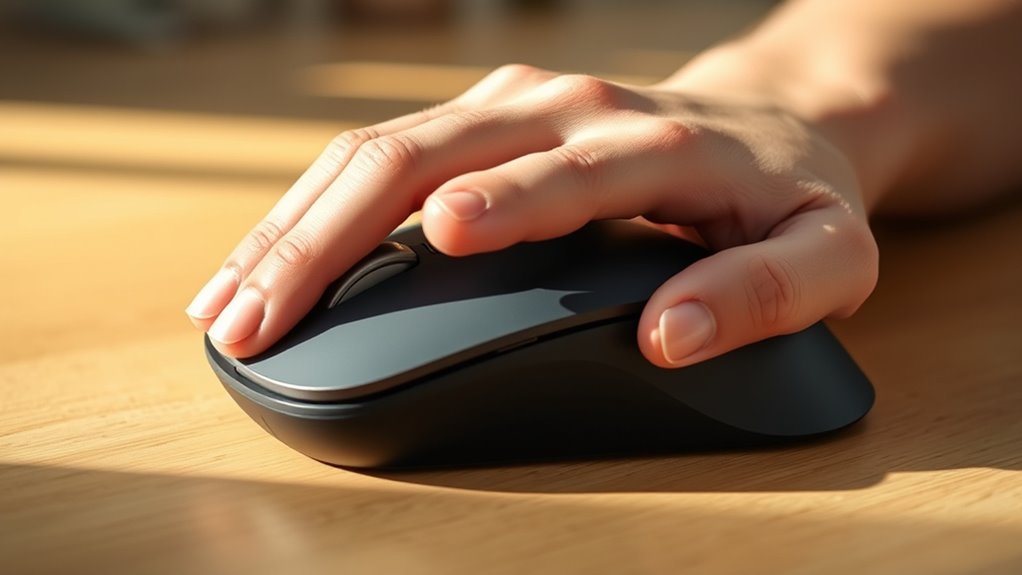
The Neutral Wrist Test is a simple way to assess wrist alignment and identify potential issues that could lead to discomfort or injury. When you perform this test, you’re checking whether your wrist is in a natural, relaxed position while using your mouse. Proper wrist positioning offers numerous ergonomic benefits, helping prevent strain and long-term problems like tendinitis or carpal tunnel syndrome. By understanding how your wrist aligns during typical computer use, you can make small adjustments that markedly improve comfort and reduce injury risk.
The Neutral Wrist Test helps identify wrist misalignment to prevent strain and injury during computer use.
To start, sit comfortably at your desk with your hand resting naturally on your mouse. Focus on maintaining a relaxed posture, avoiding any awkward bending or twisting of your wrist. During the test, slowly move your wrist into a neutral position, where your hand is aligned with your forearm and your palm faces downward or slightly inward. This position minimizes unnecessary stress on your wrist tendons and joints. If you notice your wrist deviates from this neutral alignment—either bending upward, downward, or sideways—it indicates your current wrist positioning may not be ideal, and adjustments are needed.
The key to maximizing ergonomic benefits is to aim for this neutral position consistently. When your wrist stays aligned, it helps you maintain better control over your mouse movements and reduces muscle tension. If you find yourself habitually angling your wrist or pressing the mouse too hard, take note of how your hand feels in the neutral position. Small changes, like adjusting your mouse’s placement or your hand posture, can make a big difference. For example, elevating your mouse slightly or ensuring your wrist isn’t resting on a hard surface can encourage proper wrist alignment.
You don’t need to buy any fancy equipment to improve your wrist positioning. Instead, focus on your natural posture and how you hold your mouse during regular use. The Neutral Wrist Test helps you become aware of these habits and encourages you to make conscious adjustments. Additionally, maintaining good ergonomic practices can prevent long-term injuries and contribute to overall comfort. Over time, maintaining this neutral position reduces strain and fatigue, which translates into better ergonomic benefits for your overall comfort and health. Remember, consistency is key. Regularly performing the test and making small tweaks will help you develop healthier habits that protect your wrists, especially during long hours at your computer. By understanding and practicing proper wrist positioning, you can keep discomfort at bay and enjoy a more comfortable, injury-free experience.
As an affiliate, we earn on qualifying purchases.
Frequently Asked Questions
How Often Should I Perform the Neutral Wrist Test?
You should perform the neutral wrist test daily or whenever you notice discomfort to maintain wrist flexibility and promote ergonomic tools use. Regular testing helps you identify poor mouse grip habits early, preventing strain or injury. Incorporate this quick check into your routine, especially during long work sessions, so you can make adjustments and guarantee your wrist stays in a healthy, neutral position, reducing strain over time.
Can This Test Prevent Wrist Injuries Long-Term?
Yes, performing the neutral wrist test regularly helps prevent wrist injuries long-term by reinforcing ergonomic principles. When you check your grip and wrist position, you’re actively reducing strain and promoting proper alignment. Consistent practice ensures you maintain injury prevention habits, making it easier to adapt ergonomic principles into your daily routine. This proactive approach supports healthy wrist movement, minimizes discomfort, and helps you avoid repetitive strain injuries over time.
Is the Neutral Wrist Position Comfortable for Extended Use?
Yes, the neutral wrist position is comfortable for extended use because it promotes ergonomic benefits and reduces strain. Keeping your wrist in a neutral position allows for better wrist flexibility and minimizes discomfort over long periods. You’ll find that maintaining this position helps prevent fatigue and potential injuries, making your overall experience more comfortable and sustainable during prolonged computer work.
What Signs Indicate I Need to Adjust My Mouse Grip?
Signs you should switch your mouse grip include soreness, stiffness, or tingling in your wrist, signaling strain on wrist anatomy. If your hand feels fatigued or you notice frequent discomfort, it’s time to tweak your technique, aligning with ergonomic principles. Pay attention to persistent pain or awkward wrist angles—these clues indicate your grip needs adjustment to prevent long-term issues. Comfort and consistency are key for healthy, happy wrists.
Does Hand Size Affect the Neutral Wrist Test Results?
Your hand size can influence the neutral wrist test results, as larger hands may require a different grip for comfort and proper alignment. If your hand size makes it hard to maintain a relaxed, neutral wrist position, you might need to adjust your grip to improve comfort and reduce strain. Focus on customizing your grip to fit your hand size, ensuring your wrist stays in a natural, neutral position for ideal comfort.
As an affiliate, we earn on qualifying purchases.
Conclusion
By practicing the neutral wrist test, you can improve your grip, reduce strain, and prevent injury. By maintaining awareness, adjusting your posture, and staying consistent, you create habits that promote comfort and health. By prioritizing your wrist position, you foster better ergonomics, enhance productivity, and protect your future. Remember, small adjustments lead to lasting change. Embrace the neutral wrist test, implement these habits, and enjoy a healthier, more comfortable mouse experience every day.
As an affiliate, we earn on qualifying purchases.
As an affiliate, we earn on qualifying purchases.
Halloween Picks
halloween
As an affiliate, we earn on qualifying purchases.