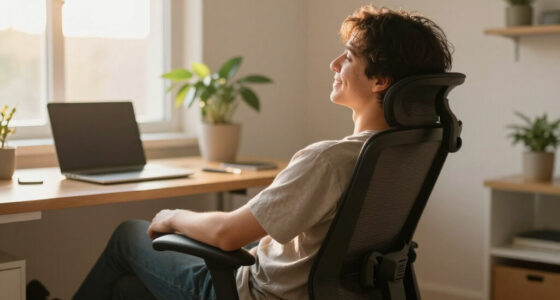
When setting up your portable monitor, make sure the top of the screen is at or just below your eye level, and keep your eyes on the upper third of the display. Maintain a comfortable 20-30 inch distance, and adjust brightness and contrast to reduce eye strain. Proper posture and avoiding glare protect your neck and eyes. Failing to follow ergonomic principles can lead to discomfort and long-term issues—stick around to discover how to optimize your setup effectively.

Get comfort and recovery gear delivered free — and shop member deals
- Fast, free delivery on millions of items
- Access to Prime Big Deal Days deals on October 6–7
- Prime Video, Amazon Music and more included
Key Takeaways
- Ensure the portable monitor is positioned at eye level to prevent neck strain and promote proper posture.
- Maintain a comfortable 20-30 inch viewing distance to reduce eye fatigue.
- Use adjustable stands or supports to achieve optimal height and angle for ergonomic alignment.
- Optimize brightness and contrast settings to match ambient lighting, minimizing glare and eye strain.
- Incorporate ergonomic habits, like taking regular breaks and maintaining good posture during portable monitor use.
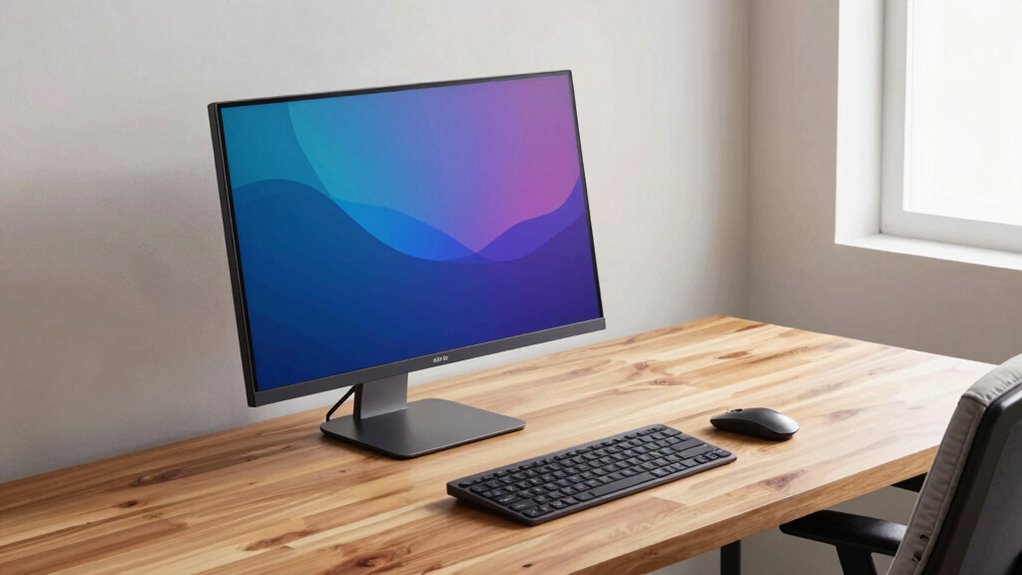
Setting up a portable monitor with proper ergonomics is essential to prevent strain and boost productivity. When you’re working for hours on a screen, neglecting ergonomics can lead to discomfort, eye strain, and even long-term health issues. To avoid this, you need to pay attention to how your monitor is positioned, especially considering your eye health and posture correction. Proper setup isn’t just about convenience; it’s about safeguarding your body while maximizing efficiency.
First, focus on your monitor’s height and angle. The top of the screen should be at or just below eye level. When you look straight ahead, your eyes should naturally rest on the upper third of the display. This positioning minimizes eye strain because it reduces the need to tilt your head up or down. If your portable monitor is adjustable, fine-tune its height and tilt to match your eye level and sitting posture. If not, consider using a stand or stacking books underneath it to achieve the proper height. Maintaining this alignment helps prevent neck discomfort and encourages posture correction, reducing the tendency to hunch or crane your neck forward.
Distance also plays a crucial role in ergonomic setup. Keep your monitor at about an arm’s length away, roughly 20 to 30 inches from your eyes. Too close, and your eyes strain trying to focus; too far, and you might lean forward, which can lead to poor posture. Finding that sweet spot helps your eyes relax and reduces fatigue. Additionally, adjusting the brightness and contrast of your screen to match ambient lighting minimizes eye strain. Avoid glare from windows or overhead lights by positioning your monitor correctly or using an anti-glare filter if needed. Ensuring your monitor’s ergonomic setup aligns with best practices can significantly enhance comfort and reduce health risks during prolonged use. Being aware of ergonomic principles can guide you in creating a healthier workspace that supports long-term well-being. Incorporating proper posture habits is equally important for maintaining comfort throughout your work sessions.
portable monitor adjustable stand
As an affiliate, we earn on qualifying purchases.
As an affiliate, we earn on qualifying purchases.
Frequently Asked Questions
How Do I Adjust Brightness Without Causing Eye Strain?
To adjust brightness without causing eye strain, start by setting your screen brightness to match your environment, avoiding harsh contrasts. Use eye comfort settings on your device to reduce blue light and flicker. Also, calibrate your screen color for accurate images and less eye fatigue. Regularly take breaks and follow the 20-20-20 rule to give your eyes a rest, ensuring comfortable viewing during extended use.
What Are the Best Anti-Glare Screen Options?
Choosing the right anti-glare screen options is like shielding your eyes from the sun’s harsh rays. Look for monitors with matte screen coatings to diffuse reflections and reduce glare, making screen time more comfortable. Privacy filters also double as anti-glare shields, providing a clear view while blocking reflections from side angles. Combining these options helps minimize eye strain and keeps your workspace comfortable, no matter where you work.
Can Portable Monitors Cause Neck Pain Over Time?
Yes, portable monitors can cause neck pain over time if you neglect proper posture correction and monitor positioning. When you keep the screen too high, low, or off to the side, you strain your neck muscles. To avoid this, adjust your monitor to eye level and maintain a neutral posture. Regular breaks and mindful posture correction help prevent discomfort and long-term neck issues, ensuring a healthier and more comfortable setup.
How Often Should I Take Breaks When Using a Portable Monitor?
You should take a break every 20 minutes when using a portable monitor, even if you’re engrossed in work. Regular breaks help prevent eye strain and neck pain. During breaks, do eye exercises and guarantee your screen is properly calibrated to reduce glare. This habit not only boosts comfort but also maintains your productivity. Remember, consistent short breaks are more effective than infrequent long ones for your overall ergonomic health.
Are There Specific Ergonomic Accessories Recommended for Portable Monitors?
You should consider ergonomic accessories like mounting solutions and privacy filters for your portable monitor. Mounting solutions help you position the screen at eye level, reducing neck strain, while privacy filters protect your data and keep your workspace private. These accessories improve comfort and security, making your portable setup more ergonomic. Always choose adjustable mounts and filters that suit your workspace, ensuring you maintain good posture during extended use.
ergonomic portable monitor mount
As an affiliate, we earn on qualifying purchases.
As an affiliate, we earn on qualifying purchases.
Conclusion
By prioritizing proper ergonomics in your portable monitor setup, you’re not just avoiding discomfort—you’re safeguarding your entire well-being. Imagine working for hours on end, free from strain, as if your workspace was tailored by a master craftsman. Don’t let poor setup turn your productivity into a nightmare. Instead, embrace these tips and transform your workspace into a sanctuary of comfort. Your body will thank you, and your productivity will skyrocket like a rocket breaking through the clouds!
anti-glare screen filter for portable monitor
As an affiliate, we earn on qualifying purchases.
As an affiliate, we earn on qualifying purchases.
portable monitor height adjustment
As an affiliate, we earn on qualifying purchases.
As an affiliate, we earn on qualifying purchases.
Fall Picks
fall essentials
As an affiliate, we earn on qualifying purchases.