To find the safety and convenience sweet spot for your power strip placement, position it near grounded outlets and where you can easily reach the switch. Keep it away from heat sources, enclosed spaces, and walkways to prevent overheating and tripping hazards. Organize cables neatly using clips or sleeves, and avoid overloading outlets. A thoughtful setup minimizes risks and makes device use simpler — and if you keep exploring, you’ll discover how to maximize both safety and ease.

Get comfort and recovery gear delivered free with Prime
- Fast, free delivery on millions of items
- Prime Video, Amazon Music and more included
- Member-only deals all year
Key Takeaways
- Place power strips near grounded outlets for effective surge protection and easy device access.
- Position power strips in well-ventilated areas to prevent overheating and prolong device lifespan.
- Mount or position strips where switches and outlets are easily reachable to enhance safety and convenience.
- Route cords along edges or behind furniture to reduce clutter and trip hazards.
- Avoid placing power strips near heat sources or in enclosed spaces to ensure safety and proper functioning.
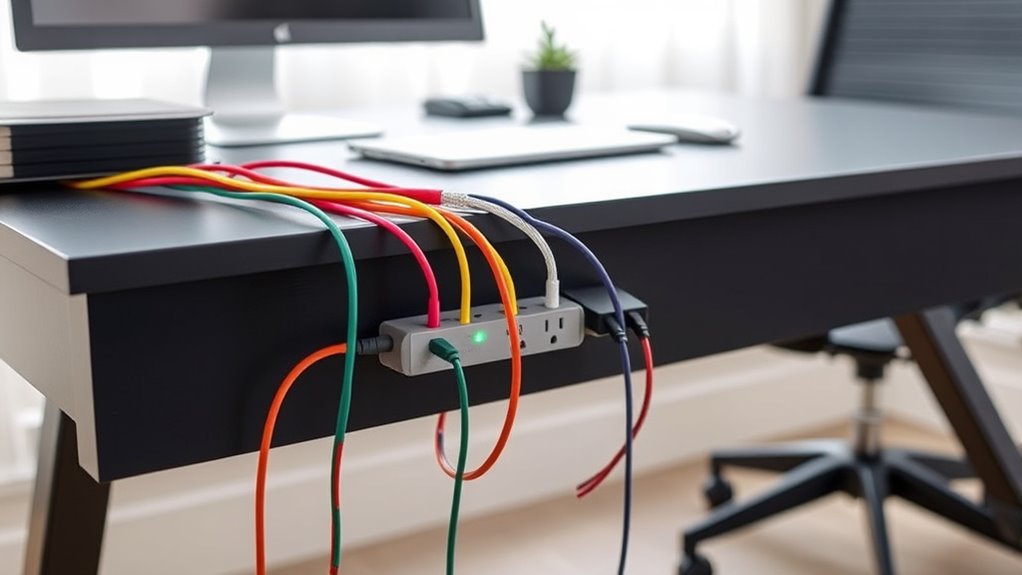
Have you ever considered how the placement of your power strip can affect safety and convenience? It might seem like a small detail, but where you position your power strip can substantially impact how easily you access it, how well you manage wires, and how protected your devices are. Proper placement isn’t just about aesthetics; it’s about creating a safe, efficient environment that minimizes risks and maximizes convenience.
Strategic placement of your power strip enhances safety, accessibility, and wire management for a more organized, protected environment.
One of the first things to think about is wire management. If your power strip is tucked behind furniture or in a hard-to-reach spot, you’re more likely to end up with tangled cords and cluttered cables. Poor wire management can lead to tripping hazards, accidental unplugging, or even damage to your cords and devices. To avoid this, choose a location where cords can be neatly routed along edges or hidden behind furniture, and consider using cable clips or sleeves to keep everything organized. This not only improves safety but also makes it easier to add or remove devices in the future without creating chaos.
Another critical factor is surge protection. Your power strip should have built-in surge protection to shield your electronics from voltage spikes caused by lightning, power outages, or fluctuations. When placing your power strip, make sure it’s in an area where it can be plugged directly into a grounded outlet, not an extension cord or an overloaded power strip. This ensures your surge protection features work effectively. Avoid placing it near heat sources like radiators or vents, which could compromise the integrity of the surge protection components over time. Additionally, keep the power strip in a well-ventilated spot to prevent overheating, especially if you’re plugging in multiple devices.
Furthermore, understanding the importance of filtration can help you choose safer locations, as proper ventilation reduces the risk of overheating and prolongs the lifespan of your devices and surge protection components. Accessibility plays a crucial role in safe placement. Position your power strip where you can easily reach the switches and outlets without stretching or balancing on furniture. This reduces the risk of accidents when plugging or unplugging devices. For instance, placing it near a desk or on a wall-mounted shelf keeps it accessible without creating clutter on your workspace or floor. Also, avoid placing the strip where cords could be accidentally yanked or tripped over, such as in walkways or under rugs.
Ultimately, the right placement balances wire management, surge protection, accessibility, and safety. By thoughtfully choosing where to position your power strip, you create a safer environment, reduce clutter, and ensure your electronics are protected. It’s a simple step that can make a big difference in your daily routines, helping you stay organized and safe while keeping your devices powered and protected.
surge protector power strip with grounding
As an affiliate, we earn on qualifying purchases.
As an affiliate, we earn on qualifying purchases.
Frequently Asked Questions
What Are the Best Power Strip Brands for Safety?
You should look for power strip brands that prioritize safety, like Belkin, APC, and Tripp Lite. These brands offer models with ground fault circuit interrupters (GFCI) and surge protection, helping prevent electrical hazards and damage. Always check for certifications from UL or ETL, ensuring the power strip meets safety standards. Choosing reputable brands with these features guarantees safer, more reliable power strip use in your home or office.
How Often Should I Replace My Power Strip?
Remember, a stitch in time saves nine. You should replace your power strip every 3-5 years or if you notice damage, scorch marks, or it stops working. Regularly check for surge protection functionality and make sure cords are well managed to prevent accidents. Proper cord management not only keeps your space tidy but also prolongs your power strip’s life, reducing fire risks and maintaining safe, reliable power for your devices.
Can Power Strips Be Used Outdoors Safely?
Yes, you can use power strips outdoors safely if you choose weather resistant power strips designed for outdoor use. These strips provide outdoor power safety by protecting against moisture and dirt, but you should always keep them away from standing water and avoid overloading. Make sure to plug them into grounded outlets and check for any damage before use. Proper outdoor power safety guarantees you can enjoy convenience without risking electrical hazards.
What Signs Indicate a Power Strip Is Overloaded?
When a power strip starts to act like a runaway train, it’s a clear sign of overload signs. You might notice frequent tripping of circuit breakers, a burning smell, or sparks. These are serious safety hazards that demand your attention. If your power strip feels hot or shows frayed cords, stop using it immediately. Overloading not only damages your devices but also puts you at risk of fire or electric shock.
Are There Specific Guidelines for Child-Proofing Power Strips?
Yes, there are specific guidelines for child-proofing power strips to guarantee child safety. You should use child-proof power strip covers or outlet caps to prevent curious kids from inserting objects. Follow power strip regulations that recommend securing cords out of reach and avoiding overloading outlets. Keep power strips in high, inaccessible areas and always supervise children around electrical devices. These steps help maintain a safe environment and prevent accidents.
wall mountable power strip with switch
As an affiliate, we earn on qualifying purchases.
As an affiliate, we earn on qualifying purchases.
Conclusion
By placing your power strip thoughtfully, you create a safe and convenient hub that keeps your space organized and protected. Think of it as the backbone of your setup, supporting everything without becoming a tangled mess. When you find that perfect spot—away from hazards but easy to reach—you’re weaving safety and ease into your daily routine. With a little planning, your power strip becomes a silent hero, quietly working behind the scenes for a safer, more efficient home.
ventilated power strip for overheating prevention
As an affiliate, we earn on qualifying purchases.
As an affiliate, we earn on qualifying purchases.
cable management clips and sleeves
As an affiliate, we earn on qualifying purchases.
As an affiliate, we earn on qualifying purchases.
Halloween Picks
halloween
As an affiliate, we earn on qualifying purchases.