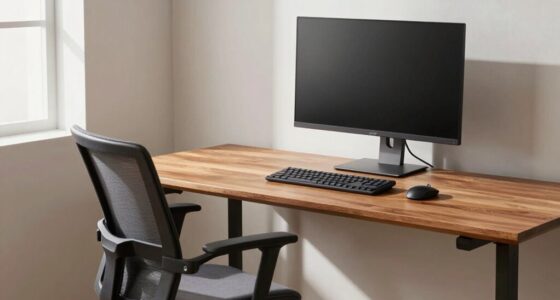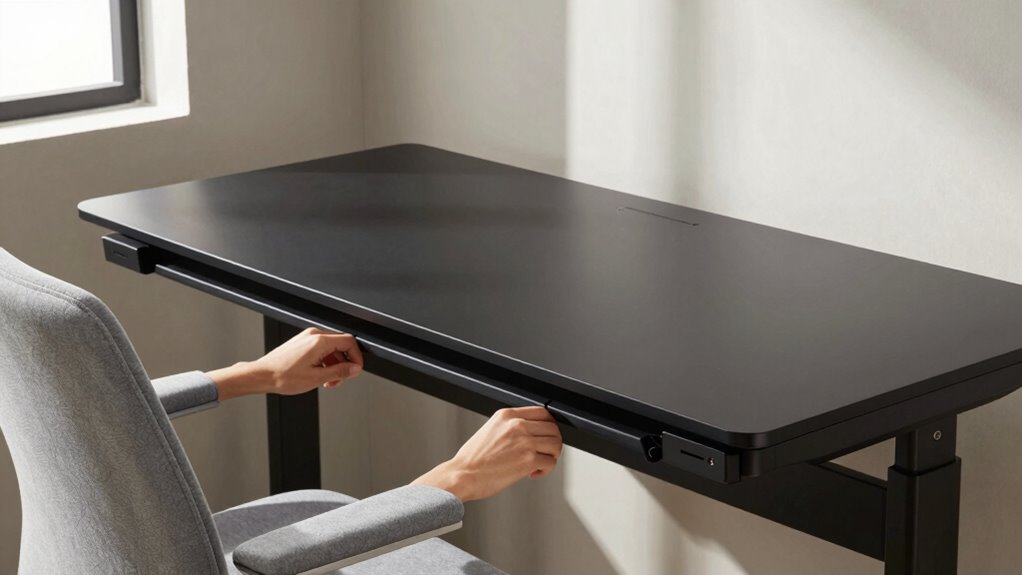

To stop carrying stress in your shoulders, focus on adjusting your workspace to promote better posture. Guarantee your desk height allows your elbows to stay at about 90 degrees and keep your monitor at eye level to avoid craning. Place accessories within easy reach to prevent overextension and twisting. Regularly check your posture and make micro-adjustments to stay relaxed. Keep these tips in mind, and you’ll discover more ways to ease shoulder tension as you continue.
Key Takeaways
- Ensure your monitor is at eye level to prevent neck strain and reduce shoulder tension.
- Adjust your chair height so your elbows are at a 90-degree angle, promoting relaxed shoulders.
- Keep frequently used accessories within easy reach to avoid overextending and shoulder hunching.
- Use ergonomic supports like wrist rests and adjustable keyboard trays to maintain natural arm and shoulder alignment.
- Regularly check and correct your posture to prevent slouching and micro-tensions that cause shoulder stress.

If you frequently experience shoulder tension while working at your desk, adjusting your workspace can make a significant difference. Often, the root of shoulder stress isn’t just about how long you sit but how you position yourself during those hours. Small changes, especially in how your desk setup supports your body, can lead to noticeable relief. One key step is to incorporate ergonomic accessories into your workspace. These tools, like adjustable keyboard trays, monitor stands, or ergonomic chairs, are designed to promote proper alignment and reduce strain. When used correctly, they help maintain a neutral posture, preventing you from hunching forward or shrugging your shoulders. Additionally, understanding the impact of filtration and airflow in your environment can contribute to overall comfort and reduce tension caused by environmental factors. Proper posture correction is essential, but it’s often overlooked. Many people tend to neglect how their desk height influences their shoulder position. If your desk is too high or too low, your shoulders may elevate or slump, creating unnecessary tension. Adjusting your chair height so that your elbows are roughly at a 90-degree angle and your wrists are straight can make a huge difference. Your monitor should be positioned at eye level to prevent you from craning your neck or leaning forward, which can cause shoulder strain over time. These adjustments help keep your shoulders relaxed and prevent the buildup of tension that leads to discomfort. Beyond just the desk and chair, consider the placement of your accessories. Using ergonomic accessories like a supportive wrist rest or a document holder can keep your arms and shoulders in a more natural position. When your tools are within easy reach, you avoid overextending or twisting your body to reach for items, which can strain your shoulders. Also, paying attention to your overall posture throughout the day is essential. Regularly checking in with yourself and making micro-adjustments can help you avoid the habit of slouching or hunching forward.

WALI Computer Monitor Stand for Desk, Adjustable Laptop Riser, Desk Monitor Stand Underneath Storage for Office, Home, School Supplies (STT003), 1 Pack, Black
Design: The monitor stand for the desk has a large 14.6 x 9.3 inches metal shelf that fits…
As an affiliate, we earn on qualifying purchases.
As an affiliate, we earn on qualifying purchases.
Frequently Asked Questions
Can Armrest Height Affect Shoulder Tension?
Yes, armrest height can affect your shoulder tension. If your armrests are too high or low, they force your shoulders into an awkward position, causing strain. Using ergonomic accessories like adjustable armrests helps keep your shoulders relaxed. Incorporate shoulder stretching into your routine to relieve tension. Properly adjusted armrests promote better posture, reduce stress, and prevent discomfort, making your workspace more comfortable and healthier overall.
How Often Should I Adjust My Desk for Optimal Comfort?
You should adjust your desk and ergonomic accessories regularly, ideally every few weeks or whenever you notice discomfort. Keep posture reminders visible to prompt timely adjustments. Consistently fine-tuning your desk setup helps maintain peak comfort, reduces shoulder tension, and prevents strain. By staying proactive, you ensure your workspace supports healthy ergonomics, making it easier to stay relaxed and focused throughout your workday.
Is Keyboard Angle Important for Shoulder Relief?
Yes, the keyboard angle matters for shoulder relief. When you maintain an ergonomic posture, a slight tilt can keep your wrists in a natural position, reducing tension and avoiding strain. But beware—if the angle is too steep, you might unknowingly shift stress upward to your shoulders. Adjust carefully, ensuring your wrists stay neutral. Small changes can make a big difference in preventing discomfort and keeping your shoulders relaxed throughout the day.
What Signs Indicate My Desk Setup Is Causing Shoulder Strain?
You might notice shoulder pain, stiffness, or numbness, which signals your desk setup could be causing strain. If your shoulders tense up or you feel discomfort after working, it’s time to use ergonomic accessories and practice posture correction techniques. Adjust your chair height, monitor position, and keyboard angle to promote better alignment. These small changes can markedly reduce shoulder stress and improve your overall comfort during work.
Can Chair Height Impact Shoulder Stress Levels?
Like a tightrope walker balancing carefully, your chair height directly influences shoulder stress. When it’s too high or low, you strain to reach your keyboard or mouse, pulling your shoulders upward or forward. Using ergonomic accessories and practicing posture awareness helps maintain ideal alignment. Adjust your chair so your elbows stay at a 90-degree angle, preventing unnecessary tension and keeping stress off your shoulders throughout your workday.

HUANUO Keyboard Tray Under Desk, 360 Adjustable Ergonomic Sliding Keyboard & Mouse Tray, Under Desk Keyboard Tray Slide Out, Keyboard Holder Under Desk for Typing in Home, Office Work, 25"W x 9.84"D
Large & Perfect Size – Full size keyboard drawer with a 25” x 9.84” , please kindly confirm…
As an affiliate, we earn on qualifying purchases.
As an affiliate, we earn on qualifying purchases.
Conclusion
Isn’t it time you stopped carrying stress in your shoulders? Making simple desk adjustments can make all the difference in easing tension and improving your posture. By paying attention to your workspace, you guarantee comfort and prevent future discomfort. Why settle for unnecessary pain when a small change can bring so much relief? Take control today — your shoulders will thank you, and you’ll feel more relaxed and productive every day.

GORILLA GRIP Silky Memory Foam Wrist Rest for Computer Keyboard, Mouse, Ergonomic Design for Typing Pain Relief, Desk Pads Support Hand and Arm, Mousepad Rests, Stain Resistant, 2 Piece Pad, Black
ULTRA THICK MEMORY FOAM: experience more comfort while you work; thickest memory foam interior of the wrist rest…
As an affiliate, we earn on qualifying purchases.
As an affiliate, we earn on qualifying purchases.

ErGear Height Adjustable Electric Standing Desk, 48 x 24 Inches Sit Stand up Desk, Memory Computer Home Office Desk, Black
Electric Height Adjustable Standing Desk for Comfortable Work – Switch effortlessly between sitting and standing with this electric…
As an affiliate, we earn on qualifying purchases.
As an affiliate, we earn on qualifying purchases.