
To enjoy long writing sessions without pain, you need an ergonomic chair that supports your lower back, promotes proper posture, and allows adjustable height, along with a desk that aligns with your height—keeping your forearms parallel and wrists neutral. Place your monitor at eye level and take regular breaks to stretch and move. Combining these setup tips helps prevent strain and fatigue, and if you keep exploring, you’ll discover more ways to stay comfortable during marathon writing.
Key Takeaways
- Choose an adjustable ergonomic chair with lumbar support and breathable material to maintain proper posture during long sessions.
- Set your desk height so your forearms are parallel to the ground and wrists remain neutral while writing or typing.
- Position your monitor at eye level at an arm’s length distance to reduce neck strain and encourage correct posture.
- Incorporate regular breaks to stand, stretch, and correct posture, preventing stiffness and fatigue over extended periods.
- Use ergonomic accessories like footrests and adjustable monitor arms to customize your workspace for maximum comfort.

Long writing sessions can be grueling if you don’t take the right precautions, but with a few simple adjustments, you can write for hours without pain. The key lies in optimizing your workspace with ergonomic accessories and ensuring proper posture correction. When your chair and desk setup support your body naturally, you reduce strain on your neck, shoulders, and back, making extended periods of writing much more comfortable.
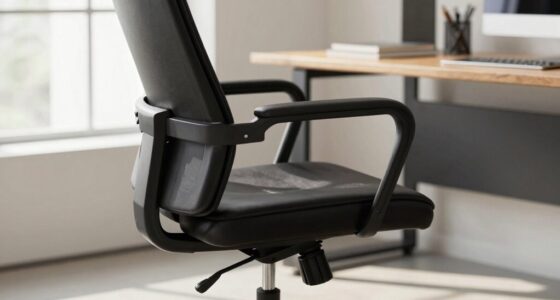
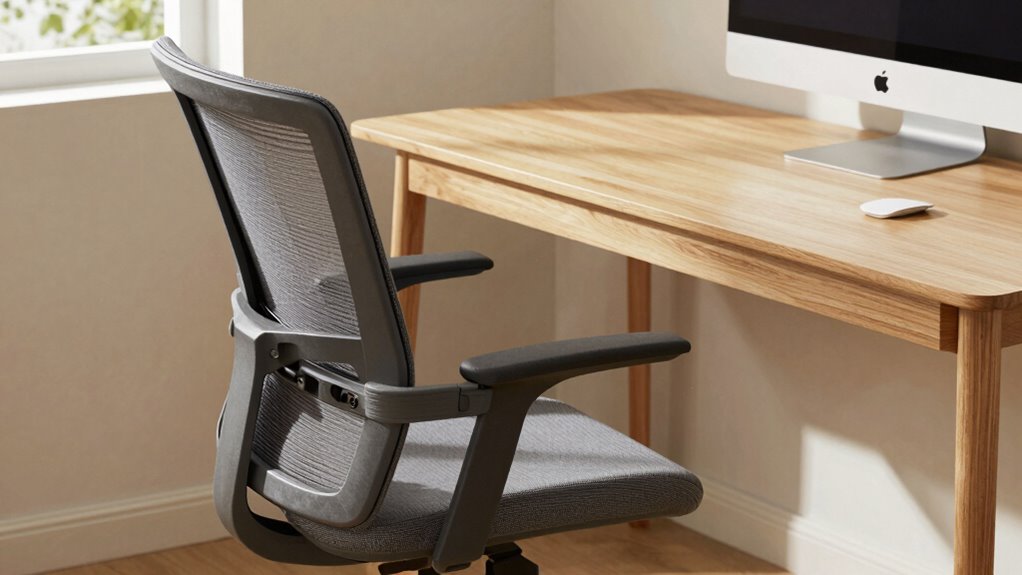
Start by investing in an ergonomic chair that promotes good posture. Look for features like adjustable height, lumbar support, and breathable material. Your chair should allow your feet to rest flat on the floor, with your knees at a 90-degree angle. Keep your hips level with your knees to prevent slouching or leaning forward. An ergonomic chair helps maintain the natural curve of your spine, reducing the risk of back pain. Additionally, using accessories like a footrest can further improve your sitting position, especially if your feet don’t comfortably reach the floor.
Invest in an ergonomic chair with adjustable height and lumbar support for better posture.
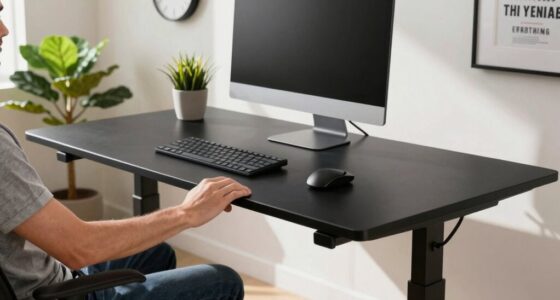
Pair your chair with a desk that’s appropriately adjusted to your height. Your forearms should be parallel to the ground when you’re typing or writing, with your wrists in a neutral position. This setup minimizes wrist strain and keeps your shoulders relaxed. Incorporate ergonomic accessories such as a keyboard tray or an adjustable monitor stand to achieve this ideal positioning. These tools help you maintain posture correction effortlessly, preventing slouching or craning your neck to see your screen.
Proper monitor placement is equally essential. Your screen should be at eye level, about an arm’s length away, to avoid tilting your head up or down. When your monitor is positioned correctly, you don’t have to strain your neck, which often leads to discomfort during long writing sessions. An adjustable monitor arm can make this easier, allowing you to fine-tune the height and angle for maximum comfort.
Finally, take regular breaks to stretch and reset your posture. Even with the best ergonomic setup, sitting in one position for too long can cause stiffness and fatigue. Use these breaks to stand, stretch your arms and legs, and do some posture correction exercises. This routine helps keep your muscles loose and promotes circulation, so your body stays comfortable and pain-free during those marathon writing sessions. Incorporating ergonomic principles into your workspace setup ensures that you can sustain comfort over extended periods, reducing the risk of strain or injury. By combining ergonomic accessories with good posture habits, you can write for hours on end without the pain and discomfort that often come with prolonged sitting.
Top picks for "long writ session"
Open Amazon search results for this keyword.
As an affiliate, we earn on qualifying purchases.
Frequently Asked Questions
How Do I Adjust My Chair for Maximum Comfort?
To modify your chair for maximum comfort, start by setting the lumbar support to fit your lower back’s curve, providing proper spine alignment. Next, adjust the armrest height so your shoulders stay relaxed and your elbows are at a comfortable 90-degree angle. Make certain your feet are flat on the floor, and your knees are level or slightly lower than your hips. These adjustments help prevent pain during long writing sessions.
What Are the Signs of Poor Ergonomic Setup?
Did you know that 80% of office workers experience musculoskeletal issues? If you notice persistent neck, shoulder, or back pain, poor ergonomic setup might be the cause. Signs include discomfort during work, improper keyboard placement, or a lack of ergonomic accessories like adjustable chairs or monitor stands. These issues often stem from misaligned desks or keyboards, so regularly check and adjust your workspace to prevent strain and improve comfort.
Can a Desk Influence Posture During Long Writing Sessions?
Yes, your desk can influence your posture during long writing sessions. An adjustable desk allows you to set the height correctly, ensuring your arms are parallel to the ground and your back stays straight. Pairing it with ergonomic accessories like a monitor stand or keyboard tray can further reduce strain. Proper desk height adjustment helps prevent slouching and discomfort, keeping you comfortable and focused throughout extended writing periods.
Are There Recommended Exercises to Prevent Fatigue?
You should do regular stretching routines and eye relaxation exercises to prevent fatigue during long writing sessions. Take short breaks every 30 minutes to stretch your neck, shoulders, and back, which helps reduce tension. Also, practice the 20-20-20 rule—look at something 20 feet away for 20 seconds—to relax your eyes. These simple habits keep you comfortable, focused, and free from fatigue.
How Often Should I Take Breaks During Extended Writing?
Like clockwork, you should take a break every 30 to 60 minutes to keep fatigue at bay. Use your break schedule as your personal Odysseus’ voyage, ensuring you stretch and reset. Incorporate ergonomic accessories during these pauses to support your posture. This rhythm helps maintain focus, prevents strain, and keeps your energy steady, making long writing sessions more comfortable and productive.
Conclusion
With the right chair and desk combo, you turn your workspace into a sanctuary where pain doesn’t stand a chance. Think of your setup as a sturdy ship on calm waters, carrying you smoothly through long writing voyages. When your body is supported and aligned, your creativity flows like a gentle stream, unburdened by discomfort. So, invest in your comfort—because a pain-free mind writes the best stories, turning each session into a voyage of discovery.