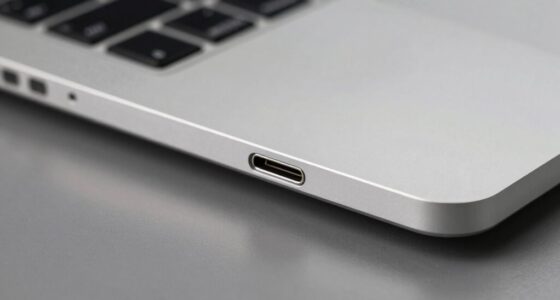
USB-C combines data transfer, fast charging, and video output in one versatile cable, making it perfect for modern devices. HDMI mainly transmits high-definition audio and video signals from your media sources to displays like TVs and projectors. DisplayPort supports higher resolutions and refresh rates, ideal for gaming and professional setups. Understanding these cables helps you connect your devices efficiently. Keep exploring to find out more about how each cable can optimize your tech experience.
Key Takeaways
- USB‑C combines data transfer, video output, and power delivery in a single versatile cable.
- HDMI primarily transmits high-definition audio and video signals from media devices to displays.
- DisplayPort is designed for high-resolution, high-refresh-rate video connections, ideal for gaming and professional monitors.
- Power adapters convert AC power to DC, supplying energy to devices through various cable types.
- Choosing the right cable depends on device requirements for data, video quality, and power needs.

Ever wonder what distinguishes one cable type from another? It’s a good question, especially as technology keeps evolving and more options seem available. When you’re trying to connect devices, understanding the differences can save you time and frustration. Take fiber optic cables, for example—they’re designed for high-speed data transmission over long distances using light signals instead of electrical ones. While fiber optic isn’t typically used for everyday consumer devices like smartphones or laptops, it’s essential for internet backbones, data centers, and large-scale telecommunication networks. In contrast, the more common cables you encounter are often copper-based, like USB‑C, HDMI, or DisplayPort (DP). These are tailored for specific purposes, such as connecting peripherals, displays, or charging devices. Power adapters, although not cables themselves, are closely related because they supply the necessary power to operate these devices and often connect via these cable types.
Understanding cable types helps you choose the right connections for your devices and setup.
When you’re choosing a cable, knowing its purpose helps. USB‑C, for instance, is incredibly versatile. It combines data transfer, video output, and power delivery into a single cable. This means you can connect your smartphone, laptop, or tablet to a monitor, external drive, or charger without juggling multiple cables. It also supports fast charging and high-speed data transfer, making it ideal for modern devices. HDMI cables, on the other hand, are mainly used for transmitting high-definition audio and video signals from your computer or media device to a monitor or TV. They’re essential for gaming, streaming, or any application where picture and sound quality matter. DisplayPort, meanwhile, is often favored in professional and gaming setups because it can support higher resolutions and refresh rates, providing a smoother visual experience. Additionally, understanding the contrast ratio of a projector helps determine how well it can display dark scenes, enhancing your home cinema experience.
Understanding the differences also helps you pick the right cable for your setup. For example, if you’re connecting a new monitor that supports 4K at high refresh rates, you’ll likely need a DisplayPort or HDMI cable that can handle those specifications. If you’re looking to keep your workspace clutter-free, choosing a USB‑C cable that combines charging, data, and video can streamline your connections. Power adapters are vital here—they convert AC power from a wall outlet into the DC power your devices need and often come with the right cables to connect your device to the power source. Some cables, like USB‑C, also support power delivery, allowing you to charge your device while transferring data or video.
In essence, understanding the purpose and capabilities of each cable type helps you make smarter choices, ensuring your devices work efficiently and reliably. Whether it’s fiber optic for rapid internet, USB‑C for versatile device connections, HDMI for entertainment, or DisplayPort for high-performance displays, knowing their roles makes your tech setup smoother.
Frequently Asked Questions
Can All USB-C Cables Transfer Video Signals?
Not all USB-C cables can transfer video signals. If you want good video quality, look for cables labeled as “Thunderbolt” or “USB-C with DisplayPort support.” These cables guarantee reliable video transmission and maintain cable durability. Cheaper or non-certified cables may only handle charging or data transfer, risking poor video quality or connection issues. Always check specifications before using a USB-C cable for video to get the best performance.
Are HDMI and Displayport Interchangeable?
You might think HDMI and DisplayPort are interchangeable, but they aren’t. While both transmit high-quality video and audio, their compatibility isn’t universal. HDMI compatibility can be achieved with DisplayPort adapters, but you need to make certain your devices support the respective standards. Using the right cable or adapter avoids signal issues, so don’t assume they’re interchangeable—check your device specifications to guarantee seamless connection and peak performance.
What Is the Maximum Data Transfer Rate for Each Cable Type?
You’ll find that HDMI 2.1 supports up to 48 Gbps with data compression, ideal for high-res gaming and 8K video. DisplayPort 2.0 offers up to 80 Gbps, also using data compression for seamless performance. USB‑C varies but can reach 40 Gbps with Thunderbolt 3/4, emphasizing cable durability and versatile use. Always check cable quality, as durability impacts long-term data transfer reliability.
Do Different Cable Versions Affect Compatibility?
Think of cable versions as different roads leading to the same destination. Yes, varying versions can impact compatibility because they follow distinct connector standards and durability standards. Using an outdated cable might cause connection issues or slower data transfer. Always check the cable’s version to guarantee it matches your device’s requirements, preventing frustration and ensuring smooth performance. Upgrading your cables guarantees compatibility and maintains ideal durability.
Can These Cables Be Used for Charging Devices?
Yes, these cables can be used for charging devices if they support the appropriate charging compatibility and power delivery standards. USB-C cables, in particular, often handle fast charging and higher wattages, making them versatile for both data transfer and power. Check each cable’s specifications to make certain it meets your device’s power requirements and standards, like USB Power Delivery, to avoid compatibility issues or slow charging.
Conclusion
Now that you know the differences between USB-C, HDMI, and DisplayPort, you’ll make smarter choices for your devices. Did you know that nearly 60% of users struggle with connecting the right cable? Understanding each type’s purpose guarantees smoother setups and better performance. So, next time you’re shopping for cables, you’ll confidently pick the right one, saving time and avoiding frustration. Staying informed helps you get the most out of your tech gear effortlessly.