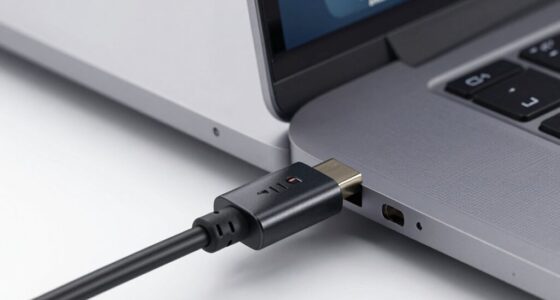

USB4 can be confusing because its name suggests a completely new standard, but it’s really an upgrade of existing USB technologies combined with Thunderbolt 3. It offers faster data speeds, better power delivery up to 100W, and broader device compatibility, but it’s more of a unified evolution than a fresh protocol. Understanding what USB4 really means can help you make smarter choices—there’s more to uncover if you keep exploring.
Key Takeaways
- USB4 is an upgrade of previous standards, not a completely new protocol, which can cause confusion about its novelty.
- The name suggests a brand-new standard, but it actually consolidates and enhances existing USB technologies.
- USB4 combines faster data transfer and power delivery features, making it more versatile but less distinct as a “new” standard.
- Compatibility depends on device support, and older peripherals may work at reduced speeds, adding to the complexity.
- USB4’s integration of Thunderbolt 3 technology and broader device support contributes to its confusing branding.
Have you ever wondered what makes USB4 the latest standard in data transfer technology? It’s a good question, especially since the name might seem straightforward but can be confusing once you dig deeper. USB4 aims to unify and improve upon previous standards, offering faster speeds, better power delivery, and broader device compatibility. But what does that really mean for you? Let’s break down the essentials.
First, USB4 substantially enhances power delivery. This means your devices can charge faster and more efficiently. Whether you’re plugging in a smartphone, tablet, or even a portable monitor, USB4 can supply enough power to keep your gadgets running smoothly. It supports up to 100W of power, which is a big step up from older USB standards. So, when you connect your device, you won’t have to worry about slow charging or limited power options. Instead, USB4 ensures that your device gets the juice it needs quickly, saving you time and frustration.
Device compatibility is another key feature that often causes confusion. You might think that because a device has a USB port, it automatically works with USB4. That’s not always the case. USB4 is designed to be compatible with a wide range of devices, but it requires the device to support the USB4 protocol specifically. Many newer devices do, but some older peripherals might only work at slower speeds or with different protocols. The good news is that USB4 is backward compatible with previous USB standards like USB 3.2 and USB 2.0. So, even if your device isn’t USB4-ready, you can still connect it, though you might not get the full benefits of faster data transfer or higher power delivery.
The name “USB4” might make you think it’s a completely new and distinct standard, but in reality, it’s more of an upgrade and consolidation of existing standards. It’s built to be flexible, allowing different devices to work together seamlessly, provided they support the protocol. This is where the confusion arises: the name suggests a brand-new technology, but it’s really an evolution of what came before, designed to simplify and improve your experience.
Additionally, USB4 leverages the Thunderbolt 3 protocol to achieve higher performance levels, which is an important aspect of its versatility and speed. In essence, USB4 represents a more unified approach to data transfer and power delivery. It’s about faster speeds, more efficient charging, and broader compatibility, all in one package. Understanding these features helps you make smarter choices when upgrading your devices. You’ll know that USB4 isn’t just a new name; it’s a meaningful step forward in how your devices connect and communicate, making your tech life easier and more efficient.
Top picks for "usb4 explain name"
Open Amazon search results for this keyword.
As an affiliate, we earn on qualifying purchases.
Frequently Asked Questions
Will USB4 Be Compatible With All Previous USB Standards?
Yes, USB4 is designed for broad compatibility. You’ll find legacy support for many older USB standards, and backward compatibility guarantees your existing devices work smoothly. However, to get the full benefits of USB4, like faster speeds, you’ll need compatible hardware. Keep in mind that some features may not be supported on all devices, so check the specifications to ensure your gear will work seamlessly with USB4.
How Does USB4 Affect Device Power Delivery?
Like a mighty river, USB4 flows in with powerful changes, enhancing device charging capabilities. You’ll notice better power delivery enhancements that allow your devices to charge faster and more efficiently. This means fewer worries about low batteries and more seamless power transfer. USB4’s advancements ensure your devices get the energy they need quickly, making your tech experience smoother and more reliable—powering your day without interruption.
Can USB4 Support Multiple Displays Simultaneously?
Yes, USB4 can support multiple displays simultaneously, offering improved multi monitor support and display compatibility. You can connect two or more displays using a USB4 port, depending on your device’s capabilities and the adapters you use. It leverages Thunderbolt 3 technology to deliver high data transfer rates and power, making it ideal for multi-monitor setups. Just guarantee your device and cables are compatible with USB4’s display features.
What Are the Main Benefits of USB4 Over Thunderbolt 3?
You’ll find USB4 offers significant advantages over Thunderbolt 3, especially in compatibility and bandwidth. Unlike Thunderbolt 3, USB4 reduces compatibility issues, working smoothly with a wider range of devices and ports. It also provides higher bandwidth, supporting faster data transfer and multiple displays simultaneously. This means you get better performance without the need to worry about limitations or needing special cables, making your setup more versatile and future-proof.
Are There Any Security Concerns With USB4 Connections?
Yes, there are security concerns with USB4 connections. You should be aware of data encryption vulnerabilities, as unencrypted data could be intercepted during transfer. Additionally, malware risks increase if you connect to unknown or untrusted devices, which might contain malicious software. Always use trusted devices, keep your firmware updated, and enable security features to minimize these risks and protect your data.
Conclusion
Deciphering USB4’s naming can feel like decoding a secret language, but understanding its true meaning simplifies things. Think of it as upgrading from a bicycle to a sports car—you gain speed, power, and versatility. Just like how a single upgrade transforms your driving experience, USB4 promises faster data transfer and better connectivity. Once you see past the confusing name, you’ll appreciate how this tech boost can streamline your devices, making your digital world smoother and more efficient.