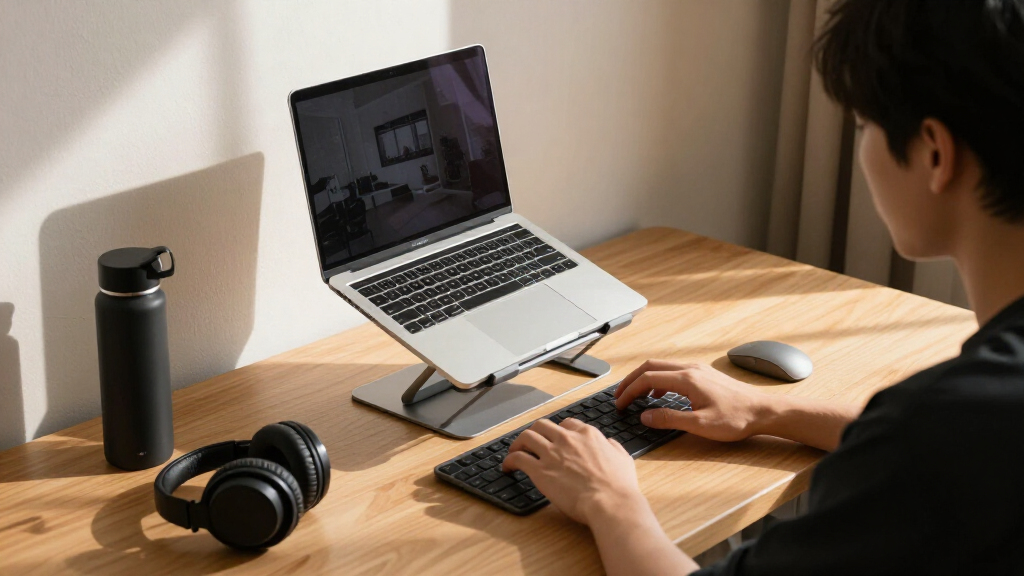

Students spend hours hunched over laptops, and the right stand can raise the screen to eye level for under $40. After comparing seven popular options, the Tounee Adjustable Height Telescopic Stand stands out as the best overall pick for students thanks to its wide height range, sturdy aluminum build, and support for laptops up to 17 inches. The Nulaxy Adjustable Foldable Stand is the better budget choice for anyone who carries their stand between dorm and library, while the Nulaxy 18-inch Telescopic 360° model suits students who want full standing-desk flexibility. The main tradeoff in this category is simple: highly adjustable telescopic stands take up more desk space and cost more, while compact fixed-height risers travel easily but offer less ergonomic range. Read on for the full breakdown, including which models are worth skipping and why.

Get comfort and recovery gear delivered free with Prime
- Fast, free delivery on millions of items
- Prime Video, Amazon Music and more included
- Member-only deals all year
Complete the kit



Key Takeaways
- Height range was the biggest differentiator: the two telescopic picks (amazon.com/dp/B09WJTPPS3?tag=worksetuplab.com-20&ascsubtag=dc-645758″ target=”_blank” rel=”nofollow sponsored noopener”>Tounee and Nulaxy 18-inch) adjust from roughly 2 to 18 inches, while fixed-geometry stands like the Besign LS03 top out around 6 inches — enough for seated desk work, but useless for standing or tall students.
- Every stand in this lineup costs between roughly $20 and $50, so paying more buys adjustability and rotation rather than better build quality — aluminum construction was standard across all seven.
- Two Tounee models made the list, and they are not interchangeable: the 360° swivel version is better for group study sessions, while the non-swivel telescopic version is slightly more stable at maximum height.
- Portability favors the foldables — the Nulaxy foldable stand and Amazon Basics riser collapse flat enough for a backpack, whereas telescopic models are heavier and better suited to a dedicated desk.
- The Amazon Basics stand is the weakest ergonomic performer despite being sturdy; its limited height range makes it a fit only for average-height students who always work seated.
| Tounee LS07 Adjustable Height Laptop Stand |  | Best Overall | Height Range: 2.1″ to 21″ | Maximum Support Weight: 22 lbs | Material: Metal | VIEW LATEST PRICE | See Our Full Breakdown |
| Besign LS03 Aluminum Laptop Stand |  | Best Value | Compatibility: 10-15.6 inch laptops | Material: Aluminum alloy | Max Support Weight: 8.8 lbs | VIEW LATEST PRICE | See Our Full Breakdown |
| Nulaxy Adjustable Laptop Stand with Heat-Vent |  | Best for Stability | Weight Capacity: 22 lbs (10 kg) | Material: Not specified | Compatibility: 10-16 inch laptops | VIEW LATEST PRICE | See Our Full Breakdown |
| Nulaxy 18″ Telescopic 360° Rotating Laptop Stand |  | Best for Group Study | Rotation: 360° | Max Height: 18 inches | Support Weight: 22 pounds | VIEW LATEST PRICE | See Our Full Breakdown |
| LOXP Adjustable Portable Laptop Stand |  | Best for Campus Commuters | Material: Sturdy metal | Compatibility: Laptops 10-15.6 inches | Max Weight: 15.4 pounds (7 kg) | VIEW LATEST PRICE | See Our Full Breakdown |
| Amazon Basics Sturdy and Portable Ergonomic Laptop Stand for Desk |  | Best Budget-Friendly Travel Pick | Height Adjustment: Up to 7 inches | Compatibility: Laptops and tablets 10 to 15.6 inches | Material: Lightweight, rust-resistant aluminum | VIEW LATEST PRICE | See Our Full Breakdown |
| Tounee Telescopic Laptop Stand with 360° Swivel Base |  | Best for Sit-Stand Studying | Height Range: 2.1″ to 21″ | Swivel: 360° rotating base | Weight Capacity: 22 lbs | VIEW LATEST PRICE | See Our Full Breakdown |
| ergonomic laptop stands for student | Material | Compatibility |
|---|---|---|
| Tounee LS07 Adjustable Height | Metal | Laptops 10-17" |
| Besign LS03 Aluminum Laptop St | Aluminum alloy | 10-15.6 inch laptops |
| Nulaxy Adjustable Laptop Stand | Not specified | 10-16 inch laptops |
| Nulaxy 18" Telescopic 360° Rot | Aluminum | Laptops up to 17 inches |
| LOXP Adjustable Portable Lapto | Sturdy metal | Laptops 10-15.6 inches |
| Amazon Basics Sturdy and Porta | Lightweight, rust-resistant aluminum | Laptops and tablets 10 to 15.6 inches |
| Tounee Telescopic Laptop Stand | Aluminum alloy | Laptops 10-17 inches |
More Details on Our Top Picks
Tounee LS07 Adjustable Height Laptop Stand
The Tounee LS07 stands out for its massive 2.1″ to 21″ telescopic range, which means it can serve a student hunched over a dorm desk at night and double as a standing-desk riser during the day. No other stand in this lineup matches that flexibility — the Besign LS03 tops out at a fixed 5.7 inches, and even the Nulaxy 18″ telescopic model falls slightly short of this height ceiling. The 22 lbs metal build easily handles a 17-inch gaming laptop, something the 8.8 lbs Besign simply cannot. The tradeoff is convenience: switching between sitting and standing requires manual telescoping adjustments, and at full extension it can crowd a shallow desk. For a student who wants one stand for every posture, this is the most complete answer here.
Pros:- Extensive 2.1″ to 21″ height range covers both sitting and standing use
- 22 lbs weight capacity handles heavy gaming laptops
- Sturdy metal construction resists wobble
- Folds flat for storage in a cramped dorm room
Cons:- Manual telescopic adjustment is slower than preset fixed stands
- Can be too tall and unwieldy for very small desks
- Only available in gray
Best for: Students who alternate between sitting and standing work and want a single stand that does both
Not ideal for: Students with shallow desks or those who want push-button, tool-free height changes on the fly
- Height Range:2.1″ to 21″
- Maximum Support Weight:22 lbs
- Material:Metal
- Compatibility:Laptops 10-17″
- Foldable:Yes
- Color:Gray
Our verdict“Buy this if you want the widest ergonomic range of any stand here and don’t mind manual adjustments to get it.”
Besign LS03 Aluminum Laptop Stand
For students on a tight budget, the Besign LS03 delivers the core ergonomic benefit — raising your screen closer to eye level — without the complexity or price of telescopic models. Unlike the Tounee LS07, there’s no fiddling with height settings; you set it down and it works, which is exactly what most desk-bound students need. The aluminum build with open-frame design gives it genuine cooling advantage over solid-panel risers, and it detaches flat to slide into a backpack. The compromises are real, though: the 8.8 lbs weight limit rules out heavier 16-inch machines, and the fixed 5.7-inch elevation means taller students may still find themselves looking slightly downward. Compared with the LOXP stand, you lose angle adjustability but gain a simpler, more proven design.
Pros:- Affordable with a simple no-adjustment setup
- Open aluminum frame provides effective passive cooling
- Detachable, foldable design travels well in a backpack
- Solid stability for its weight class
Cons:- Fixed height with no adjustability beyond the preset elevation
- 8.8 lbs weight limit excludes heavier laptops
- Rubber grips may wear down with heavy use
Best for: Budget-conscious students with lightweight 13-15 inch laptops who want set-and-forget elevation
Not ideal for: Taller students needing precise height tuning, or anyone with a heavy 16-inch plus gaming laptop
- Compatibility:10-15.6 inch laptops
- Material:Aluminum alloy
- Max Support Weight:8.8 lbs
- Elevation Height:Up to 5.7 inches (14.5 cm)
- Design:Detachable and foldable
- Color:Silver
Our verdict“This pick makes the most sense for students who want reliable screen elevation at the lowest complexity and cost.”
Nulaxy Adjustable Laptop Stand with Heat-Vent
Wobbling is the quiet failure of cheap stands, and the Nulaxy’s dual-rod support system directly addresses it — the laptop stays planted even during frantic typing sessions or note-swiping on a touchscreen. Its geometric heat-vent panel is another strength, pulling heat away from the chassis in a way the solid-surfaced Tounee LS07 doesn’t match, which matters for students running long compile jobs or lecture recordings. Where it falls behind the competition is flexibility: unlike the Tounee or the LOXP, there’s no advertised height or angle adjustment, so the ergonomic benefit comes from a single fixed elevation. That makes it less adaptable than the telescopic picks, but more stable and predictable. For a student who types hard and values a planted laptop over customizable positioning, this model holds its ground.
Pros:- Dual-rod support system eliminates wobble during typing
- Geometric heat-vent panel keeps laptops cool under load
- Folds down for easy transport between classes
- 22 lbs weight capacity accommodates larger machines
Cons:- No adjustable height or angle options
- Material construction is not specified by the manufacturer
- Limited to laptops up to 16 inches
Best for: Heavy typists and students running thermally demanding workloads who prioritize stability and cooling
Not ideal for: Students who want fine-grained height or angle tuning for standing-desk setups
- Weight Capacity:22 lbs (10 kg)
- Material:Not specified
- Compatibility:10-16 inch laptops
- Foldable:Yes
- Heat Vent Design:Geometric heat-vent panel
- Support Structure:Dual-rod stability system
Our verdict“Choose this over adjustable rivals if a rock-steady, well-cooled typing platform matters more than custom positioning.”
Nulaxy 18″ Telescopic 360° Rotating Laptop Stand
The 360° rotating base is the feature no other stand in this roundup offers, and it changes how the stand gets used: a student can spin their laptop toward a study partner to share notes, a problem set, or a presentation without lifting the device. Combined with 18 inches of telescopic height and tilt adjustment, it covers nearly the ergonomic range of the Tounee LS07 while adding that collaborative twist. It’s also one of the few picks here rated for 17-inch laptops at 22 lbs. The tradeoffs are workflow-based — you’ll need an external keyboard and mouse to type comfortably at raised heights, and the manufacturer advises removing the laptop before adjusting, which slows down spontaneous height changes. For dorm group projects and shared study sessions, this model is better suited than any fixed riser here.
Pros:- 360° rotation makes screen sharing effortless during group work
- Up to 18 inches of height plus tilt adjustment for standing use
- Handles 17-inch laptops up to 22 lbs
Cons:- Requires external keyboard and mouse for comfortable typing
- Laptop should be removed before making adjustments
- Heavier and less pocketable than fold-flat rivals like the Besign LS03
Best for: Students who regularly collaborate — group projects, study partners, or presenting work from a laptop
Not ideal for: Students without an external keyboard and mouse, since raised-screen typing is awkward on the laptop itself
- Rotation:360°
- Max Height:18 inches
- Support Weight:22 pounds
- Compatibility:Laptops up to 17 inches
- Material:Aluminum
- Adjustments:Height and tilt angle
Our verdict“If your coursework involves showing your screen to other people, the rotating base justifies this pick over every fixed alternative.”
LOXP Adjustable Portable Laptop Stand
Students hauling a stand between dorm, library, and café need something that folds small, weighs little, and still adjusts — and that’s precisely the LOXP’s niche. Unlike the Besign LS03, which locks you into one fixed elevation, the LOXP offers both height and angle adjustment, so a commuter can tune it to whatever table the day provides. Non-slip pads keep the laptop planted on slick library surfaces, and the ventilated design handles heat reasonably well. The tradeoff is capacity: at 15.4 lbs max and a 15.6-inch size ceiling, it’s clearly built for ultrabooks and MacBooks rather than the 17-inch machines the Tounee LS07 accommodates. Compared with the Nulaxy heat-vent model, you give up some rigidity for portability. For lightweight-laptop students who work in many places, the balance tips in its favor.
Pros:- Adjustable height and angle in a foldable travel-friendly frame
- Non-slip pads keep the laptop secure on polished surfaces
- Ventilated design supports decent heat dissipation
- Broad compatibility with common student laptops including MacBooks and Chromebooks
Cons:- 15.4 lbs weight capacity is the lowest among adjustable picks here
- Capped at 15.6-inch laptops, excluding larger machines
- May not accommodate thicker chassis designs
Best for: Commuting students with thin 13-15 inch laptops who work across library, café, and dorm locations
Not ideal for: Owners of heavy 16-inch plus gaming or workstation laptops that exceed its 15.4 lbs limit
- Material:Sturdy metal
- Compatibility:Laptops 10-15.6 inches
- Max Weight:15.4 pounds (7 kg)
- Foldable:Yes
- Adjustments:Height and angle
- Heat Dissipation:Enhanced ventilation design
- Grip:Non-slip pads
Our verdict“Grab this if you carry your stand as often as your laptop and your machine stays under 15.6 inches.”
Amazon Basics Sturdy and Portable Ergonomic Laptop Stand for Desk
For students who need a decent ergonomic lift without spending much, this Amazon Basics stand makes a practical case. The height adjusts up to 7 inches, which is enough to raise a laptop screen to eye level at a desk, and the ventilated aluminum deck keeps a machine cooler during long study sessions. Where it earns its spot is portability: at 1.7 lbs and folding to a slim 10 x 8.7-inch profile, it slides into a backpack far more easily than the Besign LS03, which detaches into parts but doesn’t fold as compactly.
The tradeoff is ambition. Compared with the Tounee Telescopic, its range is modest — no full standing-height extension, no rotation — so it’s a sitting-desk tool, full stop. It also needs a flat, solid surface to stay steady, and heavier 15.6-inch machines can feel a bit wobbly at maximum height. For the price, though, those are fair compromises for a dorm-desk riser.
Pros:- Folds flat and weighs only 1.7 lbs, making it genuinely backpack-friendly
- Ventilated aluminum design helps dissipate heat during long sessions
- Adjustable height up to 7 inches improves screen position at a seated desk
- Very affordable compared with telescopic competitors
Cons:- Height range is limited compared with telescopic models like the Tounee — no standing use
- Larger or heavier laptops can feel unstable, especially at full extension
- Only fits devices up to 15.6 inches
Best for: Budget-conscious students who carry their stand between class, library, and dorm and mostly work seated
Not ideal for: Students wanting a standing-desk setup or using 16-inch-plus gaming laptops — the height range and 11 lb capacity won’t support either
- Height Adjustment:Up to 7 inches
- Compatibility:Laptops and tablets 10 to 15.6 inches
- Material:Lightweight, rust-resistant aluminum
- Load Capacity:11 lbs (5 kg)
- Folded Size:10 x 8.7 x 1.8 inches
- Weight:1.7 lbs (0.77 kg)
- Portability:Folds flat for travel and storage
Our verdict“A smart buy for seated students who value portability and a low price over adjustability.”
Tounee Telescopic Laptop Stand with 360° Swivel Base
This is the stand for students serious about alternating between sitting and standing while they work. With a height range stretching from 2.1 to 21 inches and a 360° swivel base, it handles everything from a low typing angle to a full standing position — something no other pick here, including the Nulaxy 18″ Telescopic, matches in combined range and rotation. The swivel is genuinely useful for shared study tables, letting you pivot the screen toward a project partner without moving the whole setup.
The catch is desk real estate. At full extension it towers over a small dorm desk, and the rotating base needs clear surrounding space to actually spin — a constraint the simpler Amazon Basics stand avoids entirely. It’s also less of a grab-and-go option: capable, yes, but heavier and more mechanically involved than a basic folding riser. Students with a spacious, dedicated desk will love it; anyone working from café tables will find it overkill.
Pros:- Huge 2.1″ to 21″ height range enables true sit-stand workflows
- 360° swivel base makes screen sharing with study groups effortless
- 22 lb weight capacity easily handles heavy gaming and workstation laptops
- Fits laptops from 10 to 17 inches, covering nearly every student machine
Cons:- Can be too tall and bulky for very small desks
- Requires surrounding clearance for the full 360° rotation
- Less convenient to transport than lightweight folding stands
Best for: Students with a dedicated desk who want to switch between sitting and standing and share their screen with study partners
Not ideal for: Students working in tight café or library spaces — the tall extension and swivel base demand more room than small surfaces allow
- Height Range:2.1″ to 21″
- Swivel:360° rotating base
- Weight Capacity:22 lbs
- Compatibility:Laptops 10-17 inches
- Material:Aluminum alloy
- Design:Compact and foldable
- Ergonomic Focus:Supports healthy sit-stand posture
Our verdict“The most versatile pick in the lineup for students with the desk space to use its full sit-stand and swivel range.”
How We Picked
Because students juggle dorm desks, library tables, and café counters, I weighted height adjustability above everything else — a stand that only works for one seated position doesn’t solve the posture problem it’s bought for. I also evaluated stability at full extension, since a wobbly stand is worse than no stand when you’re typing an essay, and portability, meaning folded thickness, weight, and whether it fits in a typical backpack side pocket. Compatibility mattered too: several models cap out at 15.6 or 16 inches, which rules them out for students with larger gaming or workstation laptops.
Each stand was then judged on value — what you get per dollar compared with the others in this lineup, not against abstract standards. That’s why the ranking favors the two telescopic models at the top: they cover the widest range of heights, body sizes, and study setups, which is exactly what a student on a budget needs from a single purchase. Cheaper fixed-height stands rank lower not because they’re poorly made, but because they solve a narrower slice of the problem.
| ergonomic laptop stands for student | Material |
|---|---|
| Tounee LS07 Adjustable Height | Metal |
| Besign LS03 Aluminum Laptop St | Aluminum alloy |
| Nulaxy Adjustable Laptop Stand | Not specified |
| Nulaxy 18" Telescopic 360° Rot | Aluminum |
| LOXP Adjustable Portable Lapto | Sturdy metal |
| Amazon Basics Sturdy and Porta | Lightweight, rust-resistant aluminum |
| Tounee Telescopic Laptop Stand | Aluminum alloy |
Factors to Consider When Choosing Ergonomic Laptop Stands For Students
Before picking a stand, it helps to understand what actually makes a laptop stand “ergonomic” and where students commonly go wrong. These are the factors that separated the top picks from the rest, plus the tradeoffs the product reviews don’t fully cover.Height Range and Your Actual Seated Posture
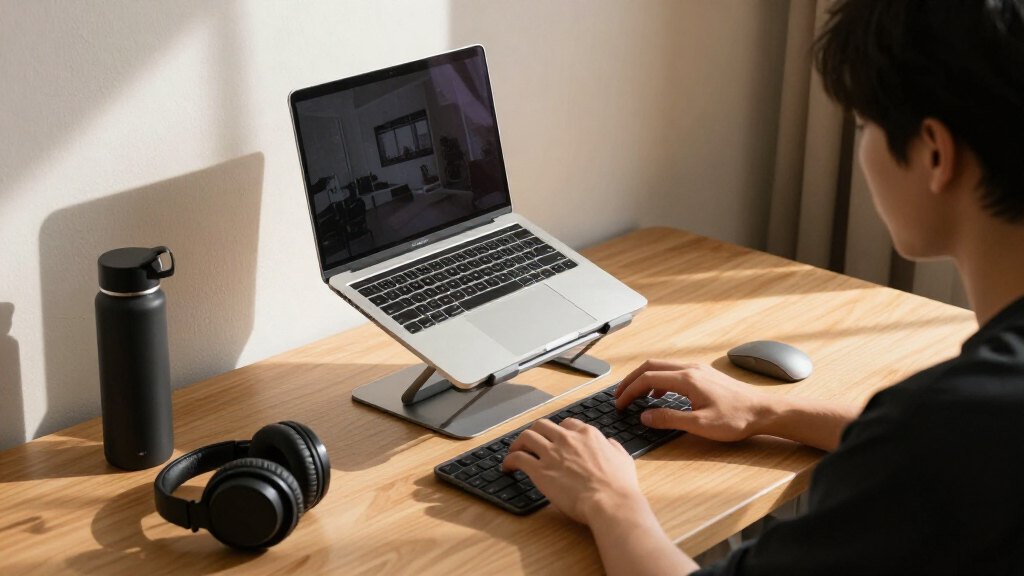
The most common mistake students make is buying a stand that raises the laptop only a few inches and calling it ergonomic. For proper posture, the top of your screen should sit at or slightly below eye level — for most students that means lifting the laptop 6 to 10 inches off the desk, not 3. Fixed-height stands like the Besign LS03 work only if your chair, desk, and torso height happen to align with their single setting. Telescopic models eliminate the guesswork, which matters even more if you share furniture, move between desks, or occasionally want to stand while studying. Measure your current setup before buying: sit as you normally do and estimate the gap between your eye line and the laptop screen. That single number tells you whether a fixed stand will work or whether you need the adjustability of a telescopic model.
Laptop Size Limits and Weight Ratings
Size compatibility is where cheap stands quietly fail students. Half the models in this roundup cap out at 15.6 or 16 inches, which sounds fine until you’re running a 17-inch gaming laptop for engineering coursework or game design. Overloading a stand doesn’t just risk tipping — narrower cradles can block ports or leave the laptop’s corners hanging off the edge, which reduces stability and cooling airflow. Check both the advertised screen-size range and the actual weight rating; a heavy laptop at full telescopic height behaves very differently than a 2.5-pound ultrabook. If your laptop is 16 inches or larger, your realistic options narrow to the two Tounee models, both of which support up to 17 inches. Students with 13- or 14-inch machines have the most freedom and can choose purely on adjustability and price.
External Keyboard and Mouse: The Hidden Requirement
No laptop stand works ergonomically on its own. Once the screen is at eye level, the built-in keyboard becomes unusable at a comfortable angle, so you’ll need an external keyboard and mouse — an added $25 to $60 that most students don’t budget for. If you’re not willing to carry those accessories, a tall stand actually makes your posture worse, because you’ll end up reaching up to type with bent wrists all class long. Some students compromise with a lower fixed stand that angles the keyboard, which helps the neck slightly while keeping the keyboard usable — the Nulaxy foldable and Amazon Basics models handle this middle-ground approach reasonably well. Decide honestly which type of user you are before choosing, because it changes which stand makes sense more than any spec sheet does.
Portability Versus Desk Real Estate
Think about where you’ll actually use the stand, not just your ideal setup. Telescopic models with wide bases eat 8 to 10 inches of desk depth, which is a real problem in cramped dorm rooms or shared library tables where you also need space for notebooks, a keyboard, and coffee. Foldable flat stands slip into a backpack sleeve and set up in seconds, making them the natural choice for students who change locations daily. There’s also a weight consideration: telescopic aluminum models run heavier, and carrying one across campus daily gets old fast. A practical pattern many students land on is a cheap portable stand for the backpack and a taller telescopic stand permanently on the dorm desk — that combo often costs less than one premium stand from other categories.
Cooling, Materials, and Durability
Students push laptops hard — long rendering sessions, exam-week marathons, and beds that block every vent. An open-frame aluminum stand dissipates heat noticeably better than a laptop sitting flat, and models with ventilation gaps or hollow-center designs help most. Plastic-hinge stands are the ones to be cautious about: hinges are the first failure point, and a snapped hinge mid-semester means buying twice. All seven stands here use aluminum, but joint quality varies — read reviews specifically mentioning long-term wobble rather than first-week impressions. Also check whether rubber pads cover every contact point; missing pads mean scratches on both the laptop and the desk, and replacement pads rarely stay on. For a purchase you’ll use four years, spending $10 more on better joints is usually the smarter call.
Rotation: Genuinely Useful or a Gimmick?
Two stands in this lineup offer 360° rotation, and it’s worth asking whether you’d actually use it. For students who do group projects, pair-program, or show a screen to a tutor, rotation is genuinely handy — spinning the laptop toward a classmate beats lifting it off the stand or everyone crowding behind you. For solo studiers, rotation is dead weight: it adds a moving part, a small stability penalty at height, and usually a few dollars to the price. Be honest about your workflow. If you study alone 95% of the time, put that money toward height range instead, since neck angle affects you every single session while screen-sharing affects you occasionally. The swivel feature only earns its cost when collaboration is a regular part of your week.
Frequently Asked Questions
Can a laptop stand really improve my posture if I’m still using the built-in keyboard?
Only partially, and this is the biggest misconception in the category. Raising the screen fixes your neck angle, but typing on a raised built-in keyboard forces your wrists into an awkward upward bend, which trades neck strain for wrist strain. The stand delivers its full benefit only when paired with an external keyboard and mouse, which lets your shoulders relax and your wrists stay neutral. If carrying extra peripherals isn’t realistic for you, choose a lower fixed-height stand like the Nulaxy foldable or Amazon Basics model, which raises the screen modestly while keeping the keyboard at a tolerable typing angle. That compromise beats a tall telescopic stand used with the built-in keyboard every time.
Is a telescopic stand worth the extra cost over a fixed-height one for dorm use?
For most students, yes, because dorm furniture is rarely adjustable and you’ll inherit whatever desk and chair the room comes with. A telescopic stand lets you correct for a too-low chair, a too-high desk, or your own height, which a fixed stand simply cannot do. It also future-proofs the purchase: if you move to an apartment with different furniture next year, the same stand adapts. The main exception is a student who has already tested a fixed height and knows it works — if a 6-inch lift puts your screen at eye level today and your setup won’t change, saving the difference is reasonable. Otherwise, the $10 to $15 premium for adjustability is the best money spent in this category.
Will any of these stands hold a heavy 17-inch gaming laptop safely?
Only two stands in this roundup are rated for 17-inch machines: the Tounee Adjustable Height Telescopic and the Tounee 360° Swivel Telescopic. Both support the larger footprint and the extra weight, and their wider bases keep bigger laptops steady. Be careful with stands advertised at 15.6 or 16 inches — a heavy laptop may physically balance on them, but the narrower cradle leaves corners unsupported and the center of gravity sits closer to the edges, which raises the tipping risk at higher settings. Also remember that gaming laptops run hot, so the open-frame design of the Tounee stands helps airflow more than a flat laptop desk ever will. If you own a 17-inch machine, treat the size rating as a hard limit rather than a suggestion.
Do I need the 360° rotating base, or is it just a marketing feature?
It depends entirely on how you study. If you regularly do group work, lab partnerships, or tutoring sessions where someone else needs to see your screen, rotation is a practical feature that saves you from constantly lifting and repositioning the laptop. Students who study solo will almost never spin the base, and for them the feature adds a small stability tradeoff at full height along with a modest price bump. One underrated use case: rotation lets you turn the screen toward a bed or second seating position without moving the whole stand, which suits cramped dorm layouts. My suggestion is to think back over your last month of studying — if screen-sharing happened more than a couple of times, get the swivel version; if not, spend the difference on height range.
Are the cheapest stands here sturdy enough to last through four years of college?
The budget picks in this lineup — the Amazon Basics riser and the Nulaxy foldable — are built from aluminum and should survive normal student use, but their weak points are the hinges and adjustment mechanisms rather than the frames. Expect some loosening over time, which shows up as slight wobble when you type aggressively. You can extend their lifespan by adjusting them gently rather than forcing the hinges, and by not over-tightening clamps on laptops heavier than their rating. The telescopic models generally have more robust joints because their adjustment systems are designed for constant repositioning. If four-year durability is the priority and your budget allows, the Tounee telescopic models are the safer long-term bet; if you just need something for a year or two of coursework, the cheaper stands will do the job fine.
Conclusion
For most students, the Tounee Adjustable Height Telescopic Stand is the best overall choice: it combines the tallest height range in the lineup, 17-inch laptop support, and solid stability at a mid-range price. If budget is the deciding factor, the Nulaxy Adjustable Foldable Stand delivers the best value — real ergonomic lift, a heat-vent design, and backpack-friendly folding for a fraction of the telescopic prices. Students who want the closest thing to a full standing desk should treat the Nulaxy 18-inch Telescopic 360° as the premium pick, since nothing else here reaches its standing-height capability.
For beginners who aren’t ready to commit to an external keyboard, the Amazon Basics riser and the Nulaxy foldable offer a gentle, low-cost entry point with modest lift and usable keyboard angles. Specific needs round out the list: the Tounee 360° Swivel is the pick for group-project-heavy coursework, while the Besign LS03 suits students with a permanent desk who want a clean, sturdy riser and already know their ideal height. And the LOXP portable riser fits the student who studies in a different location every day. Whatever you choose, remember the stand is half the equation — budget for an external keyboard, and your neck will thank you by finals week.
Fall Picks
fall essentials
As an affiliate, we earn on qualifying purchases.