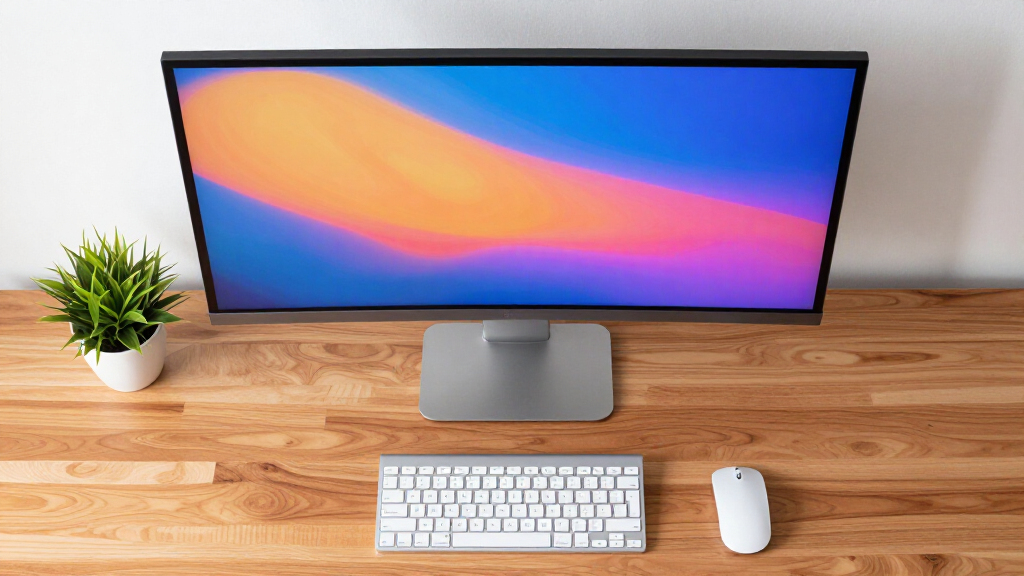
Choosing the best 1440p ultrawide monitor for work involves balancing screen real estate, color accuracy, and connectivity options. The ASUS ProArt PA34VC stands out for its color precision, ideal for creative professionals, while the LG 34U640B-B offers excellent value with a versatile feature set. The main tradeoffs often involve balancing price against features like refresh rate, build quality, and ergonomic flexibility. Some monitors excel in color accuracy but lack gaming features, while others prioritize speed over color fidelity. Keep reading to see how these options compare and which one suits your specific work needs best.

Get comfort and recovery gear delivered free — and shop member deals
- Fast, free delivery on millions of items
- Access to Prime Big Deal Days deals on October 6–7
- Prime Video, Amazon Music and more included
Complete the kit



Key Takeaways
- Color accuracy is a key differentiator for creative professionals, with the ASUS ProArt leading in this area.
- For general productivity, high refresh rates and USB-C connectivity provide smoother workflows and device compatibility.
- Value-oriented monitors like LG 34U640B-B offer a compelling mix of features at a lower price point, but may lack premium build quality.
- Gaming-oriented ultrawides such as ASUS TUF provide high refresh rates but may compromise on color precision for work tasks.
- Ergonomics and build quality vary significantly, influencing long-term comfort and durability.


| 1440p ultrawide monitor for work | Resolution | Connectivity | Size | Refresh Rate |
|---|---|---|---|---|
| ASUS ProArt PA34VCNV 34-Inch U | 1440p | DisplayPort, USB-C with 96W PD, HDMI, RJ45 Ethernet, USB hub | — | — |
| INNOCN 40C1R Ultrawide Monitor | 3440 x 1440p (WQHD) | USB Type-C, DisplayPort, HDMI, 3.5mm Audio | 40 inches | 144Hz |
| LG 34WR55QK-B 34-inch UltraWid | 3440 x 1440 | — | — | 100Hz |
| LG 34U640B-B 34-Inch UltraWide | 3440 x 1440 | USB Type-C PD 65W, HDMI, DisplayPort | 34 inches | 144Hz |
| ASUS TUF Gaming 34” 1440P Ultr | 3440 x 1440 | — | 34 inches | 250Hz |
| LG 34BR55QC-B 34-inch UltraWid | 3440×1440 (WQHD) | USB Type-C | 34 inches | — |
| Dell 34 Monitor S3425DW | 3440×1440 (WQHD) | USB-C with 65W Power Delivery | 34 inches | 120Hz |
More Details on Our Top Picks
ASUS ProArt PA34VCNV 34-Inch Ultrawide Professional Curved Monitor for Mac
The ASUS ProArt PA34VCNV stands out for its exceptional color accuracy, with factory calibration and Calman verification ensuring Delta E < 2, making it ideal for professional photo editors and designers. Compared to the LG 34WR55QK-B, which offers good color but less calibration precision, this model prioritizes color fidelity for critical work. Its extensive connectivity options, including USB-C with 96W Power Delivery, streamline workflow by reducing cable clutter. The large 34-inch curved display provides immersive real estate, perfect for multitasking and detailed tasks. However, the premium price and size mean it isn't suitable for all budgets or smaller desks. This monitor makes the most sense for users who need reliable color accuracy and ergonomic comfort for prolonged professional use.
Pros:- Exceptional color accuracy with factory calibration and Delta E < 2
- Extensive connectivity options including USB-C with 96W Power Delivery
- Ergonomic adjustments for comfortable extended use
- Large, immersive curved display for detailed multitasking
Cons:- Premium price may be prohibitive for some users
- Requires significant desk space due to its size
- Limited to professional or specialized workflows
Best for: Professional creatives and designers who require high color fidelity and extensive connectivity.
Not ideal for: Casual users seeking a budget-friendly or space-saving monitor, as its high price and size may be unnecessary.
- Display Size:34.1 inches
- Aspect Ratio:21:9
- Resolution:1440p
- Curve Radius:3800R
- Color Gamut:100% sRGB, Rec. 709
- Connectivity:DisplayPort, USB-C with 96W PD, HDMI, RJ45 Ethernet, USB hub
- Ergonomics:Tilt, swivel, height adjustment
- Warranty:5 years (3 + 2 years extension)
Our verdict“This monitor is best suited for creative professionals needing precise color and reliable ergonomics at a premium cost.”
INNOCN 40C1R Ultrawide Monitor 40″ WQHD 3440x1440p 144Hz FreeSync HDR400 IPS USB-C HDMI
The INNOCN 40C1R offers an expansive 40-inch ultrawide experience with a high 3440x1440p resolution and 144Hz refresh rate, making it a strong choice for those who combine work with multimedia consumption or casual gaming. This size surpasses the LG 34WR55QK-B in screen real estate, providing more space for multitasking and immersive viewing, though it may be too large for smaller desks. Its HDR400 support and 95% DCI-P3 color coverage deliver vibrant visuals, especially noticeable compared to standard 100Hz monitors. The adjustable stand allows for personalized comfort, but its large size could dominate a compact workspace. This monitor is ideal for users who prioritize a large, versatile display for both productivity and entertainment, accepting some space tradeoffs.
Pros:- Massive 40-inch ultrawide screen for immersive multitasking
- High resolution and 144Hz refresh rate support smooth visuals
- HDR400 and wide DCI-P3 color coverage for vibrant images
- Adjustable stand for ergonomic customization
Cons:- Size may be impractical for small or cluttered desks
- High brightness could cause glare in bright environments
- Limited information on built-in speakers or additional features
Best for: Content creators, multimedia enthusiasts, and gamers seeking a large, versatile ultrawide display.
Not ideal for: Users with limited desk space or those seeking a more compact, budget-friendly monitor for basic tasks.
- Size:40 inches
- Resolution:3440 x 1440p (WQHD)
- Refresh Rate:144Hz
- Panel Type:ADS
- Color Gamut:95% DCI-P3
- Brightness:500 nits
- HDR:HDR400
- Connectivity:USB Type-C, DisplayPort, HDMI, 3.5mm Audio
Our verdict“This large-format monitor is best for users who need expansive visual real estate for multimedia and multitasking, accepting its size tradeoffs.”
LG 34WR55QK-B 34-inch UltraWide WQHD Curved Computer Monitor
The LG 34WR55QK-B provides a reliable 34-inch ultrawide experience with a 3440×1440 resolution and HDR10 support, making it well-suited for multitasking and streaming. Compared to the ASUS ProArt, which emphasizes color accuracy, this LG model offers a more affordable option with decent performance for everyday work and entertainment. Its 100Hz refresh rate isn’t designed for high-end gaming but is sufficient for smooth scrolling and general use. The 99% sRGB and versatile ports including USB-C make it a flexible choice for most office setups. Its ergonomic stand offers tilt and height adjustments, but the lack of built-in speakers and slightly lower refresh rate limit its appeal for multimedia enthusiasts. This monitor fits users seeking a balanced, cost-effective ultrawide with solid features.
Pros:- Large 34-inch ultrawide display suitable for multitasking
- Good color coverage with HDR10 and 99% sRGB
- Multiple ports including USB-C with power delivery
- Ergonomic stand with tilt and height adjustments
Cons:- Limited to 100Hz refresh rate, not ideal for fast-paced gaming
- No built-in speakers, requiring external audio setup
- No advanced calibration features for professional color work
Best for: General office workers and multimedia users who want a versatile, budget-friendly ultrawide display.
Not ideal for: Professional colorists or gamers needing higher refresh rates, as this model is geared more toward casual use.
- Screen Size:34 inches
- Resolution:3440 x 1440
- Refresh Rate:100Hz
- HDR:HDR10
- Color Gamut:99% sRGB
- Ports:2 HDMI, 2 USB, DisplayPort, USB Type-C
Our verdict“This monitor offers a versatile and affordable option for everyday multitasking and media consumption, but not for high-end gaming or professional color work.”
LG 34U640B-B 34-Inch UltraWide Curved QHD Monitor with 144Hz, FreeSync Premium, HDR10, USB-C PD 65W, Adjustable Stand
The LG 34U640B-B combines a 34-inch curved ultrawide display with a 144Hz refresh rate and FreeSync Premium support, making it an appealing choice for gamers and creative professionals alike. Its 3440×1440 resolution and HDR10 support deliver vibrant, detailed visuals, rivaling the ASUS TUF for color richness. The inclusion of USB-C with 65W charging simplifies connectivity, especially for laptop users. The 1800R curvature enhances immersion for gaming or creative workflows, though some users might find it less suitable for traditional office environments. Compared to the ASUS TUF, which emphasizes high refresh rates for gaming, this LG model balances entertainment and productivity. Its higher refresh rate and versatile features make it a strong all-rounder, though its premium price and curved design could be drawbacks for some.
Pros:- High 144Hz refresh rate and 5ms response time for smooth visuals
- HDR10 support with vibrant color reproduction
- USB-C with 65W Power Delivery for simplified connectivity
- Curved 1800R screen for immersive experience
Cons:- Premium price may be a barrier for some users
- Curved design might not fit all workspace setups
- Limited to 3440×1440 resolution, not 4K
Best for: Gamers, creative professionals, and multitaskers who want a curved ultrawide that handles both work and entertainment.
Not ideal for: Users with small desks or those preferring flat screens for traditional office setups, due to its curvature and size.
- Size:34 inches
- Resolution:3440 x 1440
- Curvature:1800R
- Refresh Rate:144Hz
- HDR:HDR10
- Color Coverage:95% DCI-P3
- Connectivity:USB Type-C PD 65W, HDMI, DisplayPort
Our verdict“This monitor offers a compelling mix of gaming performance and creative versatility, best for users who appreciate a curved display for multitasking and entertainment.”
ASUS TUF Gaming 34” 1440P Ultrawide Curved Monitor – 250Hz, 0.5ms, FreeSync Premium, HDR400, DCI-P3 95%
The ASUS TUF Gaming 34” delivers a 3440×1440 resolution with a 1500R curvature, a blazing 250Hz refresh rate, and a 0.5ms response time, making it a top choice for gamers who also want to handle work tasks efficiently. Its high refresh rate and fast response time surpass most competitors like the LG 34U640B-B, offering ultra-smooth gameplay and rapid visuals. Supported by HDR400 and 95% DCI-P3 coverage, it produces vibrant images, ideal for content creation or media editing. The monitor includes features like FreeSync Premium and ELMB Sync for tear-free gaming. However, the high-end specs come with a larger size and higher price, potentially making it less practical for small desks or those who prioritize simple office use. This model excels where gaming performance and multitasking intersect, but at a premium.
Pros:- Exceptional 250Hz refresh rate and 0.5ms response time for ultra-smooth gaming
- Supports HDR400 and DCI-P3 for vibrant visuals
- Curved ultrawide screen enhances immersion
- Includes advanced gaming tech like FreeSync Premium and ELMB Sync
Cons:- Premium price and large size may not suit all workspaces
- Requires compatible hardware to fully utilize high refresh rate
- Less optimal for simple office tasks due to gaming-centric features
Best for: Gaming enthusiasts who also need a capable ultrawide for work and creative tasks.
Not ideal for: Office workers seeking a straightforward, budget-friendly monitor with basic features, as this model’s gaming focus increases its cost.
- Size:34 inches
- Resolution:3440 x 1440
- Curvature:1500R
- Refresh Rate:250Hz
- Response Time:0.5ms
- HDR:HDR400
- Color Coverage:95% DCI-P3
- Technology:FastIPS, FreeSync Premium, ELMB SYNC, TUF Gaming AI
Our verdict“This monitor is ideal for gamers who need a high-performance ultrawide that also handles work and creative tasks at a high level, accepting its higher cost and size.”
LG 34BR55QC-B 34-inch UltraWide QHD Curved Monitor with USB Type-C
This LG monitor stands out for its expansive 34-inch curved display, which provides a more immersive experience than flat alternatives like the Dell S3425DW. Its 3440×1440 resolution ensures sharp details across a broad workspace, with a high sRGB 99% color gamut delivering vibrant, accurate colors ideal for detailed work. Support for HDR10 enhances visual quality, especially for multimedia tasks. However, it lacks detailed ergonomic features and additional ports, which could be a drawback for users who prioritize adjustability or expanded connectivity. Compared to the Dell model, the LG offers a slightly larger, more immersive curve but doesn’t specify stand adjustments, making it less suited for users needing flexible ergonomic setup. This monitor makes the most sense for professionals seeking a large, immersive workspace with excellent color fidelity and simple USB-C connectivity.
Pros:- Large 34-inch curved display enhances immersion and reduces eye strain
- High resolution with vibrant sRGB 99% coverage for precise color work
- Supports HDR10 for improved visual clarity in multimedia tasks
- USB Type-C connectivity simplifies device connection
Cons:- No information on adjustable stand or ergonomic features
- Lacks built-in speakers or extra ports, limiting versatility
- Potentially higher price point compared to similar flat monitors
Best for: Creative professionals and multitaskers who need a large, immersive display with high color accuracy for detailed work
Not ideal for: Users who require extensive ergonomic adjustments or multiple peripheral ports, as these features are limited
- Size:34 inches
- Resolution:3440×1440 (WQHD)
- Display Type:Curved
- Color Gamut:sRGB 99%
- HDR:HDR10
- Connectivity:USB Type-C
Our verdict“This monitor suits professionals who prioritize a large, curved workspace with excellent color and HDR support but do not need extensive ergonomic adjustments.”
Dell 34 Monitor S3425DW, WQHD VA, 120Hz, FreeSync Premium, HDR10, Anti-Glare, USB-C 65W
The Dell S3425DW offers a compelling mix of vivid color reproduction and smooth motion, making it a strong choice for work that involves color accuracy and multimedia. Its 120Hz refresh rate and FreeSync Premium support produce tear-free, fluid visuals, which is particularly advantageous over the LG’s 100Hz, especially for fast-paced tasks or video editing. The VA panel provides deep contrast ratios, enhancing image depth, though it may not match the wide color gamut of the LG’s sRGB 99%. Its USB-C with 65W power delivery simplifies cable management, but the stand’s adjustability details remain vague, which may limit ergonomic comfort. Compared to the LG, it emphasizes vivid, true-to-life color and smoother motion, but with slightly less emphasis on immersive curvature. This monitor is ideal for users who want vibrant visuals and smooth performance without sacrificing single-cable convenience.
Pros:- Vivid, true-to-life colors with 99% sRGB and 95% DCI-P3 coverage
- 120Hz refresh rate and FreeSync Premium deliver smooth, tear-free visuals
- USB-C with 65W Power Delivery simplifies setup and reduces cable clutter
- Anti-glare coating improves visibility in bright environments
Cons:- Limited stand adjustability details may affect ergonomic comfort
- Brightness capped at 300 cd/m2, which might be less impactful in very bright rooms
- Contrast ratio, while good, can’t match OLED or high-end IPS panels for deep blacks
Best for: Professionals working with color-sensitive content or multimedia who value smooth motion and easy connectivity
Not ideal for: Users needing extensive ergonomic adjustments or a more immersive curved experience, as these are less emphasized
- Size:34 inches
- Resolution:3440×1440 (WQHD)
- Panel Type:VA
- Refresh Rate:120Hz
- Response Time:0.03ms
- Connectivity:USB-C with 65W Power Delivery
Our verdict“This monitor excels for users who prioritize vibrant, true-to-life colors and smooth motion, especially in multimedia work, but may fall short on ergonomic flexibility.”
How We Picked
The monitors in this roundup were selected based on a combination of performance, usability, build quality, and value. Priority was given to screen size, resolution, color accuracy, and connectivity options like USB-C or HDMI. We also considered refresh rates, ergonomic features, and overall user feedback to ensure each model offers a reliable and versatile experience for work. The ranking reflects a balanced view of these factors, favoring models that provide the best combination of features for productivity, affordability, and durability.| 1440p ultrawide monitor for work | Connectivity | HDR |
|---|---|---|
| ASUS ProArt PA34VCNV 34-Inch U | DisplayPort, USB-C with 96W PD, HDMI, RJ45 Ethernet, USB hub | — |
| INNOCN 40C1R Ultrawide Monitor | USB Type-C, DisplayPort, HDMI, 3.5mm Audio | HDR400 |
| LG 34WR55QK-B 34-inch UltraWid | — | HDR10 |
| LG 34U640B-B 34-Inch UltraWide | USB Type-C PD 65W, HDMI, DisplayPort | HDR10 |
| ASUS TUF Gaming 34” 1440P Ultr | — | HDR400 |
| LG 34BR55QC-B 34-inch UltraWid | USB Type-C | HDR10 |
| Dell 34 Monitor S3425DW | USB-C with 65W Power Delivery | — |
Factors to Consider When Choosing Best 1440p Ultrawide Monitor For Work
When choosing a 1440p ultrawide monitor for work, several factors come into play. Understanding your specific needs—whether for creative tasks, multitasking, or general productivity—helps narrow down options. Paying attention to key features like color accuracy, connectivity, and ergonomic adjustments can significantly impact your long-term satisfaction. It’s also important to consider how much you’re willing to spend versus the features you prioritize most. Avoid common pitfalls like neglecting calibration or ergonomic needs, which can diminish the monitor’s benefits over time.Display Quality and Color Accuracy
For creative professionals, color accuracy and calibration options are vital. Look for monitors with high sRGB or DCI-P3 coverage and factory calibration reports. If your work involves photo editing, design, or video production, prioritizing these specs ensures your work looks consistent across devices. For general office tasks, these features are less critical, but a decent IPS panel still provides good viewing angles and color reproduction.Connectivity and Compatibility
A versatile monitor should include multiple connection options like USB-C, HDMI, and DisplayPort. USB-C is especially valuable for reducing clutter and connecting modern laptops with a single cable that can carry video, data, and power. Check if the monitor supports power delivery; this simplifies your workspace by eliminating extra chargers. Incompatibility or limited ports can force you to use adapters, which may add hassle or reduce performance.Ergonomics and Build Quality
Comfort is often overlooked but is crucial for long work sessions. Adjustable stands, tilt, height, and swivel features help you find the most comfortable viewing position. A sturdy build with quality materials extends the monitor’s lifespan and stability. If you plan to keep the monitor at a fixed height, ergonomics might be less of an issue, but for flexible setups, adjustable stands are well worth the extra investment.Additional Features and Future-Proofing
Features like HDR support, high refresh rates, and built-in speakers can enhance your experience but may come at a higher price. For work-focused monitors, prioritize those with good color coverage, reliable calibration, and sturdy construction. Consider whether you might need features like VESA mounting or daisy-chaining for multi-monitor setups. Future-proofing your purchase ensures the monitor remains useful as your workflow evolves.Price and Value Balance
High-end monitors deliver premium features but can be costly. Conversely, budget models may lack critical features like color accuracy or ergonomic adjustments. Aim for a balance where you get the essential specs that match your work needs without paying for unnecessary extras. Sometimes, spending a bit more upfront on a well-built, feature-rich model results in better long-term satisfaction and productivity.Frequently Asked Questions
Is a 1440p ultrawide monitor better for multitasking than a standard monitor?
A 1440p ultrawide monitor provides significantly more horizontal screen space compared to traditional 16:9 monitors, making it easier to run multiple applications side by side. This extra width enhances multitasking, especially when working with spreadsheets, code, or design tools that benefit from wider timelines or palettes. However, ensure your computer’s GPU can handle ultrawide resolutions smoothly, especially if you’re also gaming or doing graphic-intensive work.Do I need an HDR-capable monitor for work?
HDR support can improve visual clarity and color depth, which is beneficial for creative work like photo editing or video production. For typical office tasks, HDR isn’t necessary and may add cost without tangible benefit. When selecting a monitor, consider whether HDR is a priority based on your specific workflow, but don’t compromise on calibration and color accuracy if those are more important for your work.Are ultrawide monitors suitable for gaming as well as work?
Many ultrawide monitors excel at both work and gaming, thanks to high refresh rates and adaptive sync technologies. However, models that are optimized for gaming often prioritize speed over color accuracy. If your primary focus is productivity, look for models that balance speed with color fidelity. Conversely, if gaming is a secondary concern, you might prefer a monitor with more accurate colors and better ergonomics.How important is ergonomic adjustment on a work monitor?
Ergonomic adjustments like height, tilt, swivel, and pivot are vital for preventing strain during long work hours. A monitor with a flexible stand allows you to position the screen at eye level and reduce neck or eye fatigue. Over time, ergonomic features contribute to better posture and comfort, making them a wise investment for anyone planning extended use.Is it worth paying extra for a professional-grade color monitor?
Investing in a professional-grade color monitor pays off if your work relies on precise color reproduction, such as photography, video editing, or design. These monitors typically offer higher color accuracy, better calibration options, and wider color gamuts. For general productivity tasks, mid-range models with decent color coverage usually suffice, saving money without sacrificing too much visual quality.Conclusion
For general office work and multitasking, the LG 34U640B-B offers excellent value with a balanced feature set. Creative professionals should consider the ASUS ProArt PA34VC for its superior color accuracy, despite its higher price. Those seeking a premium experience might opt for the LG 34U640B-B or similar models with robust build quality and connectivity. Beginners and casual users benefit from affordability and simplicity, while power users focusing on color-critical tasks will find dedicated professional-grade monitors worth the investment. Ultimately, your choice should align with your specific workflow, budget, and ergonomic preferences.Fall Picks
fall essentials
As an affiliate, we earn on qualifying purchases.