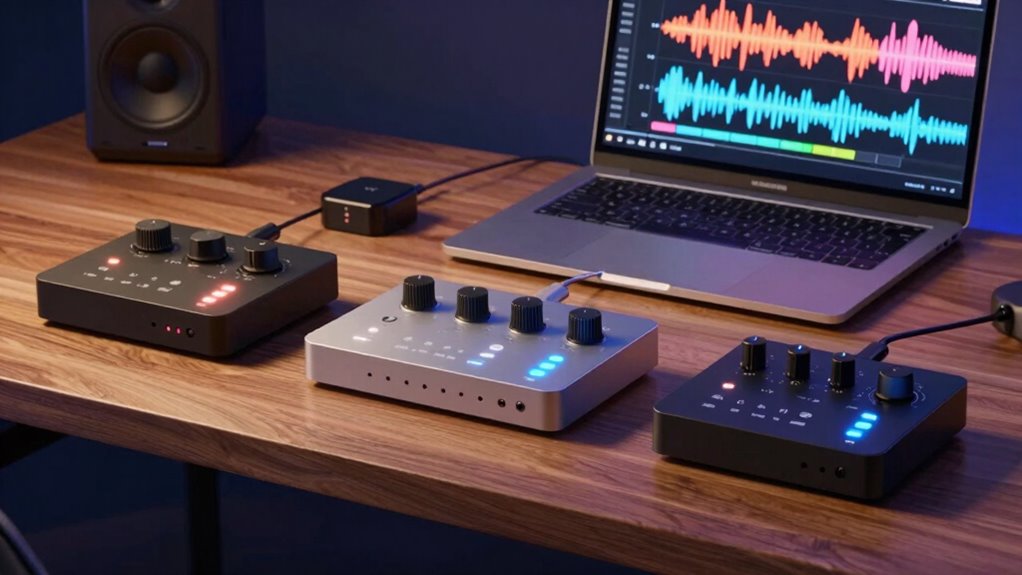

A compact audio interface for a laptop should fit your recording setup without giving up the inputs and controls you actually need. I name the Focusrite Scarlett 2i2 4th Gen my best overall pick for its two-input flexibility, while the Focusrite Scarlett Solo 4th Gen suits solo recording and the M-Audio M-Track Duo offers a straightforward two-input alternative. The main tradeoff is between a smaller, simpler interface and extra inputs or controls for instruments, guests, and live streams. USB-C is common in this group, but buyers should still check connector compatibility and whether a laptop can power the device. Read on for the full breakdown and a guide to choosing the right fit.

Get comfort and recovery gear delivered free with Prime
- Fast, free delivery on millions of items
- Prime Video, Amazon Music and more included
- Member-only deals all year
Complete the kit


Key Takeaways
- Two inputs add meaningful flexibility: The Scarlett 2i2 4th Gen and M-Track Duo can suit a microphone-plus-instrument setup better than a single-input interface.
- Solo recording does not require a larger box: The Scarlett Solo 4th Gen and Scarlett Solo 3rd Gen are more focused choices when one input is enough.
- USB-C does not guarantee the same setup: Connector type, included cable, laptop ports, power needs, and phone compatibility are separate checks.
- Portable streaming devices serve a different job: The MAONO P1, MAONO P2, and compact guitar sound card emphasize mobile or streaming workflows over a conventional laptop studio setup.
- Feature claims need practical context: High sample-rate and gain figures matter less than suitable inputs, usable monitoring, and clear compatibility for the intended recording.
| M-Audio M-Track Solo USB Audio Interface |  | Best for a Simple Laptop Setup | Audio resolution: 48kHz | Inputs: 1 combo XLR/Line input with phantom power; 1 Line/Instrument input | Outputs: 1/8-inch headphone output; stereo RCA outputs | VIEW ON AMAZON | See Our Full Breakdown |
| PIYONE Q28 2×2 24-bit/192kHz USB-C Audio Interface (Alloy Grey) |  | Best for Two-Source USB-C Recording | Inputs/outputs: 2×2 | Resolution: 24-bit/192kHz | Input types: XLR/TRS combo and Hi-Z instrument | VIEW ON AMAZON | See Our Full Breakdown |
| MAONO PS22 Lite USB Audio Interface for Guitar & Vocal Recording and Streaming |  | Best for Software-Based Streaming | Bit depth/sample rate: 24-bit/192kHz | Dynamic range: 106dB | Channels: 2 | VIEW ON AMAZON | See Our Full Breakdown |
| MAONO P1 USB-C Audio Interface with 70 dB Gain |  | Best for High-Gain Mobile Creator Setups | Connectivity: Dual USB ports; USB-C | Microphone gain: Up to 70dB | Audio resolution: 24-bit/192kHz | VIEW ON AMAZON | See Our Full Breakdown |
| MAONO P2 Hybrid USB Audio Interface with Dual XLR Inputs |  | Best for Compact Dual-Mic Recording | Connectivity: USB | Channels: 2 | Audio quality: 24-bit/192kHz | VIEW ON AMAZON | See Our Full Breakdown |
| M-Audio M-Track Duo USB Audio Interface |  | Best Value for Two Inputs | Connectivity: USB | Compatibility: Mac and PC | Audio resolution: Up to 48 kHz | VIEW ON AMAZON | See Our Full Breakdown |
| Focusrite Scarlett Solo 3rd Gen USB-C Audio Interface |  | Best for Solo Songwriters | Generation: 3rd Gen | Connection: USB-C | Audio resolution: 24-bit/192 kHz | VIEW ON AMAZON | See Our Full Breakdown |
| Guitar Audio Interface – Pocket Recording Sound Card with Type-C & Lightning for Live Streaming |  | Best for Pocket Guitar Recording | Audio quality: 24-bit/48 kHz | Instrument input: 1/4-inch (6.35 mm) jack | Headphone output: 1/8-inch (3.5 mm) | VIEW ON AMAZON | See Our Full Breakdown |
| Focusrite Scarlett 2i2 4th Gen USB-C Audio Interface |  | Best for Two-Mic Laptop Recording | Generation: 4th Gen | Connection: USB-C | Microphone preamps: 2 | VIEW ON AMAZON | See Our Full Breakdown |
| Focusrite Scarlett Solo 4th Gen USB-C Audio Interface |  | Best Compact Premium Solo Interface | Generation: 4th Gen | Connectivity: USB-C | Dynamic range: 120 dB | VIEW ON AMAZON | See Our Full Breakdown |
| Cubilux CB5 USB Audio Interface with Stereo Microphone Input, Line-In/Out & Headphone Jack for Recording, Streaming & Podcasting |  | Best for Multi-Source Laptop Recording | Inputs: 2 stereo microphone jacks and 1 line-in | Outputs: 1 line-out and 1 headphone jack | Recording quality: Up to 96 kHz / 24-bit | VIEW ON AMAZON | See Our Full Breakdown |
| USB Audio Interface with 48V Phantom Power and Dual XLR/TRS Inputs |  | Best for Simple Mic-and-Instrument Setups | Inputs: 2 XLR/TRS combo inputs and 1 instrument input | Phantom power: 48V | Connection: USB-C | VIEW ON AMAZON | See Our Full Breakdown |
| XTUGA Q-12 USB Audio Interface for PC Recording with XLR and 3.5mm Inputs |  | Best Starter Interface for PC | Model: Q-12 | Resolution: 16-bit / 48 kHz | Channels: 2 | VIEW ON AMAZON | See Our Full Breakdown |
| PIYONE Q28 2-Input USB-C Audio Interface, 24-bit/192kHz |  | Best High-Resolution Compact Pick | Inputs: 2 XLR/TRS combo inputs | Audio resolution: 24-bit / 192 kHz | Connection: USB-C | VIEW ON AMAZON | See Our Full Breakdown |
| compact audio interface for laptop | Connectivity | Compatibility | Inputs |
|---|---|---|---|
| M-Audio M-Track Solo USB Audio | USB | Mac and PC | 1 combo XLR/Line input with phantom power; 1 Line/Instrument input |
| PIYONE Q28 2×2 24-bit/192kHz U | USB-C, bus-powered and class-compliant | PC, Mac, and iOS | — |
| MAONO PS22 Lite USB Audio Inte | USB; USB-A/USB-C to USB-C | — | — |
| MAONO P1 USB-C Audio Interface | Dual USB ports; USB-C | Mac, PC, iPhone, Android devices, tablets, and cameras | — |
| MAONO P2 Hybrid USB Audio Inte | USB | — | — |
| M-Audio M-Track Duo USB Audio | USB | Mac and PC | 2 combo XLR/line/instrument inputs |
| Focusrite Scarlett Solo 3rd Ge | — | Mac and PC | 1 microphone preamp and 1 high-headroom instrument input |
| Guitar Audio Interface | Type-C USB and Lightning via included adapter | — | — |
| Focusrite Scarlett 2i2 4th Gen | — | — | — |
| Focusrite Scarlett Solo 4th Ge | USB-C | — | Microphone and guitar instrument inputs |
| Cubilux CB5 USB Audio Interfac | — | Windows and Mac OS | 2 stereo microphone jacks and 1 line-in |
| USB Audio Interface with 48V P | — | PC, Mac, iOS, and Windows 11 | 2 XLR/TRS combo inputs and 1 instrument input |
| XTUGA Q-12 USB Audio Interface | USB | — | — |
| PIYONE Q28 2-Input USB-C Audio | — | Mac and PC | 2 XLR/TRS combo inputs |
More Details on Our Top Picks
M-Audio M-Track Solo USB Audio Interface
The M-Track Solo earns a place for buyers who want a small, straightforward connection for one microphone and an instrument. Its combo XLR/Line input with phantom power covers a condenser mic, while the separate line/instrument input lets a guitarist connect directly. Compared with the two-input PIYONE Q28, it offers less room for recording two microphones at once, but its simpler layout may suit a solo podcaster who wants fewer decisions. The USB/Direct monitoring switch helps keep your voice in your headphones without distracting delay, and the RCA outputs suit a basic speaker setup. Its 48kHz resolution is more modest than the 192kHz options here, and there is no MIDI connection, so this is best for focused voice or instrument work rather than expanding studio setups.
Pros:- Compact USB design for portable laptop recording
- Combo input supplies phantom power for condenser microphones
- Separate line/instrument input accommodates a guitar or other source
- Direct monitoring and bundled MPC Beats software support a basic recording workflow
Cons:- Only one XLR input limits simultaneous microphone recording
- 48kHz resolution is lower than the 192kHz models in this roundup
- No MIDI connectivity for keyboard or controller setups
Best for: Solo laptop podcasters and musicians who need one mic input, an instrument input, and direct monitoring.
Not ideal for: Two-person interviewers or expanding recording setups that need multiple XLR microphones or MIDI gear.
- Audio resolution:48kHz
- Inputs:1 combo XLR/Line input with phantom power; 1 Line/Instrument input
- Outputs:1/8-inch headphone output; stereo RCA outputs
- Monitoring:USB/Direct switch for zero-latency monitoring
- Preamp:Crystal Preamp
- Connectivity:USB
- Compatibility:Mac and PC
- Included software:MPC Beats by Akai Professional
Our verdict“Choose the M-Track Solo for a simple solo voice or instrument rig; choose the PIYONE Q28 if you need two microphone inputs and higher-resolution recording.”
PIYONE Q28 2×2 24-bit/192kHz USB-C Audio Interface (Alloy Grey)
The PIYONE Q28 is a strong fit when a laptop interface needs to handle two sources without adding a larger desktop rig. Its two XLR/TRS combo inputs allow a pair of microphones or a mic and line source, while the Hi-Z input accommodates a guitar. Compared with the single-XLR M-Audio M-Track Solo, that flexibility matters for interviews, duets, or recording voice and instrument together. The USB-C bus-powered connection keeps the setup to one cable, and direct monitoring helps performers hear input without noticeable delay. Loopback also supports streaming workflows. This model has no onboard DSP or advanced routing, however, and its fixed LED gain rings may bother users who prefer a dark, uncluttered desk. Choose it for practical dual-input recording, not extensive signal processing.
Pros:- Two combo inputs support simultaneous microphone or line sources
- USB-C bus power keeps the laptop setup to a single cable
- Hi-Z input, phantom power, and direct monitoring support varied recording sources
- Loopback adds a useful path for streaming audio
Cons:- No onboard DSP or advanced routing
- Fixed illuminated gain rings may distract in dim workspaces
Best for: Laptop-based interviewers, duos, and musicians who need two mic or line inputs with a USB-C connection.
Not ideal for: Creators who need onboard effects, advanced routing, or subdued controls for a dark recording space.
- Inputs/outputs:2×2
- Resolution:24-bit/192kHz
- Input types:XLR/TRS combo and Hi-Z instrument
- Phantom power:48V
- Connectivity:USB-C, bus-powered and class-compliant
- Monitoring:Zero-latency direct monitoring; monitor mix and loopback
- Headphone output:3.5mm
- Compatibility:PC, Mac, and iOS
- Color:Alloy Grey
Our verdict“Pick the Q28 when two-source recording and USB-C convenience matter more than onboard processing.”
MAONO PS22 Lite USB Audio Interface for Guitar & Vocal Recording and Streaming
The MAONO PS22 Lite combines a compact two-channel interface with software features aimed at laptop streamers who need more than a basic mic connection. Its ProStudio Routing Software adds virtual channels and loopback, making it easier to route audio for a broadcast or call without relying only on the interface’s physical connections. Compared with the M-Audio M-Track Solo, it offers two channels, 24-bit/192kHz recording, and substantially more software routing flexibility. Up to 56dB of gain and 48V phantom power cover a range of microphones, while the dedicated instrument input suits guitar recording. The tradeoff is a small physical control surface: there are no specified hardware pads or faders, so changes may depend on software. At 0.43kg it remains laptop-friendly, though the routing tools add setup complexity for users who only want to record a voice.
Pros:- 24-bit/192kHz recording with a stated 106dB dynamic range
- Up to 56dB of preamp gain and 48V phantom power
- ProStudio software provides virtual channels, loopback, and low-latency ASIO support
- Compact 0.43kg body is easy to move between laptop setups
Cons:- Two channels limit larger multi-input recording sessions
- No hardware pads or faders are specified for hands-on control
- Software routing may add setup steps for simple recording tasks
Best for: Laptop streamers and home musicians who want two-channel recording plus software loopback and virtual routing.
Not ideal for: Users who prefer hands-on faders and pads or want a plug-in-and-record interface with minimal software setup.
- Bit depth/sample rate:24-bit/192kHz
- Dynamic range:106dB
- Channels:2
- Preamp gain:Up to 56dB
- Phantom power:48V
- Connectivity:USB; USB-A/USB-C to USB-C
- Dimensions:6.29 × 5.19 × 2 inches
- Weight:0.43kg
- Supported software:Includes Ableton Live, Logic Pro, GarageBand, OBS, and Pro Tools
Our verdict“Choose the PS22 Lite if software routing and loopback are central to your laptop streaming workflow.”
MAONO P1 USB-C Audio Interface with 70 dB Gain
The MAONO P1 stands out for creators who move between a laptop, phone, tablet, or camera and need generous mic gain in one compact unit. Its up to 70dB of gain is aimed at microphones that need a stronger input signal, while direct monitoring, loopback, mute, and Stream Mode cover common recording and streaming tasks. Compared with the MAONO PS22 Lite, the P1 lists more gain and broader device compatibility, including cameras and mobile devices; the PS22 Lite instead gives clearer detail on its two-channel recording and bundled routing software. The P1’s independent headphone and monitor controls help tailor listening without changing the recorded signal. Its software routing may take some configuration, and the supplied details name no recording software, so buyers should plan their own app workflow.
Pros:- Up to 70dB of gain can support demanding dynamic microphones
- Compatibility spans computers, phones, tablets, and cameras
- Direct monitoring, loopback, mute, and Stream Mode suit creator workflows
- Zinc-alloy housing and tilted design support a compact desktop setup
Cons:- Software audio routing may require configuration
- No included recording software is specified
- Input count and detailed connection layout are not provided in the supplied data
Best for: Mobile-first podcasters and streamers using dynamic microphones across laptops, phones, or cameras.
Not ideal for: Buyers who need included recording software or want routing to work without configuring software.
- Connectivity:Dual USB ports; USB-C
- Microphone gain:Up to 70dB
- Audio resolution:24-bit/192kHz
- Equivalent input noise:-130dB EIN
- Monitoring:Direct monitoring with independent headphone and monitor controls
- Features:Auto-gain, loopback, mute, Stream Mode, and software audio routing
- Housing:Zinc-alloy metal
- Tilt angle:15 degrees
- Compatibility:Mac, PC, iPhone, Android devices, tablets, and cameras
Our verdict“Pick the P1 if high mic gain and switching among laptop and mobile devices matter more than a clearly specified input layout.”
MAONO P2 Hybrid USB Audio Interface with Dual XLR Inputs
The MAONO P2 is the pick for laptop creators who want a compact interface centered on recording with two microphones. Its dual XLR inputs give it a clearer interview and co-hosting role than the single-XLR M-Audio M-Track Solo, and its USB connection plus compatibility with computers and mobile devices suits mixed setups. Direct monitoring and loopback support recording and streaming, while the aluminum-alloy housing keeps the unit portable without relying on a lightweight plastic shell. The tradeoff is that the supplied details do not specify preamp gain, phantom power, or a full input/output layout, making it harder to judge mic matching than with the PIYONE Q28. Some advanced routing and effects also depend on creator software. It makes the most sense for two-mic creators who value portability and broad device support over detailed hardware control.
Pros:- Dual XLR inputs suit two-microphone recording
- 24-bit/192kHz audio supports high-resolution capture
- Direct monitoring, loopback, and independent mute controls support streaming
- Aluminum-alloy housing and mobile-device compatibility suit portable creator setups
Cons:- Advanced routing and effects depend on creator software
- Supplied product data does not specify preamp gain or phantom power
- Input and output details beyond two channels are not fully described
Best for: Laptop podcasters and interview hosts who need dual XLR inputs and may also record from phones or tablets.
Not ideal for: Musicians who need detailed gain and phantom-power specifications, or creators seeking advanced controls without software.
- Connectivity:USB
- Channels:2
- Audio quality:24-bit/192kHz
- Maximum sample rate:192kHz
- Frequency response:20kHz
- Housing:Aluminum alloy
- Weight:0.5kg
- Supported operating systems:Android, ChromeOS, Windows, iOS, and macOS
- Supported software:Includes Ableton Live, Logic Pro, GarageBand, OBS, Twitch, and Discord
Our verdict“Choose the P2 for portable two-mic laptop or mobile recording, provided its unspecified gain and phantom-power details fit your microphones.”
M-Audio M-Track Duo USB Audio Interface
The M-Track Duo is a practical pick for laptop users who want to record two sources at once without stepping up to a more feature-rich interface. Its two combo inputs accept microphones, guitars, or line-level gear, and phantom power supports compatible condenser microphones. That flexibility gives it an edge over the Focusrite Scarlett Solo 4th Gen, which is set up for one microphone and one instrument at a time. The tradeoff is a 48 kHz maximum resolution, below the higher-resolution recording offered by the Scarlett models. Direct monitoring also lets you hear input without the USB monitoring delay, though its simple feature set offers less recording assistance than the Scarlett 2i2 4th Gen. I’d choose it for a straightforward two-source laptop setup.
Pros:- Two combo inputs accommodate microphones, instruments, and line-level sources.
- Phantom power supports compatible condenser microphones.
- Direct monitoring provides zero-latency input playback.
- MPC Beats software is included.
Cons:- Recording resolution tops out at 48 kHz.
- Its feature set is simpler than the Scarlett 2i2 4th Gen.
- The product data does not specify a warranty.
Best for: Laptop-based beginners recording two sources, such as a vocalist and guitar, who need phantom power and direct monitoring.
Not ideal for: Producers who want high-resolution recording options or recording aids such as Auto Gain and Clip Safe.
- Connectivity:USB
- Compatibility:Mac and PC
- Audio resolution:Up to 48 kHz
- Inputs:2 combo XLR/line/instrument inputs
- Phantom power:Yes
- Outputs:1/4-inch headphone output and stereo 1/4-inch outputs
- Monitoring:USB/direct switch for zero-latency monitoring
- Included software:MPC Beats
Our verdict“Choose the M-Track Duo if you need two flexible inputs and direct monitoring in a simple laptop recording setup.”
Focusrite Scarlett Solo 3rd Gen USB-C Audio Interface
The Scarlett Solo 3rd Gen suits a laptop songwriter who records one voice and one instrument, rather than two microphones together. It pairs a microphone preamp with a separate high-headroom instrument input, while 24-bit/192 kHz converters give more resolution headroom than the M-Audio M-Track Duo, which reaches 48 kHz. The switchable Air mode can add presence to a vocal or guitar, and Halo metering makes input level easier to read at a glance. Compared with the newer Scarlett Solo 4th Gen, this model is an earlier generation; the newer Solo lists a 120 dB dynamic range and an improved Air mode. The older Solo still offers balanced outputs and bus power, but its one mic preamp limits recording with multiple microphones. Bundled software also takes registration and download.
Pros:- 24-bit/192 kHz converters support high-resolution recording.
- Separate microphone and instrument inputs suit a vocal-and-guitar workflow.
- Air mode and Halo gain metering aid tone shaping and level checks.
- USB bus power and two balanced outputs suit a compact laptop setup.
Cons:- Only one microphone preamp is available.
- Bundled software requires purchase, registration, and download.
- It is an earlier generation than the Scarlett Solo 4th Gen.
Best for: Solo vocalists and guitar or bass players who want balanced outputs, clear gain metering, and high-resolution recording from a laptop.
Not ideal for: Duos or podcast hosts who need two microphone preamps, or buyers who want the newest Solo generation.
- Generation:3rd Gen
- Connection:USB-C
- Audio resolution:24-bit/192 kHz
- Inputs:1 microphone preamp and 1 high-headroom instrument input
- Outputs:2 balanced outputs
- Features:Switchable Air mode and gain Halo metering
- Compatibility:Mac and PC
- Power:USB bus-powered
- Warranty:3 years
Our verdict“Pick this Solo if you record one mic and one instrument and value high-resolution capture over having two microphone inputs.”
Guitar Audio Interface – Pocket Recording Sound Card with Type-C & Lightning for Live Streaming
For a guitarist who wants to capture a practice idea directly on a laptop or phone, this pocket-size interface is the most portable choice in this group. It has one 1/4-inch instrument input and a headphone output, so it keeps the setup focused on guitar or bass rather than microphone-based recording. Its Type-C connection and included Lightning adapter give it broader device reach than the Focusrite Scarlett Solo 4th Gen, which is presented as a laptop interface. That convenience comes with fewer recording options: it has no microphone input, and the product data describes it as recording-only, without editing or mixing functions. At 24-bit/48 kHz, its resolution is also more limited than the Scarlett Solo 3rd Gen. I’d choose it for mobile capture, not as a full studio hub.
Pros:- Pocket-size design with a back clip is easy to carry.
- Type-C and included Lightning adapter support a broad range of devices.
- Plug-and-play operation requires no batteries.
- Headphone output supports direct listening while recording.
Cons:- The single instrument input does not support microphone recording.
- Recording resolution is limited to 24-bit/48 kHz.
- The product data lists no editing or mixing functions.
Best for: Guitarists and bass players who want a tiny plug-and-play interface for capturing ideas on a laptop, tablet, or phone.
Not ideal for: Vocalists, podcasters, and producers who need a microphone preamp, multiple inputs, or in-interface editing and mixing.
- Audio quality:24-bit/48 kHz
- Instrument input:1/4-inch (6.35 mm) jack
- Headphone output:1/8-inch (3.5 mm)
- Connectivity:Type-C USB and Lightning via included adapter
- Compatible devices:iPhone, iPad, Android smartphones, PC, and laptop
- Power:Plug and play; no batteries
- Design:Pocket-size with back clip
Our verdict“Choose this compact sound card for quick guitar or bass capture across laptop and mobile devices, provided you do not need a mic input.”
Focusrite Scarlett 2i2 4th Gen USB-C Audio Interface
The Scarlett 2i2 4th Gen is the clearest fit here when a laptop recording session needs two microphones at once. Its two low-noise mic preamps distinguish it from both Scarlett Solo models, which have one mic preamp, and the M-Track Duo, whose product data does not list recording aids such as Auto Gain or Clip Safe. Those tools can help users set levels and manage clipping, while the listed 120 dB dynamic range speaks to its capture capability. Air mode adds another option for shaping vocals and instruments. This is a more capable recording hub than the pocket guitar interface, but that extra capability matters less to someone tracking only one source. The included software supports recording through mastering, though its footprint and workflow are more than a casual guitarist may need.
Pros:- Two low-noise microphone preamps allow simultaneous mic recording.
- Auto Gain and Clip Safe help manage input levels.
- Air mode offers tone shaping for vocals and instruments.
- The software bundle includes recording, mixing, and mastering tools.
Cons:- Its two-preamp setup may be unnecessary for single-source recording.
- The product data does not specify converter resolution or output configuration.
- The product data does not describe USB bus power.
Best for: Two-person podcast teams, vocal duos, and musicians who record two microphone sources through a laptop.
Not ideal for: Solo guitarists seeking the smallest possible interface or anyone who only needs a single input.
- Generation:4th Gen
- Connection:USB-C
- Microphone preamps:2
- Dynamic range:120 dB
- Analogue gain:69 dB
- Features:Auto Gain, Clip Safe, and Air mode
- Included software:Pro Tools Intro+, Ableton Live Lite, Cubase LE, and Hitmaker Expansion
- Warranty:3 years
Our verdict“Choose the Scarlett 2i2 4th Gen when your laptop sessions regularly need two mic inputs and built-in level assistance.”
Focusrite Scarlett Solo 4th Gen USB-C Audio Interface
The Scarlett Solo 4th Gen is a strong compact choice for a laptop songwriter who wants a polished one-mic, one-guitar workflow. Its 120 dB dynamic range and converters shared with Focusrite’s flagship interfaces put it above the M-Track Duo in the product lineup’s stated capture capability, while the improved Air mode can add presence and harmonic drive to vocals or guitar. Compared with the Scarlett 2i2 4th Gen, the Solo gives up the second microphone preamp and tools such as Auto Gain and Clip Safe, so it is less suited to interviews or two-mic sessions. In return, it keeps the setup simple for one performer. The included DAW and plug-in bundle gives a new songwriter a starting point, but the single mic input sets a firm ceiling on growth.
Pros:- 120 dB dynamic range is specified for high-quality capture.
- Improved Air mode adds presence and harmonic drive to vocals and guitars.
- Compact setup pairs a microphone input with a guitar input.
- Includes Pro Tools Intro+, Ableton Live Lite, Cubase LE, and Hitmaker Expansion.
Cons:- One mic and one instrument input limit simultaneous recording.
- It lacks the Scarlett 2i2 4th Gen’s two microphone preamps and recording aids.
- Phantom power and loopback details are not specified in the product data.
Best for: Solo songwriters who record vocals alongside guitar and want a compact USB-C interface with current generation sound features.
Not ideal for: Bands, podcast hosts, and growing home studios that expect to record two microphones simultaneously.
- Generation:4th Gen
- Connectivity:USB-C
- Dynamic range:120 dB
- Inputs:Microphone and guitar instrument inputs
- Features:Improved Air mode
- Included software:Pro Tools Intro+, Ableton Live Lite, Cubase LE, and Hitmaker Expansion
Our verdict“Pick the Scarlett Solo 4th Gen if you want a compact, feature-rich laptop interface for recording one performer at a time.”
Cubilux CB5 USB Audio Interface with Stereo Microphone Input, Line-In/Out & Headphone Jack for Recording, Streaming & Podcasting
The CB5 is the most connection-flexible pick here for a laptop setup that needs several kinds of audio routed through one compact USB device. Its two stereo microphone jacks and separate line input give it a different role from the PIYONE Q28, which focuses on two XLR/TRS microphone or instrument inputs. Independent device names for multi-track recording may also suit creators who want to keep sources separate. The tradeoff is that the CB5’s listed microphone connections are stereo jacks, so buyers seeking standard XLR microphone inputs should look at the PIYONE Q28 or the USB-C interface with dual XLR/TRS inputs instead. Its headphone and line outputs cannot operate at the same time, which limits convenient laptop monitoring and speaker connection.
Pros:- Combines two stereo microphone jacks, line-in, line-out, and headphone output
- Supports multi-track recording through independent device names
- Bus-powered design suits portable laptop recording
- Headphone output is specified to drive loads up to 250 Ohm
Cons:- Line-out and headphone output cannot be used simultaneously
- Listed microphone inputs are stereo jacks rather than standard XLR connections
Best for: Laptop creators who need to connect multiple stereo microphone and line-level sources in a compact, bus-powered setup.
Not ideal for: Vocalists using standard XLR microphones or anyone who needs headphone monitoring and line-out speakers connected simultaneously.
- Inputs:2 stereo microphone jacks and 1 line-in
- Outputs:1 line-out and 1 headphone jack
- Recording quality:Up to 96 kHz / 24-bit
- Playback quality:Up to 192 kHz / 32-bit
- Headphone output:Supports headphones up to 250 Ohm
- Power:USB bus-powered
- Compatibility:Windows and Mac OS
Our verdict“Choose the CB5 if your laptop recording setup needs varied stereo and line connections in one bus-powered unit, and skip it if you rely on XLR microphones or simultaneous speaker and headphone outputs.”
USB Audio Interface with 48V Phantom Power and Dual XLR/TRS Inputs
For a laptop user who wants to plug in a microphone and an instrument without sorting through extra routing features, this USB-C interface keeps the setup focused. Two XLR/TRS combo inputs plus a separate instrument input cover common voice-and-guitar arrangements, while direct monitoring lets you hear incoming audio with low latency. The controls for each input, echo, and monitor volume add hands-on adjustment that the compact XTUGA Q-12 does not list. Its limits are clear: recording tops out at 48 kHz and the interface is restricted to two audio channels. The PIYONE Q28 offers a much higher stated recording resolution and loopback, so it suits buyers who value those capabilities more than this model’s extra instrument input and echo control.
Pros:- Two XLR/TRS combo inputs handle microphones or line-level sources
- Separate instrument input accommodates a guitar or similar source
- Direct monitoring supports low-latency listening
- Independent gain, echo, and monitor-volume controls
Cons:- Maximum sample rate is 48 kHz
- Limited to two audio channels
- Echo controls may be unnecessary for users seeking a basic recording path
Best for: Laptop-based singers or guitarists who want two combo inputs, direct monitoring, and simple physical controls for recording or streaming.
Not ideal for: Creators who need more than two audio channels, higher-than-48-kHz recording, or confirmed iOS compatibility beyond the listed device support.
- Inputs:2 XLR/TRS combo inputs and 1 instrument input
- Phantom power:48V
- Connection:USB-C
- Maximum sample rate:48 kHz
- Audio channels:2
- Monitoring:Direct monitoring
- Controls:MIC/LINE Gain 1, MIC/LINE Gain 2, INST Gain, Echo Effect, Monitor Volume
- Compatibility:PC, Mac, iOS, and Windows 11
Our verdict“Pick this interface for a straightforward laptop mic-and-instrument setup with direct monitoring, but choose the PIYONE Q28 if higher-resolution recording and loopback matter more.”
XTUGA Q-12 USB Audio Interface for PC Recording with XLR and 3.5mm Inputs
The Q-12 is a compact entry point for PC recording when a basic microphone setup matters more than high-resolution capture or flexible channel counts. It pairs an XLR input with a 3.5 mm microphone jack and switchable 48V phantom power, covering a condenser mic and a smaller plug-in mic in a simple USB-powered unit. Compared with the USB-C interface with dual XLR/TRS inputs, it has a more modest 16-bit/48 kHz recording specification and fewer listed input options, but its straightforward format may be easier to fit into a small home or streaming desk. The stated computer compatibility is limited to personal computers, so laptop users on Mac or iOS should check support before choosing it.
Pros:- USB-powered plug-and-play design needs no external adapter
- Switchable 48V phantom power supports condenser microphones
- XLR and 3.5 mm microphone inputs cover common starter sources
- Compact dimensions and 0.31 kg weight suit a small desk
Cons:- 16-bit/48 kHz resolution is more limited than the PIYONE Q28’s stated 24-bit/192 kHz
- Two-channel design restricts more complex recording setups
- Compatibility data specifies personal computers without confirming Mac or iOS support
Best for: PC beginners building a small home-recording, karaoke, or streaming setup around one condenser microphone and a 3.5 mm mic source.
Not ideal for: Mac or iOS laptop users seeking confirmed compatibility, or creators who need 24-bit capture and more than two channels.
- Model:Q-12
- Resolution:16-bit / 48 kHz
- Channels:2
- Audio inputs:XLR and 3.5 mm microphone jack
- Connectivity:USB
- Phantom power:Switchable 48V
- Dimensions:5.98 in D × 4.92 in W × 1.97 in H
- Weight:0.31 kg
- Compatible software:Audacity, Ableton Live, FL Studio, and Pro Tools
Our verdict“Choose the Q-12 for a simple, compact PC starter rig with a condenser mic, and look to the PIYONE Q28 for higher-resolution capture or broader stated computer compatibility.”
PIYONE Q28 2-Input USB-C Audio Interface, 24-bit/192kHz
The Q28 makes the strongest case for buyers who want a small laptop interface with two conventional combo inputs and a high stated recording ceiling. Its 24-bit/192 kHz specification, 48V phantom power, and direct monitoring cover a more ambitious recording setup than the XTUGA Q-12, whose listed resolution is 16-bit/48 kHz. Loopback also gives streamers a way to route computer audio alongside connected microphones or instruments. The tradeoff is a two-input limit, so this is still a focused recording tool rather than a solution for larger sessions. The description confirms Mac and PC compatibility but not iOS support; the USB-C interface with dual XLR/TRS inputs explicitly lists iOS and may be a safer match for mobile-device users.
Pros:- Two XLR/TRS combo inputs accept microphones and instruments
- 24-bit/192 kHz recording specification exceeds the XTUGA Q-12’s stated resolution
- Bus-powered, class-compliant design needs no driver installation according to the description
- Direct monitoring and loopback support recording and streaming workflows
Cons:- Only two input channels
- iOS compatibility is not confirmed in the product details
- USB-C connection may require an adapter for laptops with other port types
Best for: Laptop musicians and streamers who need two microphone or instrument inputs, direct monitoring, and loopback in a bus-powered USB-C interface.
Not ideal for: Mobile iOS users who need confirmed compatibility, or recording setups that require more than two input channels.
- Inputs:2 XLR/TRS combo inputs
- Audio resolution:24-bit / 192 kHz
- Connection:USB-C
- Phantom power:48V
- Monitoring:Zero-latency direct monitoring
- Headphone output:3.5 mm
- Power:USB bus-powered
- Compatibility:Mac and PC
Our verdict“Choose the Q28 for a compact Mac or PC setup that benefits from high-resolution capture and loopback, and verify support first if you plan to connect an iOS device.”

How We Picked
I ranked these interfaces for the specific job of recording or streaming from a laptop in a compact setup. My main criteria were the input layout, support for microphones and instruments, monitoring and control options, connection and power practicality, and how easily the product’s stated features map to common recording tasks. I gave more weight to clear, useful flexibility than to headline specifications that may not change the buyer’s day-to-day setup.
The order reflects how broadly each model fits typical laptop recording needs. The Scarlett 2i2 4th Gen leads for buyers who may record two sources, while the Scarlett Solo 4th Gen ranks higher for a focused single-source setup; the M-Track Duo offers another simple route to two inputs. Compact streaming and phone-oriented units have distinct uses, but rank lower for buyers seeking a general laptop interface. Product details and compatibility can vary by configuration, so I recommend checking the exact model and included connections before buying.
| compact audio interface for laptop | Connectivity | Compatibility |
|---|---|---|
| M-Audio M-Track Solo USB Audio | USB | Mac and PC |
| PIYONE Q28 2×2 24-bit/192kHz U | USB-C, bus-powered and class-compliant | PC, Mac, and iOS |
| MAONO PS22 Lite USB Audio Inte | USB; USB-A/USB-C to USB-C | — |
| MAONO P1 USB-C Audio Interface | Dual USB ports; USB-C | Mac, PC, iPhone, Android devices, tablets, and cameras |
| MAONO P2 Hybrid USB Audio Inte | USB | — |
| M-Audio M-Track Duo USB Audio | USB | Mac and PC |
| Focusrite Scarlett Solo 3rd Ge | — | Mac and PC |
| Guitar Audio Interface | Type-C USB and Lightning via included adapter | — |
| Focusrite Scarlett 2i2 4th Gen | — | — |
| Focusrite Scarlett Solo 4th Ge | USB-C | — |
| Cubilux CB5 USB Audio Interfac | — | Windows and Mac OS |
| USB Audio Interface with 48V P | — | PC, Mac, iOS, and Windows 11 |
| XTUGA Q-12 USB Audio Interface | USB | — |
| PIYONE Q28 2-Input USB-C Audio | — | Mac and PC |
Factors to Consider When Choosing Compact Audio Interface For Laptop
Choosing a laptop interface is less about collecting the most specifications and more about avoiding a setup mismatch. I would start with the recording sources, then check how the interface connects, powers, and monitors them at the desk or on the go.
Count Sources You Need at the Same Time
Count simultaneous sources, not the number of things you might record over the course of a week. A singer who records voice and guitar together needs a different layout from someone who overdubs one part at a time. Two inputs can also help when recording a guest, stereo source, or microphone and instrument together. Extra inputs take space and can add controls you may never use, so a solo-focused device can be the better travel companion. Check whether the listed inputs accept the source types you plan to connect; two sockets do not always mean two identical microphone preamps.
Check the Connector and Power Path
USB-C describes a connector, not a guarantee that every cable, adapter, or device combination will work as expected. Check the interface’s host connection, the ports on your laptop, and whether the required cable comes in the box. Bus-powered units keep a travel setup simple, though some laptop ports or hubs may not provide a dependable connection under every setup. If you plan to use a phone or tablet too, confirm that the manufacturer supports that device and whether it needs an adapter or external power. A hub can solve a port shortage, but it also adds another connection to troubleshoot.
Match Inputs to Microphones and Instruments
Before buying, list the actual gear you will connect: a dynamic microphone, condenser microphone, guitar, keyboard, or line-level player. Condenser microphones commonly need phantom power, while an electric guitar usually benefits from an instrument-ready input. A combo XLR/TRS socket may accept more than one cable type, but its modes and gain behavior still matter. Do not assume that a high gain figure alone makes an interface suitable for every microphone; mic sensitivity and recording distance also affect the result. If your sources change often, prioritize clearly labeled inputs and controls that make switching straightforward.
Decide How You Want to Monitor
Direct monitoring lets you hear an input without relying entirely on software playback, which can make singing or playing feel more immediate. A headphone jack is useful, but check its size and whether the interface offers a practical way to balance input and computer audio. A separate monitor output matters more for a desk with powered speakers than for a headphone-only travel setup. For live streaming, think through how the microphone, backing audio, and headphones will connect at once. Compact units often simplify this path, so sketching the connections first can prevent buying a device that lacks one needed output.
Treat Sample Rate as a Workflow Choice
Sample-rate and bit-depth numbers describe supported recording formats, but a larger maximum does not automatically improve a typical podcast, voiceover, or home music session. Higher settings can create larger files and add demands to the computer and project workflow. Compatibility with your recording software and consistency across a project often matter more than chasing the highest figure on a product page. Think about where the audio will end up and what format your collaborators or production process use. For most buyers, the more useful question is whether the interface handles the sources cleanly and makes monitoring easy.
Pay for Flexibility You Will Use
A more capable interface makes sense when it solves a real constraint, such as recording two sources together or adding speaker monitoring. If you record one microphone at a time, extra inputs may add bulk without changing the result you need. Beginners can benefit from simple controls and a clear signal path more than a long feature list. Mobile streamers may value phone connections and compact controls over studio-style outputs, while musicians may have the opposite priorities. I would compare the whole connection layout against your current setup and the next likely upgrade before choosing a tier.
Frequently Asked Questions
Should I choose a one-input or two-input interface for laptop recording?
Choose one input if you reliably record a single microphone or instrument at a time and plan to layer parts later. Two inputs are useful for recording voice and guitar together, interviewing a guest, or capturing a stereo source. The Scarlett Solo models fit the first pattern, while the Scarlett 2i2 4th Gen and M-Track Duo offer more simultaneous-source flexibility. Check that both inputs support the source types you need. If portability is the main goal and the second input would rarely be used, the smaller workflow may suit you better.
Will a USB-C audio interface work with any laptop that has USB-C?
Not automatically. The port shape, data support, included cable, operating-system compatibility, and power requirements all matter. Some laptops need an adapter or a different cable, and a hub can introduce connection or power issues. Check the manufacturer’s compatibility details for your laptop model and the exact interface generation. If you also want to connect a phone or tablet, verify that use case separately rather than assuming laptop support covers it.
Do I need phantom power for my microphone?
Many condenser microphones require 48V phantom power, while most dynamic microphones do not. Check the microphone’s specifications before choosing an interface, and confirm that phantom power is available on the input you intend to use. If you use a condenser mic, also consider whether the interface can provide that power reliably from your laptop setup. Do not turn phantom power on or off casually while audio is routed at a high level; follow the microphone and interface instructions. A buyer with a dynamic mic may care more about input gain and monitoring.
Is a phone-oriented streaming interface a good substitute for a laptop interface?
It can work when your main task is mobile streaming and its connections match your microphone and headphones. Devices such as the MAONO P1 and P2 emphasize streaming workflows, while more conventional interfaces are generally easier to compare for laptop recording inputs and monitoring. Confirm that the device supports your laptop and software, not just a phone. Also map how backing audio, a microphone, and headphones connect at the same time. If you mainly record instruments into a laptop, prioritize instrument inputs and a familiar recording signal path.
Should I pay extra for a higher maximum sample rate?
For typical voice recording, podcasting, and home music projects, maximum sample rate alone is rarely the deciding factor. File size, software settings, project compatibility, and the needs of your collaborators all shape whether a higher rate helps your workflow. The PIYONE Q28 listings advertise 24-bit/192kHz support, but buyers should still verify the exact version and connection details. I would put input suitability, monitoring, and laptop compatibility ahead of a headline format number. Choose a higher rate when your recording workflow calls for it, not simply because the number is larger.
Conclusion
For most laptop musicians who may record two sources at once, I recommend the Focusrite Scarlett 2i2 4th Gen as the best overall fit. The M-Audio M-Track Duo is a strong value-minded option for buyers who want two inputs and a straightforward setup, while the Scarlett Solo 4th Gen is my pick for beginners recording one source at a time. Choose the Scarlett 2i2 4th Gen as the premium recommendation when its added flexibility fits your sessions; the smaller Solo models make more sense when compactness and a single input matter more. For mobile streaming, look at the MAONO P1 or P2, and for a simple guitar-focused setup, compare the pocket sound card with the laptop and phone connections you actually need. Match the input count and connection path to your recording routine, and the shortlist becomes much easier to choose from.