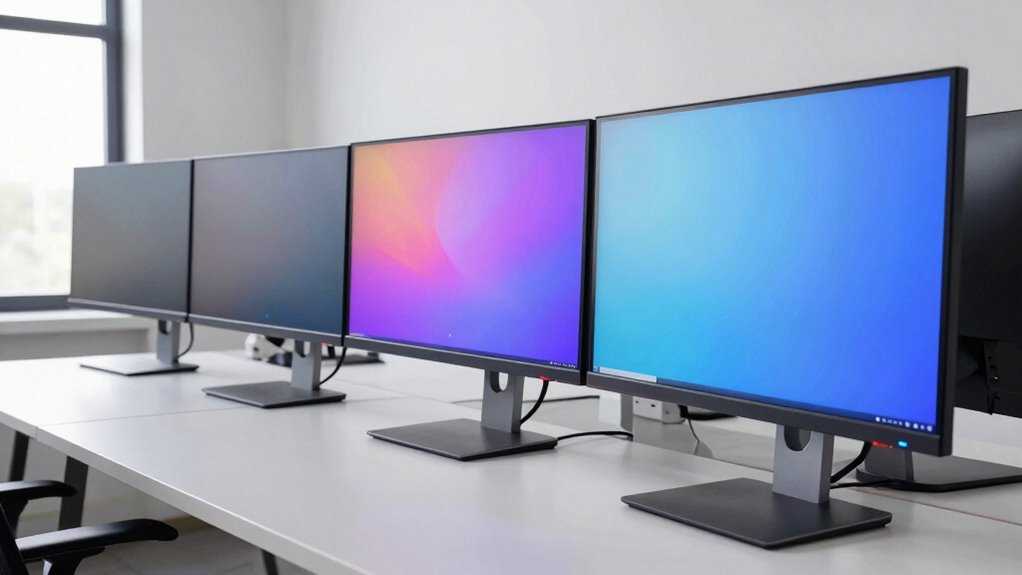

If long hours in front of a screen leave your eyes tired, the right monitor can make a genuine difference. The BenQ GW2790P stands out as the best overall pick for eye strain reduction thanks to its Brightness Intelligence sensor, flicker-free panel, and TÜV-certified low blue light modes that adjust to your room automatically. The ASUS VY279HF-W is the strongest challenger with its dedicated Eye Care Plus feature set, while the Dell SE2425HM earns a spot for buyers who want certified Eye Comfort compliance at a modest size. The main tradeoff in this category is between specialized comfort hardware (ambient light sensors, tunable color temperatures) and raw smoothness (higher refresh rates that reduce motion-induced fatigue). Read on for the full breakdown of all 13 monitors and which one fits your desk, budget, and viewing habits.

Get comfort and recovery gear delivered free with Prime
- Fast, free delivery on millions of items
- Prime Video, Amazon Music and more included
- Member-only deals all year
Complete the kit



Key Takeaways
- BenQ‘s Brightness Intelligence sensor was the single biggest differentiator in this lineup — only the GW2790T and GW2790P automatically adapt brightness to ambient light, which matters more for eye comfort than any static setting.
- Every monitor here claims some form of eye care, but only a subset carries TÜV Rheinland certification for flicker-free and low blue light operation — certification, not marketing labels, separated the credible picks from the rest.
- Higher refresh rates (120Hz–144Hz on the Dell SE2426H, BenQ GW2790P, and ASUS VZ27EHF) reduce eye strain from motion blur and micro-stutter, a comfort benefit most buyers overlook.
- The smaller 21.5–24 inch options (Philips 221V8LB, Dell SE2425HM) suit close-up viewing distances under two feet, while 27–32 inch panels force eye movement that can either relax or fatigue your eyes depending on desk depth.
- The curved Samsung S36GD divided the field: curvature reduces perceived glare at the edges for some viewers but introduces reflections for others — it’s a personal-fit feature, not a universal comfort upgrade.
| BenQ GW2790T 27-Inch FHD IPS Computer Monitor, 100Hz |  | Best Overall for Eye Comfort | Screen size: 27 inches | Resolution: 1920 x 1080 (Full HD) | Panel type: IPS | VIEW ON AMAZON | See Our Full Breakdown |
| ASUS VA27EHE 27-Inch Full HD IPS Monitor |  | Best Value Eye-Care Pick | Screen size: 27 inches | Resolution: 1920 x 1080 (Full HD) | Panel type: IPS | VIEW ON AMAZON | See Our Full Breakdown |
| Dell SE2426H 24-inch FHD IPS Monitor – 1920×1080, 144Hz, 1ms, AMD FreeSync |  | Best for Gamers Who Log Long Sessions | Screen size: 23.8 inches | Resolution: 1920 x 1080 (FHD) | Panel type: IPS | VIEW ON AMAZON | See Our Full Breakdown |
| Dell 24 Monitor SE2425HM – FHD IPS, 100Hz, ComfortView Plus |  | Best Compact Office Monitor | Screen size: 24 inches | Resolution: 1920 x 1080 (FHD) | Panel type: IPS | VIEW ON AMAZON | See Our Full Breakdown |
| Philips 221V8LB 21.5-Inch Full HD Monitor, 100Hz, VA Panel | 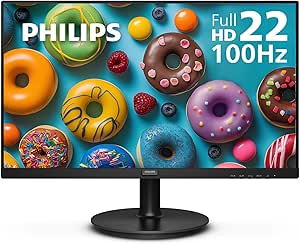 | Best Budget Compact Option | Screen size: 21.5 inches viewable | Resolution: 1920 x 1080 (Full HD) | Panel type: VA | VIEW ON AMAZON | See Our Full Breakdown |
| ASUS VY279HF-W 27-Inch Full HD IPS Eye Care Monitor |  | Best Eye Care Feature Set | Screen size: 27 inches | Resolution: Full HD (1920 × 1080) | Panel type: IPS | VIEW ON AMAZON | See Our Full Breakdown |
| BenQ GW2790P 27″ 1080p 120Hz IPS Eye-Care Home Office Monitor |  | Best Overall | Screen size: 27 inches | Resolution: 1920 x 1080 | Refresh rate: 120Hz | VIEW ON AMAZON | See Our Full Breakdown |
| Samsung 27″ Essential S3 (S36GD) Series FHD Curved Monitor |  | Best Curved Pick | Screen size: 27 inches | Resolution: Full HD | Curvature: 1800R | VIEW ON AMAZON | See Our Full Breakdown |
| ASUS VA279HAE 27″ Full HD Eye Care Monitor |  | Best Value Pick | Brand: ASUS | Model: VA279HAE | Screen size: 27 inches | VIEW ON AMAZON | See Our Full Breakdown |
| ASUS VZ27EHF 27-Inch Eye Care Monitor – Full HD IPS, 100Hz, 1ms |  | Best Slim Design | Screen size: 27 inches | Resolution: 1920 x 1080 | Panel type: IPS | VIEW ON AMAZON | See Our Full Breakdown |
| Samsung 32-Inch S30B Flat FHD Monitor |  | Best Big-Screen Comfort | Screen size: 32 inches | Resolution: 1920 x 1080 (FHD) | Refresh rate: 75 Hz | VIEW ON AMAZON | See Our Full Breakdown |
| Philips 271V8LB 27-Inch Full HD 100Hz Monitor |  | Best for Long Reading Sessions | Screen size: 27 inches | Resolution: 1920 x 1080 (Full HD) | Panel type: VA | VIEW ON AMAZON | See Our Full Breakdown |
| ASUS VL279HE 27-Inch Full HD IPS Monitor |  | Best for Shared and Mounted Workspaces | Screen size: 27 inches | Resolution: 1920 x 1080 (Full HD) | Panel type: IPS | VIEW ON AMAZON | See Our Full Breakdown |
| monitor for eye strain reduction | Screen size | Resolution | Refresh rate | Panel type |
|---|---|---|---|---|
| BenQ GW2790T 27-Inch FHD IPS C | 27 inches | 1920 x 1080 (Full HD) | 100Hz | IPS |
| ASUS VA27EHE 27-Inch Full HD I | 27 inches | 1920 x 1080 (Full HD) | Up to 75Hz with Adaptive-Sync | IPS |
| Dell SE2426H 24-inch FHD IPS M | 23.8 inches | 1920 x 1080 (FHD) | 144Hz | IPS |
| Dell 24 Monitor SE2425HM | 24 inches | 1920 x 1080 (FHD) | 100Hz | IPS |
| Philips 221V8LB 21.5-Inch Full | 21.5 inches viewable | 1920 x 1080 (Full HD) | 100Hz | VA |
| ASUS VY279HF-W 27-Inch Full HD | 27 inches | Full HD (1920 × 1080) | 100Hz | IPS |
| BenQ GW2790P 27" 1080p 120Hz I | 27 inches | 1920 x 1080 | 120Hz | IPS |
| Samsung 27" Essential S3 | 27 inches | Full HD | 100Hz | — |
| ASUS VA279HAE 27" Full HD Eye | 27 inches | 1920 x 1080 | — | — |
| ASUS VZ27EHF 27-Inch Eye Care | 27 inches | 1920 x 1080 | 100Hz | IPS |
| Samsung 32-Inch S30B Flat FHD | 32 inches | 1920 x 1080 (FHD) | 75 Hz | — |
| Philips 271V8LB 27-Inch Full H | 27 inches | 1920 x 1080 (Full HD) | 100 Hz | VA |
| ASUS VL279HE 27-Inch Full HD I | 27 inches | 1920 x 1080 (Full HD) | Up to 75 Hz | IPS |
More Details on Our Top Picks
BenQ GW2790T 27-Inch FHD IPS Computer Monitor, 100Hz
This option stands out for pairing the features that matter most for all-day desk work: adaptive brightness that reacts to room lighting, a low blue light mode, and a height-adjustable stand that lets you position the screen at eye level. Compared with the ASUS VA27EHE, which only tilts, the ergonomic range here is the difference between a monitor that adapts to your posture and one you adapt to. The 100Hz refresh rate also makes scrolling documents and web pages noticeably smoother than a standard 60Hz panel, which reduces the micro-judder your eyes work to track. The tradeoff is that resolution stays at 1080p on a 27-inch panel, so text sharpness trails smaller screens like the Dell SE2425HM at the same pixel count.
Pros:- Adaptive brightness automatically matches ambient light, reducing squinting
- Height and tilt adjustment supports proper ergonomic positioning
- 100Hz refresh rate smooths scrolling and cursor motion
- Anti-glare finish and built-in speakers tidy up the desk
Cons:- Full HD on a 27-inch panel yields lower pixel density than smaller rivals
- Built-in speakers are basic and won’t replace desk speakers
Best for: Home office workers and writers who spend 6+ hours a day at the screen and want brightness that adjusts automatically
Not ideal for: Anyone who needs sharp small text — 1080p stretched across 27 inches is noticeably softer than on a 24-inch panel
- Screen size:27 inches
- Resolution:1920 x 1080 (Full HD)
- Panel type:IPS
- Refresh rate:100Hz
- Eye care:Low Blue Light, Eye-Care technology, adaptive brightness
- Stand adjustments:Height and tilt
- Connectivity:DisplayPort, HDMI
- Screen finish:Anti-glare
Our verdict“The most complete eye-care package in this lineup for long desk sessions, as long as 1080p sharpness at 27 inches doesn’t bother you.”
ASUS VA27EHE 27-Inch Full HD IPS Monitor
This model makes the most sense for buyers who want the two features that genuinely reduce fatigue — flicker-free backlighting and low blue light filtering — without paying for extras they won’t use. Where the BenQ GW2790T adds adaptive brightness and a height-adjustable stand, the VA27EHE keeps things lean with tilt-only ergonomics, which is the honest cost of the lower price. The 75Hz refresh rate with Adaptive-Sync is a modest step up from 60Hz, though it trails the 100Hz panels on the Philips 221V8LB and Dell models if motion smoothness is a priority. VESA mounting partially offsets the limited stand, since a cheap monitor arm restores full ergonomics later.
Pros:- Flicker-free and low blue light technology at an accessible price point
- IPS panel with 178° viewing angles keeps contrast stable when you shift position
- VESA mounting allows adding an ergonomic arm later
- Frameless design suits multi-monitor side-by-side setups
Cons:- Tilt-only stand with no height adjustment
- Connectivity limited to HDMI and legacy D-Sub — no DisplayPort
Best for: Students and budget-conscious buyers who want core flicker-free and blue light protection with an upgrade path via a monitor arm
Not ideal for: Users who can’t VESA mount and need height adjustment out of the box — tilt alone forces neck compromise
- Screen size:27 inches
- Resolution:1920 x 1080 (Full HD)
- Panel type:IPS
- Refresh rate:Up to 75Hz with Adaptive-Sync
- Eye care:Flicker-free, low blue light
- Ergonomics:Tilt adjustment, VESA mountable
- Connectivity:HDMI, D-Sub
Our verdict“A sensible budget choice that covers the eye-care fundamentals, provided you accept tilt-only ergonomics or plan to add a mount.”
Dell SE2426H 24-inch FHD IPS Monitor – 1920×1080, 144Hz, 1ms, AMD FreeSync
Eye strain isn’t only a spreadsheet problem — fast motion on a slow panel forces constant visual refocusing. That’s where this model separates itself: a 144Hz refresh rate with 1ms MPRT keeps motion crisp whether you’re gaming or scrolling, and its TÜV Rheinland 3-star eye comfort certification is a more rigorous validation than the self-described eye-care modes on the Philips 221V8LB. The 23.8-inch screen size also gives 1080p a sharper pixel density than the 27-inch ASUS VA27EHE, which means less strain when reading small UI text. The honest tradeoffs: the stand only tilts, color gamut coverage sits at 72%, and the 1ms figure relies on MPRT rather than the 8ms native response.
Pros:- TÜV Rheinland 3-star eye comfort certification independently validates blue light reduction
- 144Hz with FreeSync eliminates tearing and motion blur that tire eyes
- Smaller 23.8-inch screen makes 1080p text sharper than on 27-inch rivals
- Two HDMI ports and ultra-thin bezels suit flexible and multi-monitor setups
Cons:- Tilt-only stand with no height adjustment
- Native response time is 8ms; the 1ms figure depends on MPRT mode
- 72% color gamut limits accuracy for creative work
Best for: Gamers and multi-purpose users who mix long play sessions with everyday work and want certified blue light reduction
Not ideal for: Color-critical photo or video editors — 72% gamut coverage and MPRT-driven response specs aren’t built for that work
- Screen size:23.8 inches
- Resolution:1920 x 1080 (FHD)
- Panel type:IPS
- Refresh rate:144Hz
- Response time:1ms MPRT (8ms native)
- Certification:TÜV Rheinland 3-star eye comfort
- Brightness:300 nits
- Connectivity:2x HDMI
Our verdict“The strongest pick here for eye comfort during fast-motion gaming, provided ergonomics and color coverage aren’t dealbreakers.”
Dell 24 Monitor SE2425HM – FHD IPS, 100Hz, ComfortView Plus
This pick makes the most sense for tight desks and shared workspaces where a 27-inch panel would sit too close for comfortable viewing. Its ComfortView Plus approach is the standout detail: blue light reduction is always on without washing out color, unlike toggleable modes that push the screen yellow on the BenQ GW2790T. The 24-inch footprint at 1080p also renders text more crisply than the same resolution on the larger ASUS VA27EHE. The compromises are real, though — 250 nits of brightness struggles near bright windows, and a single HDMI port means swapping cables if you connect both a laptop and desktop. Compared with the gaming-oriented Dell SE2426H, you give up 144Hz but gain a calmer, always-on comfort experience.
Pros:- ComfortView Plus reduces blue light continuously without a visible color shift
- Compact footprint with cable management keeps cluttered desks tidy
- 1080p on 24 inches delivers noticeably sharper text than 27-inch 1080p panels
- 100Hz refresh rate smooths everyday scrolling and video
Cons:- Single HDMI port limits multi-device connectivity
- 250-nit brightness struggles in direct daylight
- No height adjustment — tilt only unless you VESA mount
Best for: Office workers and students with small desks who want always-on blue light reduction without color distortion
Not ideal for: Multi-device users and brightly lit rooms — one HDMI port and 250-nit brightness both fall short there
- Screen size:24 inches
- Resolution:1920 x 1080 (FHD)
- Panel type:IPS
- Refresh rate:100Hz
- Brightness:250 nits
- Eye comfort:ComfortView Plus (always-on blue light reduction)
- Adaptive sync:FreeSync
- Mounting:VESA compatible
Our verdict“A tidy, set-and-forget comfort monitor for compact workspaces, best skipped if you juggle multiple devices or sit near a window.”
Philips 221V8LB 21.5-Inch Full HD Monitor, 100Hz, VA Panel
Sometimes the kindest thing you can do for tired eyes is simply put fewer inches of glowing panel in front of them. This 21.5-inch model is the smallest screen in the roundup, and at 1080p that means the densest, sharpest text of the group — easier focus for long reading sessions than the 27-inch ASUS VA27EHE at the same resolution. The VA panel’s 3000:1 contrast ratio triples the IPS norm, which reduces the harsh white-on-black strain of documents and code editors in dark mode. The catch is the glossy finish: unlike the matte Dell SE2425HM, it reflects lamps and windows, which can create its own fatigue in bright rooms. Ergonomics are minimal, and the small size suits single-window work rather than multitasking.
Pros:- 3000:1 contrast ratio eases dark-mode reading and reduces glare-like white bloom
- Smallest screen at 1080p delivers the sharpest text in this lineup
- LowBlue Mode and flicker-free technology at an entry-level price
- 100Hz with Adaptive-Sync smooths scrolling despite the budget positioning
Cons:- Glossy finish reflects light sources and can introduce strain in bright rooms
- 21.5-inch screen limits side-by-side multitasking
- VA panel colors shift more at off-angles than the IPS alternatives
Best for: Budget buyers, writers, and coders who mostly work in one window and want sharp text plus deep contrast for dark-mode work
Not ideal for: Multitaskers and bright-room users — the 21.5-inch size limits side-by-side windows and the glossy screen picks up reflections
- Screen size:21.5 inches viewable
- Resolution:1920 x 1080 (Full HD)
- Panel type:VA
- Refresh rate:100Hz
- Contrast ratio:3000:1
- Brightness:250 nits
- Eye care:LowBlue Mode, flicker-free technology
- Display finish:Glossy
Our verdict“A wallet-friendly pick for single-window dark-mode work, as long as your room lighting and multitasking needs are modest.”
ASUS VY279HF-W 27-Inch Full HD IPS Eye Care Monitor
Where most monitors in this roundup offer a standard low blue light and flicker-free combo, this model pushes accessibility and comfort further than anything else here. The adjustable TÜV Rheinland-certified blue light filter lets you tune filtering to your task rather than accepting one preset, and the Rest Reminder actively prompts breaks — a rare feature the BenQ GW2790P and Samsung S36GD don’t match. Color Augmentation mode is a thoughtful addition for readers who struggle with text contrast. The 100Hz refresh rate keeps scrolling comfortable, though it trails the BenQ’s 120Hz. Compared with the ASUS VA279HAE, this pick trades the more conventional office design for a genuinely broader comfort toolkit.
Pros:- Adjustable TÜV Rheinland-certified blue light filter with multiple levels
- Rest Reminder and Color Augmentation modes go beyond standard eye care
- 100Hz IPS panel with Adaptive-Sync for smooth, comfortable scrolling
- 3-year warranty included
Cons:- Full HD resolution is noticeably soft on a 27-inch panel
- Positioned for casual gaming, so competitive players will want higher refresh rates
Best for: Desk workers and students who want active break reminders and tunable blue light filtering, not just static eye comfort settings
Not ideal for: Detail-focused professionals — 1080p on 27 inches is softer than a QHD panel for text-heavy spreadsheets or photo work
- Screen size:27 inches
- Resolution:Full HD (1920 × 1080)
- Panel type:IPS
- Refresh rate:100Hz
- Sync technology:Adaptive-Sync
- Eye care features:Adjustable blue light filter, Flicker Free, Color Augmentation, Rest Reminder
- Warranty:3 years
Our verdict“Buy this if you want the most complete eye comfort toolkit in the lineup, not just the standard blue light checkbox.”
BenQ GW2790P 27″ 1080p 120Hz IPS Eye-Care Home Office Monitor
This is the pick I’d point most buyers toward, because it combines the strongest eye comfort certifications in the roundup with the smoothest motion. TÜV 3-Star Eye Comfort plus Eyesafe 2.0 certification means the panel has been independently validated across multiple comfort criteria — a step beyond the single TÜV mention on the Samsung S36GD. BenQ’s Triple Eye Protection (Visual Optimizer, Low Blue Light, Flicker-Free) actively balances brightness and contrast as ambient conditions shift, which is exactly what long workdays demand. The 120Hz refresh rate also beats both the ASUS VY279HF-W and Samsung at 100Hz, reducing strain during rapid scrolling. The tradeoff is resolution: 1080p across 27 inches is comfortable at normal desk distance, but anyone doing fine text work will notice.
Pros:- TÜV 3-Star Eye Comfort and Eyesafe 2.0 certifications — the strongest validation here
- 120Hz refresh rate is the smoothest in this batch
- 99% sRGB IPS panel keeps colors accurate from any seating angle
- Frameless ultrathin bezel minimizes visual distraction
Cons:- 1080p on a 27-inch panel delivers lower pixel density than QHD rivals
- No HDR support or built-in speakers
Best for: Home office workers spending 6+ hours daily at the screen who want certified comfort and smooth scrolling in one package
Not ideal for: HDR movie watchers or anyone wanting built-in speakers — neither is part of the package
- Screen size:27 inches
- Resolution:1920 x 1080
- Refresh rate:120Hz
- Panel type:IPS
- Color gamut:99% sRGB
- Certifications:TÜV 3-Star Eye Comfort, Eyesafe Certified 2.0
- Eye care features:Visual Optimizer, Low Blue Light, Flicker-Free
- Design:Ultrathin bezel, frameless
Our verdict“The best all-around choice for eye strain reduction, pairing top-tier certifications with the smoothest motion in the lineup.”
Samsung 27″ Essential S3 (S36GD) Series FHD Curved Monitor
Curvature is the differentiator here, and it matters for eye strain: an 1800R curve keeps the edges of the screen at a more consistent distance from your eyes, reducing the constant refocusing that flat panels demand. That makes this Samsung the better choice for anyone bothered by eye fatigue at the screen’s periphery, something the flat ASUS VA279HAE and Dell SE2425HM can’t address. The TÜV-certified eye comfort handles blue light and flicker in the standard way, but there’s no adjustable filtering or break reminder like the ASUS VY279HF-W offers. The 100Hz refresh rate is adequate rather than exciting next to the BenQ GW2790P’s 120Hz. Note too that curvature is polarizing — some users find it distracting for straight-line design work.
Pros:- 1800R curvature reduces peripheral refocusing for less fatigue
- 100Hz refresh rate cuts lag and motion blur
- TÜV-certified eye comfort lowers blue light and flicker
- Game Mode with adjustable color and contrast
Cons:- Full HD only, with no QHD or 4K option in this configuration
- HDMI cable may need to be purchased separately
Best for: Viewers whose eye fatigue comes from constant peripheral refocusing and who want a more immersive wraparound view
Not ideal for: Graphic designers and anyone doing precision line work, where curvature distorts straight edges
- Screen size:27 inches
- Resolution:Full HD
- Curvature:1800R
- Refresh rate:100Hz
- Eye comfort certification:TÜV certified
- Series:Essential S3 (S36GD)
Our verdict“The only curved option in this lineup, and worth it if edge-of-screen strain is your main complaint.”
ASUS VA279HAE 27″ Full HD Eye Care Monitor
For buyers who want the core eye care trio — low blue light, flicker-free operation, and anti-glare coating — without paying for extras they won’t use, this is the sensible choice. The anti-glare matte finish deserves emphasis: compared with glossier panels, it cuts reflections that force your eyes to work harder under overhead lighting, a comfort angle the curved Samsung S36GD doesn’t highlight. The 178° viewing angles mean colors stay consistent even when you lean away from center. Unlike the ASUS VZ27EHF with its HDMI-only connectivity, this model adds D-Sub, which suits older office hardware. The compromises are real: no refresh rate advantage over 60–100Hz rivals is heavily marketed, and the connectivity list is dated. What you get is dependable comfort basics with VESA mounting flexibility at the value end.
Pros:- Anti-glare coating actively reduces reflection-induced strain under office lighting
- Low blue light plus flicker-free technology covers the comfort fundamentals
- Slim bezels and VESA mounting fit clean, flexible workspaces
- HDMI and D-Sub connectivity supports older systems
Cons:- No standout refresh rate or motion features compared with 100–120Hz rivals here
- Basic HDMI/D-Sub connectivity only, with no DisplayPort
Best for: Budget-conscious office buyers and anyone running legacy hardware that still needs VGA
Not ideal for: Users wanting high refresh rates or modern connectivity like DisplayPort — this is a basics-first monitor
- Brand:ASUS
- Model:VA279HAE
- Screen size:27 inches
- Resolution:1920 x 1080
- Viewing angle:178°
- Eye care features:Low blue light, flicker-free, anti-glare
- Connectivity:HDMI, D-Sub
- Mounting:VESA mountable
Our verdict“The pragmatic pick when you need proven comfort basics and mounting flexibility without extra cost.”
ASUS VZ27EHF 27-Inch Eye Care Monitor – Full HD IPS, 100Hz, 1ms
At just 6.5mm at its thinnest point, this is the most physically elegant monitor in the batch, and that slimness isn’t cosmetic — a frameless, low-profile panel mounted on a VESA arm puts the screen exactly where your neck and eyes want it. Eye comfort comes through TÜV-certified Low Blue Light and Flicker-Free technology plus a matte finish, putting it on par with the ASUS VY279HF-W on certification while skipping that model’s Rest Reminder. The 1ms MPRT response is the fastest here, reducing the smearing that makes fast content tiring to track. The real weakness is brightness: at 250 nits, it struggles against sunny windows, and the single HDMI port is limiting compared with the VA279HAE’s dual inputs.
Pros:- Ultra-slim 6.5mm frameless design with VESA wall-mount support
- TÜV-certified flicker-free and low blue light technology
- 1ms MPRT response delivers the cleanest motion in this batch
- IPS panel with 178° viewing angles
Cons:- Single HDMI port limits multi-device setups
- 250-nit brightness falls short in very bright rooms
Best for: Minimalist desk builders and wall-mounters who want a near-invisible bezel with certified eye comfort and fast motion clarity
Not ideal for: Bright, sunlit workspaces — the 250-nit panel can’t compete with strong daylight glare
- Screen size:27 inches
- Resolution:1920 x 1080
- Panel type:IPS
- Refresh rate:100Hz
- Response time:1ms
- Brightness:250 nits
- Eye care features:TÜV Rheinland Flicker-free, Low Blue Light
- Connectivity:HDMI
- Warranty:3 years
Our verdict“Choose this for a clean arm- or wall-mounted setup where slim design and motion clarity matter as much as comfort specs.”
Samsung 32-Inch S30B Flat FHD Monitor
Size is the story here. A 32-inch panel lets you sit further back from the screen, which naturally reduces the eye strain that comes from hunching close to a smaller display. Samsung pairs that with Eye Saver Mode and Flicker Free technology, covering the two biggest comfort levers: blue light exposure and backlight flicker. Compared with the ASUS VL279HE, you get five extra diagonal inches for a similar feature set, though the same Full HD resolution stretched across a larger area means slightly softer text — a real tradeoff for anyone doing detail work. The 75Hz refresh rate and AMD FreeSync keep motion smooth enough that scrolling documents won’t add visual fatigue, and the three-sided borderless design makes dual-monitor arrangements seamless. This pick makes the most sense for viewers who prioritize distance and immersion over pixel density.
Pros:- 32-inch screen allows a more eye-friendly viewing distance
- Eye Saver Mode and Flicker Free technology reduce blue light and flicker fatigue
- Three-sided borderless design works well in multi-monitor setups
- 75Hz refresh rate with AMD FreeSync keeps scrolling and video smooth
Cons:- Full HD resolution looks soft on a 32-inch panel compared with sharper 27-inch rivals
- Brightness of 250 cd/m² is modest for bright, sunlit rooms
Best for: Home office workers who want a large screen they can view from a distance to reduce close-up focusing fatigue
Not ideal for: Anyone doing detailed text, spreadsheet, or photo work — 1080p across 32 inches produces noticeably less sharp text than the 27-inch options
- Screen size:32 inches
- Resolution:1920 x 1080 (FHD)
- Refresh rate:75 Hz
- Contrast ratio:4000:1
- Brightness:250 cd/m²
- Eye care:Eye Saver Mode, Flicker Free
- Adaptive sync:AMD FreeSync
- Connectivity:HDMI, DisplayPort
Our verdict“Choose this if a larger viewing distance is your main eye-strain strategy, and skip it if text sharpness is a priority.”
Philips 271V8LB 27-Inch Full HD 100Hz Monitor
Philips adds something the others in this lineup don’t: EasyRead mode, a paper-like viewing preset that, combined with LowBlue and flicker-free technology, makes this the strongest choice for people whose eye strain comes from long stretches of text. The 100Hz refresh rate outpaces both the Samsung S30B and ASUS VL279HE at 75Hz, delivering smoother scrolling that reduces the micro-judder your eyes work to track. Its VA panel with 3000:1 contrast produces deep blacks that ease viewing in dim rooms, though it can’t match the color consistency of an IPS model like the ASUS VL279HE when viewed from the side. The glossy finish is the genuine weak point — in a window-facing office, reflections become their own source of eye strain. Compared with the smaller Philips 221V8LB, this 27-inch version keeps the same comfort features with more usable workspace.
Pros:- EasyRead mode provides a paper-like reading experience for text-heavy work
- 100Hz refresh rate is the fastest in this batch, smoothing out scrolling
- LowBlue and flicker-free technologies address both blue light and flicker fatigue
- High-contrast VA panel eases viewing in dimly lit rooms
Cons:- Glossy screen finish reflects light and can create glare in bright rooms
- VA panel color and contrast shift more at off-angles than the IPS-based ASUS VL279HE
Best for: Writers, researchers, and students who spend hours reading documents and want a paper-like mode plus the smoothest scrolling in this group
Not ideal for: Desk placements facing windows or bright lamps — the glossy screen reflects light and creates glare-related fatigue
- Screen size:27 inches
- Resolution:1920 x 1080 (Full HD)
- Panel type:VA
- Refresh rate:100 Hz
- Contrast ratio:3000:1
- Viewing angle:178 degrees
- Adaptive sync:Yes
- Eye care:LowBlue, flicker-free, EasyRead mode
Our verdict“The best pick here for heavy readers, as long as your desk isn’t bathed in direct light.”
ASUS VL279HE 27-Inch Full HD IPS Monitor
Where the Philips 271V8LB leans into reading comfort, this ASUS wins on flexibility and viewing consistency. The IPS panel with 178-degree viewing angles means colors and contrast stay stable whether you’re centered at your desk or glancing from the side — a real advantage if you share the screen during meetings. Its VESA mount support is the standout here: unlike the Samsung S30B or Philips, you can attach an arm and position the screen at exactly the right height and distance, which is one of the most effective ergonomic fixes for eye and neck strain. Flicker-free and Low Blue Light technologies handle the comfort basics, and the slim frameless design suits tight multi-monitor layouts. The compromises are clear, though: 75Hz trails the Philips’s 100Hz, and the dated D-Sub port alongside HDMI hints at an older design. This model is better suited to buyers who value placement freedom over refresh speed.
Pros:- VESA mountable, allowing precise ergonomic positioning on a monitor arm
- IPS panel maintains accurate colors at wide 178-degree viewing angles
- Flicker-free and Low Blue Light technologies cover core eye-comfort needs
- Slim frameless design works well in side-by-side multi-monitor setups
Cons:- Refresh rate tops out at 75Hz, behind the 100Hz Philips 271V8LB
- D-Sub plus HDMI connectivity is dated and lacks DisplayPort
Best for: Buyers who want to mount their monitor on an arm to dial in perfect ergonomic height and distance, or who frequently share the screen with others
Not ideal for: Anyone wanting the smoothest motion — 75Hz trails the 100Hz Philips and newer options like the BenQ GW2790T
- Screen size:27 inches
- Resolution:1920 x 1080 (Full HD)
- Panel type:IPS
- Refresh rate:Up to 75 Hz
- Viewing angle:178 degrees
- Eye care:Flicker-free, Low Blue Light
- Sync technology:Adaptive-Sync, FreeSync
- Mounting:VESA wall-mountable
Our verdict“The right choice if a VESA arm and viewing-angle consistency matter more than refresh rate or modern ports.”

How We Picked
I evaluated each monitor through one lens: how effectively it reduces eye strain over a full workday. That meant prioritizing flicker-free backlights (PWM flicker is a leading cause of headaches and fatigue), low blue light filtering — with extra weight given to TÜV Rheinland or similar certification rather than marketing claims — and brightness flexibility, because a monitor that can’t dim far enough in a dark room or brighten enough near a window is a strain risk no matter what else it does well. Panel type and refresh rate also factored in: IPS panels with stable colors and 100Hz-plus refresh rates reduce the micro-fatigue caused by motion smear and inconsistent viewing angles.
The ranking reflects a hierarchy of comfort features. Monitors with ambient light sensors and dedicated eye-care ecosystems (BenQ’s Brightness Intelligence, ASUS Eye Care Plus) placed highest because they adapt without user intervention. Certified mid-range options followed, and value picks earned their positions by delivering flicker-free panels and decent ergonomics at lower sizes or feature counts. Ergonomics — tilt, height adjustment where present, and matte anti-glare coatings — broke ties, since a monitor you can’t position correctly undermines every other comfort feature it offers.
Factors to Consider When Choosing Monitor For Eye Strain Reduction
Choosing a monitor for eye strain reduction is less about finding the most features and more about matching the monitor’s comfort characteristics to your actual environment and habits. These are the factors that genuinely change how your eyes feel at the end of a long day.Flicker-Free Backlights: The Non-Negotiable Feature
Many budget monitors use PWM (pulse-width modulation) to control brightness, which means the backlight flickers thousands of times per second — often invisibly, but your eyes and brain still register it. Over hours, this is one of the most common causes of screen headaches and general fatigue. A true flicker-free monitor uses DC dimming instead, keeping the backlight constant at every brightness level. Here’s the trap: some brands advertise “flicker-free” while only achieving it at 100% brightness, which is useless for eye comfort. Look for TÜV Rheinland Flicker-Free certification specifically, because third-party verification means the claim holds across the brightness range. If you can only check one specification before buying, make it this one.
Low Blue Light: Tunable Beats Fixed
Blue light filtering reduces the strain your ciliary muscles experience when focusing on high-energy wavelengths, and most eye-care monitors now include some version of it. The difference between a good and mediocre implementation is whether the filter is adjustable or fixed. A single “low blue light mode” that slaps an orange tint over everything destroys color accuracy, which matters if you do any design, photo, or video work. The better monitors in this category offer multiple levels (typically 30%, 50%, 70% reduction) so you can balance comfort against color fidelity by task and time of day. Also worth knowing: blue light’s effect on eye strain is real but modest compared to flicker — don’t pay a large premium for aggressive blue light marketing when the panel flickers. Pair hardware filtering with software like f.lux or Windows Night Light for the best of both.
Brightness Range and Your Room’s Lighting
The most overlooked cause of eye strain isn’t the monitor — it’s the mismatch between screen brightness and room lighting. A monitor with a minimum brightness of 120 nits in a dim evening office is like staring at a lamp, while a 250-nit ceiling struggling against a sunny window forces squinting. Check both ends of the brightness range before buying: ideally 150 nits or lower at minimum and 300 nits or higher at maximum if your room lighting changes during the day. This is exactly why the Brightness Intelligence sensors on BenQ’s GW2790 series ranked so highly — they remove human error from the equation entirely. If you buy a monitor without a sensor, at minimum position it perpendicular to windows and use a bias light (a soft lamp behind the monitor) to reduce contrast between screen and surroundings.
Refresh Rate: Smoothness Is Comfort
Refresh rate is usually marketed to gamers, but it directly affects eye comfort for anyone. At 60Hz, fast-moving cursors, scrolling text, and dragged windows smear and stutter, and your eyes do extra tracking work to compensate. Moving to 100Hz or higher reduces motion blur enough that many office workers notice less fatigue by mid-afternoon, even if they never play a game. The Dell SE2426H at 144Hz and the BenQ GW2790P at 120Hz illustrate that smoothness doesn’t require an expensive gaming panel anymore. One caution: make sure your computer can actually output the higher refresh rate over your cable — a 144Hz monitor running at 60Hz over the wrong HDMI configuration gives you zero benefit. Adaptive sync (FreeSync) also helps by eliminating the stutter that occurs when frame rate and refresh rate mismatch.
Size, Viewing Distance, and Curvature
Bigger is not automatically more comfortable. A 32-inch panel like the Samsung S30B viewed from two feet away forces your eyes to sweep constantly between corners, which tires the eye muscles over a workday. The general rule: the viewing distance in inches should be roughly equal to or greater than the diagonal screen size. If your desk is shallow (under 24 inches deep), a 24-inch monitor like the Dell SE2425HM or the compact Philips 221V8LB will genuinely feel better than a 27-inch. Curvature — as on the Samsung S36GD — is a personal variable: a gentle 1800R curve keeps edges at a consistent distance, which some eyes find relaxing and others find distorting. There’s no universal answer here, so if possible, view a curved panel in person before committing.
Ergonomics and Anti-Glare Coating
Even a perfect panel causes strain if you’re craning your neck to see it. The top of the screen should sit at or slightly below eye level, which means height-adjustable stands are worth more than they appear — and notably missing from several value picks in this category that offer tilt only. If your chosen monitor lacks height adjustment, a VESA mount or monitor arm solves it cheaply, but verify the monitor has VESA holes first. Glossy screens should be avoided entirely for eye strain purposes: reflections force your pupils to constantly readjust between the image and the glare. Every monitor in this roundup uses a matte coating, which is the right call — but if you venture outside this list, treat glossy finishes as disqualifying for comfort-focused use.
Frequently Asked Questions
Is a monitor with eye-care features actually better than just enabling Night Light on my current screen?
Software filters like Windows Night Light or f.lux reduce blue light, but they can’t address the two biggest hardware causes of strain: backlight flicker and inadequate brightness range. If your current monitor uses PWM dimming, no software will stop the flicker that causes headaches, and if its minimum brightness is too high for evening work, a color filter won’t fix the glare. Dedicated eye-care monitors combine flicker-free DC dimming, hardware-level blue light reduction with multiple intensity levels, and matte coatings — a full stack software can’t replicate. That said, if your current monitor is already flicker-free and you’re happy with its brightness, software filtering covers a lot of ground and upgrading may not be urgent. The strongest case for a hardware upgrade is when you get daily headaches or evening fatigue that persists despite software settings.
Do I need an ambient light sensor like BenQ’s Brightness Intelligence, or can I adjust brightness manually?
You can absolutely adjust brightness manually, and doing so at least twice a day — morning and evening — captures much of the benefit. The problem is consistency: most people set brightness once and forget it, then wonder why their eyes hurt by 6 PM as the room darkens around an unchanged screen. An ambient light sensor like the one on the BenQ GW2790T and GW2790P removes that habit from the equation, continuously matching screen output to room lighting. If you’re the disciplined type who will genuinely re-tune settings, you can save money with a non-sensor monitor like the ASUS VA279HAE and lose little. If you know you’ll set-it-and-forget-it, the sensor models earn their premium quickly.
Is a curved monitor better or worse for eye strain?
It depends on your viewing distance and sensitivity. A gentle curve like the 1800R on the Samsung S36GD keeps all points of the screen at a roughly equal distance from your eyes, which reduces the focusing adjustment your eyes make when scanning from center to edges — genuinely helpful at typical desk distances of two to three feet. However, curvature can also catch overhead lights and windows at odd angles, creating reflections a flat panel wouldn’t have, and some people find the slight geometric distortion of straight lines (spreadsheets, code) more bothersome than any benefit. Curvature also matters less on smaller screens — it’s most meaningful at 27 inches and up. If you work with a lot of text in straight columns and sit off-center, flat is the safer bet; if you sit centered and do varied work, the curve can feel noticeably more relaxing.
Does a higher refresh rate reduce eye strain if I’m not gaming?
Yes, and it’s underrated for office work. Eye strain comes partly from the effort of tracking motion — scrolling documents, dragging windows, moving the cursor — and at 60Hz that motion smears, forcing your eyes to work harder to follow it. At 100Hz and above, motion is visibly cleaner, and many people report less end-of-day fatigue even for purely productivity use. The Dell SE2426H at 144Hz and the BenQ GW2790P at 120Hz show this doesn’t require a gaming-class purchase anymore. Two caveats: your computer and cable must actually output the higher refresh rate (check your display settings after connecting), and refresh rate helps with motion strain but does nothing for flicker or blue light — so a fast panel without flicker-free certification is still a compromise. Treat high refresh as one comfort pillar among several, not a substitute for the others.
Should I get a 24-inch or 27-inch monitor for comfort at a typical desk?
Measure your eyes-to-screen distance first — that number should be equal to or larger than the diagonal you choose. At a typical desk depth of about two feet, both 24 and 27 inches work, but 27 favors those who sit slightly farther back or split windows side by side, while 24 suits closer sitters and single-window workflows. A 27-inch panel like the ASUS VY279HF-W makes text more readable at the same 1080p resolution because everything renders larger, which reduces the squinting that comes from small UI elements — a real comfort factor. On the other hand, a 32-inch screen like the Samsung S30B at 1080p spreads the same pixels across more area, making text slightly softer, so pixel density favors the smaller sizes at this resolution. If your desk is shallow (under 24 inches of depth), stay at 24 inches or smaller; forcing a large panel close to your face causes more strain than it relieves.
Conclusion
For most buyers, the BenQ GW2790P is the best overall choice: its Brightness Intelligence sensor, 120Hz panel, and full eye-care certification stack address flicker, blue light, and brightness adaptation in one package. If you want that sensor-driven comfort for less, the BenQ GW2790T trades the higher refresh rate for a lower price while keeping the core comfort technology. Budget-conscious buyers get the best value from the ASUS VA279HAE or the Philips 271V8LB, both delivering flicker-free panels and adequate brightness at entry-level prices — you give up sensors and adjustability, not the fundamentals.
Beginners who just want a certified, worry-free option should look at the Dell SE2425HM, whose Eye Comfort certification and simple setup remove guesswork. For specific needs: the Dell SE2426H suits anyone whose strain comes from motion and fast-paced work with its 144Hz refresh rate; the Samsung S36GD fits centered viewers who prefer an immersive gentle curve; and the Philips 221V8LB or Samsung S30B serve tight desks and larger dual-window setups respectively. Whatever you choose, remember that no monitor fixes bad habits — position the top of the screen at eye level, match brightness to your room throughout the day, and take regular breaks. The right monitor makes those habits easier to keep, not optional.