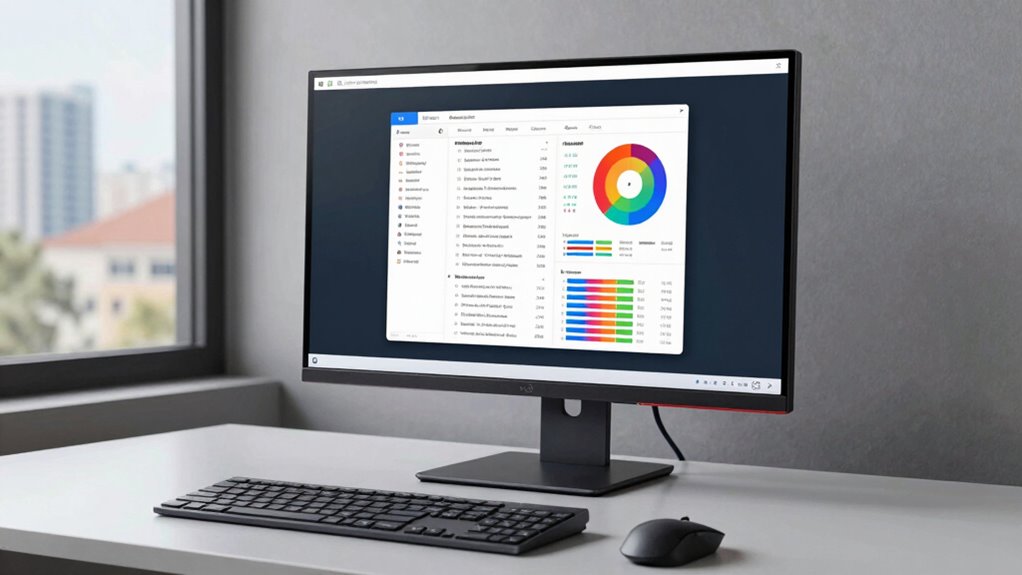
For most reading and writing, I’d start with the ASUS VA27DQSB: its 27-inch IPS screen and adjustable stand make it a practical fit for long document sessions. The LG 34U650A-B gives writers room to keep documents side by side, while the Amazon Basics 24-Inch IPS offers a simpler, smaller desktop setup. The main tradeoffs are screen space versus desk space, stand adjustability versus cost, and portability versus a larger, more comfortable workspace. Refresh rates above standard office use matter less here than readable text, a suitable viewing distance, and a screen position that works for your posture. Read on for how I ranked all 14 options and which one fits your workspace.

Get comfort and recovery gear delivered free with Prime
- Fast, free delivery on millions of items
- Prime Video, Amazon Music and more included
- Member-only deals all year
Complete the kit



Key Takeaways
- The amazon.com/dp/B08WJ3GYC9?tag=worksetuplab.com-20&ascsubtag=dc-527376″ target=”_blank” rel=”nofollow sponsored noopener”>amazon.com/dp/B08C63NR1V?tag=worksetuplab.com-20&ascsubtag=dc-527376″ target=”_blank” rel=”nofollow sponsored noopener”>ASUS VA27DQSB is my overall pick because a 27-inch IPS display paired with an adjustable stand suits document work better than a basic fixed-position screen.
- The LG 34U650A-B is the workspace specialist: its ultrawide WQHD format can hold multiple windows, but its size and curved shape call for a wide desk.
- Portable options involve a real screen-space compromise. The 15.6-inch amazon.com/dp/B095GG31KX?tag=worksetuplab.com-20&ascsubtag=dc-527376″ target=”_blank” rel=”nofollow sponsored noopener”>InnoView is easier to carry; the 18.5-inch 4K model offers more detail but still has a smaller working area than a desktop monitor.
- Several 24- and 27-inch choices share Full HD resolution. At 27 inches, text may look less fine than on a smaller Full HD screen, so buyers who value crisp type should check their expected viewing distance and scaling preferences.
- Higher refresh rates appear across this list, but they are not the deciding feature for writing. Stand adjustment, panel type, size, and useful ports have a closer bearing on everyday document work.





| monitor for reading and writing | Resolution | Screen size | Refresh rate | Panel type |
|---|---|---|---|---|
| Amazon Basics 24-Inch Full HD | 1920 × 1080 (Full HD) | 24 inches | 75 Hz | IPS |
| InnoView 15.6-inch FHD 1080P P | 1920 × 1080 | 15.6 inches | 60 Hz | IPS LCD |
| Sceptre E275W-19203R 27-Inch 1 | 1920 × 1080 (Full HD) | 27 inches | Up to 75 Hz | — |
| Sceptre 24-Inch 1080p LED Moni | 1920 × 1080 | 24 inches | Up to 100 Hz | — |
| LG 34U650A-B 34-inch UltraWide | 3440 × 1440 (WQHD) | 34 inches | 100 Hz | IPS |
| InnoView 18.5-Inch 4K UHD Port | 3840 × 2160 (4K UHD) | 18.5 inches | — | IPS |
| Amazon Basics 27-inch Computer | 1920 × 1080 (Full HD) | 27 inches | 120 Hz | IPS |
| Sceptre 22-Inch FHD 1080p Gami | 1920 × 1080 (Full HD) | 22 inches | Up to 144 Hz | — |
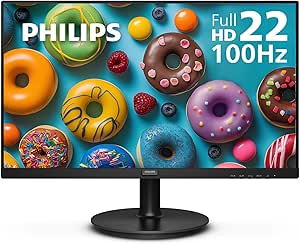
| Philips 221V8LB 22 Inch Comput | 1920 × 1080 (Full HD) | — | 100 Hz | VA |
| ASUS VA27DQSB 27-Inch Full HD | 1920 × 1080 (Full HD) | 27 inches | 75 Hz | IPS |
| ASUS VP227HF 21.45-Inch Full H | 1920 × 1080 | 21.45 inches | 100 Hz | VA |
| Amazon Basics 27-Inch IPS Moni | 1920 × 1080 | 27 inches | 75 Hz | IPS |
| Philips 241V8LB 24-Inch Full H | 1920 × 1080 | 23.8 inches | 100 Hz | VA LCD |
| Amazon Basics 27-Inch FHD 1080 | 1920 × 1080 (FHD) | 27 inches | Up to 100 Hz | IPS LCD |
More Details on Our Top Picks
Amazon Basics 24-Inch Full HD IPS Monitor with Adjustable Stand
A 24-inch IPS screen gives reading and writing a practical amount of room while keeping text visible from different seating angles. Its Full HD resolution is adequate for everyday documents, though letters and fine interface details will look less sharp than on the LG 34U650A-B’s higher-resolution WQHD display. For a simple desk setup, the HDMI, DisplayPort, and VGA inputs make it easier to connect older and newer computers than the portable InnoView 15.6-inch, which is aimed at mobile use. The adjustable stand only tilts, so it cannot match the LG’s height, swivel, and tilt adjustments for dialing in a reading posture. I’d choose it for dependable, uncomplicated office work; readers who want more screen space or finer text should look higher-resolution.
Pros:- IPS panel keeps the image consistent across wider viewing angles
- HDMI, DisplayPort, and VGA support a range of computer generations
- VESA compatibility allows use with a separate adjustable arm
- Includes an HDMI cable and adjustable tilt stand
Cons:- Full HD resolution offers less text detail than the LG 34U650A-B’s WQHD panel
- Stand adjusts by tilt only, limiting ergonomic positioning
Best for: Home office readers and writers who want a conventional 24-inch IPS screen with broad computer connectivity.
Not ideal for: People who need crisp, fine text at higher resolution or want height adjustment without adding a monitor arm.
- Screen size:24 inches
- Resolution:1920 × 1080 (Full HD)
- Panel type:IPS
- Refresh rate:75 Hz
- Inputs:HDMI 1.4, DisplayPort, VGA
- Stand tilt:-5° to 23°
- VESA mount pattern:100 × 100 mm
- Certification:Energy Star
Our verdict“Choose this for a simple, well-connected 24-inch reading and writing setup if Full HD detail and tilt-only adjustment meet your needs.”
InnoView 15.6-inch FHD 1080P Portable Monitor
Portable, laptop-sized reading space is the point here: at 15.6 inches, this monitor can add a second page or document window when working away from a full desk. The matte Full HD IPS panel and wide viewing angle suit close-up reading, while the included cover protects the screen and folds into a stand. Compared with the 24-inch Amazon Basics IPS monitor, it gives up workspace and a fixed, full-size desk setup in exchange for easier packing. USB-C can simplify connections, but single-cable use depends on the device supporting video over USB-C, and insufficient power can cause flicker or restarts. HDMI connections also need a separate power arrangement. This makes the most sense as a travel companion for laptop users, not as the primary screen for long writing sessions.
Pros:- Compact 15.6-inch form factor is easier to carry than the 24-inch Amazon Basics monitor
- Matte Full HD IPS display supports close-up text viewing from broad angles
- Protective cover doubles as an adjustable stand
- USB-C power pass-through is supported for compatible devices
Cons:- Single-cable video requires USB-C DisplayPort Alt Mode or Thunderbolt support
- May flicker or restart if the connected device supplies too little power
- HDMI use requires separate power, and its power cable is not included
Best for: Students, mobile professionals, and laptop users who need a portable second screen for documents and notes.
Not ideal for: People who spend most of the day writing at a fixed desk and want a larger screen with reliable, simple power and stand positioning.
- Screen size:15.6 inches
- Resolution:1920 × 1080
- Panel type:IPS LCD
- Screen finish:Matte
- Refresh rate:60 Hz
- Brightness:250 cd/m²
- Connectivity:2 USB-C, 1 HDMI
- Weight:2.7 pounds
Our verdict“Pick this as a portable document screen for a compatible laptop, but choose a larger desktop monitor for sustained writing.”
Sceptre E275W-19203R 27-Inch 1080p LED Monitor, 99% sRGB, 2 HDMI, VGA, Built-in Speakers, Machine Black
The 27-inch screen gives documents and split windows more physical space than the 24-inch Sceptre E248W-19203R, which can help readers who prefer larger on-screen text. Both stay at Full HD, though, so the bigger image does not add the fine detail you get from the LG 34U650A-B’s WQHD resolution. For reading comfort, this Sceptre includes Blue Light Shift and a tilt-adjustable screen; its 99% sRGB coverage also suits people who occasionally work with color. Two HDMI ports and VGA offer useful flexibility, while built-in speakers handle basic audio without extra desk equipment. The tradeoffs are limited ergonomic adjustment and speakers intended for simple listening. I’d favor it over the 24-inch model when screen size matters more than sharpness or stand flexibility.
Pros:- 27-inch screen gives documents and side-by-side windows more room than the 24-inch Sceptre
- 99% sRGB color coverage supports general color-sensitive work
- Two HDMI ports and VGA accommodate multiple or older devices
- Blue Light Shift and tilt adjustment add basic viewing comfort options
Cons:- Full HD across 27 inches provides less fine text detail than the LG 34U650A-B’s WQHD screen
- Stand offers tilt adjustment, with no height adjustment listed
- Built-in speakers are suited to basic office audio rather than rich sound
Best for: Readers and writers who prefer a larger 27-inch display for documents, reference windows, and larger interface text.
Not ideal for: Buyers who need high text density, height-adjustable positioning, or fuller-quality built-in sound.
- Screen size:27 inches
- Resolution:1920 × 1080 (Full HD)
- Display type:LED
- Color gamut:99% sRGB
- Refresh rate:Up to 75 Hz
- Ports:2 HDMI, 1 VGA
- Viewing comfort:Blue Light Shift; tilt 3° forward and 13° backward
- Mounting:VESA wall-mountable
Our verdict“Choose this if you want a larger Full HD workspace for reading and writing and can accept limited stand adjustment.”
Sceptre 24-Inch 1080p LED Monitor, 99% sRGB, 2x HDMI, VGA, Built-in Speakers, Machine Black (E248W-19203R)
Compact 24-inch size and built-in speakers suit a shared desk where a modest footprint and fewer accessories matter. Its two HDMI ports, VGA, and headphone jack make switching between devices straightforward, while Blue Light Shift offers another display setting for long reading sessions. Compared with the 27-inch Sceptre E275W-19203R, this model takes up less visual space but gives up room for large text and side-by-side pages. It also reaches up to 100Hz, above the 27-inch model’s listed 75Hz, though that smoothness matters more for motion than for reading. Both are Full HD, so neither matches the LG 34U650A-B for text detail or expansive workspace. The built-in speakers are convenient for basic audio, but not a substitute for dedicated speakers or headphones.
Pros:- Smaller 24-inch footprint fits more readily on a shared desk than the 27-inch Sceptre
- Two HDMI ports, VGA, audio input, and headphone jack support flexible connections
- Built-in speakers reduce the need for separate basic audio gear
- Blue Light Shift and up to 100Hz refresh rate add useful display options
Cons:- Full HD resolution provides less text detail than the LG 34U650A-B’s WQHD display
- No height adjustment is listed, limiting ergonomic setup
- Built-in speakers may lack depth for extended listening
Best for: People sharing a compact desk who want a 24-inch monitor with basic audio and multiple device inputs.
Not ideal for: Writers who need generous workspace, fine text detail, or a stand with height adjustment.
- Screen size:24 inches
- Resolution:1920 × 1080
- Display type:LED
- Color gamut:99% sRGB
- Refresh rate:Up to 100 Hz
- Ports:2 HDMI, 1 VGA
- Audio:Built-in speakers, Audio In, headphone jack
- Mounting pattern:100 × 100 mm
Our verdict“Choose this for a compact shared workstation with straightforward connectivity, provided Full HD detail and limited ergonomics are enough.”
LG 34U650A-B 34-inch UltraWide Curved WQHD IPS Monitor, Black
WQHD resolution across a 21:9 screen makes this the strongest fit here for writers who keep a draft beside research, notes, or reference material. It offers substantially more horizontal workspace and finer text detail than the Full HD Amazon Basics 24-inch monitor, though its 34-inch width needs a deep, spacious desk. The 3800R curve helps keep the broad panel within a more consistent viewing arc, and the stand adjusts for height, tilt, and swivel—an ergonomic advantage over both Sceptre monitors. USB-C with up to 96W laptop charging can also cut down on desk cables. Its built-in speakers and HDR10 support add versatility, but the 5ms response time and 100Hz refresh rate are less focused on competitive gaming. This is the premium choice for a fixed workstation built around reading and multitasking.
Pros:- 21:9 WQHD display provides more workspace and finer text detail than the Full HD options
- USB-C can connect and charge a compatible laptop at up to 96W
- Height, tilt, and swivel adjustments support a more tailored reading position
- 100Hz refresh rate and HDR10 add flexibility for media and general use
Cons:- Large 34-inch curved panel requires more desk space than the 24- and 27-inch alternatives
- 5ms response time and 100Hz refresh rate are less suited to competitive gaming
- Its wide format may be unnecessary for readers who use one document at a time
Best for: Writers, researchers, and remote workers who keep several documents or reference windows visible at once.
Not ideal for: People with shallow or narrow desks, or competitive gamers prioritizing faster response and higher refresh rates.
- Screen size:34 inches
- Aspect ratio:21:9
- Resolution:3440 × 1440 (WQHD)
- Panel type:IPS
- Curve:3800R
- Refresh rate:100 Hz
- USB-C power delivery:Up to 96 W
- Ports:USB-C, DisplayPort, HDMI
- Stand adjustment:Tilt, swivel, height
Our verdict“Choose this for a spacious, adjustable writing workstation where side-by-side documents matter more than compact size.”
InnoView 18.5-Inch 4K UHD Portable Monitor
The 4K resolution on an 18.5-inch IPS screen gives this portable monitor the sharpest text in this group, which helps when you need a compact second display for documents, research, or detailed layouts. Its 180-degree tilting stand lets you adjust the viewing angle across different desks, while two USB-C ports and HDMI support extended or mirrored displays. Compared with the ASUS VA27DQSB, it offers far more pixels in a smaller, travel-friendly format, but the ASUS gives you a larger screen and height, swivel, and pivot adjustments for a permanent workstation. The tradeoff here is power: the product data says a separate adapter is needed for full functionality. This makes the InnoView a strong fit for mobile work, though its smaller screen leaves less room for side-by-side pages.
Pros:- 4K resolution produces sharp text on a compact 18.5-inch screen
- 100% sRGB coverage and 10-bit color support detailed visual work
- Stand tilts through 180 degrees for flexible positioning
- Two USB-C ports and HDMI support extended or mirrored displays
Cons:- A separate power adapter is needed for full functionality
- The 18.5-inch screen gives less room for multitasking than the 27-inch ASUS VA27DQSB
Best for: Remote workers and students who carry a second screen and want crisp text for reading documents on the go
Not ideal for: People who need a single large desktop display for several open documents or a fully adjustable ergonomic setup
- Screen size:18.5 inches
- Resolution:3840 × 2160 (4K UHD)
- Panel type:IPS
- Brightness:400 nits
- Color coverage:100% sRGB
- Color depth:10-bit
- Ports:2 × USB-C, 1 × HDMI
- Stand adjustment:0–180° tilt
Our verdict“Choose the InnoView if portability and sharp text matter more than a large, fully adjustable desktop display.”
Amazon Basics 27-inch Computer Monitor, 120Hz, 1080p IPS, HDMI, DisplayPort, VESA Compatible
The 27-inch IPS screen gives this Amazon Basics model space for a document beside source material, and its four-sided narrow bezel suits readers building a multi-monitor desk. LowBlue and Flicker-Free features address long work sessions, while the matte finish helps limit distracting reflections. Compared with the ASUS VA27DQSB, this model has a higher 120Hz refresh rate and built-in speakers, but its 1080p resolution is spread across the same 27-inch screen size. That means less crisp text than the ASUS’s modestly smoother refresh rate alone would suggest; both are Full HD, so neither matches the InnoView’s 4K detail. The Amazon Basics monitor also needs a suitable cable and system setup to reach 120Hz. It makes most sense for readers who value screen area and a tidy multi-display layout over high pixel density.
Pros:- 27-inch IPS display provides room for documents and reference material
- LowBlue and Flicker-Free technologies support extended work sessions
- Narrow four-sided bezel suits multi-monitor arrangements
- HDMI, DisplayPort, and built-in speakers offer flexible desk connections
Cons:- Full HD resolution is relatively coarse across a 27-inch screen
- Reaching 120Hz requires a suitable cable and system configuration
- 14ms response time is less suited to fast competitive gaming
Best for: Desk-based researchers and writers who want a 27-inch workspace for documents and reference material, especially in a multi-monitor setup
Not ideal for: Readers who prioritize crisp text at 27 inches or need dependable 120Hz operation without checking cable and system compatibility
- Screen size:27 inches
- Resolution:1920 × 1080 (Full HD)
- Panel type:IPS
- Refresh rate:120 Hz
- Response time:14 ms
- Color gamut:99% sRGB
- Screen finish:Matte
- Connectivity:HDMI 1.4, DisplayPort 1.2, 3.5mm audio-out
Our verdict“Pick this for a broad, eye-care-focused writing workspace, provided 1080p text density is enough for you.”
Sceptre 22-Inch FHD 1080p Gaming Monitor, 144Hz, HDMI and DisplayPort, Built-In Speakers (E225W-FW144)
For a cramped desk, the 22-inch matte screen keeps reading and writing work within a small footprint, and the 1080p resolution is a better fit at this size than it would be on a 27-inch display. The Blue-Light Shift feature offers a way to reduce blue light during long sessions, and built-in speakers keep the setup simple. Compared with the Philips 221V8LB, the Sceptre prioritizes gaming speed with up to 144Hz and a listed 1ms response time; the Philips instead emphasizes VA contrast and flicker-free technology. For text-focused work, the refresh-rate advantage is less useful than screen size and glare control, and this model has only one listed HDMI port. Its compact panel also leaves less space for two documents side by side than the ASUS VA27DQSB.
Pros:- Compact 22-inch size suits small desks
- Matte finish helps limit reflections while reading
- Blue-Light Shift offers an adjustment for extended viewing
- Built-in speakers and FreeSync support a simple mixed-use setup
Cons:- The 22-inch screen offers limited space for side-by-side documents
- Only one HDMI port is listed
- The high refresh rate is less useful for reading and writing than extra screen area or resolution
Best for: Students or writers with a small desk who want a compact monitor for text, video, and occasional gaming
Not ideal for: Researchers who regularly compare multiple documents side by side or need more than one HDMI connection
- Screen size:22 inches
- Resolution:1920 × 1080 (Full HD)
- Refresh rate:Up to 144 Hz
- Response time:1 ms
- Screen finish:Matte
- Contrast ratio:2000:1
- Adaptive sync:FreeSync
- Ports:1 HDMI, DisplayPort
Our verdict“Choose the Sceptre when desk space is tight and you want a compact screen that can also handle gaming.”
Philips 221V8LB 22 Inch Computer Monitor, Full HD 100Hz, VA Panel, VESA, Flicker-Free
The Philips 221V8LB puts VA contrast and flicker-free technology ahead of extra screen space: its 3000:1 contrast ratio can make dark text stand out against a light page, while LowBlue Mode is aimed at long work sessions. The 21.5-inch viewable area is compact, so it suits focused reading and writing better than layouts with several open windows. Compared with the similarly sized Sceptre E225W-FW144, the Philips trades the Sceptre’s 144Hz gaming focus for deeper contrast and a 100Hz refresh rate. Its glossy finish is the main drawback for desk work, since lights or windows can reflect across the screen. The Amazon Basics 27-inch model offers more room and a matte surface, but its 1080p resolution is stretched over a larger panel.
Pros:- VA panel with 3000:1 contrast gives dark and light elements strong separation
- LowBlue Mode and flicker-free technology target long work sessions
- 100Hz refresh rate with Adaptive-Sync supports smooth motion
- VESA mounting allows an alternative to the included desk placement
Cons:- Glossy finish can reflect windows and room lighting
- 21.5-inch viewable area limits space for multitasking
- Full HD resolution provides less detail than the InnoView’s 4K panel
Best for: Readers who prefer high contrast on a compact screen and can position their desk away from direct reflections
Not ideal for: People who work near bright windows, need room for multiple documents, or prefer a matte display
- Viewable screen size:21.5 inches (22-inch class)
- Resolution:1920 × 1080 (Full HD)
- Panel type:VA
- Refresh rate:100 Hz
- Contrast ratio:3000:1
- Brightness:250 cd/m²
- Screen finish:Glossy
- Eye care:LowBlue Mode, Flicker-Free
Our verdict“Pick the Philips for contrast-focused reading in a reflection-controlled space, not for a roomy multitasking desk.”
ASUS VA27DQSB 27-Inch Full HD IPS Monitor
The ASUS stands out for a 27-inch IPS panel with a fully adjustable stand: height, swivel, pivot, and tilt let you position text for your posture or turn the screen for a long document. Its USB hub and HDMI, DisplayPort, and D-sub connections also suit a desk with several devices. Compared with the Amazon Basics 27-inch 120Hz monitor, it refreshes more slowly at 75Hz, but adds broader stand adjustments and a USB hub; both have 1080p resolution, so readers seeking finer text should look to the InnoView 4K portable model. The ASUS’s matte finish and flicker-free and low blue light features are practical for daily reading. Its main compromise is pixel density: Full HD across 27 inches makes it less suited to close viewing than a smaller or higher-resolution screen.
Pros:- Stand adjusts for height, tilt, swivel, and pivot, including portrait orientation
- 27-inch IPS panel has wide 178-degree viewing angles
- USB hub plus HDMI, DisplayPort, and D-sub support a varied desk setup
- Matte finish and flicker-free and low blue light features suit extended work
Cons:- Full HD resolution can make text look less crisp at 27 inches than on a higher-resolution display
- 75Hz refresh rate is lower than the Amazon Basics 27-inch model’s 120Hz
- At 15 pounds, it is heavier than the compact options in this group
Best for: Home-office writers who want a large screen with flexible height, portrait, and swivel positioning plus a USB hub
Not ideal for: Readers who sit close to the screen and want high text sharpness, or anyone prioritizing refresh rates above 75Hz
- Screen size:27 inches
- Resolution:1920 × 1080 (Full HD)
- Panel type:IPS
- Refresh rate:75 Hz
- Stand adjustments:Tilt, swivel, pivot, and height
- Connectivity:HDMI, DisplayPort, D-sub, USB hub
- Screen finish:Matte
- Warranty:3 years
Our verdict“Choose the ASUS for a large, position-adjustable writing station if ergonomic flexibility matters more than pixel density.”
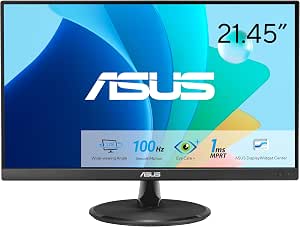
ASUS VP227HF 21.45-Inch Full HD 100Hz Monitor
The ASUS VP227HF suits a small desk where reading and writing matter more than fitting several windows side by side. Its 21.45-inch Full HD screen gives text a compact workspace, while the VA panel’s 4000:1 contrast can make dark text stand out against light backgrounds. Flicker-free and Low Blue Light features add useful viewing options for long sessions, and its 100Hz refresh rate makes scrolling feel smoother than on the Amazon Basics 27-Inch IPS 75Hz Monitor. That larger model offers more room and IPS viewing angles, though both remain Full HD. The ASUS trades workspace for a smaller footprint, and its HDMI and VGA inputs are more limited than the Philips 241V8LB’s broad viewing angle and slim-bezel design. Choose it for a compact setup, not for dense documents or multitasking.
Pros:- Compact 21.45-inch size fits tighter work areas.
- VA panel with 4000:1 contrast gives text strong separation.
- 100Hz refresh rate and Adaptive-Sync support smoother scrolling.
- Flicker-free and Low Blue Light features, plus VESA mounting.
Cons:- Small screen leaves less room for documents and side-by-side windows.
- HDMI and VGA inputs offer fewer connection options than some larger alternatives.
- Full HD provides limited detail for dense text or fine document layouts.
Best for: Readers and writers with a small desk who want eye-care features and smooth scrolling in a compact display.
Not ideal for: People who keep multiple documents open or need crisp, detailed text across a roomy workspace; its 21.45-inch Full HD screen limits usable area.
- Screen size:21.45 inches
- Resolution:1920 × 1080
- Panel type:VA
- Refresh rate:100 Hz
- Contrast ratio:4000:1
- Ports:HDMI, VGA
- Eye-care features:Flicker-free, Low Blue Light
- Mounting:VESA wall-mountable
Our verdict“Choose the ASUS VP227HF when desk space is tight and eye-care features matter more than a larger reading area.”
Amazon Basics 27-Inch IPS Monitor, Full HD 1080p, 75Hz, Adjustable Stand, HDMI, DisplayPort, VGA, Built-in Speakers, VESA Compatible, Black
For readers who want a large screen on a straightforward office setup, this 27-inch IPS model offers more room for long pages and side-by-side windows than the ASUS VP227HF. Its wide viewing angles help the picture stay consistent when the screen is viewed off-center, and the HDMI, DisplayPort, and VGA inputs make it easier to connect different computers. The tilt stand and VESA support give you some placement flexibility, though the stand does not list height or swivel adjustment. Compared with the Amazon Basics 27-Inch 100Hz IPS Monitor, this model runs at 75Hz, so scrolling is less fluid, but it still covers everyday reading and writing tasks. The main compromise is pixel density: Full HD spread across 27 inches can make small text look less crisp than on a smaller 1080p display.
Pros:- 27-inch screen provides room for long documents and parallel windows.
- IPS panel offers wide viewing angles and color consistency.
- HDMI, DisplayPort, and VGA support varied computer setups.
- Built-in speakers, tilt adjustment, and VESA compatibility simplify placement.
Cons:- Full HD across 27 inches can make fine text look less sharp.
- 75Hz refresh rate is less smooth than the 100Hz Amazon Basics alternative.
- Stand adjustment is limited to tilt in the supplied specifications.
Best for: Home-office users who read long documents or keep two windows visible and value IPS viewing angles and multiple inputs.
Not ideal for: Writers who prioritize crisp small text or need a height-adjustable stand; 27-inch Full HD can look less sharp, and only tilt adjustment is specified.
- Screen size:27 inches
- Resolution:1920 × 1080
- Panel type:IPS
- Refresh rate:75 Hz
- Video inputs:HDMI, DisplayPort, VGA
- Audio:Built-in speakers
- Stand adjustment:Tilt from -5 to 20 degrees
- VESA compatibility:100 × 100 mm
Our verdict“Pick this model for a roomy everyday writing setup if screen area matters more than fine text sharpness or stand adjustability.”
Philips 241V8LB 24-Inch Full HD 100Hz VA Computer Monitor, VESA, Flicker-Free
The Philips 241V8LB lands between the compact ASUS VP227HF and the larger Amazon Basics 27-inch displays, making it a sensible fit for everyday document work without taking over a desk. Its 23.8-inch Full HD screen gives text more room than the ASUS, while the VA panel and 3000:1 contrast favor pronounced separation between dark text and pale backgrounds. The 100Hz refresh rate and Adaptive-Sync also make scrolling feel smoother than on the Amazon Basics 27-Inch IPS 75Hz Monitor. Philips adds LowBlue Mode and flicker-free technology for extended sessions, and the three-sided slim bezel suits a multi-monitor arrangement. The tradeoffs are a glossy finish that can reflect windows or lamps and modest 250-nit brightness. Like the ASUS, it remains a Full HD screen, so it is not a high-detail choice for dense layouts.
Pros:- 23.8-inch size balances desk footprint with usable document space.
- VA panel’s 3000:1 contrast supports clear text separation.
- 100Hz refresh rate and Adaptive-Sync smooth scrolling.
- LowBlue Mode, flicker-free technology, and slim three-sided bezel.
Cons:- Glossy finish can reflect ambient light.
- 250-nit brightness may be limiting in very bright rooms.
- Full HD resolution offers limited detail for dense professional layouts.
Best for: Office readers and writers who want a mid-size screen, high contrast, and eye-care settings for regular document sessions.
Not ideal for: People working in bright rooms with direct light on the display or anyone who needs extra resolution for dense, detailed documents.
- Screen size:23.8 inches
- Resolution:1920 × 1080
- Panel type:VA LCD
- Refresh rate:100 Hz
- Contrast ratio:3000:1
- Brightness:250 nits
- Screen finish:Glossy
- Eye-care features:LowBlue Mode, Flicker-Free
- Mounting:VESA mount
Our verdict“Choose the Philips 241V8LB for a mid-size reading display with strong contrast and eye-care features, provided glare is manageable.”
Amazon Basics 27-Inch FHD 1080p IPS Monitor, 100Hz, with Built-In Speakers and USB Ports
This Amazon Basics monitor is the lineup’s practical choice for a reader who wants a large workspace and handy desk connections. The 27-inch IPS panel gives long documents and side-by-side windows more room than the Philips 241V8LB, while its matte finish can help limit reflections from nearby lights. At up to 100Hz, scrolling is smoother than on the 75Hz Amazon Basics 27-Inch IPS Monitor. Four USB 2.0 ports can keep basic peripherals close at hand, and built-in speakers handle simple audio without a separate setup. The main reading tradeoff is resolution: Full HD on a 27-inch screen is less crisp for small text than the Philips’s smaller Full HD panel. Its listed 170-degree viewing angle is also narrower than the Philips’s 178 degrees, and the speakers are suited to convenience rather than richer sound.
Pros:- 27-inch IPS display provides ample room for documents and split-screen work.
- 100Hz refresh rate supports smoother scrolling than the 75Hz Amazon Basics alternative.
- Matte screen finish helps limit distracting reflections.
- Four USB 2.0 ports, built-in speakers, and VESA compatibility add setup flexibility.
Cons:- Full HD at 27 inches can make small text look less crisp than on the Philips 241V8LB.
- Built-in speakers may not satisfy users who want higher-quality audio.
- 170-degree viewing angle is narrower than the Philips model’s listed 178 degrees.
Best for: Home-office readers who want a large screen, smoother scrolling, and USB ports for basic desk peripherals.
Not ideal for: Writers who need especially crisp small text, a higher-resolution workspace, or strong built-in audio.
- Screen size:27 inches
- Resolution:1920 × 1080 (FHD)
- Panel type:IPS LCD
- Refresh rate:Up to 100 Hz
- Screen finish:Matte
- Response time:4 ms
- USB ports:4 USB 2.0
- Viewing angle:170 degrees
- Mounting:VESA compatible
Our verdict“Choose this Amazon Basics model when a large document area and convenient USB connections matter more than text sharpness or audio quality.”

How We Picked
I ranked these monitors around the demands of reading and writing: how much text fits comfortably, whether the listed panel type suits extended document viewing, and how easily the screen can fit a seated setup. Stand adjustability, connectivity, portability, and workspace footprint also shaped the order. I gave more weight to features that can improve a routine desk session than to gaming refresh rates or built-in speakers.
The ASUS VA27DQSB leads for its IPS panel and adjustable stand, while the LG 34U650A-B ranks as a specialized choice for readers who need side-by-side workspace. I placed more basic Full HD screens below those flexible picks, with compact monitors suited to limited desks and portable use. Where listings did not specify details such as ergonomic adjustment or text-focused features, I did not assume them; buyers should confirm the exact model specifications before choosing.
| monitor for reading and writing | Panel type | Screen finish |
|---|---|---|
| Amazon Basics 24-Inch Full HD | IPS | — |
| InnoView 15.6-inch FHD 1080P P | IPS LCD | Matte |
| Sceptre E275W-19203R 27-Inch 1 | — | — |
| Sceptre 24-Inch 1080p LED Moni | — | — |
| LG 34U650A-B 34-inch UltraWide | IPS | — |
| InnoView 18.5-Inch 4K UHD Port | IPS | — |
| Amazon Basics 27-inch Computer | IPS | Matte |
| Sceptre 22-Inch FHD 1080p Gami | — | Matte |
| Philips 221V8LB 22 Inch Comput | VA | Glossy |
| ASUS VA27DQSB 27-Inch Full HD | IPS | Matte |
| ASUS VP227HF 21.45-Inch Full H | VA | — |
| Amazon Basics 27-Inch IPS Moni | IPS | — |
| Philips 241V8LB 24-Inch Full H | VA LCD | Glossy |
| Amazon Basics 27-Inch FHD 1080 | IPS LCD | Matte |
Factors to Consider When Choosing Monitor For Reading And Writing
I’d choose a reading and writing monitor by starting with the work area and posture, then checking resolution, panel, and connections. These decisions often matter more over a full workday than headline refresh-rate figures.
Match Screen Size to Viewing Distance
A larger screen can show more of a page at once, but it also takes up more of your field of view and desk. A 22- or 24-inch display can be comfortable at a compact desk, while a 27-inch model gives more room for larger text or multiple windows. At Full HD resolution, text is less finely packed on a 27-inch screen than on a smaller display with the same pixel count. That difference may matter if you sit close or prefer crisp, small type. Check that your desk depth lets you sit far enough back to scan the screen without turning your head constantly. Choose for the distance you actually work at, rather than assuming bigger always means easier reading.
Think About Resolution and Text Scaling
Resolution determines how many pixels are available for text and open windows; operating-system scaling determines how large those elements appear. Higher resolution can make text edges look finer and provide more usable desktop space, but small interface text may require scaling to stay comfortable. Scaling can reduce the extra workspace you expected, so consider whether you mainly want sharper type, more windows, or both. A 4K portable monitor can offer fine detail on a compact screen, though its small size limits how much text fits at a readable scale. Avoid choosing by resolution alone without checking how your computer handles scaling. The best setting is the one that lets you read without leaning forward or squinting.
Prioritize Stand Fit and Screen Position
A screen that can be raised, tilted, and positioned to suit your chair may be more useful than a faster refresh rate for document work. A poor viewing height can encourage neck strain, while a stand with limited adjustment may require a separate riser or monitor arm. Check which movements the stand supports; “adjustable” can refer to tilt alone or include height and rotation. VESA compatibility can open up arm options, but you will need a compatible mount and a way to attach it securely. Before buying, measure the stand footprint as well as the screen, especially if your desk is shallow. Set the top portion of the display near eye level and adjust from there to suit your posture.
Choose a Panel for Your Room and Work Habits
IPS panels are often a useful fit when you want consistent color and a broad viewing angle, such as when you shift in your chair or share a screen. VA panels can be a reasonable office choice too, but panel type alone does not tell you how comfortable a particular screen will feel. Flicker-free claims and blue-light settings may appeal to people who spend long sessions reading, yet they do not replace sensible brightness, breaks, and a comfortable viewing distance. A bright screen in a dim room can feel harsh even if its specifications look suitable. Consider the lighting where you work and whether you can lower brightness to a comfortable level. Compare stated features carefully; do not assume every model has the same eye-comfort controls.
Plan for Ports, Devices, and Desk Space
List the devices you expect to connect before choosing a monitor. HDMI is common for laptops and desktops, while DisplayPort may suit some desktop setups; VGA can help with older equipment but is less relevant for many current systems. A portable monitor can make sense for travel or a second screen, but check what power and video cables it needs and whether your computer supports the required connection. Built-in speakers may be convenient for calls, though they are not a substitute for dedicated audio. Measure the available desk width and depth, including room for the stand and keyboard. For an ultrawide, also consider whether your computer can drive its resolution and whether your preferred apps make good use of the extra width.
Frequently Asked Questions
Is a 27-inch Full HD monitor a good choice for reading small text?
It can work well if you prefer larger text or sit at a comfortable distance, but Full HD pixels are spread across a larger area than on a smaller Full HD screen. That can make small lettering look less fine to some readers. If crisp small type matters to you, compare resolution as well as screen size, and check how your computer handles scaling. You may find that a smaller Full HD display or a higher-resolution model better suits your eyesight and desk distance. Try to judge readability at your intended operating-system text size, not from the resolution label alone.
Should I choose an ultrawide monitor or two separate screens for writing?
An ultrawide can keep a draft and reference material visible side by side without a bezel splitting the view. Two screens offer more freedom to position each display and can be easier to replace or rearrange later. The ultrawide option takes substantial desk width and may require compatible software window layouts to make the extra space useful. Two monitors need more cabling and may take up more depth or width depending on their stands. Choose based on your apps and desk dimensions: the wider single screen suits a continuous workspace, while separate screens favor flexible placement.
Does a 100Hz or 144Hz refresh rate make a monitor better for reading?
A higher refresh rate can make scrolling and pointer movement appear smoother, but it does not by itself make text sharper or easier to read. For writing, screen resolution, text size, viewing distance, and stand position usually deserve more attention. If you also play games or prefer smoother scrolling, a faster panel may be a useful extra. Check that your computer and connection can output the refresh rate you want. Avoid paying extra for speed if the monitor compromises on the ergonomic features you need.
When does a portable monitor make sense for reading and writing?
A portable screen is a good fit when you need a second display on trips, at a shared desk, or in a small workspace where a permanent monitor is impractical. It is less suitable as the only screen for long daily writing sessions if the compact size makes text feel cramped. Check whether your laptop can provide both video and power over the required connection, or whether you will need extra cables and an adapter. Consider the stand or case angle, since screen position can be limited on portable models. For a fixed home office, a desktop monitor generally gives you more room and stand options.
Which monitor feature should I prioritize if I get neck discomfort while working?
Start with screen positioning: height, tilt, and viewing distance affect how you hold your head while reading. Look for a stand that supports the adjustment you need, and confirm the specific movement rather than relying on a general “adjustable” description. A VESA mount can provide another route if the included stand does not fit your setup, provided the monitor supports it and you have a compatible arm. Screen size also matters because an overly wide display can lead to frequent head turns. No monitor feature can diagnose discomfort, so persistent pain is a reason to seek appropriate professional advice.
Conclusion
For the best overall fit, I’d choose the ASUS VA27DQSB for its 27-inch IPS panel and adjustable stand. The best value depends on your desk and priorities: the Amazon Basics 24-Inch IPS is a straightforward compact desktop option, while the 27-inch Amazon Basics 75Hz model adds stand adjustment and several connection types. For a premium, room-rich setup, the LG 34U650A-B suits writers who want an ultrawide canvas and have the desk to support it. Beginners can start with a conventional 24-inch Full HD monitor such as the Amazon Basics 24-Inch IPS, then add an arm or larger screen only if their workflow calls for it. Choose the InnoView 15.6-inch for a portable second screen, the 18.5-inch 4K InnoView when compact detail matters, or a 22-inch model when desk space is tight.
Fall Picks
fall essentials
As an affiliate, we earn on qualifying purchases.