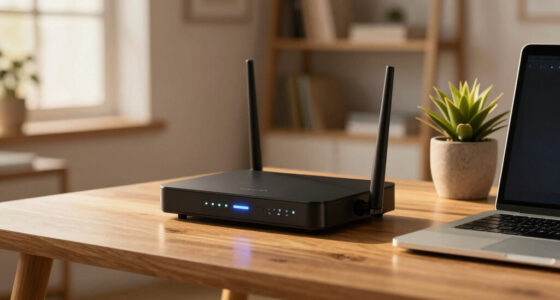
A monitor with built-in Ethernet can connect a laptop to a wired network through the display’s RJ45 port, often alongside video, data, and laptop charging over USB-C. In this group, I rank the Samsung ViewFinity S6 first for its QHD detail, 90W charging, and KVM switch; the ASUS BE249CGN is the stronger pick if you want 120Hz and a high-capacity dock; and the ASUS VA27ECPSN gives you a larger 27-inch workspace with a broad port selection. The main tradeoff is resolution: the Samsung is sharper at 24 inches, while both ASUS 24-inch models and the 27-inch ASUS use Full HD. I also include the ViewSonic VG2458 as a capable USB-C workstation monitor, with one important limitation for this roundup: its supplied specifications do not confirm a built-in Ethernet port.

Get comfort and recovery gear delivered free with Prime
- Fast, free delivery on millions of items
- Prime Video, Amazon Music and more included
- Member-only deals all year
Complete the kit


Key Takeaways
- Samsung ViewFinity S6 is the most balanced confirmed Ethernet pick here, combining a 24-inch QHD panel, 90W USB-C charging, KVM, and a built-in LAN port.
- ASUS BE249CGN is the choice for 120Hz motion and up to 96W laptop charging, with RJ45 Ethernet and DisplayPort daisy chaining.
- ASUS VA27ECPSN suits buyers who want a larger 27-inch screen and RJ45 connectivity, but its Full HD resolution is less crisp than Samsung’s QHD at 24 inches.
- ViewSonic VG2458 offers 100W USB-C charging and a five-port USB hub, but the provided specifications do not list Ethernet, so verify the exact model before choosing it for wired networking.
- For a one-cable desk setup, check that the monitor’s USB-C power delivery can support your laptop and that the Ethernet port is part of the model’s documented connectivity.
| Samsung ViewFinity S6 24-inch QHD Monitor (S60UD) |  | Best Overall | Screen: 24 inches | Resolution: QHD, 2560 × 1440 | Refresh rate: 100Hz | VIEW ON AMAZON | See Our Full Breakdown |
| ASUS BE249CGN 24 Inch 1080P 120Hz Computer Monitor with USB-C 96W Docking, HDMI, and RJ45 |  | Best for Smooth Motion and High-Power Docking | Screen: 23.8 inches | Resolution: Full HD, 1920 × 1080 | Panel: IPS, 178-degree viewing angle | VIEW ON AMAZON | See Our Full Breakdown |
| ASUS VA27ECPSN 27-inch Full HD IPS USB-C Docking Monitor |  | Best for a Larger Screen | Screen: 27 inches | Resolution: Full HD, 1920 × 1080 | Panel: IPS | VIEW ON AMAZON | See Our Full Breakdown |
| ViewSonic VG2458 24-Inch Full HD USB-C Docking Monitor |  | Best for USB-C Charging and Multi-Monitor Expansion, Ethernet Unconfirmed | Screen: 24 inches | Resolution: Full HD, 1920 × 1080 | Panel: IPS | VIEW ON AMAZON | See Our Full Breakdown |
| monitor with ethernet port built in | Screen | Resolution | Refresh rate | USB-C power delivery |
|---|---|---|---|---|
| Samsung ViewFinity S6 24-inch | 24 inches | QHD, 2560 × 1440 | 100Hz | Up to 90W |
| ASUS BE249CGN 24 Inch 1080P 12 | 23.8 inches | Full HD, 1920 × 1080 | 120Hz | Up to 96W |
| ASUS VA27ECPSN 27-inch Full HD | 27 inches | Full HD, 1920 × 1080 | Up to 75Hz | Up to 65W |
| ViewSonic VG2458 24-Inch Full | 24 inches | Full HD, 1920 × 1080 | 100Hz | Up to 100W |
More Details on Our Top Picks
Samsung ViewFinity S6 24-inch QHD Monitor (S60UD)
The ViewFinity S6 is the strongest all-round choice when Ethernet is part of a broader laptop-docking setup. Its built-in LAN port sits alongside USB-C with up to 90W charging, so one connection can handle network access, display, data, and laptop power for compatible devices. The 24-inch QHD panel also gives it a sharpness advantage over the Full HD ASUS options, especially for text-heavy work where extra pixels make a practical difference.
Compared with the ASUS BE249CGN, Samsung gives up some refresh rate and a little USB-C charging capacity, but adds QHD resolution and a built-in KVM switch for managing two connected systems with one keyboard and mouse. The stand tilts, swivels, raises, and pivots to portrait, and daisy-chain support can help expand a workspace. Its main compromise is size: 24 inches offers less room for side-by-side windows than ASUS’s 27-inch VA27ECPSN. Choose it for a compact, sharp productivity station; skip it if screen area or the smoothest motion matters more than resolution and workspace control.
Pros:- QHD resolution provides more workspace detail than the Full HD alternatives.
- Built-in LAN and USB-C with up to 90W charging support a tidy laptop connection.
- KVM switch and daisy-chain support help manage multiple devices and displays.
- Height, tilt, swivel, and pivot adjustments allow flexible positioning.
Cons:- The 24-inch panel provides less physical workspace than the 27-inch ASUS VA27ECPSN.
- Its 100Hz refresh rate is lower than the 120Hz ASUS BE249CGN.
Best for: Buyers who want a sharp 24-inch work monitor with built-in LAN, strong USB-C charging, and KVM support for two computers.
Not ideal for: People who need a large screen for several windows, or prioritize a refresh rate above 100Hz.
- Screen:24 inches
- Resolution:QHD, 2560 × 1440
- Refresh rate:100Hz
- USB-C power delivery:Up to 90W
- Ethernet:Built-in LAN port
- Workstation features:KVM switch, daisy-chain support, split screen, PiP, PbP
- Stand:Height adjustable, tilt, swivel, 90-degree pivot
Our verdict“I’d choose the ViewFinity S6 for the best mix of documented Ethernet, QHD clarity, and desk-docking features.”
ASUS BE249CGN 24 Inch 1080P 120Hz Computer Monitor with USB-C 96W Docking, HDMI, and RJ45
When a buyer wants wired networking and a lively, responsive desktop display, the BE249CGN makes a distinct case. It pairs RJ45 Ethernet with USB-C docking and up to 96W laptop charging, plus HDMI, USB, and DisplayPort connections. Its 120Hz refresh rate is the highest listed here, which can make scrolling and motion look smoother than on the Samsung or either 100Hz-or-below alternative.
Against the Samsung S60UD, ASUS trades QHD resolution for faster refresh and slightly more USB-C power. That matters for users with a laptop that benefits from higher charging capacity, but the Full HD image at 23.8 inches is less detailed than Samsung’s QHD screen. The ergonomic stand, including 150mm height adjustment, pivot, and swivel, is unusually flexible within this group, and DisplayPort output supports daisy chaining. This is the better fit for a motion-conscious dock setup; buyers doing dense text, detailed image work, or multi-window tasks may prefer the Samsung’s extra pixels.
Pros:- RJ45 Ethernet and USB-C docking consolidate network, display, and data connections.
- Up to 96W USB-C power delivery suits compatible laptops that need substantial charging.
- 120Hz refresh rate is the fastest in this group.
- Height adjustment, swivel, pivot, and daisy-chain output support adaptable desk layouts.
Cons:- Full HD resolution is less detailed than the Samsung’s QHD panel.
- The 23.8-inch screen gives less physical workspace than the 27-inch ASUS VA27ECPSN.
Best for: Laptop users who want documented RJ45 networking, up to 96W USB-C charging, a highly adjustable stand, and 120Hz motion.
Not ideal for: Buyers prioritizing QHD sharpness or the greater pixel workspace of the Samsung S60UD.
- Screen:23.8 inches
- Resolution:Full HD, 1920 × 1080
- Panel:IPS, 178-degree viewing angle
- Refresh rate:120Hz
- USB-C power delivery:Up to 96W
- Ethernet:RJ45 LAN
- Other connections:HDMI, DisplayPort, DisplayPort out, USB hub, earphone jack
- Warranty:3 years with Advanced Replacement and Repair
Our verdict“I’d pick the BE249CGN when smooth 120Hz motion and generous USB-C charging matter more than QHD resolution.”
ASUS VA27ECPSN 27-inch Full HD IPS USB-C Docking Monitor
The VA27ECPSN is the straightforward choice if you want more screen area and a documented Ethernet connection. Its 27-inch IPS display is larger than every other monitor in this lineup, and the RJ45 port, USB-C input, and three-port USB hub give it the basics of a laptop docking station. Up to 65W charging is below the Samsung’s 90W and the BE249CGN’s 96W, so check your laptop’s power needs before relying on a single cable.
The size comes with a resolution tradeoff. At 27 inches, Full HD spreads the same number of pixels across more area than the 24-inch Full HD ViewSonic and ASUS BE249CGN, while the Samsung puts more detail into a smaller screen. For everyday documents and general office use, the larger image can be comfortable; for dense spreadsheets or crisp text, I’d lean toward the QHD Samsung. The VA27ECPSN redeems its modest 75Hz refresh rate with a fully adjustable stand and broad input selection. It makes sense when screen size and desk flexibility lead the decision, but it is not the sharpness pick.
Pros:- The 27-inch panel offers the largest viewing area in this lineup.
- RJ45, USB-C, HDMI, DisplayPort, and a three-port USB hub provide varied connections.
- Stand supports height, tilt, swivel, and pivot adjustments.
- IPS viewing angles and Adaptive-Sync support suit general desktop use.
Cons:- Full HD on a 27-inch screen is less sharp than QHD on the 24-inch Samsung.
- The refresh rate tops out at 75Hz, below the other listed displays.
- Up to 65W USB-C charging is lower than the Samsung and ASUS BE249CGN.
Best for: People who prefer a 27-inch workspace, need RJ45 Ethernet, and value a flexible stand and multiple display inputs.
Not ideal for: Buyers who want high pixel density, a refresh rate above 75Hz, or more than 65W of laptop charging.
- Screen:27 inches
- Resolution:Full HD, 1920 × 1080
- Panel:IPS
- Refresh rate:Up to 75Hz
- USB-C power delivery:Up to 65W
- Ethernet:RJ45
- Other connections:DisplayPort 1.2, HDMI 1.4, three-port USB 3.2 hub, earphone jack
- Stand:Tilt, swivel, pivot, and height adjustment
Our verdict“I’d choose the VA27ECPSN for its larger screen and flexible docking, provided Full HD sharpness meets your needs.”
ViewSonic VG2458 24-Inch Full HD USB-C Docking Monitor
The VG2458 is a useful workstation monitor on paper, particularly if laptop charging and peripheral access are the main goals. USB-C delivers up to 100W power, the highest figure listed in this group, while a five-port USB hub and DisplayPort daisy chaining can simplify a desk with accessories and multiple displays. Its 100Hz refresh rate also exceeds the VA27ECPSN’s 75Hz, and the fully adjustable stand offers height, tilt, swivel, and rotation.
For this particular roundup, though, there is a meaningful gap: the provided product details do not specify an Ethernet or RJ45 port. That makes it a weaker match for someone who needs wired networking built into the monitor, even though its other docking features are extensive. Compared with the Samsung, ViewSonic trades QHD resolution and a stated LAN port for higher USB-C charging capacity and a larger USB hub. I’d consider it only after confirming Ethernet on the exact unit or if built-in wired networking is optional. Its Full HD resolution is also less detailed than Samsung’s QHD, while its 24-inch size avoids the lower pixel density of the 27-inch ASUS.
Pros:- Up to 100W USB-C charging is the highest stated power delivery in this comparison.
- Five-port USB hub helps connect desk peripherals through the monitor.
- DisplayPort daisy chaining supports multi-monitor expansion.
- 100Hz refresh rate and a fully adjustable stand suit a flexible work setup.
Cons:- The supplied specifications do not confirm a built-in Ethernet port.
- Full HD resolution provides less detail than the Samsung’s QHD panel.
Best for: Buyers prioritizing up to 100W USB-C charging, a large USB hub, and daisy chaining who can verify that the exact model meets their Ethernet needs.
Not ideal for: Anyone who requires a confirmed built-in RJ45 or LAN port without checking further product documentation.
- Screen:24 inches
- Resolution:Full HD, 1920 × 1080
- Panel:IPS
- Refresh rate:100Hz
- USB-C power delivery:Up to 100W
- Ethernet:Not specified in supplied product details
- Other connections:HDMI, DisplayPort, five-port USB hub
- Stand:Tilt, swivel, rotation, and height adjustment
Our verdict“I’d shortlist the VG2458 for its charging and hub features only after confirming that the exact model includes the Ethernet connection you need.”

How We Picked
I ranked these monitors by how directly they serve someone searching for a monitor with Ethernet built in. A documented RJ45 or LAN port comes first, followed by how well each display can anchor a desk: USB-C charging, USB hub access, stand adjustments, and options for connecting multiple devices all affect how much equipment a buyer needs. I then weighed image sharpness and refresh rate against screen size and everyday use.
The supplied descriptions identify a built-in LAN port on the Samsung and RJ45 on both ASUS models. They do not list Ethernet for the ViewSonic VG2458, so I place it last and flag that gap rather than treating its docking features as proof of wired networking. The order reflects both stated Ethernet suitability and the overall fit of each monitor for the specific buying intent. I use the provided product details and avoid claims that are not supported by them.
| monitor with ethernet port built in | Resolution | USB-C power delivery | Ethernet | Stand |
|---|---|---|---|---|
| Samsung ViewFinity S6 24-inch | QHD, 2560 × 1440 | Up to 90W | Built-in LAN port | Height adjustable, tilt, swivel, 90-degree pivot |
| ASUS BE249CGN 24 Inch 1080P 12 | Full HD, 1920 × 1080 | Up to 96W | RJ45 LAN | — |
| ASUS VA27ECPSN 27-inch Full HD | Full HD, 1920 × 1080 | Up to 65W | RJ45 | Tilt, swivel, pivot, and height adjustment |
| ViewSonic VG2458 24-Inch Full | Full HD, 1920 × 1080 | Up to 100W | Not specified in supplied product details | Tilt, swivel, rotation, and height adjustment |
Factors to Consider When Choosing Monitor With Ethernet Port Built In
A monitor with Ethernet is most useful when it also works as a practical USB-C dock. I compare the port, charging capacity, screen, and stand together because a mismatch in any one can make a neat setup less useful day to day.Confirm the Ethernet connection
Look for an explicitly listed RJ45 or LAN port in the specifications for the exact model. In this group, the Samsung lists built-in LAN and the two ASUS monitors list RJ45. The ViewSonic VG2458 details supplied here do not specify Ethernet, so its USB-C docking functions should not be treated as evidence that it has a network jack. Also check whether your computer and operating system support network access through the monitor’s USB-C connection.
Match USB-C charging to your laptop
USB-C may carry video and data while charging a connected laptop, but the available power differs: the ASUS VA27ECPSN supplies up to 65W, the Samsung up to 90W, the ASUS BE249CGN up to 96W, and the ViewSonic up to 100W. Compare that figure with your laptop’s power requirements. A monitor can still connect a laptop that needs more, but the machine may charge slowly or rely on its own power adapter.
Balance screen size and resolution
The Samsung is the only QHD monitor in this lineup, giving it more pixel detail at 24 inches than the Full HD models. The VA27ECPSN is largest at 27 inches, but its 1920 × 1080 resolution stretches those pixels over a broader area. Choose the Samsung for sharper text and more detailed desktop space; choose the larger ASUS if physical screen area matters more than pixel density. Both 24-inch Full HD options keep a compact footprint.
Choose refresh rate for your work
The VA27ECPSN reaches 75Hz, the Samsung and ViewSonic list 100Hz, and the BE249CGN reaches 120Hz. A higher refresh rate can make pointer movement, scrolling, and motion look smoother, though it does not add resolution or screen space. For office work, the difference may matter less than the QHD Samsung panel or a USB-C charging match. If smooth motion is high on your list, the BE249CGN has the strongest stated specification here.
Check the stand and multi-device features
Height, tilt, swivel, and pivot adjustments help position a monitor for your desk and posture; all four descriptions include adjustable stands, with particularly detailed adjustment ranges specified for the ASUS BE249CGN. If you alternate between computers, the Samsung’s KVM switch can share a keyboard and mouse. For multiple displays, the Samsung and ViewSonic list daisy-chain support, as does the ASUS BE249CGN through DisplayPort output. Match these features to your actual setup instead of choosing on port count alone.
Frequently Asked Questions
What does a built-in Ethernet port on a monitor do?
A built-in Ethernet port lets a compatible computer connect to a wired network through the monitor, commonly by linking the computer to the display over USB-C. This can reduce cable clutter when the monitor also carries video, data, and power. Check that the monitor documents an RJ45 or LAN port and that your computer supports the required connection.
Which monitor in this group has the sharpest image?
The Samsung ViewFinity S6 has the sharpest stated resolution: QHD at 2560 × 1440 on a 24-inch screen. The other three listed displays use Full HD at 1920 × 1080. That gives Samsung more pixel detail for text and desktop work, while the ASUS VA27ECPSN offers a physically larger 27-inch viewing area.
Which of these monitors is best for a one-cable laptop setup?
The Samsung S60UD and both ASUS models document Ethernet alongside USB-C docking features. Their USB-C power delivery differs: up to 90W for Samsung, 96W for the ASUS BE249CGN, and 65W for the VA27ECPSN. Match that capacity to your laptop. The ViewSonic lists up to 100W charging, but Ethernet is not confirmed in the supplied specifications.
Does the ViewSonic VG2458 have built-in Ethernet?
The product details provided for this comparison do not list an Ethernet or RJ45 port for the VG2458. They do list USB-C charging, HDMI, DisplayPort, a five-port USB hub, and daisy chaining. If wired networking is a requirement, confirm the exact model’s official connectivity specifications before buying or choose one of the three models in this guide with Ethernet explicitly listed.
Is a 27-inch Full HD monitor a good choice for office work?
It can suit buyers who value a larger viewing area and mostly work with general documents, web pages, or video. The tradeoff is lower pixel density than a 24-inch Full HD display and much less detail than the Samsung’s 24-inch QHD panel. If you spend long hours reading dense text or viewing detailed content, compare the Samsung’s resolution against the ASUS VA27ECPSN’s larger screen before deciding.
Conclusion
For most buyers who specifically want Ethernet built into a work monitor, I recommend the Samsung ViewFinity S6: it combines a documented LAN port with QHD clarity, 90W USB-C charging, and KVM. Choose the ASUS BE249CGN if 120Hz motion, 96W charging, and broad adjustments matter more than QHD detail. The ASUS VA27ECPSN is the larger-screen option for buyers comfortable with Full HD at 27 inches and 65W charging. I’d only choose the ViewSonic VG2458 for this Ethernet-focused purchase after confirming that the exact model has a network port; its charging and hub features alone do not establish that.
Halloween Picks
halloween
As an affiliate, we earn on qualifying purchases.