If you’re looking for the best trackball mice to help relieve RSI in 2026, I recommend models like the Kensington Expert, Logitech MX Ergo S, and wireless options from Nulea and SABLUTE. These mice feature ergonomic designs, large smooth balls, adjustable DPI, and multi-device support to minimize hand strain and improve comfort during long use. Curious about which one suits your needs best? Keep exploring to discover the perfect match for you.
Key Takeaways
- The list features ergonomic trackball mice with large balls (44-55mm) designed to reduce wrist and arm strain.
- Many models include adjustable DPI, tilt angles, and programmable buttons for customized comfort and control.
- Compatibility spans Windows, macOS, Android, and multi-device switching, supporting diverse user needs.
- Notable models like Kensington Expert and Logitech MX Ergo S emphasize natural hand posture and quiet operation.
- The selection prioritizes long battery life, eco-friendly materials, and features that promote RSI relief during extended use.
| ELECOM Huge Wired Trackball Mouse with 8 Buttons |  | Precision & Customization | Connectivity: Wired | DPI Levels: 500/1000/1500 | Ergonomic Design: Finger-operated, palm rest | VIEW LATEST PRICE | See Our Full Breakdown |
| Kensington Expert Trackball Mouse (Black Silver) |  | Professional Reliability | Connectivity: Wired USB-A | DPI Levels: Adjustable via software | Ergonomic Design: Ambidextrous, wrist rest | VIEW LATEST PRICE | See Our Full Breakdown |
| Nulea Wireless Ergonomic Trackball Mouse with DPI | 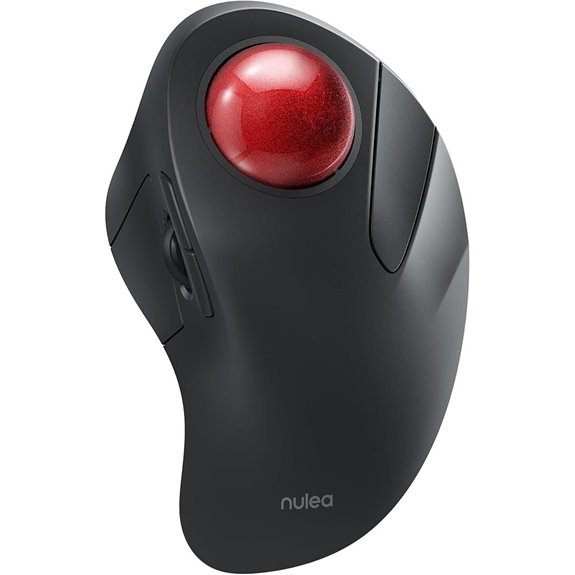 | Ergonomic Flexibility | Connectivity: Wireless (BT/USB) | DPI Levels: 4 levels (400/800/1200/1600) | Ergonomic Design: Ergonomic, fits hand comfortably | VIEW LATEST PRICE | See Our Full Breakdown |
| Nulea M511 Wireless Ergonomic Trackball Mouse | 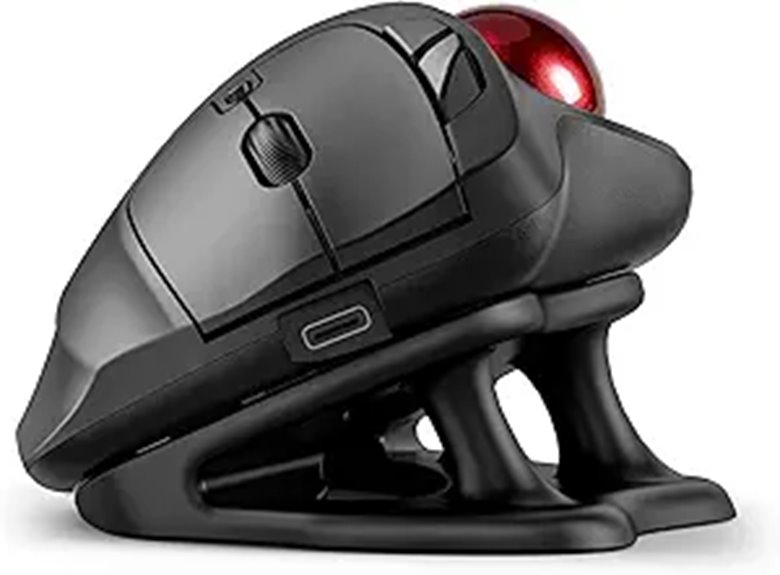 | Silent Operation | Connectivity: Wireless (BT/USB) | DPI Levels: 4 levels (400/800/1200/1600) | Ergonomic Design: Ergonomic, tilt stand | VIEW LATEST PRICE | See Our Full Breakdown |
| Logitech MX Ergo S Wireless Trackball Mouse | 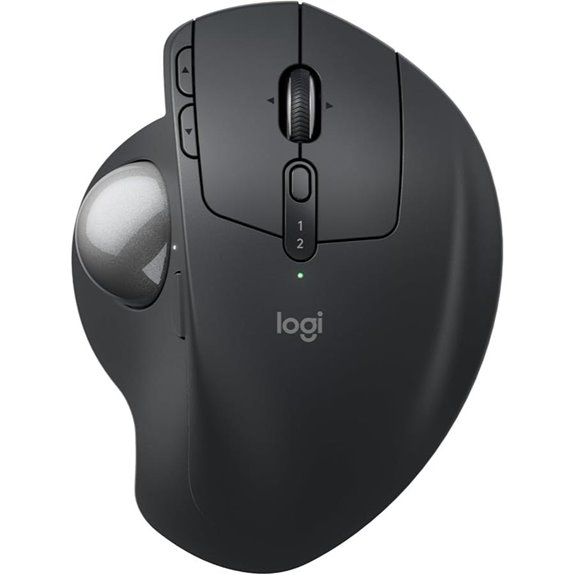 | Advanced Comfort | Connectivity: Wireless (BT/USB) | DPI Levels: Adjustable via app | Ergonomic Design: Contoured, ergonomic | VIEW LATEST PRICE | See Our Full Breakdown |
| ProtoArc Wireless Bluetooth Trackball Mouse (EM03 NL) | 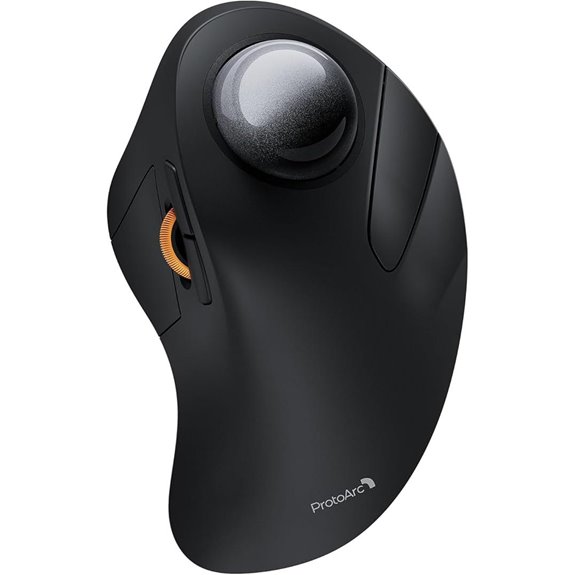 | Space-Saving Design | Connectivity: Wireless (BT/USB) | DPI Levels: 5 levels (200/400/800/1200/1600) | Ergonomic Design: Ergonomic, tilt hinge | VIEW LATEST PRICE | See Our Full Breakdown |
| Nulea M512 Wireless Trackball Mouse Rechargeable Multi-Device | 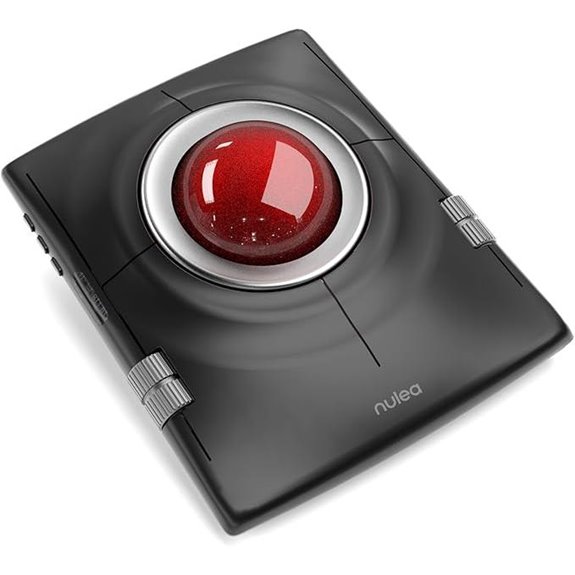 | Multi-Device Versatility | Connectivity: Wireless (BT/USB) | DPI Levels: 5 levels (400/800/1200/1600/2400) | Ergonomic Design: Ergonomic, ambidextrous | VIEW LATEST PRICE | See Our Full Breakdown |
| ProtoArc Wireless Trackball Mouse with Bluetooth & Adjustable Angle | 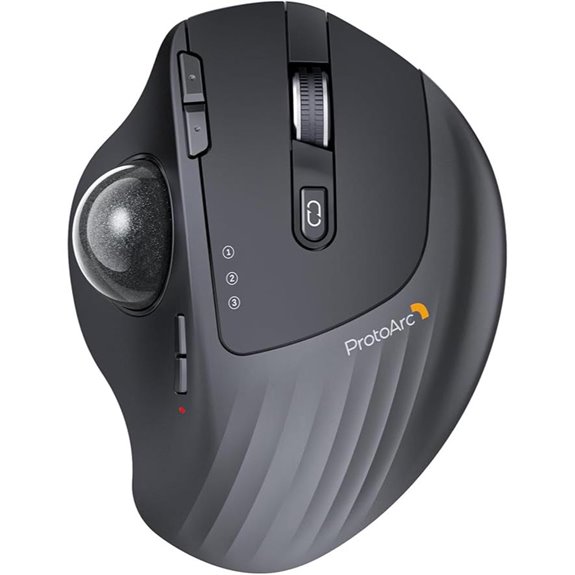 | Adjustable Comfort | Connectivity: Wireless (BT/USB/Wired) | DPI Levels: 5 levels (200/400/800/1200/1600) | Ergonomic Design: Adjustable hinge, ergonomic | VIEW LATEST PRICE | See Our Full Breakdown |
| Logitech Ergo M575S Wireless Trackball Mouse |  | Ergonomic Excellence | Connectivity: Wireless (BT/USB) | DPI Levels: Adjustable via software | Ergonomic Design: Sculpted, palm-friendly | VIEW LATEST PRICE | See Our Full Breakdown |
| Nulea M501 Wireless Trackball Mouse (3 Devices) | 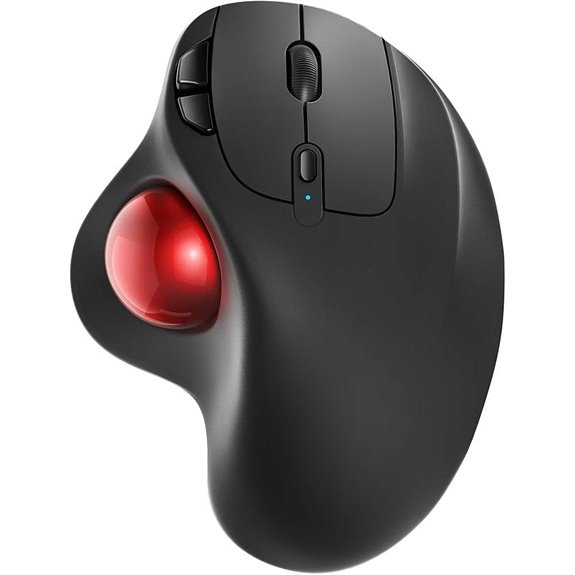 | High-Performance Tracking | Connectivity: Wireless (BT/USB) | DPI Levels: Adjustable (various levels) | Ergonomic Design: Ergonomic, curved shape | VIEW LATEST PRICE | See Our Full Breakdown |
| Logitech Ergo M575S Wireless Trackball Mouse |  | Compact & Portable | Connectivity: Wireless (BT/USB) | DPI Levels: 3 levels (100/200/400) | Ergonomic Design: Ergonomic, thumb control | VIEW LATEST PRICE | See Our Full Breakdown |
| SABLUTE Wireless Trackball Mouse with Bluetooth & DPI | 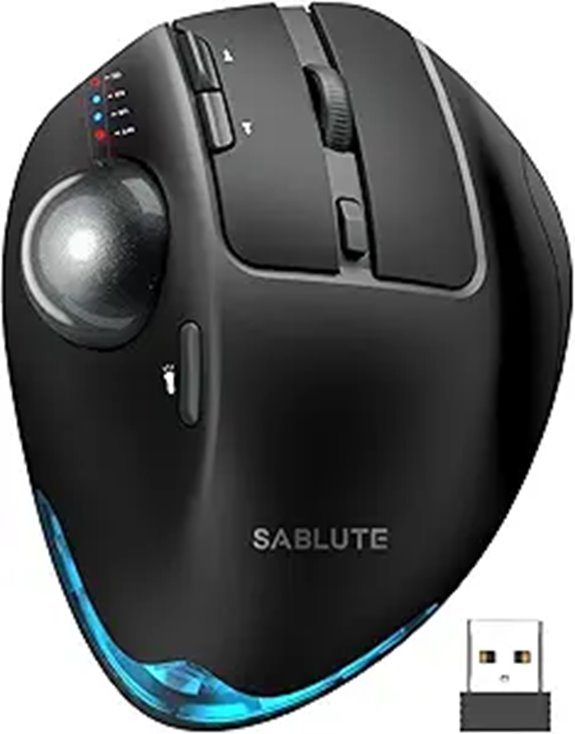 | Innovative Flexibility | Connectivity: Wireless (BT/USB) | DPI Levels: 5 levels (800/1200/1600/2400/4800) | Ergonomic Design: Ergonomic, adjustable angle | VIEW LATEST PRICE | See Our Full Breakdown |
| SABLUTE Wireless Trackball Mouse with 5 DPI Levels | 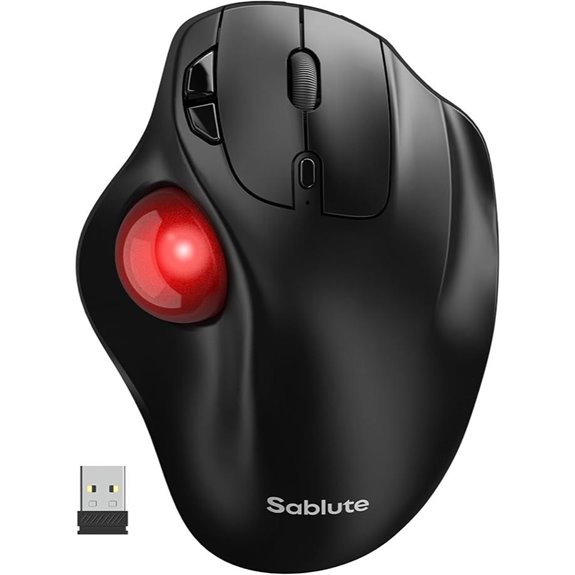 | Heavy-Duty Precision | Connectivity: Wireless (BT/USB) | DPI Levels: 5 levels (100/200/400/800/1200) | Ergonomic Design: Compact, ergonomic | VIEW LATEST PRICE | See Our Full Breakdown |
| Kensington Orbit Wireless Trackball Mouse |  | Ultimate Ergonomics | Connectivity: Wireless (BT/USB) | DPI Levels: 4 levels (400/800/1200/1600) | Ergonomic Design: Ergonomic, adjustable hinge | VIEW LATEST PRICE | See Our Full Breakdown |
| Perixx Perimice-717 Wireless Trackball Mouse | 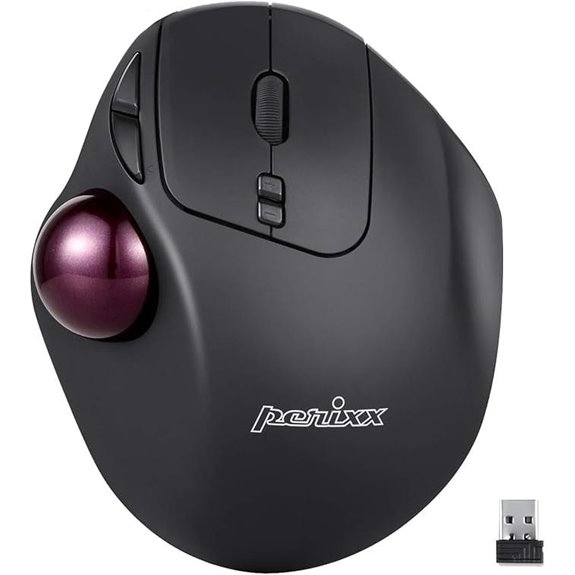 | Versatile Connectivity | Connectivity: Wireless (BT/USB) | DPI Levels: 5 levels (200/400/800/1200/2400) | Ergonomic Design: Ergonomic, natural grip | VIEW LATEST PRICE | See Our Full Breakdown |

More Details on Our Top Picks
-
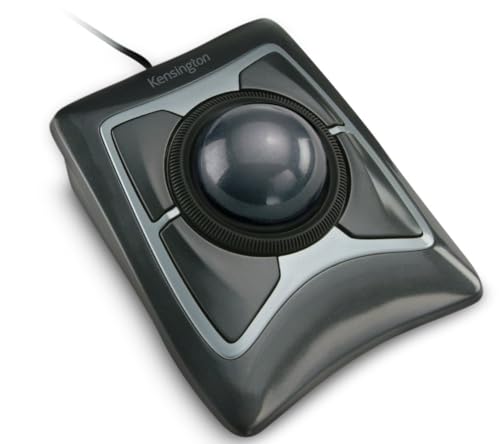
Kensington Expert Trackball Mouse (K64325), Black Silver, 5"W x 5-3/4"D x 2-1/2"H
Large 55mm ball design and Diamond Eye optical tracking for precise cursor control; Patented scroll ring lets you...
As an affiliate, we earn on qualifying purchases.
ELECOM Huge Wired Trackball Mouse with 8 Buttons
If you’re looking for a reliable trackball mouse that offers precise control and easy navigation, the ELECOM Huge Wired Trackball Mouse with 8 buttons is an excellent choice. Its 52mm red ball, mounted on ruby bearings, provides smooth, dust-resistant operation, reducing hand movement. The mouse features eight buttons, including two for horizontal scrolling, enhancing efficiency. With optical tracking technology and adjustable DPI settings (500, 1000, 1500), you can customize cursor speed for your needs. Its wired connection ensures stability, and the ergonomic design, including a palm rest, helps minimize strain during long use. Compatible with Windows and macOS, it’s a versatile tool for RSI relief.
- Connectivity:Wired
- DPI Levels:500/1000/1500
- Ergonomic Design:Finger-operated, palm rest
- Multi-Device Support:Not specified (wired only)
- Battery/Recharging:Wired (no battery)
- Special Features:Removable ball, dust-resistant
- Additional Feature:Removable red ball for cleaning
- Additional Feature:Dust-resistant ball mechanism
- Additional Feature:Dedicated DPI switch button
-

Nulea Wireless Ergonomic Trackball Mouse, Rechargeable, Bluetooth Rollerball Mouse, 44mm Index Finger Trackball, 5 Adjustable DPI, Compatible with PC, Laptop, Mac
Ergonomic Design for Comfort: Nulea M505 trackball mouse is designed to fit your hand greatly, reducing muscle stress...
As an affiliate, we earn on qualifying purchases.
Kensington Expert Trackball Mouse (Black Silver)
The Kensington Expert Trackball Mouse (Black Silver) stands out as an ideal choice for users seeking precise control and ergonomic comfort during extended computer use. Its large 55mm diamond-eye optical tracking ball delivers smooth, accurate cursor movement with minimal wrist effort, reducing fatigue. The patented scroll ring makes navigation quick and effortless, while the adjustable buttons and cursor speed let you customize workflows. The ergonomic, ambidextrous design, combined with a detachable wrist rest, supports comfort during long sessions. Wired via USB-A for reliable performance, this mouse is perfect for professionals who need precision and comfort, making it a top option for RSI relief in 2026.
- Connectivity:Wired USB-A
- DPI Levels:Adjustable via software
- Ergonomic Design:Ambidextrous, wrist rest
- Multi-Device Support:Not specified (wired)
- Battery/Recharging:Battery-powered (AA)
- Special Features:Detachable wrist rest, software customization
- Additional Feature:Detachable wrist rest
- Additional Feature:Patented scroll ring
- Additional Feature:Ambidextrous, ergonomic design
-
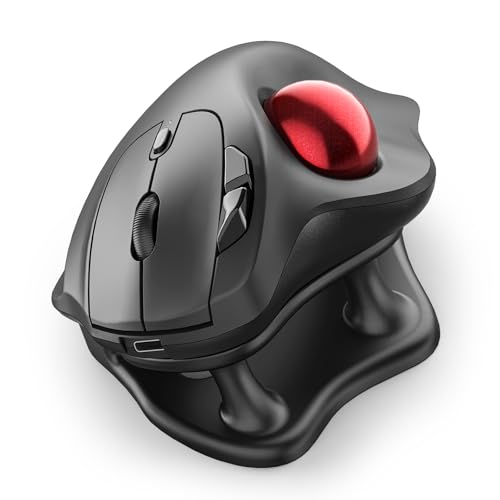
Nulea M511 Wireless Trackball Mouse, Rechargeable Ergonomic Thumb-Control Mouse with Tilt Stand, Smooth & Precision Tracking, 3 Device Connection (Bluetooth or USB Receiver), for PC/Mac/Laptop-Red
Thumb-Controlled Trackball: Navigate with ease using your thumb on this wireless mouse, reducing hand and arm movement. Helping...
As an affiliate, we earn on qualifying purchases.
Nulea Wireless Ergonomic Trackball Mouse with DPI
For anyone seeking an ergonomic solution that combines precise control with wireless convenience, the Nulea Wireless Ergonomic Trackball Mouse with DPI stands out. Its ergonomic design fits comfortably in your hand, reducing muscle stress and wrist discomfort. The 44mm trackball allows smooth cursor movement, and five adjustable DPI modes give you customizable sensitivity for different tasks. Connect via Bluetooth or USB receiver to up to three devices, switching easily with a button. The rechargeable battery lasts up to 60 days on a single charge, making it ideal for extended use. Once you get used to it, you’ll appreciate its comfort, control, and versatility for RSI relief.
- Connectivity:Wireless (BT/USB)
- DPI Levels:4 levels (400/800/1200/1600)
- Ergonomic Design:Ergonomic, fits hand comfortably
- Multi-Device Support:Supports up to 3 devices
- Battery/Recharging:Rechargeable battery
- Special Features:Adjustable DPI, silent operation
- Additional Feature:True wireless Bluetooth
- Additional Feature:60-day battery life
- Additional Feature:Compact, small workspace fit
Nulea M511 Wireless Ergonomic Trackball Mouse
Designed with comfort in mind, the Nulea M511 Wireless Ergonomic Trackball Mouse features a thumb-controlled trackball that minimizes hand and arm movement, making it an excellent choice for anyone seeking RSI relief during long hours of work or creative tasks. Its ergonomic tilt stand at 21.7° promotes a natural wrist position, while the tilted, elevated design ensures comfort during extended use. The mouse operates silently, so it’s perfect for shared spaces or late-night work. It connects easily via Bluetooth or USB receiver, supporting up to three devices. With adjustable DPI settings and a rechargeable battery, the Nulea M511 combines precision, versatility, and comfort for prolonged use.
- Connectivity:Wireless (BT/USB)
- DPI Levels:4 levels (400/800/1200/1600)
- Ergonomic Design:Ergonomic, tilt stand
- Multi-Device Support:Supports up to 3 devices
- Battery/Recharging:Rechargeable battery
- Special Features:Silent operation, tilt stand
- Additional Feature:Silent operation buttons
- Additional Feature:Tilt stand with 21.7° angle
- Additional Feature:Supports up to 3 devices
Logitech MX Ergo S Wireless Trackball Mouse
If you’re looking to reduce muscle strain during long hours at the computer, the Logitech MX Ergo S Wireless Trackball Mouse stands out with its advanced thumb control that allows for precise movement with less effort. Its 20-degree tilt improves forearm posture, cutting muscle strain by 27%. The contoured, sculpted design, certified by ergonomists, offers superior comfort, especially for medium to large hands, with a soft rubber grip. It features six programmable buttons, easy switching between Bluetooth or Logi Bolt USB receiver, and a quick toggle for precision modes. USB-C rechargeable, it provides up to 120 days of use on a full charge, with quiet clicks to minimize noise.
- Connectivity:Wireless (BT/USB)
- DPI Levels:Adjustable via app
- Ergonomic Design:Contoured, ergonomic
- Multi-Device Support:Supports multiple devices via Logi Options+
- Battery/Recharging:Rechargeable via USB-C
- Special Features:Quiet clicks, customizable buttons
- Additional Feature:Adjustable 20° tilt
- Additional Feature:Six programmable buttons
- Additional Feature:Eco-friendly recycled plastic
ProtoArc Wireless Bluetooth Trackball Mouse (EM03 NL)
The ProtoArc Wireless Bluetooth Trackball Mouse (EM03 NL) stands out for its ergonomic design that promotes natural hand positioning, making it an excellent choice for anyone seeking to reduce RSI symptoms during prolonged computer use. Its index finger trackball and sculpted shape support a neutral wrist posture, minimizing strain. The 44mm trackball allows precise control without wrist or arm movement. It connects effortlessly via Bluetooth or USB, supporting up to three devices for seamless switching. With quiet clicking, adjustable DPI levels, and a rechargeable battery lasting up to 60 days, it’s a practical, space-saving device ideal for minimizing fatigue and enhancing comfort during extended use.
- Connectivity:Wireless (BT/USB)
- DPI Levels:5 levels (200/400/800/1200/1600)
- Ergonomic Design:Ergonomic, tilt hinge
- Multi-Device Support:Supports up to 3 devices
- Battery/Recharging:Rechargeable, long battery life
- Special Features:Silent operation, tilt hinge
- Additional Feature:Adjustable angle from 0-20°
- Additional Feature:Frosted, noise-reducing surface
- Additional Feature:Auto sleep battery mode
Nulea M512 Wireless Trackball Mouse Rechargeable Multi-Device
For anyone seeking a versatile, ergonomic mouse that minimizes hand and arm strain, the Nulea M512 Wireless Trackball Mouse is an excellent choice. Its large 55mm trackball offers precise control on any surface, making it ideal for graphic design, video editing, and daily tasks. The ambidextrous design supports both hands with a simple switch, while four intuitive buttons enhance usability. It supports multi-device connection via Bluetooth or 2.4 GHz wireless, allowing seamless switching between up to three devices. The rechargeable battery ensures convenience, and the included wrist rest adds comfort for extended use. Overall, it’s a smart, comfortable option for RSI relief.
- Connectivity:Wireless (BT/USB)
- DPI Levels:5 levels (400/800/1200/1600/2400)
- Ergonomic Design:Ergonomic, ambidextrous
- Multi-Device Support:Supports up to 3 devices
- Battery/Recharging:Rechargeable, long life
- Special Features:Quiet clicks, ergonomic shape
- Additional Feature:Ambidextrous design
- Additional Feature:4 DPI sensitivity levels
- Additional Feature:Backlit breathing light
ProtoArc Wireless Trackball Mouse with Bluetooth & Adjustable Angle
The ProtoArc Wireless Trackball Mouse stands out for its adjustable hinge that lets you customize the trackball angle from 0 to 20 degrees, making it ideal for users seeking personalized comfort and ergonomic support. Its ergonomic design reduces wrist and arm strain by promoting a natural hand position, even during long work sessions. The thumb-controlled trackball offers precise, smooth cursor control without arm movement, helping decrease fatigue. With Bluetooth, 2.4G wireless, and wired options, it easily connects to multiple devices like PCs, Macs, and Android tablets. The rechargeable battery and five DPI levels ensure tailored sensitivity, while the quiet clicking and adjustable angle enhance overall comfort and user experience.
- Connectivity:Wireless (BT/USB/Wired)
- DPI Levels:5 levels (200/400/800/1200/1600)
- Ergonomic Design:Adjustable hinge, ergonomic
- Multi-Device Support:Supports 3 devices
- Battery/Recharging:Rechargeable, long-lasting
- Special Features:Adjustable hinge, quiet clicking
- Additional Feature:Adjustable hinge (0-20°)
- Additional Feature:Quiet clicking
- Additional Feature:Modular, customizable design
Logitech Ergo M575S Wireless Trackball Mouse
If you’re seeking a trackball mouse that offers all-day comfort and promotes better ergonomic posture, the Logitech Ergo M575S stands out as an excellent choice. Its sculpted shape helps relax your hand and supports improved forearm alignment, reducing muscle strain by 25%. Designed for most hand sizes, it features quiet clicks and thumb control, so you can move the cursor without wrist or hand motion—perfect for small or cluttered desks. With three customizable buttons and adjustable cursor speed, you get tailored control. Plus, its long-lasting battery, surface compatibility, and eco-friendly materials make it a practical, comfortable solution for those aiming to prevent RSI.
- Connectivity:Wireless (BT/USB)
- DPI Levels:Adjustable via software
- Ergonomic Design:Sculpted, palm-friendly
- Multi-Device Support:Supports multiple devices
- Battery/Recharging:Battery (AA), long life
- Special Features:Quiet clicks, ergonomic
- Additional Feature:Ergonomic, sculpted shape
- Additional Feature:18-month battery life
- Additional Feature:Compatible with ergonomic setup
Nulea M501 Wireless Trackball Mouse (3 Devices)
The Nulea M501 Wireless Trackball Mouse stands out as an ideal choice for anyone seeking a versatile, ergonomic device that minimizes wrist strain across multiple work setups. Its sleek, curved design and smooth thumb-controlled trackball promote natural hand positioning, reducing discomfort during long hours. Compatible with PC, Mac, and laptops, it connects via Bluetooth or USB, supporting up to three devices for seamless switching. With adjustable DPI and six high-performance buttons, it offers precise control and efficiency. The rechargeable battery lasts long, and the compact size makes it perfect for use on desktops, couches, or beds. It’s a reliable, user-friendly option for RSI relief.
- Connectivity:Wireless (BT/USB)
- DPI Levels:Adjustable (various levels)
- Ergonomic Design:Ergonomic, curved shape
- Multi-Device Support:Supports 3 devices
- Battery/Recharging:Rechargeable, long battery
- Special Features:Precise control, multi-surface
- Additional Feature:Elegant curved shape
- Additional Feature:6 high-performance buttons
- Additional Feature:Rechargeable lithium-ion battery
Logitech Ergo M575S Wireless Trackball Mouse
For anyone seeking an ergonomic solution that minimizes hand and wrist strain, the Logitech Ergo M575S Wireless Trackball Mouse stands out with its thumb-controlled cursor movement. Its design allows you to navigate without moving your arm, making it perfect for small or cluttered desks. You can connect easily via Bluetooth or the Logi Bolt USB receiver, and it’s powered by a single AA battery that lasts long. Made with recycled plastic, it also supports eco-friendly practices. Its ergonomic shape supports your hand and realigns your forearm, helping maintain better posture during extended use. Overall, it’s a practical choice for reducing RSI symptoms while offering versatile, comfortable control.
- Connectivity:Wireless (BT/USB)
- DPI Levels:3 levels (100/200/400)
- Ergonomic Design:Ergonomic, thumb control
- Multi-Device Support:Supports multiple devices
- Battery/Recharging:Battery (AA)
- Special Features:Quiet, ergonomic, customizable buttons
- Additional Feature:Certified ergonomic design
- Additional Feature:Recycled plastic build
- Additional Feature:Long-lasting AA battery
SABLUTE Wireless Trackball Mouse with Bluetooth & DPI
Designed for users seeking customizable precision and comfort, the SABLUTE Wireless Trackball Mouse with Bluetooth & DPI stands out with its adjustable angles and multiple DPI levels. I appreciate how it offers 0° and 18° angles, aligning with natural wrist posture to reduce strain. The UV-coated, skin-friendly surface feels comfortable during long use, and switching between devices is effortless thanks to multi-device Bluetooth and USB support. With five DPI settings, I can fine-tune cursor sensitivity for any task. The quiet operation minimizes distractions, and the rechargeable battery ensures extended use. Overall, this mouse combines ergonomic design with precise control, making it ideal for RSI relief and productivity.
- Connectivity:Wireless (BT/USB)
- DPI Levels:5 levels (800/1200/1600/2400/4800)
- Ergonomic Design:Ergonomic, adjustable angle
- Multi-Device Support:Supports 3 devices
- Battery/Recharging:Rechargeable, long battery life
- Special Features:Backlit, adjustable DPI
- Additional Feature:Backlit breathing mode
- Additional Feature:90% noise reduction
- Additional Feature:Adjustable angle (0°/18°)
SABLUTE Wireless Trackball Mouse with 5 DPI Levels
If you’re looking to reduce wrist strain while maintaining precise control, the SABLUTE Wireless Trackball Mouse with 5 DPI Levels is an excellent choice. Its ergonomic design fits snugly in your hand, encouraging a natural grip that minimizes fatigue during long work sessions. The adjustable DPI settings (100/200/400/800/1200) allow for accurate tracking and fine-tuned editing. With wireless connectivity via 2.4GHz or Bluetooth, it supports up to three devices for seamless switching. The high-capacity battery ensures all-day use, and the durable micro-switch buttons provide reliable clicks. Overall, this mouse combines comfort and precision, making it ideal for RSI relief and efficient productivity.
- Connectivity:Wireless (BT/USB)
- DPI Levels:5 levels (100/200/400/800/1200)
- Ergonomic Design:Compact, ergonomic
- Multi-Device Support:Supports multiple devices
- Battery/Recharging:Rechargeable, extended use
- Special Features:Micro-switch durability, long battery
- Additional Feature:Micro-switch durable buttons
- Additional Feature:No driver required
- Additional Feature:Suitable for heavy work
Kensington Orbit Wireless Trackball Mouse
The Kensington Orbit Wireless Trackball Mouse stands out with its ambidextrous design, making it an excellent choice for users seeking a comfortable, ergonomic solution to reduce wrist strain. Its dual wireless options—2.4 GHz and Bluetooth LE—offer flexible and secure connectivity, while 128-bit AES encryption guarantees data safety. The smooth scroll ring enhances navigation, and the 40mm hard-surface ball delivers precise control. With four adjustable DPI levels, I can easily switch between accuracy and speed. The free KensingtonKonnect software allows me to customize buttons and settings, making this mouse adaptable to my workflow. However, it currently doesn’t support Windows ARM-based computers.
- Connectivity:Wireless (BT/USB)
- DPI Levels:4 levels (400/800/1200/1600)
- Ergonomic Design:Ergonomic, adjustable hinge
- Multi-Device Support:Supports 3 devices
- Battery/Recharging:Rechargeable, long battery life
- Special Features:Security features, scroll ring
- Additional Feature:Security with AES encryption
- Additional Feature:Free software customization
- Additional Feature:Ambidextrous design
Perixx Perimice-717 Wireless Trackball Mouse
For those seeking an ergonomic solution to reduce RSI strain during long hours at the computer, the Perixx Perimice-717 Wireless Trackball Mouse stands out with its built-in 1.34-inch trackball and right-handed design. It features five programmable buttons and dual DPI levels, allowing customization for comfort and precision. Connecting via 2.4 GHz wireless with a USB receiver, it offers a reliable range of up to 10 meters. Its auto power-saving mode conserves battery life, making it ideal for extended use. Compatible with Windows, Linux, Android, and iOS, this mouse is tailored for RSI sufferers and those who spend long periods at their desks.
- Connectivity:Wireless (BT/USB)
- DPI Levels:5 levels (200/400/800/1200/2400)
- Ergonomic Design:Ergonomic, natural grip
- Multi-Device Support:Supports up to 3 devices
- Battery/Recharging:Rechargeable, long-lasting
- Special Features:Adjustable angle, quiet clicking
- Additional Feature:Auto power-saving mode
- Additional Feature:10-meter wireless range
- Additional Feature:Ergonomic right-handed fit
Factors to Consider When Choosing a Trackball Mouse for RSI
When selecting a trackball mouse for RSI relief, I focus on ergonomic design features that minimize strain and guarantee comfort. I also consider the size and precision of the trackball, along with customization options, connectivity choices, and adjustable DPI settings that match my workflow. These factors help me find a device that supports long-term comfort and efficient use.
Ergonomic Design Features
Choosing a trackball mouse with ergonomic design features is essential for reducing the risk of RSI, especially during long hours at your computer. Look for a shape that supports natural hand and wrist positions to minimize strain. A well-designed trackball allows you to control the cursor with minimal hand or arm movement, reducing repetitive stress. Adjustable features like DPI sensitivity and tilt angles let you customize the device for maximum comfort. A larger, smooth ball reduces the amount of hand movement needed for precise control, easing fatigue. Ergonomic details such as thumb control, supportive contours, and wrist rests promote a neutral posture, helping prevent discomfort during extended use. Prioritizing these features ensures your trackball mouse supports a healthier, more comfortable working experience.
Trackball Size & Precision
A larger trackball, typically 50mm or more, enhances control by reducing the amount of wrist movement needed, which is especially beneficial for RSI prevention. With a bigger ball, I find it easier to make precise movements without straining my wrist. High DPI settings, like 1600 or above, help me achieve finer cursor accuracy, essential for detailed work. I look for mice with smooth, responsive movement, often powered by optical or high-quality sensors that improve control. Adjustable DPI levels are a plus, allowing me to customize sensitivity based on the task. Surface material and ball quality also matter—dust-resistant, well-maintained balls ensure consistent tracking. Overall, size and precision directly impact comfort and accuracy, making these factors critical in choosing a trackball mouse that helps prevent RSI.
Button Customization Options
Button customization options can considerably enhance the usability of a trackball mouse, especially for those managing RSI. I look for mice with multiple programmable buttons to streamline my workflow and reduce repetitive movements. Easy button remapping through dedicated software or onboard controls is a must, allowing me to tailor functions to my needs quickly. Clearly labeled or tactile buttons help me identify commands at a glance, saving time and effort. I also prioritize models that support adjustable button sensitivity or actuation force to minimize accidental presses, which is vital for RSI prevention. Additionally, having the ability to save multiple profiles means I can switch settings seamlessly between different tasks or users. Overall, customizable buttons make a significant difference in comfort and efficiency.
Connectivity Flexibility
Since I often switch between multiple devices, prioritizing wireless connectivity options is vital for minimizing clutter and maximizing flexibility. Bluetooth and USB receivers let me use my trackball across different computers, tablets, and smartphones without tangled cables. Multi-device support makes switching seamless, saving time and effort. Dual wireless modes, like 2.4 GHz and Bluetooth LE, ensure a reliable connection with minimal lag, which is essential for smooth ergonomic work. Compatibility with various operating systems such as Windows, macOS, Android, and iOS broadens the trackball’s versatility. Additionally, features like auto-sleep and power-saving modes help maintain a stable connection while conserving battery life during long sessions. Overall, flexible connectivity options enhance convenience and help me work comfortably across my devices.
Adjustable DPI Settings
Adjustable DPI settings play a key role in customizing a trackball mouse to fit my specific needs, especially when aiming to reduce RSI. With options typically ranging from 200 to 4800 DPI, I can tailor cursor sensitivity for precise control or faster movement. Higher DPI settings allow me to move the cursor quickly with minimal hand effort, which helps lessen strain during long sessions. Conversely, lower DPI levels give me more accuracy for detailed tasks, decreasing repetitive motions that contribute to muscle fatigue. The ability to switch DPI modes on the fly via dedicated buttons makes it easy to adapt to different tasks without interrupting my workflow. Choosing a trackball with multiple DPI options lets me personalize my ergonomics, effectively supporting my efforts to prevent RSI.
Build Quality & Durability
When choosing a trackball mouse for RSI relief, durability is crucial because it guarantees the device can withstand daily use without losing performance. High-quality materials like reinforced plastics and metal components are essential for long-term resilience. Robust buttons with strong actuation help prevent wear and ensure consistent operation over time. A well-designed internal mechanism and seamless assembly reduce the risk of mechanical failure, extending the mouse’s lifespan. Water and dust resistance features can protect against environmental damage, further enhancing durability. Additionally, a solid ergonomic design combined with sturdy construction helps minimize physical wear and tear, supporting long-term RSI relief. Overall, prioritizing build quality ensures your investment remains reliable and effective in reducing strain over years of use.
Ease of Maintenance
Choosing a trackball mouse that’s easy to maintain can save you time and effort over its lifespan. Look for models with a removable ball and accessible bearings, making cleaning straightforward. Quick disassembly features or simple mechanisms to reach internal parts help you clear dust and debris without hassle. Regularly cleaning the trackball surface and internal rollers prevents dust buildup that can impair tracking accuracy. Opt for devices with dust-resistant bearings or sealed mechanisms, reducing maintenance frequency. User-friendly features like push-in balls or dedicated cleaning ports make upkeep even simpler. Prioritizing these aspects ensures your mouse stays in top shape with minimal effort, providing a smoother, more reliable experience—especially important when managing RSI symptoms. Easy maintenance keeps your device working efficiently and extends its lifespan.
Frequently Asked Questions
Which Trackball Mouse Best Reduces Wrist Strain During Prolonged Use?
I find that the Logitech MX Ergo is excellent for reducing wrist strain during long hours. Its adjustable hinge lets me customize the angle, which helps keep my wrist in a natural position. The large trackball allows for precise movement without constant arm motion. I highly recommend it if you’re looking to minimize discomfort and prevent RSI, especially during extended work sessions.
How Do Different DPI Settings Affect RSI Prevention?
Different DPI settings affect RSI prevention by controlling cursor speed and precision. Higher DPI allows for faster movement with less wrist motion, reducing strain during long tasks. Lower DPI offers more accuracy but requires more wrist movement, which can increase discomfort over time. I recommend adjusting DPI to find a balance that minimizes wrist movement while maintaining control, helping prevent RSI during extended computer use.
Are Wireless Trackball Mice More Ergonomic Than Wired Models?
I believe wireless trackball mice are generally more ergonomic than wired models because they reduce cable clutter, allowing for freer movement and less strain. While some worry about connectivity issues, advancements in wireless tech have made them reliable. Plus, the freedom to position the mouse comfortably can help prevent RSI. Overall, I find wireless options tend to promote better posture, making them a smart choice for long-term comfort.
What Maintenance Is Required for Long-Term RSI Relief?
To maintain long-term RSI relief, I regularly clean my trackball mouse to prevent dirt buildup that can cause strain. I also stretch my hands and wrists, and take frequent breaks to avoid overuse. Adjusting my grip and position ensures comfort, and I check my setup periodically to stay ergonomic. Consistency in these habits helps me prevent discomfort and uphold the benefits of using a trackball mouse long-term.
Can Customizable Buttons Improve Ergonomic Efficiency?
Yes, customizable buttons can considerably improve ergonomic efficiency. I find that being able to assign frequently used functions to easily accessible buttons reduces repetitive hand movements, minimizing strain. It allows me to tailor the mouse to my workflow, keeping my hand in a more natural position. This customization helps me work more comfortably and efficiently, especially during long sessions, ultimately reducing the risk of RSI.
Conclusion
Choosing the right trackball mouse can truly transform your comfort and help ease RSI symptoms. With so many options, I wonder which one will become your new favorite for long hours at the desk. Remember, the right tool should feel natural and reduce strain, making your workspace more enjoyable. Don’t settle for discomfort—embrace a device that keeps your hands happy and healthy. After all, isn’t your well-being worth the perfect fit?