
Start by planning your layout, considering your space size and daily needs, placing your desk near natural light. Next, select sturdy and ergonomic furniture, including a good desk and chair, plus accessories that support good posture. Add soundproofing to create a quiet environment, then set up your tech with organized cables and easy access to essentials. Finally, layer lighting and personalize your space with inspiring touches. Keep going to discover more tips for a perfect home office setup.

Get comfort and recovery gear delivered free with Prime
- Fast, free delivery on millions of items
- Prime Video, Amazon Music and more included
- Member-only deals all year
Key Takeaways
- Plan the layout considering space, natural light, and workflow before purchasing furniture.
- Select and arrange essential ergonomic furniture and accessories for comfort and efficiency.
- Implement soundproofing measures to create a quiet, distraction-free environment.
- Set up and organize technology, ensuring cable management and easy access to frequently used items.
- Add lighting and personal touches to enhance motivation and create an inspiring workspace.

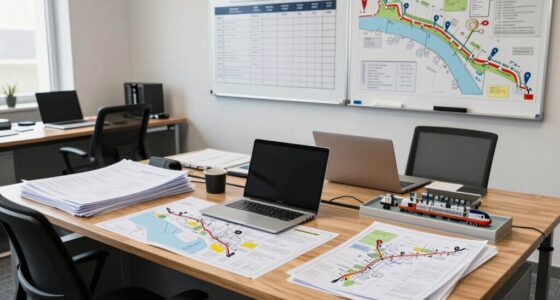
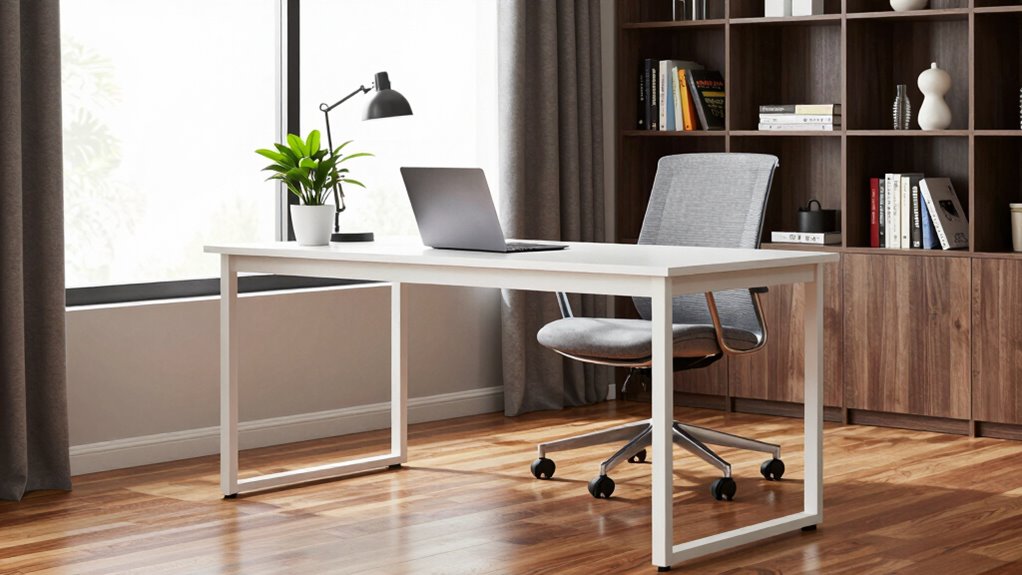
Are you ready to transform a corner of your home into a productive workspace? The first step is to carefully plan the layout. Think about the space’s size and how you’ll use it daily. Prioritize comfort and functionality, making certain you have enough room for your desk, chair, and essential accessories. Once you have a clear idea, start with the core furniture: a sturdy desk and an ergonomic chair. Investing in ergonomic accessories, like adjustable keyboard trays or monitor stands, helps maintain good posture and reduces fatigue over long work hours. Position your desk near natural light if possible, but avoid glare on your screen.
Plan your layout with comfort and functionality, starting with a sturdy desk and ergonomic chair near natural light.
Next, focus on soundproofing solutions. Creating a quiet environment minimizes distractions and boosts concentration. You might add thick curtains, rugs, or acoustic panels to absorb sound. If your space is particularly noisy, consider installing soundproofing solutions that include weatherstripping or door seals to block out external noise. These steps make it easier to stay focused during important calls or deep work sessions. After establishing the furniture and soundproofing, set up your tech essentials. Connect your computer, monitor, printer, and other devices, making sure cables are organized with clips or sleeves to prevent clutter. An organized workspace helps you work more efficiently and reduces stress caused by messy surroundings.
Now, turn your attention to lighting. Proper lighting is vital for productivity and eye health. Use a combination of ambient and task lighting—like a desk lamp with adjustable brightness—to ensure your workspace is well-lit without causing glare. Position lighting to complement natural light rather than compete with it. Additionally, incorporating ergonomic accessories can greatly enhance comfort during long hours at your desk. Once the major elements are in place, personalize your space with items that motivate you—plants, artwork, or photos. These touches can make your home office inviting and help reduce fatigue.
Finally, arrange your supplies and accessories within easy reach. Keep frequently used items nearby, and store less-used materials out of the way. Incorporate organizational tools such as shelves, drawers, or desktop organizers to maintain a clutter-free environment. This helps you stay focused and makes it easier to change smoothly between tasks. By following this order—starting with furniture and soundproofing, then setting up tech, lighting, and organization—you create a balanced, efficient workspace. This thoughtful approach guarantees your home office is not only functional but also comfortable and inspiring, ready to support your productivity every day. Including soundproofing solutions in your planning can significantly enhance your work environment by reducing noise distractions.
Popular right now

Ninja CREAMi 7-in-1 Ice Cream Maker, NC301

LG C2 Series 65-Inch OLED evo 4K Smart TV (OLED65C2PUA, 2022)

Bose QuietComfort True Wireless Earbuds with Active Noise Cancellation, Black
As an affiliate, we earn on qualifying purchases.
Frequently Asked Questions
How Do I Ensure Proper Lighting in My Home Office?
To guarantee proper lighting in your home office, prioritize natural daylight by positioning your desk near windows, allowing sunlight to illuminate your workspace. Add task lighting, like adjustable desk lamps, to reduce eye strain during work or late hours. Avoid harsh overhead lights; instead, use soft, layered lighting to create a comfortable environment. This setup enhances focus and productivity while minimizing glare and shadows.
What Are the Best Ergonomic Accessories for Comfort?
To maximize comfort, invest in an ergonomic chair that supports your lower back and promotes good posture. Pair it with an adjustable desk so you can switch between sitting and standing, reducing strain. Consider accessories like a footrest, wrist supports, and monitor stands to keep your body aligned. These ergonomic essentials help prevent discomfort and boost productivity, making your home office both comfortable and functional for long work hours.
How Can I Reduce Noise Distractions in My Workspace?
Think of your workspace as a fortress against noise. To reduce distractions, hang soundproof curtains that absorb sound waves and block outside noise. Invest in a white noise machine to create a consistent, calming background sound that masks interruptions. Position your desk away from noisy windows or doors, and consider adding rugs or wall panels for extra sound absorption. These steps help create a peaceful environment, boosting your focus and productivity.
What Are Cost-Effective Ways to Improve Productivity?
To boost your productivity cost-effectively, try simple hacks like setting clear daily goals and prioritizing tasks with time management techniques. Use free or inexpensive tools like timers or to-do lists to stay focused. Incorporate productivity hacks such as scheduled breaks and minimizing distractions. These strategies help you make the most of your time, improve efficiency, and create a more organized workspace without breaking the bank.
How Do I Organize Cables and Tech Gear Efficiently?
You might think cable management is tedious, but it’s essential for a tidy, efficient workspace. To organize your tech gear, start by grouping cables with velcro strips or cable ties. Use cable sleeves or clips to keep cords along desk edges. Label cords for easy identification, and invest in a cable management tray or box. This keeps your tech gear organized, reduces clutter, and makes troubleshooting a breeze.
Conclusion
Now that you’ve mapped out your ideal workspace, remember it’s your sanctuary where productivity blooms like a well-tended garden. Setting up your home office from scratch might feel like assembling a puzzle, but each piece—comfort, organization, and technology—fits together to create a seamless flow. Keep your space inspiring and functional, and you’ll find that the right environment can turn even the busiest days into opportunities to thrive. Your perfect home office is waiting—just a few thoughtful steps away.