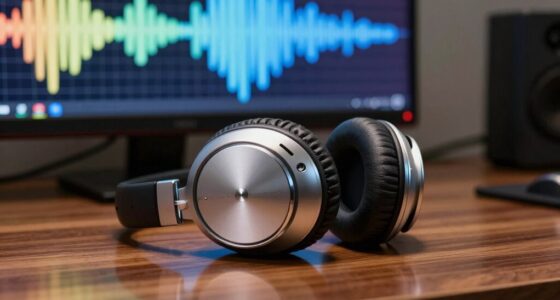
To save every call, start by identifying and reducing background noise sources like traffic or household appliances, using soundproofing or noise-canceling headphones. Upgrade your microphone for clearer audio and test it before calls. Use software noise suppression tools and keep your workspace organized and away from high-traffic areas. Set boundaries with household members and schedule calls during quieter times. These simple steps set a strong foundation for professional, distraction-free conversations—keep going to discover even more tips.

Get comfort and recovery gear delivered free with Prime
- Fast, free delivery on millions of items
- Prime Video, Amazon Music and more included
- Member-only deals all year
Key Takeaways
- Identify and minimize background noise sources with soundproofing and noise-canceling accessories.
- Use high-quality, noise-reducing external microphones and test setup before calls.
- Enable software noise suppression features and keep communication apps updated.
- Organize a clutter-free, quiet workspace away from high-traffic areas.
- Set boundaries with household members and schedule calls during quieter times.

Creating a productive home office environment starts with managing sound. When your background noise is disruptive, it can be difficult for others to focus on what you’re saying, and your microphone quality becomes even more critical. If your microphone isn’t clear or picks up too much ambient sound, your calls suffer. To guarantee every conversation is professional and free of distractions, you need to address these key elements from the start.
Effective home office sound management ensures clear communication and a professional, distraction-free environment.
First, tackle background noise. It’s essential to identify what sources might be interrupting your calls—whether it’s household appliances, traffic, or family members. Using noise-canceling headphones can help block out most of these sounds, so your voice remains the focus. Additionally, consider soundproofing your workspace, even if it’s just adding weather stripping to windows or placing a thick rug on the floor. These small adjustments can make a significant difference in reducing external noise that seeps into your microphone.
Next, pay close attention to your microphone quality. Many built-in laptop microphones aren’t designed for clear communication, especially in noisy environments. Upgrading to a dedicated external microphone can drastically improve sound clarity. Look for one with noise reduction features or directional pickup patterns, which focus on your voice and minimize ambient sounds. Regularly testing your microphone setup before important calls guarantees it’s functioning at its best. Adjust the input volume to avoid clipping or muffling your voice, and keep the mic positioned correctly—about an inch from your mouth—to capture sound accurately.
Alongside hardware upgrades, consider software solutions. Many communication platforms have built-in noise suppression features—enable these to further filter background sounds during calls. Keep your workspace well-lit and organized so you’re not distracted during conversations, which can lead to inconsistent speaking volume or unnecessary noise. Being aware of soundproofing techniques can also help you create a more controlled acoustic environment.
Lastly, establish a routine that minimizes interruptions. Inform family members of your work schedule, set boundaries, and try to schedule calls during quieter times of the day. When possible, choose a room away from high-traffic areas to enhance sound quality. Remember, the goal isn’t just to sound good but to create a space where you can communicate clearly and confidently, making every call productive and professional.
Popular right now

Bose QuietComfort Ultra Wireless Noise-Cancelling Headphones with Spatial Audio, Black

Apple AirPods Pro 3 Wireless Earbuds with Active Noise Cancellation

De'Longhi 15-Bar Pump Espresso Machine with Milk Frother & Temperature Control
As an affiliate, we earn on qualifying purchases.
Frequently Asked Questions
How Often Should I Update My Home Office Sound Equipment?
You should update your home office sound equipment every 6 to 12 months, depending on usage and wear. Regularly check your soundproof curtains and acoustic panels for damage or dust, replacing or cleaning them as needed. Upgrading to newer soundproof curtains or adding additional acoustic panels can greatly improve sound quality and reduce noise. Staying proactive ensures your workspace remains quiet, professional, and conducive to productive calls.
What Are the Cheapest Ways to Improve Audio Quality?
Think of it like building your own fortress of sound; you don’t need a castle. To improve audio quality affordably, try DIY soundproofing with foam panels or thick curtains. Use affordable upgrades like a decent microphone stand and a pop filter. Rearrange furniture to reduce echo, and choose a quiet corner. These simple steps can dramatically enhance clarity without breaking the bank, making your calls sound professional and crisp.
Can Soundproofing Solutions Affect My Wi-Fi Signal?
Soundproofing solutions, especially acoustic treatments, can impact your Wi-Fi signal by causing wireless interference. Thick materials like foam panels or dense insulation might block or weaken the signal, leading to slower internet speeds. To avoid this, place acoustic treatments away from Wi-Fi routers and consider using signal repeaters or mesh networks. This way, you improve sound quality without compromising your wireless connection.
How Do I Test My Home Office Microphone for Clarity?
Imagine speaking into your microphone like you’re sharing a secret with a friend. To test its clarity, place the mic at your usual working height, making sure it’s not too close or far. Record yourself speaking naturally, then listen for background noise or muffled sounds. Adjust the placement if needed—closer to your mouth for clarity, away from noisy appliances—to guarantee your voice shines through clearly.
What Should I Do if I Experience Echo or Feedback Issues?
If you experience echo troubleshooting or feedback prevention issues, start by checking your microphone and speaker placement. Keep your microphone away from speakers and position your device to minimize sound reflection. Reduce volume levels and disable any audio enhancements. Use headphones to eliminate feedback and guarantee your room isn’t too echoey. Regularly test your setup, and if problems persist, update your audio drivers or consider soundproofing your space for better clarity.
Conclusion
By following this simple sound checklist, you’re ensuring every call is clear and professional, no matter where you work from. Imagine the confidence you’ll feel knowing your home office environment is optimized for success. Isn’t it worth taking a few moments to make these changes? Don’t let poor audio hold you back—invest in your space today and turn every call into an opportunity to shine. After all, your voice deserves to be heard loud and clear.