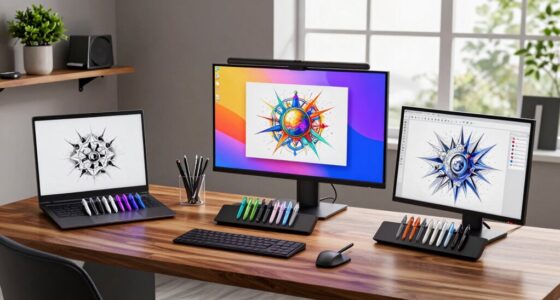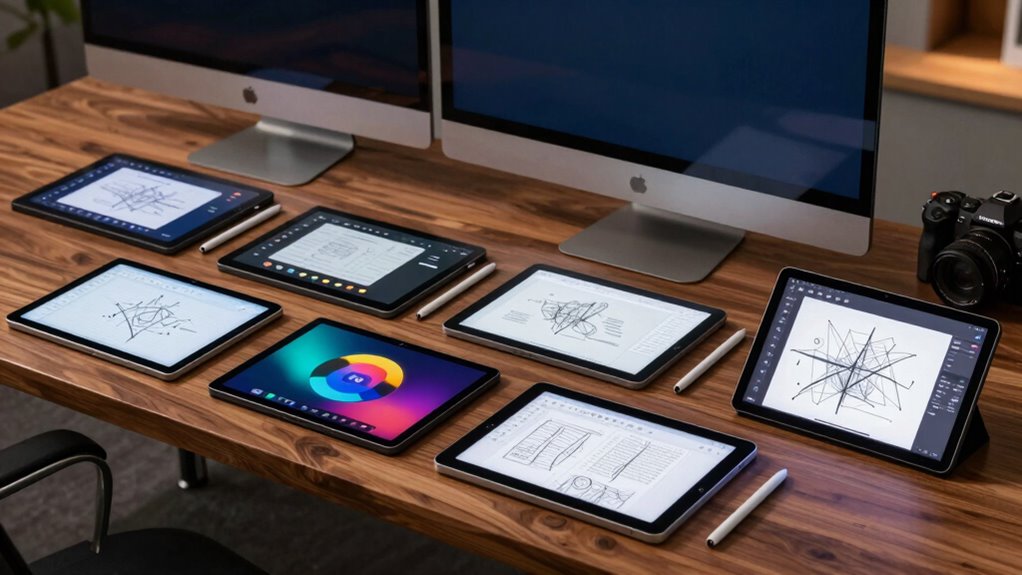

Finding the right pen tablet for note taking on your computer involves balancing ease of use, portability, and writing experience. The Huion Inspiroy H640P stands out as the best overall choice, offering a compact design with reliable performance. For those seeking a digital notebook experience, the Huion Note 2-in-1 delivers a refillable paper feel with digital convenience. Meanwhile, the Wacom Intuos Small remains a favorite for its proven durability and software integration. Buyers face tradeoffs between affordability, drawing features, and the natural writing feel—continue reading for the full breakdown of each option.

Get comfort and recovery gear delivered free with Prime
- Fast, free delivery on millions of items
- Prime Video, Amazon Music and more included
- Member-only deals all year
Complete the kit


Key Takeaways
- Most top-performing pen tablets combine a battery-free stylus with customizable shortcut keys for efficiency.
- Digital notebooks with refillable paper surfaces tend to offer a more natural note-taking experience but often come at a higher price.
- Wired tablets generally provide more stable connectivity, while wireless options add flexibility but may have latency issues.
- Size matters: smaller tablets are portable but may limit writing comfort, whereas larger ones improve usability but reduce portability.
- Price ranges vary widely, with premium models offering advanced features like high pressure sensitivity, but budget options still deliver solid note-taking quality.




| pen tablet for note taking on computer | Compatibility |
|---|---|
| Huion Inspiroy H640P 6×4 inch | Mac, Windows, Linux, Android |
| Huion Note 2-in-1 Digital Note | — |
| Wacom Intuos Small Wired Graph | Mac, Windows, Chromebook |
| XPPen StarG640 Digital Graphic | Mac, Windows, Chromebook |
| XPPen 3-in-1 Color Digital Not | — |
| XPPen G430S Drawing Tablet wit | Windows 7/8/10/11, Mac OS X 10.10 or later |
| iFLYTEK AINOTE 2 Paper Tablet | — |
| XPPen Deco 01 V3 10×6 Drawing | Windows 7+, macOS 10.13+, Android 10.0+, Chrome OS 88+, Linux |
| XPPen Note Plus Digital Notebo | — |
More Details on Our Top Picks
Huion Inspiroy H640P 6×4 inch Drawing Tablet with Battery-Free Stylus and 6 Hot Keys
This compact Huion Inspiroy H640P stands out for its high pressure sensitivity and portability, making it a strong choice for note takers who need precision on the go. Compared to the larger XPPen 3-in-1, it offers a smaller footprint that fits easily into bags, though it sacrifices some screen space. Its customizable hot keys boost efficiency but are limited to six, which could be a drawback for power users. The tablet works across multiple OS including Android, unlike some models that support only Windows or Mac. However, it requires driver setup for full customization and doesn’t support iOS devices, making it less suitable for Apple users. Ideal for students and remote workers who value a portable, versatile device but not for those needing extensive shortcut options or iOS compatibility.
Pros:- High pressure sensitivity for detailed notes and sketches
- Lightweight and portable design
- Customizable shortcut keys for improved workflow
- Works with multiple OS including Android
Cons:- Limited to 6 hot keys, which may be insufficient for power users
- Requires driver installation for customization
Best for: Students and remote workers who need a compact, highly sensitive drawing tablet for note taking and quick sketches.
Not ideal for: Apple users or those who require extensive shortcut customization, as it doesn’t support iOS and has only 6 hot keys.
- Size:6×4 inches
- Pressure Sensitivity:8192 levels
- Hot Keys:6
- Compatibility:Mac, Windows, Linux, Android
- Weight:1.41 lbs
- Thickness:0.3 inch
Our verdict“This tablet is best suited for users who prioritize portability and precise note-taking across a range of devices, but it isn’t ideal for extensive shortcut customization or iOS users.”
Huion Note 2-in-1 Digital Notebook Drawing Tablet with Battery-free Pen, Bluetooth Wireless Paper Tablet, Refillable A5 Notepad, 9.5×7 inch
This Huion Note combines a classic notepad feel with digital functionality, making it ideal for users who want a familiar writing experience with modern sharing capabilities. Its large 9.5×7 inch size surpasses the smaller Huion Inspiroy H640P, providing more space for notes and sketches. The long 18-hour battery life and Bluetooth 5.0 make it highly portable and easy to connect with smartphones and tablets. While it excels at combining paper and digital workflows, it requires using its dedicated app, which can involve a learning curve. Its size may be cumbersome for some users accustomed to smaller devices, and the digital pen’s feel might not match traditional pens for all users. This pick makes the most sense for professionals and students who want seamless integration of handwritten notes and digital sharing. However, it’s less suitable for those who need a standalone or more intuitive writing experience.
Pros:- Combines traditional notepad with digital sharing and organization
- Long battery life of 18 hours
- Easy Bluetooth pairing and app integration
- Includes refillable pen and additional accessories
Cons:- Requires learning to use the app for full functionality
- Limited to A5 size, not ideal for large projects
- Digital pen may feel less natural than traditional writing instruments
Best for: Students and professionals seeking a hybrid device for handwritten notes and digital organization.
Not ideal for: Users who prefer a simple, dedicated note app without needing extensive app-based features or who want a smaller device for portability.
- Size:9.5×7 inches
- Battery Life:18 hours
- Connectivity:Bluetooth 5.0
- Included Notepad Pages:50
- Pen:Refillable digital pen
- Standby Time:30 days
Our verdict“Best suited for those who want a hybrid note-taking device that bridges paper and digital workflows, but not ideal for users seeking a straightforward, small digital notepad.”
Wacom Intuos Small Wired Graphic Drawing Tablet with Pen and Software
The Wacom Intuos Small offers high precision with its EMR battery-free pen, making it a solid choice for note takers who also want to sketch or annotate with detailed control. Its wired connection limits mobility compared to wireless models like the Huion Note, but it ensures a stable workflow. The four ExpressKeys provide quick access to shortcuts, which enhances efficiency for users comfortable with customizing their workflow. It’s compatible with Mac, Windows, and Chromebook, and comes bundled with creative software and training resources. This makes it a versatile pick for students, educators, and hobbyists who want a device that balances note-taking with creative tasks. However, the small size may restrict extensive writing or drawing, and the wired setup can feel restrictive for those on the move. This is ideal for users who value precision and software support over wireless convenience. It’s less suited for those looking for a portable, wireless experience or larger working area.
Pros:- High precision with EMR battery-free pen
- Compatible with multiple OS including Chromebook
- Includes creative software and training
- Four shortcut ExpressKeys for efficiency
Cons:- Wired connection limits mobility
- Small size may be less comfortable for lengthy writing sessions
Best for: Students and educators who need precise note-taking combined with creative or annotation capabilities.
Not ideal for: Mobile users or those requiring a wireless setup, as it’s tethered and smaller in size for detailed work.
- Size:Small
- Connectivity:Wired
- Pen Technology:EMR
- ExpressKeys:4
- Compatibility:Mac, Windows, Chromebook
- Included Software:Creative software and online training
Our verdict“Ideal for users who prioritize accuracy, software integration, and creative flexibility over portability and wireless convenience.”
XPPen StarG640 Digital Graphic Drawing Tablet 6×4 Inch with Battery-Free Stylus for Mac, Windows, Chromebook
The XPPen StarG640 offers a straightforward, compact solution for note-taking, sketching, and e-signatures on the go. Its 6×4 inch active area is smaller than the Huion Inspiroy H640P, but it’s highly portable and easy to carry during commutes or quick meetings. The battery-free PN01 stylus ensures uninterrupted use without charging worries. While it supports multiple operating systems, it requires compatible software for full functionality, which might add setup complexity. Its lack of a built-in display means you need to view your work on your computer, but this is typical for its price point. The small size could restrict detailed work, but it’s ideal for quick notes, annotations, and remote learning tools. This model makes sense for students or remote workers who need a reliable, portable drawing and note device without extra clutter. For those needing a larger workspace, it may feel limiting.
Pros:- Battery-free stylus for continuous use
- Compact and highly portable design
- Compatible with multiple OS and applications
- Supports online education and remote work
Cons:- Limited active drawing area (6×4 inches)
- Requires compatible software for full features
- No built-in display
Best for: Students and remote workers seeking a compact, reliable device for quick notes, sketches, and signatures.
Not ideal for: Users needing a larger drawing surface or integrated display, as the small active area might be restrictive.
- Size:6×4 inches
- Stylus:Battery-free PN01
- Compatibility:Mac, Windows, Chromebook
- Thickness:2 mm
- Features:Suitable for drawing, painting, sketching, e-signatures, online teaching
Our verdict“A solid choice for portable note-taking and quick sketches, especially for users who prioritize size and simplicity over a large workspace.”
XPPen 3-in-1 Color Digital Notebook 10.95” Paper Note Taking Tablet with 16384 Pressure Levels, Battery-Free X3 Pro Pencil, 6GB RAM, 128GB Storage, Magnetic Folio
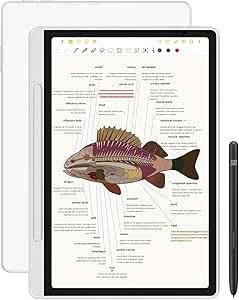
The XPPen 10.95-inch digital notebook provides a large, paper-like display with high sensitivity, making it excellent for extensive note-taking, reading, and remote meetings. Its 16,384 pressure levels allow for detailed annotations and shading, surpassing smaller models like the Huion Note in precision. The device runs on Android 14, offering access to a wide range of apps, and includes a stylus with high sensitivity for natural writing. Its 128GB storage and 6GB RAM support extensive file management and multitasking. However, the wider viewing angle is narrow and might limit visibility from certain angles, and system upgrades are needed to access some advanced AI note features. It’s not an E Ink device, so the visual experience differs from traditional e-readers, but the color modes and high refresh rate make it versatile for multimedia notes. This device makes sense for professionals and students who want a large, highly sensitive note device with color options and extensive storage. It’s less suitable for those needing a simple, low-cost solution or a dedicated e-reader.
Pros:- High sensitivity stylus with 16K pressure levels
- Large 10.95-inch paper-like display
- Runs on Android 14 with extensive app support
- 128GB storage and 6GB RAM for multitasking
Cons:- Narrow viewing angle limits visibility from certain directions
- Requires system upgrade for advanced AI note features
- Not an E Ink screen, so visual experience differs from traditional e-readers
Best for: Professionals and students requiring a large, color-capable, high-sensitivity device for detailed notes and multimedia reading.
Not ideal for: Users seeking a dedicated e-reader or a device with a broad viewing angle, as its display limitations can hinder visibility.
- Display:10.95-inch AG nano-etched LCD
- Color Modes:Monochrome LCD, Light Color, Nature Color
- Refresh Rate:90Hz
- Brightness:400 nit
- Pressure Levels:16384
- Storage:128GB
- RAM:6GB
- Battery:8000mAh
Our verdict“This device is best for those seeking a large, color-capable note-taking tablet with high sensitivity and extensive storage, but not for users needing wide-angle viewing or a dedicated e-reader experience.”
XPPen G430S Drawing Tablet with Battery-Free Stylus for OSU and Digital Art
The XPPen G430S stands out for its ultra-portable size and high pressure sensitivity, making it ideal for users who need a lightweight device for quick notes or brief sketches on the go. Compared to larger tablets like the XPPen Deco 01 V3, this model offers less real estate, which may limit detailed note-taking or extensive writing sessions. Its battery-free stylus ensures uninterrupted control without worrying about charging, but the small 4×3 inch active area can feel cramped for longer writing or complex diagrams. It’s best suited for students or busy professionals who prioritize mobility over extensive workspace. However, those seeking a larger drawing surface or multi-page note-taking should consider alternatives. Despite its compact form, it supports Windows and Mac seamlessly. The device’s main tradeoff is the limited active area, which constrains detailed work but enhances portability.Pros:- High pressure sensitivity for precise control
- Compact and lightweight for portability
- Battery-free stylus ensures continuous use
Cons:- Small active drawing area limits detailed work
- Requires adapters for some Mac ports
- Incompatible with iOS and iPadOS
Best for: Users who need a highly portable device for quick notes, OSU gameplay, or casual drawing.
Not ideal for: Artists or students requiring extensive note-taking or larger writing areas.
- Active Area:4 x 3 inches
- Pressure Sensitivity:8192 levels
- Thickness:2 mm
- Compatibility:Windows 7/8/10/11, Mac OS X 10.10 or later
- Stylus:Battery-free PN01
- Connection:Micro USB to USB-A
Our verdict“This pick is perfect for mobile users who prioritize portability over workspace size.”
iFLYTEK AINOTE 2 Paper Tablet, 10.65″ Electronic Notebook with Pen, AI-Powered Note Taking, 18-Language Transcription, Google Play Compatible
The iFLYTEK AINOTE 2 excels for its paper-like display and AI transcription, making it a standout for long-form note-taking, especially for multilingual users. Unlike the XPPen Note Plus, which emphasizes handwriting and sketching, this device prioritizes transcription and AI-assisted organization, offering up to 14 days of battery life. Its 10.65-inch screen provides a comfortable writing surface while maintaining a slim profile, but the reliance on Wi-Fi for AI features can be limiting in offline scenarios. Perfect for students, professionals, or travelers who value a paper-like experience combined with language versatility, it’s less suitable for those needing extensive editing or drawing capabilities. Its main tradeoff is dependence on internet connectivity for AI features, which can hamper usability in some settings. Overall, this device offers a highly portable, AI-enhanced note-taking experience at the expense of some offline functionality.Pros:- Paper-like writing experience with low latency
- Supports 18 languages and AI transcription
- Long battery life up to 14 days
Cons:- AI features depend on Wi-Fi and internet
- Limited for low-light environments
- Performance may vary in extreme temperatures
Best for: Multilingual students or professionals needing AI-assisted, long-lasting note-taking on the go.
Not ideal for: Users who require robust drawing or sketching features without internet reliance.
- Display Size:10.65 inches
- Thickness:4.2 mm
- Battery Life:Up to 14 days
- Standby Time:Up to 113 days
- Languages Supported:18
- Operating System Compatibility:Google Play
Our verdict“Ideal for those seeking a lightweight, AI-enabled note device for multilingual and long-term use.”
XPPen Deco 01 V3 10×6 Drawing Tablet with Battery-Free Stylus and 8 Shortcut Keys
The XPPen Deco 01 V3 offers a larger 10×6.25-inch workspace, making it ideal for users who want to combine note-taking with more detailed sketches or diagrams. Its high 16,384 pressure levels and tilt support stand out compared to smaller or less sensitive tablets like the G430S. The customizable shortcut keys streamline workflows, but some users may find the setup process cumbersome if they’re unfamiliar with driver installation. It’s well-suited for intermediate artists or professionals who need a versatile device for both notes and creative work. Its main compromise involves the driver setup and the fact that it’s primarily designed for users comfortable with basic digital art tools, not absolute beginners. Overall, this tablet balances size, sensitivity, and compatibility for a broad range of creative note-taking tasks.Pros:- Large active area suitable for detailed work
- High pressure sensitivity and tilt support
- Wide device compatibility including Android and Linux
Cons:- Requires driver and software setup for optimal use
- Shortcut keys may be less customizable for some users
- Less suitable for very casual or infrequent use
Best for: Intermediate artists or professionals who want a larger workspace for notes and sketches.
Not ideal for: Complete beginners or users seeking a simple, plug-and-play device with minimal setup.
- Active Area:10 x 6.25 inches
- Pressure Sensitivity:16,384 levels
- Stylus:Battery-free, tilt support
- Shortcut Keys:8 customizable
- Connectivity:USB-C, adapters included
- Compatibility:Windows 7+, macOS 10.13+, Android 10.0+, Chrome OS 88+, Linux
Our verdict“This tablet is best for users who need a sizable, sensitive device for both professional notes and artistic projects.”
XPPen Note Plus Digital Notebook with Pen
The XPPen Note Plus provides a natural handwriting experience with its real paper feel and dedicated ink pen, making it a strong choice for users who prefer traditional writing combined with digital convenience. Unlike the iFLYTEK AINOTE 2, which emphasizes AI transcription and long battery life, the Note Plus excels in offline use and seamless Bluetooth connectivity, ideal for those who want to switch between paper and digital effortlessly. Its replaceable A5 cores add a level of customization and eco-friendliness, but it limits users to the A5 size, which might not suit all note-taking needs. The device’s 14-hour continuous use supports long sessions, yet the charging time could be a drawback for daily heavy users. This product makes the most sense for writers or professionals who value a familiar paper experience paired with simple digital sync.Pros:- Seamless Bluetooth 5.3 connection for stable sync
- Real paper feel with dedicated ink pen
- Replaceable A5 cores for customization and eco-friendliness
Cons:- Limited to A5 size, not ideal for large sketches
- Requires compatible A5 paper cores
- Charging takes 2.5 hours
Best for: Writers or professionals who want a natural paper-like writing experience with easy digital integration.
Not ideal for: Users needing large-scale sketches or extensive digital editing beyond simple notes.
- Bluetooth:5.3
- Pressure Sensitivity:8192 levels
- Battery Capacity:1000mAh
- Battery Life:14 hours
- Dimensions:245×176×13mm
- Pen Refill:Swiss Mini Star D1 0.8mm
Our verdict“This device fits writers or note-takers seeking a natural paper experience with easy digital sharing capabilities.”

How We Picked
I evaluated these pen tablets based on performance, ease of use, build quality, and value for note taking. Each product was scrutinized for pen responsiveness, paper-like feel, shortcut customization, and compatibility with different computers and operating systems. The ranking favors devices that balance natural writing experience with practicality—those that are easy to set up and maintain while offering reliable performance. Tradeoffs like size, price, and feature set were carefully considered, ensuring each pick fulfills specific user needs without overstating capabilities.| pen tablet for note taking on computer | Compatibility |
|---|---|
| Huion Inspiroy H640P 6×4 inch | Mac, Windows, Linux, Android |
| Huion Note 2-in-1 Digital Note | — |
| Wacom Intuos Small Wired Graph | Mac, Windows, Chromebook |
| XPPen StarG640 Digital Graphic | Mac, Windows, Chromebook |
| XPPen 3-in-1 Color Digital Not | — |
| XPPen G430S Drawing Tablet wit | Windows 7/8/10/11, Mac OS X 10.10 or later |
| iFLYTEK AINOTE 2 Paper Tablet | — |
| XPPen Deco 01 V3 10×6 Drawing | Windows 7+, macOS 10.13+, Android 10.0+, Chrome OS 88+, Linux |
| XPPen Note Plus Digital Notebo | — |
Factors to Consider When Choosing Pen Tablet For Note Taking On Computer
Choosing the right pen tablet for note taking involves understanding several key factors beyond basic features. It’s vital to consider how natural the writing experience feels, the tablet’s portability, and its compatibility with your computer system. Budget is also a major aspect—higher-end models often provide better accuracy and durability but at a premium. Additionally, ease of setup, battery life, and extra features like shortcut buttons can significantly impact daily usability. Being aware of these broader considerations ensures you select a device that truly enhances your note-taking workflow.Writing Experience and Pen Responsiveness
The core of any good pen tablet for note taking is how naturally it mimics pen and paper. Look for devices with high pressure sensitivity and low latency, which make handwriting feel fluid and precise. A stylus with tilt support can also enhance the experience, especially for more detailed notes or sketches. Cheaper models often compromise on responsiveness, leading to frustration during extended use. Investing in a tablet with proven pen performance can turn digital note-taking into a truly satisfying activity.
Size and Portability
Size impacts both usability and portability. Smaller tablets, like the Huion Inspiroy H640P, are easy to carry around, perfect for students or professionals on the go. However, they may feel cramped when writing for extended periods. Larger models, such as the Huion Note 2-in-1, offer more space, making handwriting more comfortable but sacrificing portability. Consider how much space you need to write comfortably versus how often you’ll carry the device—finding a balance is key.
Compatibility and Connectivity
Ensuring the tablet works seamlessly with your computer system is essential. Some devices connect via USB, providing a stable wired connection, while others use Bluetooth for wireless flexibility. Compatibility with Windows, Mac, or Chromebook varies, so check the specs before purchasing. Wireless models may introduce slight latency or connectivity issues, which can disrupt note-taking. A reliable connection that suits your workflow is worth prioritizing to avoid frustration.
Features and Customization
Additional features like shortcut keys, programmable buttons, and programmable gestures can boost efficiency. Refillable notepads or paper-like textures offer a more natural writing feel, especially for traditional note-takers. Advanced models may include high-pressure sensitivity or tilt support, ideal for those combining note-taking with sketching. However, more features typically come with a higher price—determine which extras genuinely improve your experience versus those that add complexity.
Price and Value
Price varies widely across the market, from basic entry-level models to high-end tablets with advanced features. While budget options like the XPPen G430S are affordable and suitable for casual note-taking, they may lack the precision or durability needed for frequent use. Conversely, premium tablets such as the Huion Note 2-in-1 or Wacom Intuos Pro offer exceptional performance but require a larger investment. Consider how often you’ll use the device and what features are worth paying for to avoid overspending on an underused product.
Frequently Asked Questions
Can I use a pen tablet for handwriting notes on my computer?
Yes, most pen tablets designed for note taking enable handwriting directly onto your computer screen or into compatible apps. They simulate the natural feel of writing with a pen or pencil and often include customizable shortcut buttons to improve workflow. Compatibility with note-taking apps like OneNote, Evernote, or Notability varies, so check whether the tablet supports your preferred software. Proper calibration and choosing a device with high responsiveness can make handwriting feel more natural and less frustrating.
Is a wireless pen tablet better than a wired one for note taking?
Wireless tablets offer the convenience of freedom of movement, reducing cable clutter and making them more portable. However, they might experience slight latency or connection drops, especially with Bluetooth models. Wired tablets typically provide a more stable and instant connection, which can be critical for accurate note-taking. The choice depends on your usage context: if portability matters most, a wireless model may suit you; if reliability and responsiveness are priorities, a wired option might be better.
What size pen tablet should I get for everyday note taking?
For most users, a compact tablet like the Huion Inspiroy H640P or XPPen G430S offers enough writing space and easy portability. However, if you prefer more room for detailed notes or longer writing sessions, a larger model such as the Huion Note 2-in-1 or XPPen Deco 01 V3 provides a more comfortable experience. The ideal size balances your need for portability against sufficient space to write naturally without feeling cramped or overwhelmed by a bulky device.
Are digital notebooks with refillable paper worth the extra cost?
Digital notebooks that simulate paper, like the Huion Note 2-in-1, tend to deliver a more authentic writing experience, especially for those who prefer the feel of writing on physical paper. They also reduce eye strain and improve handwriting accuracy. However, they come at a higher price and may require more maintenance, such as refilling paper or replacing ink. If you do extensive handwriting and value a natural feel, investing in a refillable paper tablet can be worthwhile; otherwise, simpler models may suffice.
What features should I prioritize if I mainly want to take notes and organize them digitally?
For note organization, prioritize tablets with intuitive compatibility with note-taking apps, high responsiveness, and customizable shortcut keys. A device with a paper-like texture or refillable notepad enhances the writing experience. Battery life is less critical if you prefer wired connections, but if wireless, ensure it lasts through your typical sessions. High-pressure sensitivity and tilt support are less essential unless you also plan to sketch or annotate heavily. Focus on ease of use, reliable connectivity, and integration with your preferred software.
Conclusion
The best overall pen tablet for note taking on computer in 2026 is the Huion Inspiroy H640P, thanks to its compact size, solid responsiveness, and affordability. For those seeking a more natural writing experience, the Huion Note 2-in-1 offers a refillable paper surface with digital convenience. Budget-conscious users will appreciate the XPPen G430S for its simplicity and value, while professionals wanting advanced features should consider the Wacom Intuos Small. Beginners should look for models with straightforward setup, and users prioritizing portability will find smaller sizes more suitable. Ultimately, your choice depends on balancing natural feel, features, and budget to match your note-taking style.
Black Friday Picks

Vitamix 5200 Blender with 64 oz. Container, Black
As an affiliate, we earn on qualifying purchases.