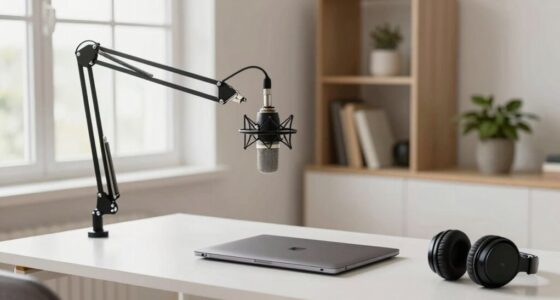
For remote work, a USB microphone is quick, easy to set up, and budget-friendly, making it perfect for everyday meetings and casual calls. It offers decent sound but may lack the clarity and depth professional audio requires. An XLR microphone, on the other hand, provides superior, detailed sound and more control but needs additional equipment like an audio interface, which can be more complex and costly. Learning more will help you choose the best option for your needs.
Open a free Amazon Business account
Business pricing, bulk buying and tax-exempt orders.
As an affiliate, we earn on qualifying purchases.
Key Takeaways
- USB microphones are simple to set up and ideal for quick, casual remote work, while XLR mics require additional equipment and setup time.
- USB mics provide decent audio quality for calls, but XLR mics deliver professional, clearer sound suitable for higher-quality recordings.
- USB microphones have limited controls, whereas XLR mics offer advanced sound customization with mixers or audio interfaces.
- USB mics are more affordable and cost-effective; XLR setups involve higher initial costs due to extra gear.
- For basic remote work, USB mics are practical; for enhanced audio quality, XLR mics are better despite added complexity.
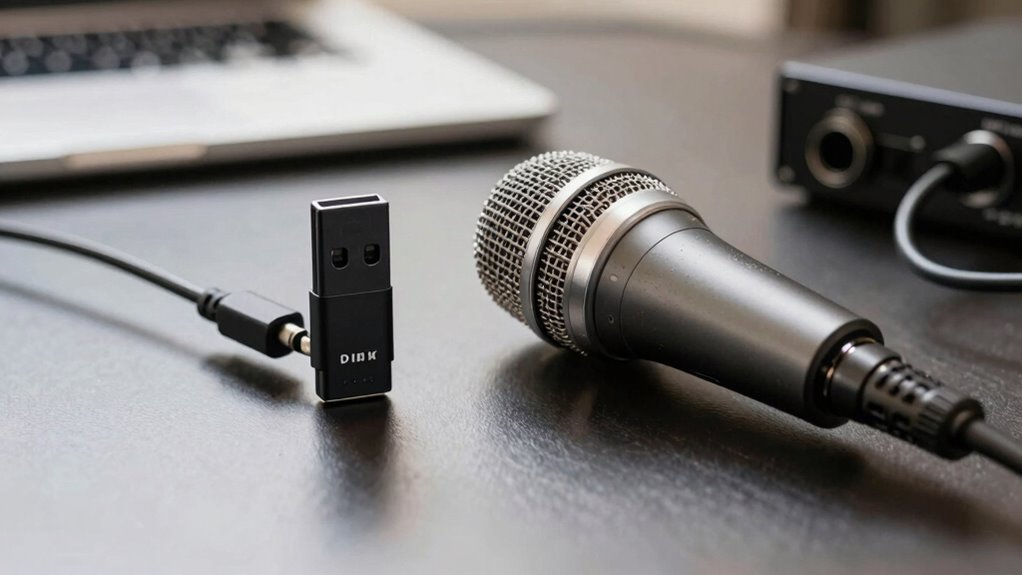
Are you unsure whether a USB microphone or an XLR microphone is better for your remote work setup? The choice largely depends on what you prioritize in your audio experience. USB microphones are known for their ease of use and straightforward setup. You simply plug them into your computer’s USB port, and they’re ready to go—no additional equipment needed. This simplicity means you spend less time configuring your gear and more time focusing on your work or communication. However, this convenience often comes with a trade-off in audio quality. While many USB mics deliver decent sound for everyday calls and meetings, they might lack the clarity, depth, and richness that professional-grade audio demands. If your work involves a lot of recording, podcasting, or streaming, you may find that USB microphones don’t quite meet your quality expectations, especially as you try to capture nuanced vocal tones or reduce background noise.
On the other hand, XLR microphones typically offer superior audio quality. They’re designed for professional use, with better components and more precise sound reproduction. If you’re aiming for crystal-clear voice transmission, an XLR mic can provide a more natural and detailed sound. But keep in mind, setting up an XLR microphone is more complex. You’ll need an audio interface or mixer to connect the mic to your computer, which adds to both cost and setup time. This extra step can be intimidating if you’re new to audio equipment, but it also grants you more control over your sound. You can tweak various settings, improve noise cancellation, and use higher-quality components to enhance your overall audio experience. This setup complexity might be a deterrent if you’re looking for a quick, plug-and-play solution, but it pays off in the long run if you’re serious about professional-grade audio. Additionally, understanding the differences in connection types is essential for making an informed choice. When selecting equipment, considering audio quality and how it aligns with your specific needs can make a significant difference in your remote communication. Moreover, the choice between USB and XLR microphones also involves considering the cost and equipment requirements, which can influence your overall setup and budget.
Being aware of these factors can help you avoid common pitfalls and ensure you choose a setup that truly enhances your remote work experience. Choosing the right microphone setup can significantly impact your remote work efficiency, especially when communication clarity is key. Ultimately, your choice comes down to your needs and technical comfort level. If you want a simple, reliable microphone that works right out of the box for daily meetings, a USB mic is your best bet. But if you’re after top-tier audio quality and don’t mind the extra effort, an XLR microphone paired with the right equipment will serve you better. Both options have their merits, and understanding the differences in audio quality and setup complexity helps you make an informed decision tailored to your remote work environment.
As an affiliate, we earn on qualifying purchases.
Frequently Asked Questions
Which Microphone Type Offers Better Durability for Travel?
You’ll find that XLR microphones generally offer better travel ruggedness due to their robust build and professional design, making them more resistant to bumps and rough handling. However, considering portability, USB mics are more compact and easier to pack, making them a practical choice for travel. Ultimately, if durability during travel is your priority, go for an XLR mic, but if convenience matters more, a USB mic suits your needs better.
Can I Upgrade My USB Mic to an XLR Later?
You can upgrade your USB mic to an XLR later, but compatibility issues and cost differences matter. Upgrading isn’t always straightforward because XLR mics need audio interfaces or mixers, which add to your expenses and setup complexity. If you’re willing to invest in additional gear, you can switch later, but expect higher costs and some technical adjustments. Planning ahead helps you choose the best option for your evolving needs.
Are There Specific Software Requirements for Each Microphone Type?
Yes, there are specific software requirements for each microphone type. For XLR mics, you’ll need an audio interface that offers compatible drivers and guarantees smooth software compatibility. USB microphones typically don’t require additional software, but some advanced features might need dedicated apps. Make certain your audio interface supports your operating system and DAWs. With proper setup, both microphone types work seamlessly for remote work, but XLR setups often demand more configuration.
How Does Microphone Size Impact Portability and Setup?
Microphone size influences your portability and setup ease more than you might realize. Lighter microphones, often smaller in size, are easier to carry in carrying cases and set up quickly. Coincidentally, their compact design can also mean less durability. When selecting a mic, consider weight for travel convenience and whether a sturdy case is necessary. Sometimes, smaller is better, but balance size with the protection you need for your remote work essentials.
What Are the Maintenance Needs for USB Versus XLR Microphones?
You’ll find that USB microphones require minimal maintenance; just clean the grille with a soft cloth and avoid liquids. They draw power directly from your computer, so no external power is needed. XLR mics, however, may need regular cleaning of connectors and cables, and they require an external audio interface for power. Keep everything dust-free and check connections periodically to guarantee peak performance.
XLR microphone with audio interface
As an affiliate, we earn on qualifying purchases.
As an affiliate, we earn on qualifying purchases.
Conclusion
So, whether you’re a true audio aficionado or just tired of sounding like you’re talking through a tin can, choosing between USB and XLR mics isn’t rocket science—it’s more like picking your favorite coffee mug. Want simplicity and plug-and-play? USB’s your buddy. Craving professional sound and endless upgrade options? XLR’s the way to go. Either way, just don’t forget to speak clearly—your boss is still judging your audio quality!
professional podcasting microphone
As an affiliate, we earn on qualifying purchases.
As an affiliate, we earn on qualifying purchases.
As an affiliate, we earn on qualifying purchases.
Flea & tick season Picks
flea and tick prevention
As an affiliate, we earn on qualifying purchases.