Using hand sanitizer on electronics can help kill germs, but it’s risky if not done carefully. Alcohol in sanitizers can cause screen discoloration, plastic deterioration, and moisture buildup that may lead to corrosion or malfunction. Avoid applying sanitizer directly and never soak your device. Instead, opt for a damp microfiber cloth with minimal alcohol. To protect your gadgets fully, understanding safe cleaning methods is essential—keep exploring for detailed tips to keep your devices safe and hygienic.
Key Takeaways
- Hand sanitizers contain alcohol that can damage screens and coatings if applied directly or overused.
- Residual sanitizer moisture can seep into devices, increasing risk of corrosion and internal damage.
- Using UV sterilizers can harm plastics and internal components if devices are overexposed or not properly protected.
- Proper cleaning involves dampening microfiber cloths with alcohol or water, avoiding direct liquid application.
- Allow devices to dry completely after sanitizing to prevent moisture-related malfunctions.
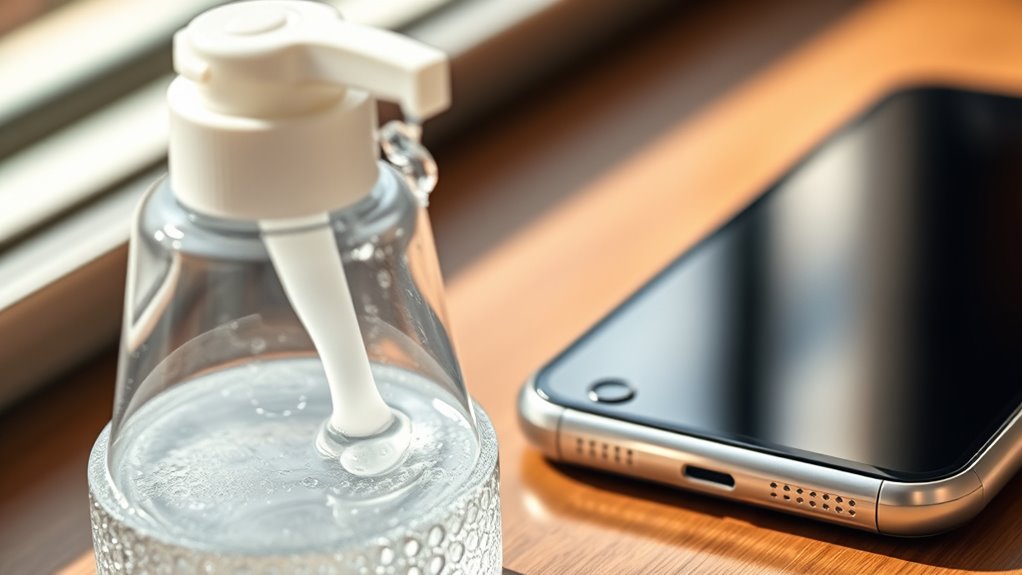
In today’s world, where cleanliness and technology intersect, understanding how hand sanitizer affects electronics is essential. You might think that applying hand sanitizer before handling your devices keeps everything hygienic, but it can also pose risks to your electronics. Hand sanitizers typically contain alcohol, which is highly effective at killing germs but can be damaging to sensitive components. When you use hand sanitizer and then touch your phone, tablet, or laptop, the alcohol can leave residues that may interfere with the device’s functionality over time. Additionally, if you don’t let the sanitizer dry completely, the moisture can seep into tiny crevices, increasing the risk of moisture damage. This moisture can corrode internal circuits, cause short circuits, or lead to permanent malfunctions.
Many people are unaware that UV light, often used in sanitizing devices, can also impact electronics. UV light is effective at disinfecting surfaces, but prolonged exposure or improper use near your gadgets can degrade plastics and other materials. If you attempt to sanitize your devices with UV light, ensure you’re following manufacturer guidelines to prevent damage. Overexposure may weaken the device’s outer shell or even harm internal components, especially if the UV light penetrates through cracks or vents.
UV light used for sanitizing can degrade plastics and harm internal components if overexposed or improperly applied.
In your routine, it’s tempting to quickly wipe down devices with hand sanitizer or use UV sterilizers, but you should understand the risks involved. Alcohol-based sanitizers can cause discoloration and deterioration of screen coatings and plastics if applied directly or kept in contact for too long. Moisture damage is another concern—if you’re not careful, residual moisture can linger after sanitizing, especially if you wipe your device with a damp cloth or if the sanitizer isn’t fully evaporated. This moisture can seep into ports, speakers, or internal parts, leading to corrosion or malfunction. Using appropriate cleaning methods**** designed specifically for electronics can significantly reduce these risks.
To keep your electronics safe, it’s better to use cleaning methods specifically designed for devices. Use a microfiber cloth lightly dampened with a mixture of water and isopropyl alcohol (preferably 70%) for cleaning surfaces, and avoid spraying or pouring liquids directly onto your gadgets. If you’re using UV sterilizers, follow the instructions carefully, and don’t overexpose your devices to UV light. Allow any sanitizer or moisture to dry thoroughly before turning on or using your device again. By being cautious and informed, you can maintain both your device’s hygiene and its longevity without risking moisture damage or UV-related harm.
microfiber cleaning cloth for electronics
As an affiliate, we earn on qualifying purchases.
As an affiliate, we earn on qualifying purchases.
Frequently Asked Questions
Can Hand Sanitizer Damage Electronic Screens or Components?
Yes, hand sanitizer can damage electronic screens or components. The alcohol in sanitizer can break down screen coating and leave residue, which may cause smudges or reduce touch sensitivity. To keep your electronics safe, avoid applying sanitizer directly to screens. Instead, use a soft, slightly damp cloth with a gentle cleaner. Regularly wiping away sanitizer residue helps prevent long-term damage and keeps your devices functioning properly.
Are Certain Types of Electronics More Resistant to Sanitizer Exposure?
Some electronics have higher electronic durability and better sanitizer resistance, making them more resistant to sanitizer exposure. Devices like waterproof phones, rugged tablets, and industrial equipment are designed to withstand harsher conditions, including contact with sanitizers. However, you should still check manufacturer guidelines, as even resistant devices can suffer damage if exposed excessively. Always use sanitizers sparingly on electronics, especially if they’re not explicitly rated for sanitizer resistance.
How Long Should Electronics Dry After Sanitizer Contact?
After sanitizer contact, you should give your electronics a drying time of at least 15-20 minutes. Imagine the device as a sponge soaking in sanitizer—let it sit in a warm, dry place, allowing the alcohol to evaporate completely. Resist the urge to power it on too soon; patience guarantees all moisture evaporates, preventing damage. Proper drying safeguards your device’s delicate components and keeps it functioning smoothly.
Does Hand Sanitizer Affect the Longevity of Electronic Batteries?
Yes, hand sanitizer can affect your electronic batteries’ longevity. The alcohol and chemicals in sanitizer can cause chemical interactions that damage the battery’s internal components, leading to reduced battery life over time. To protect your device, avoid applying sanitizer directly to it, especially around ports and batteries. Always let sanitizer dry completely before handling your electronics, and clean your device with appropriate methods to prevent long-term damage.
Are There Safer Alternatives to Hand Sanitizer for Disinfecting Electronics?
Yes, you can use natural disinfectants like diluted vinegar or rubbing alcohol with at least 70% alcohol for electronics. UV sterilization is also a safe alternative, as it kills germs without liquids that could damage your device. These options reduce the risk of corrosion or damage caused by chemicals in hand sanitizer, making them safer choices for cleaning your electronics effectively without compromising their longevity.
70% isopropyl alcohol wipes for screens
As an affiliate, we earn on qualifying purchases.
As an affiliate, we earn on qualifying purchases.
Conclusion
Now that you know the risks and safe practices, you can navigate cleaning your electronics with confidence. While hand sanitizer can be a quick fix, don’t throw caution to the wind—overdoing it can cause more harm than good. Remember, it’s better to be safe than sorry, so always follow proper cleaning methods. By staying informed, you avoid falling into the trap of quick fixes and keep your devices—and yourself—out of harm’s way.
electronic device screen cleaner
As an affiliate, we earn on qualifying purchases.
As an affiliate, we earn on qualifying purchases.
UV sterilizer for smartphones
As an affiliate, we earn on qualifying purchases.
As an affiliate, we earn on qualifying purchases.