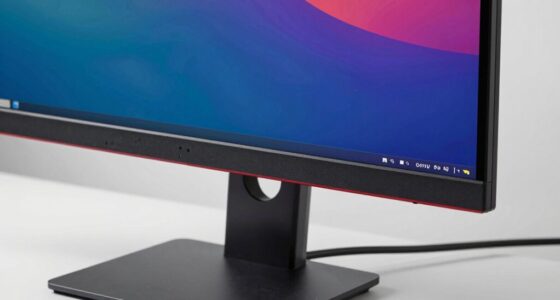
Even with great reviews, your monitor can cause fatigue if its display quality isn’t optimized for your eyes. Factors like poor calibration, low refresh rates, or outdated display technology can make images look unnatural or cause flickering, which increases visual effort. Adjusting calibration and choosing a monitor with higher refresh rates can help reduce strain. If you keep exploring, you’ll discover some simple ways to improve your viewing comfort and lessen tiredness.
Key Takeaways
- Poor color calibration can cause unnatural hues, increasing eye strain despite positive reviews.
- Low refresh rates may lead to flickering or less smooth motion, causing fatigue over time.
- Display technology differences affect visual comfort, even if the monitor has good reviews.
- Inadequate calibration or settings adjustments can negate the monitor’s quality benefits.
- Personal factors like eye sensitivity or incorrect ergonomic setup also contribute to tiredness.
Have you ever felt exhausted after hours of using a monitor that everyone else raves about? If so, you’re not alone. Despite glowing reviews and high ratings, some monitors can leave you feeling drained, and it often comes down to subtle differences in display quality. Two major factors that influence your comfort are color calibration and refresh rates. While these might seem minor at first glance, they play a pivotal role in how your eyes perceive the screen and how fatigue sets in over time.
Color calibration is essential because it determines how accurately your monitor displays colors. When a screen isn’t properly calibrated, your eyes have to work harder to interpret images, especially if colors look unnatural or overly saturated. Poor calibration can cause eye strain because your eyes continuously adjust to compensate for the inaccurate colors, leading to discomfort after prolonged use. High-quality monitors often come with better calibration options or factory settings that guarantee consistent, natural hues, reducing the strain on your visual system. If your monitor’s colors look off or cause headaches, it’s worth investing time in adjusting the calibration or using calibration tools to fine-tune the display. Proper color accuracy isn’t just about visual appeal; it’s about creating a more comfortable viewing experience that minimizes eye fatigue. Additionally, display technology can influence how your eyes respond to the screen, further impacting comfort during extended use. Understanding the visual comfort principles behind display design can help you choose a monitor that better suits your needs. Paying attention to these factors can help prevent unnecessary eye strain.
Proper color calibration reduces eye strain and enhances comfort by ensuring natural, accurate hues on your monitor.
Refresh rates also play a critical role in how your eyes perceive motion and flicker. Monitors with low refresh rates, such as 60Hz, can cause flickering that’s barely noticeable but still taxing on your eyes. Higher refresh rates, like 120Hz or 144Hz, deliver smoother motion and reduce flickering, which translates to less eye strain during tasks that involve fast movements or scrolling. Even if you’re not gaming, a monitor with a higher refresh rate can make everyday interactions feel more fluid and comfortable, especially when working for extended periods. Many people don’t realize that the refresh rate impacts visual comfort just as much as resolution or color quality. If your monitor has a lower refresh rate, you might notice fatigue, headaches, or blurred vision after hours of use. Upgrading to a model with a higher refresh rate can greatly improve your overall comfort, even if reviews highlight other features.
Ultimately, a monitor’s quality isn’t just about how it looks in advertisements or reviews. It’s about how well it adapts to your eyes’ needs. Paying attention to details like color calibration and refresh rates guarantees you’re not just getting a visually appealing display but a healthier, more comfortable experience. If you’re feeling tired after long sessions, consider these factors. Sometimes, small adjustments or choosing a better-suited monitor makes all the difference in preventing fatigue and making your work or entertainment sessions more enjoyable.

datacolor SpyderPro Monitor Calibration Tool: Ensures Accurate Color When Viewing and Editing Photos & Videos
ACHIEVE TRUE COLOR – Ensures your monitor displays colors accurately, critical for photography, design, and video editing, with…
As an affiliate, we earn on qualifying purchases.
As an affiliate, we earn on qualifying purchases.
Frequently Asked Questions
Can Monitor Size Affect Eye Strain?
Yes, monitor size can affect eye strain. Larger screens require more eye movement, which can cause fatigue, especially if your ambient lighting isn’t ideal. To reduce strain, make sure proper color calibration to prevent eye discomfort from harsh contrasts. Also, adjust your ambient lighting so it’s not too bright or dim compared to the monitor. These steps help your eyes stay relaxed and comfortable during prolonged use.
Do Refresh Rates Influence Overall Comfort?
Imagine your eyes gliding smoothly over a high-refresh-rate monitor, each frame flickering less and pixel persistence dropping to nearly nothing. Yes, refresh rates considerably influence overall comfort; higher rates, like 120Hz or 144Hz, reduce flickering and eye fatigue. The quicker the monitor refreshes, the less strain your eyes endure, making long gaming or work sessions feel effortless. So, choosing a monitor with a high refresh rate can make a noticeable difference in comfort.
How Does Monitor Placement Impact Fatigue?
Monitor placement impacts fatigue considerably because ergonomic positioning guarantees your neck and eyes stay comfortable, reducing strain. Keep the monitor at eye level and at an arm’s length away. Also, consider ambient lighting; avoid glare and harsh reflections that force your eyes to work harder. Proper placement minimizes eye strain and neck discomfort, helping you stay focused longer without feeling tired, even during extended screen time.
Are Specific Screen Coatings Better for Prolonged Use?
Anti-glare coatings and matte screens are better for prolonged use because they reduce reflections and glare, easing eye strain. While glossy screens offer vibrant colors, they can cause discomfort over time due to distracting reflections. Matte screens, on the other hand, diffuse light, making it easier to focus for extended periods. Choosing a monitor with an anti-glare coating helps you work comfortably without sacrificing image quality.
Does Personal Vision Quality Affect Monitor Comfort?
Yes, your personal vision quality impacts monitor comfort. If you have certain vision issues, it can affect your perception of visual clarity and color accuracy, leading to eye strain even with a high-quality monitor. You might find yourself squinting or straining to see details, which causes fatigue. Ensuring your monitor settings match your vision needs, like adjusting brightness and contrast, can improve comfort and reduce tiredness during prolonged use.

Sceptre New 22-Inch Gaming Monitor, FHD 1080p, Up to 144Hz, HDMI, DisplayPort, Built-in Speakers, Machine Black (E225W-FW144 Series, 2026)
【INTEGRATED SPEAKERS】Whether you're at work or in the midst of an intense gaming session, our built-in speakers provide…
As an affiliate, we earn on qualifying purchases.
As an affiliate, we earn on qualifying purchases.
Conclusion
So, next time a monitor’s reviews shine but your eyes still tire, remember that comfort isn’t just about specs. Sometimes, it’s about your unique sensitivity and viewing habits. Don’t rely solely on glowing reviews—trust your own experience. After all, even the best screen can feel exhausting if it doesn’t match your needs. Listening to your body and choosing what feels right will always be more reliable than ratings alone.

Single LCD Computer Monitor Free-Standing Desk Stand Mount Riser for 13 inch to 32 inch screen with Swivel, Height Adjustable, Rotation, Vesa Base Stand Holds One (1) Screen up to 77Lbs(HT05B-001))
COMPATIBILITY ☞ Single Computer monitor mount free standing Desk Stand Riser fitting screens for 13,15,17,19,21,23,27,30,32 inch LCD LED…
As an affiliate, we earn on qualifying purchases.
As an affiliate, we earn on qualifying purchases.
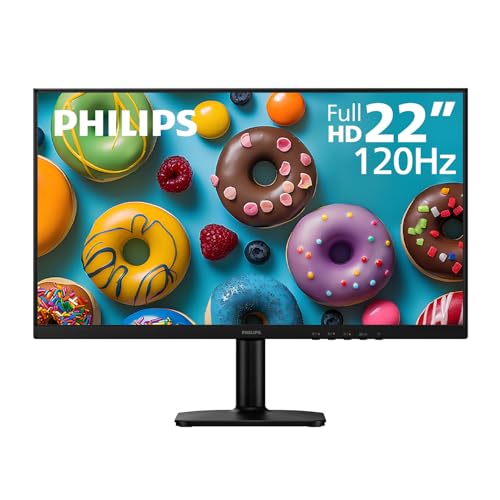
Philips 22E2N1100 22 inch Computer Monitor, Full HD 1920×1080 IPS Display, 120Hz Refresh Rate, 1ms MPRT, Adaptive-Sync, LowBlue Mode, Flicker-Free, HDMI & VGA, 4 Year Advance Replacement Warranty
Full HD IPS Display with Wide Viewing Angles: Enjoy crisp and detailed visuals on a 22” (21.5” viewable)…
As an affiliate, we earn on qualifying purchases.
As an affiliate, we earn on qualifying purchases.