The Ergotron LX Single Monitor Arm is my best overall pick for a flexible, single-screen setup, while the HUANUO FlowLift Dual Monitor Stand stands out for a two-screen workstation and the BenQ ErgoArm BSL01 for larger displays. The right ergonomic monitor arm should make it easier to set screen height, distance, and angle without fighting a crowded desk. The main tradeoffs are single versus dual-screen flexibility, the space and strength a mount needs, and how much adjustment you need day to day. A wider screen range can be helpful, but it does not replace checking your monitor’s weight, VESA pattern, and desk compatibility. Continue reading for the full breakdown, ranking logic, and advice on matching an arm to your setup.

Get comfort and recovery gear delivered free with Prime
- Fast, free delivery on millions of items
- Prime Video, Amazon Music and more included
- Member-only deals all year
Complete the kit



Key Takeaways
- The lineup divides clearly between flexible single-screen arms and dual mounts; choose based on how much independent screen positioning your workspace needs, not just screen count.
- The Ergotron LX leads the single-monitor options for buyers prioritizing a highly adjustable, established arm, while the BenQ ErgoArm BSL01 is the better fit when large-screen support is the deciding factor.
- HUANUO’s FlowLift range gives buyers distinct choices: a dual-screen setup, a standard single arm, and a Pro single arm, so compare the exact model rather than assuming the family name means identical hardware.
- Several dual arms support screens in overlapping size ranges, but desk space, monitor weight, and the ability to position each display independently are just as important as the stated screen-size limit.
- The ASUS ROG AAS01 and AAS01R target gaming-oriented setups, while simpler options such as the WALI and 5Rcom single arms can suit buyers who want a more direct route to raising one screen.
| HUANUO FlowLift Dual Monitor Stand for 13–32-Inch Screens |  | Best Overall for Two Monitors | Screen size: 13–32 inches per monitor | Weight capacity: 4.4–19.8 lbs per arm | VESA compatibility: 75 × 75 mm and 100 × 100 mm | VIEW LATEST PRICE | See Our Full Breakdown |
| WALI Adjustable Single Monitor Arm for 13–34-Inch Screens |  | Best for Long Reach | Screen compatibility: Up to 34 inches; regular screens up to 32 inches | Weight capacity: 26.4 lbs for flat screens; 19.8 lbs for curved screens | VESA compatibility: 75 × 75 mm and 100 × 100 mm | VIEW LATEST PRICE | See Our Full Breakdown |
| HUANUO FlowLift Single Monitor Mount for 13–32 Inch Monitors |  | Best Value Single-Arm Setup | Compatible monitor size: 13–32 inches | Monitor weight capacity: 4.4–19.8 lbs | VESA patterns: 75 × 75 mm and 100 × 100 mm | VIEW LATEST PRICE | See Our Full Breakdown |
| HUANUO FlowLift Pro Single Monitor Arm for 13–32-Inch Screens |  | Best for Easy Monitor Setup | Screen size: 13–32 inches | Supported monitor weight: 4.4–19.8 lbs for flat screens; 4.4–15.4 lbs for curved screens | VESA compatibility: 75 × 75 mm or 100 × 100 mm | VIEW LATEST PRICE | See Our Full Breakdown |
| ASUS ROG Ergo Monitor Arm (AAS01) |  | Best for Larger Monitors | Compatible screen size: 14–39 inches | Maximum monitor weight: 23.35 lbs flat; 18.74 lbs curved | VESA compatibility: 100 × 100 mm | VIEW LATEST PRICE | See Our Full Breakdown |
| EUREKA ERGONOMIC Dual Monitor Stand with Adjustable Gas Spring Arms |  | Best for Wide Reach | Compatible screen size: 13–32 inches | Maximum weight per arm: 17.6 lbs | VESA compatibility: 75×75mm and 100×100mm | VIEW LATEST PRICE | See Our Full Breakdown |
| ErGear Dual Monitor Arm for 13–32-Inch Screens |  | Best for Heavier Dual Monitors | Monitor size: 13–32 inches | Maximum load: 19.8 lbs per arm | VESA compatibility: 75×75mm or 100×100mm | VIEW LATEST PRICE | See Our Full Breakdown |
| NB SmooVex Mechanical Spring Monitor Arm, Silver |  | Best for Mechanical-Spring Simplicity | Supported screen size: 17–32 inches | VESA compatibility: 75×75mm and 100×100mm | Material: Aluminum | VIEW LATEST PRICE | See Our Full Breakdown |
| 5Rcom Single Monitor Arm for 13–35-Inch Screens |  | Best for a Broad Screen-Size Range | Screen size compatibility: 13–35 inches | Load capacity: 4.4–22 lbs | Material: Alloy steel | VIEW LATEST PRICE | See Our Full Breakdown |
| Acer Dual Monitor Arm with Gas Spring for 17–32-Inch Screens |  | Best for Desk-Mount Flexibility | Screen size: 17–32 inches | Weight capacity: 4.4–19.8 lbs per monitor | VESA compatibility: 75×75mm and 100×100mm | VIEW LATEST PRICE | See Our Full Breakdown |
| BenQ ErgoArm BSL01 VESA Desk Mount for Monitors up to 40 Inches |  | Best for Larger Single Monitors | Maximum screen size: 40 inches | Weight capacity: 24 lbs | VESA compatibility: 75 × 75 mm; 100 × 100 mm | VIEW LATEST PRICE | See Our Full Breakdown |
| HUANUO Dual Monitor Stand for 17–32-Inch Screens |  | Best for Stacked Dual Screens | Screen size: 17–32 inches per monitor | Weight capacity: 4.4–19.8 lbs per monitor | VESA compatibility: 75 × 75 mm; 100 × 100 mm | VIEW LATEST PRICE | See Our Full Breakdown |
| Ergotron LX Single Monitor Arm Desk Mount, Matte Black |  | Best for Long-Term Adjustability | Supported screen size: Up to 34 inches | Supported monitor weight: 7–25 lbs | VESA compatibility: 75 × 75 mm; 100 × 100 mm | VIEW LATEST PRICE | See Our Full Breakdown |
| ASUS ROG Ergo Monitor Arm (AAS01R) |  | Best for Large, Highly Adjustable Displays | Supported screen size: 19–49 inches | Weight capacity: 3–13.5 kg flat; 3–10.5 kg curved | VESA compatibility: 100 × 100 mm | VIEW LATEST PRICE | See Our Full Breakdown |
| MOUNTUP Dual Monitor Desk Mount with C-Clamp and Grommet Base |  | Best for Side-by-Side Dual Screens | Compatible screen size: 17–32 inches | Supported monitor weight: 4.4–17.6 lbs each | VESA compatibility: 75 × 75 mm; 100 × 100 mm | VIEW LATEST PRICE | See Our Full Breakdown |
| ergonomic monitor arm | VESA compatibility | Warranty |
|---|---|---|
| HUANUO FlowLift Dual Monitor S | 75 × 75 mm and 100 × 100 mm | 5 years |
| WALI Adjustable Single Monitor | 75 × 75 mm and 100 × 100 mm | 10 years |
| HUANUO FlowLift Single Monitor | — | — |
| HUANUO FlowLift Pro Single Mon | 75 × 75 mm or 100 × 100 mm | Lifetime |
| ASUS ROG Ergo Monitor Arm | 100 × 100 mm | 3 years |
| EUREKA ERGONOMIC Dual Monitor | 75×75mm and 100×100mm | — |
| ErGear Dual Monitor Arm for 13 | 75×75mm or 100×100mm | 5 years |
| NB SmooVex Mechanical Spring M | 75×75mm and 100×100mm | 2 years |
| 5Rcom Single Monitor Arm for 1 | — | 1 year |
| Acer Dual Monitor Arm with Gas | 75×75mm and 100×100mm | 1 year |
| BenQ ErgoArm BSL01 VESA Desk M | 75 × 75 mm; 100 × 100 mm | 2 years |
| HUANUO Dual Monitor Stand for | 75 × 75 mm; 100 × 100 mm | — |
| Ergotron LX Single Monitor Arm | 75 × 75 mm; 100 × 100 mm | 10 years |
| ASUS ROG Ergo Monitor Arm | 100 × 100 mm | 3 years |
| MOUNTUP Dual Monitor Desk Moun | 75 × 75 mm; 100 × 100 mm | 2 years |
More Details on Our Top Picks
HUANUO FlowLift Dual Monitor Stand for 13–32-Inch Screens
I’d put the HUANUO FlowLift Dual first for people who want to position two screens independently without giving up desk space to separate bases. Each arm handles monitors from 4.4 to 19.8 pounds, while tilt, swivel, and full rotation make it easier to line up displays for focused work or shared viewing. C-clamp and grommet mounting give it more installation flexibility than the single-clamp WALI arm, though both are intended for wooden desks.
The tradeoff is the dual-arm footprint and the need to check the underside of the desk: crossbeams or panels can block installation. Its screen-size range is also narrower than the WALI’s stated support for flat screens up to 34 inches. I’d choose this model for a two-screen ergonomic setup, but skip it if your desk is glass, plastic, or obstructed below.
Pros:- Two independently adjustable arms support monitors from 13 to 32 inches.
- Tilt, swivel, and 360-degree rotation support varied viewing positions.
- C-clamp and grommet mounting accommodate different compatible desk setups.
- Built-in cable management and a five-year manufacturer warranty.
Cons:- Not recommended for plastic or glass desks.
- Underside crossbeams or panels may prevent a secure installation.
- Each monitor must meet the stated weight and VESA limits.
Best for: People using two VESA-compatible monitors on a wooden desk who want independent positioning and a clear work surface.
Not ideal for: Owners of glass or plastic desks, desks with obstructive underside beams, or users whose monitors exceed 19.8 pounds per arm.
- Screen size:13–32 inches per monitor
- Weight capacity:4.4–19.8 lbs per arm
- VESA compatibility:75 × 75 mm and 100 × 100 mm
- Adjustments:+85°/−50° tilt, ±90° swivel, 360° rotation
- Maximum height:15.75 inches
- Mounting:C-clamp or grommet
- Desk compatibility:Wooden desks, 0.59–3.54 inches thick
- Warranty:5 years
Our verdict“Choose the HUANUO FlowLift Dual if you need two adjustable screens on a compatible wooden desk and can confirm the mounting area is clear.”
WALI Adjustable Single Monitor Arm for 13–34-Inch Screens
The WALI Adjustable Single Monitor Arm suits a desk where the screen needs to move well beyond the edge of its mount. Its arm extends up to 19.3 inches, with up to 17.3 inches of height above the desktop, giving more reach than the HUANUO FlowLift Single’s listed maximum lift. That extra range can help users pull a monitor closer for focused work or move it aside to share a screen.
It supports flat screens up to 26.4 pounds, but curved displays have a lower 19.8-pound limit, so check the monitor type and weight before buying. Compared with the HUANUO FlowLift Pro, the WALI offers greater stated extension and a longer warranty, while the Pro adds a quick-release VESA plate and tension indicator. The WALI is a practical fit for reach; its wooden-desk recommendation and thickness limits narrow the installation options.
Pros:- Extends up to 19.3 inches for flexible screen placement.
- Supports flat monitors up to 26.4 pounds.
- C-clamp and grommet mounting options are included.
- Built-in cable management and a 10-year warranty.
Cons:- Curved monitors have a lower 19.8-pound weight limit.
- Manufacturer recommends installation on a wooden desk.
- The stated 34-inch compatibility applies to a narrower range of regular screens up to 32 inches.
Best for: Single-monitor users who frequently reposition a flat screen and want long extension from a wooden desk.
Not ideal for: People with a curved monitor over 19.8 pounds, a desk outside the supported thickness range, or a non-wood desktop.
- Screen compatibility:Up to 34 inches; regular screens up to 32 inches
- Weight capacity:26.4 lbs for flat screens; 19.8 lbs for curved screens
- VESA compatibility:75 × 75 mm and 100 × 100 mm
- Extension:Up to 19.3 inches
- Arm height:Up to 17.3 inches above the desktop
- Adjustments:±180° swivel, +70°/−45° tilt, 360° rotation
- Desk thickness:0.39–2.76 inches
- Warranty:10 years
Our verdict“Pick the WALI if long reach and support for a heavier flat monitor matter more than a quick-release plate or a visible tension indicator.”
HUANUO FlowLift Single Monitor Mount for 13–32 Inch Monitors
For a straightforward single-screen ergonomic setup, the HUANUO FlowLift Single covers the adjustments many users need: tilt, swivel, and 360-degree rotation, with support for monitors from 13 to 32 inches and 4.4 to 19.8 pounds. Its C-clamp and grommet options also give it more mounting choice than the tabletop-only ASUS ROG Ergo, provided the desk fits the specified thickness range.
This model makes sense when the goal is to lift a monitor off its stand and adjust its angle without paying for mechanisms such as the FlowLift Pro’s visible tension indicator and quick-release plate. It shares a familiar weight and VESA range with that Pro model, but the supplied data does not list those convenience features or a warranty. Check for a compatible VESA pattern and clear space beneath the desk before choosing it.
Pros:- Supports 13–32-inch monitors weighing 4.4–19.8 pounds.
- Provides tilt, swivel, and full rotation adjustments.
- Offers both C-clamp and grommet mounting.
- Alloy-steel construction and installation hardware are specified.
Cons:- Requires a monitor with a compatible 75 × 75 mm or 100 × 100 mm VESA pattern.
- Desk beams or panels underneath can obstruct installation.
- Does not list the FlowLift Pro’s quick-release plate or tension indicator.
Best for: Single-monitor users who want basic height, angle, and rotation adjustments with both clamp and grommet installation options.
Not ideal for: Buyers who need a quick-release VESA plate, a visible tension indicator, or a mount for a monitor outside the 4.4–19.8-pound range.
- Compatible monitor size:13–32 inches
- Monitor weight capacity:4.4–19.8 lbs
- VESA patterns:75 × 75 mm and 100 × 100 mm
- Tilt range:−50° to +85°
- Swivel:±90°
- Rotation:360°
- Mounting:C-clamp or grommet
- Tabletop thickness:0.59–3.54 inches
Our verdict“Choose this HUANUO single arm for a capable, conventional adjustment range and flexible mounting, but look to the FlowLift Pro for easier attachment and tension setup.”
HUANUO FlowLift Pro Single Monitor Arm for 13–32-Inch Screens
The FlowLift Pro’s strongest ergonomic advantage is not a wider screen range than the HUANUO FlowLift Single; it is the setup assistance. A quick-release VESA plate can make attaching a monitor less cumbersome, while the visible tension indicator gives a useful reference when matching the spring support to the screen. The MechaSpring mechanism is designed for one-finger adjustment, helping users reposition a compatible display without repeatedly resetting the mount.
Its stated load range drops from 4.4–19.8 pounds for flat screens to 4.4–15.4 pounds for curved screens, so curved-monitor owners need to check the actual weight carefully. Both this Pro and the WALI offer one-screen flexibility, but the WALI lists a longer reach and a 10-year warranty; the Pro instead specifies its quick-release plate, tension indicator, and lifetime warranty. It is recommended for wood desks, and irregular edges may complicate clamping.
Pros:- Quick-release VESA plate simplifies monitor attachment.
- Visible tension indicator helps guide spring-support adjustment.
- One-finger adjustment is designed for convenient repositioning.
- Lifetime warranty is specified.
Cons:- Curved screens are limited to 15.4 pounds.
- Recommended for wood desks, and irregular edges may affect clamp fit.
- Supports screens only up to 32 inches, while the WALI lists compatibility with some screens up to 34 inches.
Best for: People setting up a compatible single monitor who value easier attachment and a visible guide for spring-tension adjustment.
Not ideal for: Users with curved monitors over 15.4 pounds, irregular desk edges, or non-wood desks.
- Screen size:13–32 inches
- Supported monitor weight:4.4–19.8 lbs for flat screens; 4.4–15.4 lbs for curved screens
- VESA compatibility:75 × 75 mm or 100 × 100 mm
- Adjustment features:Tilt, swivel, and rotation
- Spring mechanism:MechaSpring with visible tension indicator
- Mounting:C-clamp or grommet base
- Desk compatibility:Wood desks 0.59–3.54 inches thick
- Warranty:Lifetime
Our verdict“Choose the FlowLift Pro if its quick-release plate and tension indicator matter more to you than the WALI’s greater listed extension.”
ASUS ROG Ergo Monitor Arm (AAS01)
The ASUS ROG Ergo is the screen-size pick in this group: it supports flat monitors up to 39 inches, exceeding the 32-inch limit listed for both HUANUO FlowLift models. Its mechanical spring system handles height, tilt, swivel, and pivot adjustments, so users can change the display position rather than being limited to a fixed stand. ASUS also specifies a 10,000-cycle range-of-motion durability test, a useful distinction for buyers who expect frequent repositioning.
The fit requirements are narrower than the WALI’s: this ASUS lists only 100 × 100 mm VESA compatibility, while the WALI and HUANUO arms accept both 75 × 75 mm and 100 × 100 mm patterns. Weight limits also vary by screen type—23.35 pounds for flat displays and 18.74 pounds for curved ones. Its tabletop mounting type is specified, but the supplied data does not list clamp or grommet options, so verify the mounting arrangement against your desk before buying.
Pros:- Supports flat monitors up to 39 inches.
- Mechanical spring system allows height, tilt, swivel, and pivot adjustment.
- Tested through a 10,000-cycle range-of-motion durability test.
- Supports flat monitors up to 23.35 pounds.
Cons:- Lists only 100 × 100 mm VESA compatibility.
- Curved monitors have a lower 18.74-pound weight limit.
- The supplied specifications do not identify C-clamp or grommet mounting options.
Best for: Owners of larger flat monitors up to 39 inches who have a 100 × 100 mm VESA pattern and want adjustable positioning.
Not ideal for: People with a 75 × 75 mm-only monitor, a curved screen over 18.74 pounds, or a desk that needs a confirmed clamp or grommet option.
- Compatible screen size:14–39 inches
- Maximum monitor weight:23.35 lbs flat; 18.74 lbs curved
- VESA compatibility:100 × 100 mm
- Movement:Rotate, tilt, swivel, pivot, and height adjustment
- Maximum tilt:80 degrees
- Mounting type:Tabletop
- Durability testing:10,000-cycle range-of-motion test
- Warranty:3 years
Our verdict“Choose the ASUS ROG Ergo for a larger, VESA 100 × 100 mm display if its tabletop mounting arrangement suits your desk.”
EUREKA ERGONOMIC Dual Monitor Stand with Adjustable Gas Spring Arms
The EUREKA ERGONOMIC is a strong fit for two-screen setups that need room to move: its arms extend up to 27.3 inches, more reach than the ErGear Dual Monitor Arm’s 18.1 inches. That extra distance can help position screens around a deep desk or pull them forward for closer viewing. Each arm supports up to 17.6 lbs, with tilt, swivel, and rotation adjustments for setting each display independently, including portrait orientation. The aluminum construction and gas springs suit regular repositioning, while cable management and C-clamp or grommet mounting keep setup options flexible. The tradeoff is a lower per-arm capacity than ErGear’s 19.8 lbs, and the grommet option requires a desk hole. I’d shortlist it for reach, not for heavier displays.
Pros:- 27.3-inch maximum extension gives more reach than the ErGear dual arm.
- Tilt, swivel, and rotation support varied screen positions, including portrait orientation.
- Aluminum arms with gas-spring adjustment support repositioning.
- C-clamp and grommet mounting options plus cable management.
Cons:- Each arm is limited to 17.6 lbs, less than the ErGear dual arm’s stated 19.8-lb capacity.
- Grommet mounting requires a hole in the desk.
- The listed desk thickness range may not fit every work surface.
Best for: Two-monitor users with a deep desk who want substantial forward reach and independent screen positioning.
Not ideal for: People mounting heavier displays above 17.6 lbs per arm, or renters unwilling to drill for grommet installation.
- Compatible screen size:13–32 inches
- Maximum weight per arm:17.6 lbs
- VESA compatibility:75×75mm and 100×100mm
- Material:Aluminum
- Maximum extension:27.3 inches
- Maximum height:22.64 inches
- Adjustment:Tilt +35° to -35°; swivel and rotation +90° to -90°
- Mounting:C-clamp or grommet; desk thickness 0.39–2.95 inches
Our verdict“Choose the EUREKA ERGONOMIC if your two-screen setup needs long reach and both monitors fall within its per-arm weight limit.”
ErGear Dual Monitor Arm for 13–32-Inch Screens
Among the dual arms here, the ErGear is the better match when monitor weight matters more than maximum reach. Its 19.8-lb capacity per arm exceeds the EUREKA ERGONOMIC’s 17.6 lbs, giving more headroom for compatible screens within the stated size range. The tool-free VESA plate installation can make attaching monitors less fiddly, and tilt, swivel, and 360-degree rotation give each screen useful positioning flexibility. Its 18.1-inch extension is notably shorter than EUREKA’s 27.3 inches, so it is less suited to deep desks or setups that need screens pulled far forward. Cable clips and either clamp or grommet mounting add practical flexibility. The manufacturer recommends a wooden desk, and the underside needs enough clearance for the base.
Pros:- 19.8-lb capacity per arm is higher than the EUREKA ERGONOMIC dual arm’s stated limit.
- Tool-free VESA plate installation simplifies monitor attachment.
- Broad tilt, swivel, and 360-degree rotation adjustments.
- Includes cable clips, C-clamp and grommet mounting options, and a five-year warranty.
Cons:- 18.1-inch maximum extension is shorter than the EUREKA ERGONOMIC’s 27.3 inches.
- Manufacturer recommends installation on a wooden desk.
- Desk underside must leave room for the clamp or grommet hardware.
Best for: People building a dual-screen workstation with compatible monitors near the upper end of the stated weight limit who value straightforward VESA attachment.
Not ideal for: Users with deep desks who need long arm extension, or owners of glass, plastic, or otherwise unsuitable desk surfaces.
- Monitor size:13–32 inches
- Maximum load:19.8 lbs per arm
- VESA compatibility:75×75mm or 100×100mm
- Maximum height adjustment:17.5 inches
- Maximum extension:18.1 inches
- Adjustment:Tilt +80°/-50°; swivel ±90°; rotation 360°
- Mounting:C-clamp or grommet
- Desk thickness:C-clamp: 0.39–2.56 inches; grommet: 0.39–2.95 inches
- Warranty:5 years
Our verdict“Pick the ErGear for a dual setup that benefits from its higher stated per-arm capacity and tool-free VESA attachment, provided its shorter reach fits your desk.”
NB SmooVex Mechanical Spring Monitor Arm, Silver
The NB SmooVex is the single-monitor choice for buyers who want adjustable support without committing to a dual-arm desk mount. Its mechanical spring system and 230 mm of height travel offer a practical range for changing screen position, while the broad tilt range helps angle a display for seated work. Compared with the 5Rcom Single Monitor Arm, the SmooVex has a narrower stated screen-size range—17 to 32 inches versus 13 to 35—but offers both C-clamp and grommet mounting. The main gap in its specs is a missing supported weight range; buyers should confirm that their monitor is compatible before choosing it. Assembly is required, and its two-year warranty is shorter than ErGear’s five-year coverage.
Pros:- Mechanical spring design supports adjustable monitor positioning.
- 230 mm of height travel and a wide tilt range allow varied screen placement.
- Supports common 75×75mm and 100×100mm VESA patterns.
- Offers both C-clamp and grommet mounting.
Cons:- No supported monitor weight range is specified.
- Its 17–32-inch range is narrower than the 5Rcom arm’s 13–35-inch range.
- Assembly is required, and the two-year warranty is shorter than ErGear’s five-year term.
Best for: Single-monitor users with a 17–32-inch display who want height and angle adjustment plus a choice of clamp or grommet mounting.
Not ideal for: Owners of monitors outside the listed size range or anyone who cannot verify their display’s weight against the arm’s supported capacity.
- Supported screen size:17–32 inches
- VESA compatibility:75×75mm and 100×100mm
- Material:Aluminum
- Height travel:230 mm
- Tilt range:-25° to 90°
- Rotation:±90°
- Mounting options:C-clamp and grommet
- Warranty:2 years
Our verdict“Choose the NB SmooVex for a single 17–32-inch VESA monitor only after confirming the arm’s weight compatibility with your display.”
5Rcom Single Monitor Arm for 13–35-Inch Screens
The 5Rcom stands out for accommodating a wide range of single monitors: its 13–35-inch compatibility reaches beyond the NB SmooVex’s 17–32-inch range, making it a more flexible fit across smaller displays and larger screens. Its alloy-steel construction supports monitors from 4.4 to 22 lbs, and adjustment for height, reach, tilt, swivel, and rotation lets a user set a more ergonomic viewing position. The arm’s reach extends up to 21.2 inches, shorter than the EUREKA ERGONOMIC dual arm’s 27.3 inches, but that comparison favors a different kind of setup: the 5Rcom is a single-screen mount, not a way to position two monitors. A key limitation is the 4.4-lb minimum, which rules out some lightweight displays.
Pros:- 13–35-inch compatibility covers a broader stated range than the NB SmooVex.
- Supports compatible monitors weighing up to 22 lbs.
- Height, reach, tilt, swivel, and 360-degree plate rotation support flexible positioning.
- Integrated cable management helps keep the desk area orderly.
Cons:- The monitor must weigh at least 4.4 lbs.
- Maximum reach is shorter than the EUREKA ERGONOMIC dual arm’s stated extension.
- This is a single-monitor arm, so it does not support a two-screen mount on its own.
Best for: Single-monitor users who want one arm to cover a broad range of screen sizes, including compatible displays up to 35 inches.
Not ideal for: People with monitors under 4.4 lbs or anyone who needs a dual-monitor mount or more than 21.2 inches of reach.
- Screen size compatibility:13–35 inches
- Load capacity:4.4–22 lbs
- Material:Alloy steel
- Height adjustment:Up to 17.7 inches
- Reach:Up to 21.2 inches
- Tilt:-45° to +90°
- Swivel and rotation:Swivel -90° to +90°; VESA plate rotation 360°
- Warranty:1 year
Our verdict“Choose the 5Rcom if you need a single arm with broad screen-size compatibility and your monitor weighs at least 4.4 lbs.”
Acer Dual Monitor Arm with Gas Spring for 17–32-Inch Screens
The Acer dual arm is a practical pick for two-screen users who need to choose between C-clamp and grommet mounting and want generous adjustment for each display. It supports 17–32-inch monitors weighing 4.4–19.8 lbs apiece, with 18.1 inches of height adjustment, 21.25 inches of extension, and full rotation. Compared with the EUREKA ERGONOMIC, the Acer offers a higher stated per-monitor weight limit but less maximum reach—21.25 versus 27.3 inches. Its 17-inch minimum screen size also excludes smaller monitors that EUREKA and ErGear accommodate. The important desk restriction is explicit: it is not suitable for glass or plastic surfaces. Check desk thickness and construction before selecting either mount style.
Pros:- Supports 4.4–19.8 lbs per screen, exceeding the EUREKA ERGONOMIC’s stated per-arm limit.
- C-clamp and grommet mounting provide two installation approaches.
- Height, tilt, swivel, and 360-degree rotation support varied ergonomic positions.
- 21.25-inch extension exceeds the ErGear dual arm’s stated 18.1 inches.
Cons:- Not suitable for glass or plastic desks.
- The 17-inch minimum screen size is less accommodating than the 13-inch minimum for EUREKA and ErGear.
- Desk thickness and underside clearance need checking before installation.
Best for: Two-monitor users with a compatible solid desk who want flexible clamp or grommet installation and broad screen adjustments.
Not ideal for: People with glass or plastic desks, monitors under 17 inches, or a deep-desk setup requiring more than 21.25 inches of extension.
- Screen size:17–32 inches
- Weight capacity:4.4–19.8 lbs per monitor
- VESA compatibility:75×75mm and 100×100mm
- Maximum height adjustment:18.1 inches
- Maximum extension:21.25 inches
- Adjustment:Tilt +90°/-60°; swivel ±90°; rotation 360°
- Mounting options:C-clamp or grommet
- Compatible desk thickness:0.59–3.15 inches
- Warranty:1 year
Our verdict“Choose the Acer for a two-monitor setup on a compatible solid desk when its 21.25-inch reach and 17-inch screen minimum suit your workspace.”
BenQ ErgoArm BSL01 VESA Desk Mount for Monitors up to 40 Inches
The BenQ ErgoArm BSL01 is a strong fit for a larger single display when you want the basic ergonomic adjustments without moving to a dual-monitor frame. It supports screens up to 40 inches and 24 pounds, giving it more screen-size headroom than the Ergotron LX, which tops out at 34 inches. Tilt, swivel, and rotation let you reposition the display for posture or screen sharing, while clamp and grommet options accommodate different desk layouts. Its limits are worth checking before buying: the desk must be 10–50 mm thick, and the stated load ceiling may rule out some heavy large monitors. Unlike the ASUS ROG Ergo, it does not list height or extension measurements, so shoppers wanting detailed reach specifications may prefer that model.
Pros:- Supports monitors up to 40 inches
- Provides tilt, swivel, and rotation adjustments
- Includes clamp and grommet mounting options
- Fits common 75 × 75 mm and 100 × 100 mm VESA patterns
Cons:- Compatible desk thickness is limited to 10–50 mm
- 24-pound capacity may exclude some heavier large monitors
- Does not list lift or extension measurements
Best for: People setting up one larger VESA monitor who want tilt, swivel, and rotation plus a choice of clamp or grommet mounting.
Not ideal for: Owners of desks thinner than 10 mm or thicker than 50 mm, or buyers whose large monitor weighs more than 24 pounds.
- Maximum screen size:40 inches
- Weight capacity:24 lbs
- VESA compatibility:75 × 75 mm; 100 × 100 mm
- Adjustments:Tilt, swivel, and rotation
- Mounting options:Clamp or grommet
- Desk thickness:10–50 mm
- Warranty:2 years
Our verdict“Choose the BenQ for a larger single monitor that fits its weight and desk limits; pick the Ergotron LX instead if you need specified lift and tilt ranges.”
HUANUO Dual Monitor Stand for 17–32-Inch Screens
For a two-screen setup where desk width is scarce, the HUANUO HNDS8 places monitors vertically on an extended pole rather than spreading them side by side. That arrangement can free space for a keyboard or writing area, but it suits people who are comfortable looking between stacked displays. Its 25.19-inch maximum monitor height gives more vertical positioning room than the MOUNTUP MU0005, whose listed height adjustment is 9.4 inches. Both models support two screens, but HUANUO specifies a higher per-monitor ceiling of 19.8 pounds, compared with MOUNTUP’s 17.6 pounds. The tradeoff is that this mount is restricted to screens up to 32 inches and cannot be used on glass desks. Check each monitor’s weight and VESA pattern before choosing it.
Pros:- Stacks two monitors to save desk width
- Supports up to 19.8 lbs per monitor
- Extended pole allows a maximum monitor height of 25.19 inches
- Includes integrated cable management and clamp or grommet mounting
Cons:- Not suitable for glass desks
- Limited to monitors up to 32 inches
- Requires each screen to fit the specified weight and VESA range
Best for: People with two compatible monitors and limited desk width who prefer a stacked layout and have a solid wood or metal desk.
Not ideal for: Users who need side-by-side screens, have a glass desk, or own displays outside the listed size, weight, or VESA limits.
- Screen size:17–32 inches per monitor
- Weight capacity:4.4–19.8 lbs per monitor
- VESA compatibility:75 × 75 mm; 100 × 100 mm
- Tilt:90°
- Swivel:180°
- Rotation:360°
- Maximum monitor height:25.19 inches
- Desk compatibility:Solid wood or metal; not suitable for glass desks
- Mounting options:C-clamp or grommet
Our verdict“Choose the HUANUO HNDS8 if you want two screens stacked above a compact desk; choose the MOUNTUP MU0005 for independently articulated side-by-side positioning.”
Ergotron LX Single Monitor Arm Desk Mount, Matte Black
The Ergotron LX earns its place for buyers who want a single-screen arm with clearly stated movement and a long warranty. Its 13 inches of lift, 360-degree rotation, and 75-degree maximum tilt make it easier to place a compatible display at a more comfortable viewing angle than an arm whose adjustment range is less fully specified, such as the BenQ BSL01. It also supports flat, curved, and ultrawide screens, though the 34-inch and 25-pound limits narrow the field compared with the ASUS ROG Ergo, which lists support for screens up to 49 inches within its weight limits. The LX offers clamp and grommet installation and cable management, but buyers should confirm their monitor weighs at least 7 pounds as well as staying below the maximum.
Pros:- Provides 13 inches of lift and up to 75 degrees of tilt
- Supports flat, curved, and ultrawide monitors
- Offers both desk-clamp and grommet mounting
- Includes cable management and a 10-year warranty
Cons:- Monitor must weigh between 7 and 25 pounds
- Screen support is limited to 34 inches
- Desk mounting has specified thickness limits
Best for: People seeking a single-monitor arm with specified lift and tilt ranges, broad display-format compatibility, and a 10-year warranty.
Not ideal for: Owners of displays larger than 34 inches, monitors heavier than 25 pounds or lighter than 7 pounds, or desks outside the mounting ranges.
- Supported screen size:Up to 34 inches
- Supported monitor weight:7–25 lbs
- VESA compatibility:75 × 75 mm; 100 × 100 mm
- Lift:13 inches
- Maximum height above worksurface:17.3 inches
- Maximum tilt:75 degrees
- Rotation:360 degrees
- Mounting options:Desk clamp or grommet
- Warranty:10 years
Our verdict“Choose the Ergotron LX for a well-specified, long-warranty single-arm setup; choose the ASUS ROG Ergo if your display is larger and within its capacity.”
ASUS ROG Ergo Monitor Arm (AAS01R)
The ASUS ROG Ergo AAS01R is the most adjustment-rich pick here for a large compatible monitor: its mechanical spring system supports height, tilt, swivel, pivot, pan, rotation, and extension. It lists screens from 19 to 49 inches, giving it broader size coverage than the Ergotron LX, which stops at 34 inches. The main qualification is weight: the maximum is 13.5 kg for flat screens but only 10.5 kg for curved screens, so a large curved display may exceed the limit even when its dimensions fit. Its 63.8 cm maximum extension and 32 cm lift offer useful placement flexibility, while clamp and grommet options widen desk compatibility. Compared with the BenQ BSL01, this ASUS offers more detailed movement specifications, but its carbon-fiber construction and broad screen range do not remove the need to verify VESA fit and monitor weight.
Pros:- Supports compatible displays from 19 to 49 inches
- Offers lift, extension, tilt, swivel, pivot, pan, and rotation
- Provides clamp and grommet mounting options
- Includes integrated cable management
Cons:- Curved monitors have a lower maximum weight capacity than flat monitors
- Requires a 100 × 100 mm VESA mount
- Maximum screen-size support depends on monitor weight and compatibility
Best for: Owners of large flat or curved VESA 100 × 100 mm monitors who want extensive reach and multiple positioning adjustments.
Not ideal for: Buyers with curved monitors over 10.5 kg, displays without a 100 × 100 mm VESA pattern, or desks outside its clamp or grommet ranges.
- Supported screen size:19–49 inches
- Weight capacity:3–13.5 kg flat; 3–10.5 kg curved
- VESA compatibility:100 × 100 mm
- Maximum extension:63.8 cm
- Lift:32 cm
- Tilt:+80° to −25°
- Swivel:+90° to −90°
- Mounting options:Desk clamp or grommet
- Warranty:3 years
Our verdict“Choose the ASUS ROG Ergo for a large display and extensive positioning range, provided its VESA and model-specific weight limits fit your monitor.”
MOUNTUP Dual Monitor Desk Mount with C-Clamp and Grommet Base
The MOUNTUP MU0005 suits buyers who want two screens positioned independently rather than stacked. Its arms articulate, extend up to 17.3 inches, and provide 9.4 inches of listed height adjustment, so each display can be brought closer or angled to support a more comfortable viewing position. Compared with the HUANUO HNDS8, which prioritizes vertical stacking and a higher monitor position, MOUNTUP is the more natural fit for a side-by-side workspace. It also accepts flat or curved monitors, but each must weigh between 4.4 and 17.6 pounds. The pneumatic arm tension needs adjustment for monitor weight, so setup may take more care than a fixed-position mount. Clamp and grommet bases provide installation choice, while cable management helps keep two sets of leads organized.
Pros:- Supports two flat or curved monitors
- Allows independent tilt, swivel, rotation, height, and extension adjustments
- Offers up to 17.3 inches of arm extension
- Includes C-clamp and grommet mounting plus cable management
Cons:- Each monitor must weigh 4.4–17.6 pounds
- Pneumatic arm tension requires adjustment to match monitor weight
- Supports screens only up to 32 inches
Best for: People who work across two flat or curved 17–32-inch monitors and want each screen independently positioned side by side.
Not ideal for: Owners of monitors outside the 4.4–17.6-pound range or buyers who prefer a stacked arrangement or want to avoid adjusting arm tension.
- Compatible screen size:17–32 inches
- Supported monitor weight:4.4–17.6 lbs each
- VESA compatibility:75 × 75 mm; 100 × 100 mm
- Arm extension:17.3 inches
- Height adjustment range:9.4 inches
- Movement:Tilt, swivel, rotate, and articulate
- Mounting options:C-clamp or grommet
- Warranty:2 years
Our verdict“Choose the MOUNTUP for independently adjustable side-by-side screens; choose the HUANUO HNDS8 if saving desk width with a stacked layout matters more.”
How We Picked
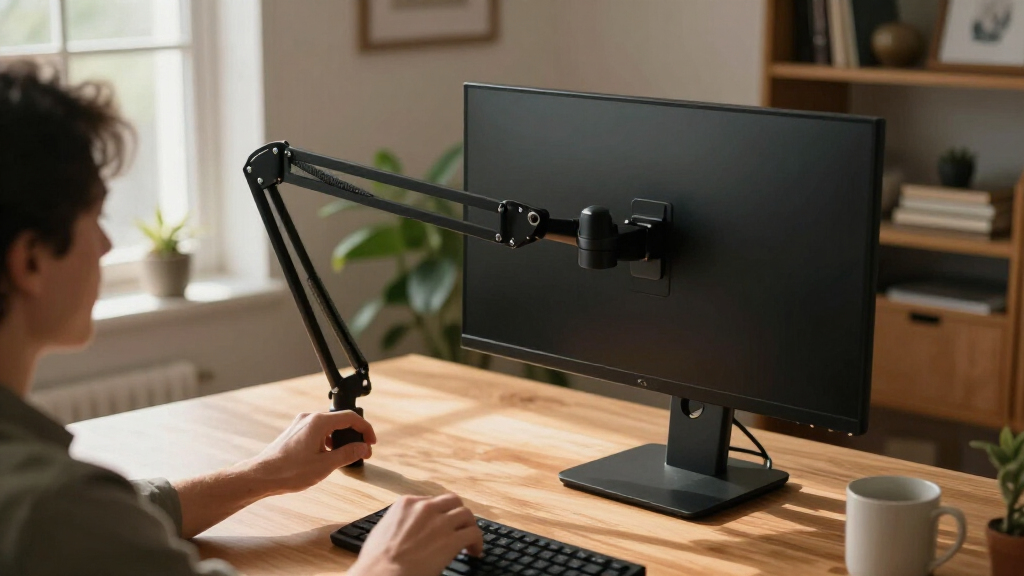
I ranked these ergonomic monitor arms around the practical job they need to do: let a buyer place a screen at a comfortable height and distance, adjust its angle, and keep it stable on a compatible desk. I compared single- and dual-monitor use, stated screen-size support, mounting approaches, arm style, and how clearly each model serves a particular desk setup. A broad size range can make an arm more versatile, but it is not a stand-in for checking monitor weight and VESA compatibility.
The order reflects fit and flexibility first, then how well each arm serves a distinct buyer. I gave the lead position to a strong general-purpose single-screen option, while dual arms and specialist models rank higher for readers whose needs match their strengths. I also accounted for setup tradeoffs: dual arms take more desk space and require balancing two displays, and feature-rich arms may be unnecessary for a fixed, simple workstation. Because individual fit depends on the monitor and desk, I treat each product’s stated compatibility as a starting point rather than a guarantee.
Factors to Consider When Choosing Ergonomic Monitor Arms
Choosing an arm is less about collecting adjustment features and more about avoiding a mismatch between the mount, screen, and desk. I would check the complete setup before choosing a model: the monitor’s mounting pattern and weight, the desk edge or grommet location, and the positions you actually want to reach.
Match the arm to the monitor’s weight and VESA pattern
Screen size is only a rough guide to compatibility: monitors of the same diagonal can differ in weight and mounting layout. Check the monitor manual for its weight without the stand and VESA pattern, then compare those details with the arm’s specifications. A screen that is too heavy can sag or be difficult to adjust, while an unsupported VESA pattern may need an adapter that changes the fit. Leave some margin rather than choosing a mount at its stated limit. This matters especially when switching to a heavier display later. A larger supported size range, like that stated for the BenQ ErgoArm BSL01, is useful only if the specific screen also meets the mount’s weight and attachment requirements.
Choose single or dual based on positioning, not screen count alone
A dual arm can clear space under two monitors, but it also asks you to manage two screens on one desk mount. If you use one display for most work and the other only occasionally, a single arm may give you simpler placement and leave room for a laptop or accessories. For two screens used together, check whether each arm can move independently enough to suit your preferred layout. A wide central gap, uneven screen sizes, or a curved display can complicate side-by-side positioning. Dual models in this lineup, including the ErGear and Acer options, are designed around different screen ranges, so confirm both displays fit rather than sizing the arm for only one.
Check your desk before choosing a clamp or grommet mount
The mount has to fit the desk as well as the monitor. Measure the thickness of the desk edge where a clamp would attach, check for a lip or frame underneath, and note whether a cable tray blocks access. A grommet base can be a cleaner choice if the desk has a suitable hole in a useful position, but drilling solely to install an arm may not be practical. Thin, glass, or fragile surfaces call for particular care; follow the desk maker’s guidance and the mount’s instructions. Also measure the space behind the desk, because a wall or partition can limit rearward arm movement. The MOUNTUP’s clamp-and-grommet mounting options make the attachment decision part of the buying process, not an afterthought.
Think through your actual reach and viewing positions
An arm is useful when it can put the screen where you need it, not simply when it offers many joints. Before buying, note whether the monitor needs to move between a centered work position and a side position, or whether you mainly need one height and tilt adjustment. Measure the desk depth and the distance from the mounting point to your seated viewing position. A wall close behind the desk may restrict extension, while a shallow desk can make a long reach unnecessary. Mechanical-spring and gas-spring designs can make repositioning easier, but frequent movement is only one reason to choose them. For a monitor that rarely moves, prioritize a stable fit and suitable range over motion you are unlikely to use.
Plan for installation, adjustment, and cable routing
Installation can involve holding a monitor while securing it, adjusting tension, and routing cables around moving joints. Check whether you can reach the mounting point and safely lift the screen into place, particularly for a large or heavy display. Tension controls may need adjustment to match the monitor, so a screen that droops or springs upward is not automatically a sign of a faulty arm; it can indicate an incorrect setup or incompatible load. Cable clips help keep a desk tidy, but leave enough slack for the arm to move without pulling connectors. If this is your first mount, a simpler setup may be easier to manage than a more elaborate dual arrangement. Keep the installation instructions accessible in case you need to rebalance the arm after changing monitors.
Pay for the range you will use
More adjustment and a wider compatibility range can be worthwhile when you regularly reposition a monitor, share a workstation, or expect to change screens. For a fixed home-office display, paying for movement you seldom use may add complexity without improving your daily setup. A premium single arm such as the Ergotron LX is a more natural match for buyers who value refined positioning, while a basic single option may better suit someone who just wants to lift one screen off the desk. Dual arms can replace two stands, but they also concentrate both monitors on one mounting point. Decide which problem you are solving—screen height, reach, desk clutter, or multi-monitor alignment—before paying for features that do not address it.
Frequently Asked Questions
How do I know whether a monitor arm will fit my monitor?
Check three details in the monitor’s manual or manufacturer specifications: its VESA mounting pattern, its weight without the original stand, and its screen size. Compare all three with the arm’s supported specifications; screen size alone cannot confirm compatibility. If you use a VESA adapter, check that it is suitable for both the monitor and mount, since it can affect clearance and load. For a dual arm, confirm that each screen fits individually and that the pair can be positioned as you need. When a specification is missing or close to the arm’s limit, seek confirmation from the manufacturer before buying.
Should I choose a gas-spring arm or a mechanical-spring arm?
The useful distinction is how you plan to reposition the screen, not the mechanism’s name by itself. Spring-assisted designs can make repeated height and reach changes easier, while a more fixed setup may not need frequent movement at all. The NB SmooVex is identified as a mechanical-spring arm, and several dual options in this roundup use gas springs; compare each model’s adjustment range and supported load rather than assuming one mechanism is better in every setup. Any spring arm needs to be matched and adjusted to the monitor’s weight. If the display stays in one place, stability and fit may matter more than how quickly it moves.
Can I mount an arm on a desk with a cable tray or a thick edge?
Possibly, but inspect the underside and back edge before choosing a clamp mount. A tray, crossbar, apron, or unusually thick desktop can block the clamp or prevent it from sitting flush. Measure the usable clamping area and compare it with the mount’s stated desk-thickness range. A grommet attachment may work when the desk already has a suitable opening, though its location must suit your screen placement. Do not force a clamp onto a surface it was not designed for; that can damage the desk or leave the mount unstable.
Is one dual-monitor arm a better choice than two single arms?
A dual arm can simplify the desk by securing both screens to one mounting point, which suits a planned side-by-side arrangement. Two single arms offer more choice over where each monitor attaches and can be easier to adapt when the screens differ in size or position. The tradeoff is that separate mounts require more attachment space, while a dual arm concentrates load and movement at one point. Check the total desk space, the weight of each screen, and how independently you need them to move. If you expect to add or replace a monitor, flexibility in the mounting layout may matter more than keeping both arms on one base.
What should I do if my screen droops or will not stay at the height I set?
Start by checking that the monitor’s weight falls within the arm’s supported range and that the arm is installed as instructed. Spring tension may need adjustment to match the display; consult the product manual and make changes gradually. Check that fasteners are secure and that the mount is attached to a suitable part of the desk. If the screen remains unstable after correct adjustment, stop using the arm and contact the manufacturer rather than adding improvised weight or forcing the joints. A mismatch between monitor load and arm capacity can make reliable positioning difficult even when the screen size appears compatible.
Conclusion
For most single-screen desks, I would start with the Ergotron LX as the best overall choice, while the HUANUO FlowLift Dual is my best fit for a two-monitor setup. Buyers seeking a premium arm for a larger display should compare their monitor’s weight and VESA pattern against the BenQ ErgoArm BSL01. For a straightforward first single-arm setup, the WALI Adjustable Single Monitor Arm is a sensible place to begin; for value-focused buyers, compare the simpler single-arm options, including the 5Rcom, against the adjustability you actually need. Gaming-focused desks can look at the ASUS ROG Ergo models, while the MOUNTUP dual mount is worth a closer look when choosing between clamp and grommet installation. My final check before choosing would be the monitor’s weight, VESA pattern, and desk clearance—those determine whether a promising arm is a workable match.
Fall Picks
fall essentials
As an affiliate, we earn on qualifying purchases.