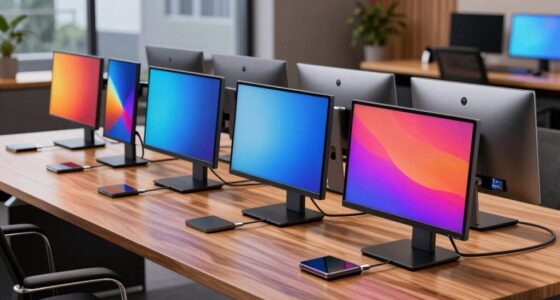
The best triple-screen portable monitors add workspace for multitasking, but they differ in screen size, resolution, mounting style, and setup demands. My best overall pick is the Prechen 16-Inch Triple-Screen Touchscreen Portable Monitor, which combines a roomier display size with touch input. The Mobile Pixels Trio 3 Pro stands out for its QHD resolution, while the GWSGUT 18.5-Inch is a larger-screen alternative for buyers who put viewing area ahead of compact travel. The main tradeoff is portability versus screen space, with laptop compatibility and cable requirements adding another layer to the choice. Read on for the full breakdown, selection criteria, and advice on matching a setup to your laptop and work style.

Get comfort and recovery gear delivered free with Prime
- Fast, free delivery on millions of items
- Prime Video, Amazon Music and more included
- Member-only deals all year
Complete the kit


Key Takeaways
Sixteen-inch models offer a useful middle ground: the Prechen touchscreen and the 1920 × 1200 XGBFH and 1200P AetherSpark provide more vertical room than standard 1080p options without moving up to an 18.5-inch setup.
Resolution changes the shortlist: the Mobile Pixels Trio 3 Pro is the only listed QHD model, while most alternatives use FHD or 1200p panels; sharpness and workspace needs may matter more than matching screen sizes.
The largest displays are not the easiest travel choices: the 18.5-inch GWSGUT and GAMKD prioritize screen area, while 14-inch models such as the Vixtan and Trio 3 Pro are better suited to tighter packing.
Not every triple-screen product has the same layout: the KYY X90G is described as a quad monitor, and the Wixzet is detachable, so buyers should check the actual screen count and mounting approach before ordering.
Laptop fit and connection planning separate convenient buys from frustrating ones: the APILDELLA lists support for 13–17.3-inch laptops, but buyers should still verify their own laptop dimensions, ports, operating system, and power needs.
| KYY X90G 15.6-Inch Portable Quad Monitor for Laptops |  | Best for Flexible Screen Positioning | Screen size: 15.6 inches | Resolution: 1920 × 1080 (Full HD) | Display: IPS LCD, matte finish | VIEW LATEST PRICE | See Our Full Breakdown |
| GWSGUT 18.5-Inch Portable Triple-Screen Monitor, 1080p |  | Best for Large Screens at a Fixed Workstation | Screen size: 18.5 inches | Resolution: 1920 × 1080 (Full HD) | Display: IPS LCD, matte finish | VIEW LATEST PRICE | See Our Full Breakdown |
| Wixzet 15.6-Inch Detachable Laptop Screen Extender |  | Best for Multiple Configurations | Screen size: 15.6 inches | Resolution: 1920 × 1080 (Full HD) | Display: IPS LCD, glossy finish | VIEW LATEST PRICE | See Our Full Breakdown |
| Prechen 16-Inch Triple-Screen Touchscreen Portable Monitor |  | Best for Touchscreen Interaction | Screen size: 16 inches | Resolution: 1920 × 1200 | Display: IPS LED, glossy finish | VIEW LATEST PRICE | See Our Full Breakdown |
| Vixtan 14-Inch Triple Laptop Screen Extender, FHD IPS Portable Monitor |  | Best Compact Travel Pick | Screen size: 14 inches | Resolution: 1920 × 1080 (Full HD) | Display: IPS LCD with anti-glare coating | VIEW LATEST PRICE | See Our Full Breakdown |
| XGBFH 16-Inch Triple Portable Monitor Extender, 1920 × 1200 IPS |  | Best for a Spacious 16:10 Workspace | Displays: Three 16-inch screens | Resolution: 1920 × 1200 per screen | Aspect ratio: 16:10 | VIEW LATEST PRICE | See Our Full Breakdown |
| Blackview DCM8 15.6-Inch Triple Laptop Screen Extender |  | Best for USB-C Power Sharing | Screen size: 15.6 inches | Resolution: 1920 × 1200 listed; product information contains a conflicting resolution entry | Aspect ratio: 16:10 | VIEW LATEST PRICE | See Our Full Breakdown |
| FOPO 15.6-Inch Portable Laptop Screen Extender, FHD 1080p IPS |  | Best for Flexible Connections | Screen size: 15.6 inches | Resolution: 1920 × 1080 | Aspect ratio: 16:9 | VIEW LATEST PRICE | See Our Full Breakdown |
| APILDELLA 15.6-Inch Triple Laptop Screen Extender, 1080p FHD Portable Monitors for 13–17.3-Inch Laptops |  | Best for HDR and Wide Color | Added displays: Two 15.6-inch screens | Resolution: 1920 × 1080 per display | Aspect ratio: 16:9 | VIEW LATEST PRICE | See Our Full Breakdown |
| AetherSpark 16-Inch 1200P Triple Portable Monitor Extender |  | Best for a Slim Aluminum Build | Displays: Two 16-inch added displays | Resolution: 1920 × 1200 per display | Aspect ratio: 16:10 | VIEW LATEST PRICE | See Our Full Breakdown |
| GAMKD 18.5-Inch 1080p Portable Triple Monitor |  | Best for a Large Single Portable Display | Screen size: 18.5 inches | Resolution: 1920 × 1080 | Display: IPS LCD, 60 Hz, matte finish | VIEW LATEST PRICE | See Our Full Breakdown |
| ZUMWALT P7 15.6-Inch FHD Laptop Screen Extender |  | Best for Lightweight Two-Screen Expansion | Display configuration: Two 15.6-inch displays | Resolution: 1920 × 1080 per display | Display: IPS LCD, 60 Hz, matte finish | VIEW LATEST PRICE | See Our Full Breakdown |
| Mobile Pixels Trio 3 Pro 14.1-Inch QHD Triple Portable Monitor |  | Best Premium Pick for Higher-Resolution Panels | Display configuration: Two 14.1-inch displays | Resolution: 2240 × 1400 per display | Aspect ratio: 16:10 | VIEW LATEST PRICE | See Our Full Breakdown |
| KYY X90D Triple Laptop Screen Extender, Dual 15.6-Inch 1080p Portable Monitors |  | Best for Flexible Screen Positioning | Display configuration: Two 15.6-inch displays | Resolution: 1920 × 1080 per screen | Display: IPS LCD, 60 Hz, matte finish | VIEW LATEST PRICE | See Our Full Breakdown |
| Portable Triple Laptop Screen Extender with Three 14-Inch IPS Displays |  | Best for Maximum Screen Count | Display configuration: Three 14-inch displays | Resolution: 1920 × 1200 per display | Aspect ratio: 16:10 | VIEW LATEST PRICE | See Our Full Breakdown |
| triple-screen portable monitor | Resolution | Connectivity | Brightness | Display |
|---|---|---|---|---|
| KYY X90G 15.6-Inch Portable Qu | 1920 × 1080 (Full HD) | USB-C full-function port and USB-C power-only port | 400 nits | IPS LCD, matte finish |
| GWSGUT 18.5-Inch Portable Trip | 1920 × 1080 (Full HD) | USB-A, USB-C, and mini HDMI | 300 cd/m² | IPS LCD, matte finish |
| Wixzet 15.6-Inch Detachable La | 1920 × 1080 (Full HD) | HDMI, USB-A, USB-C, and Thunderbolt | 300 nits | IPS LCD, glossy finish |
| Prechen 16-Inch Triple-Screen | 1920 × 1200 | — | 350 cd | IPS LED, glossy finish |
| Vixtan 14-Inch Triple Laptop S | 1920 × 1080 (Full HD) | USB-C, USB-C to USB-A, and HDMI | 300 nits | IPS LCD with anti-glare coating |
| XGBFH 16-Inch Triple Portable | 1920 × 1200 per screen | HDMI, USB-A, USB-C; three HDMI ports | — | — |
| Blackview DCM8 15.6-Inch Tripl | 1920 × 1200 listed; product information contains a conflicting resolution entry | Two full-featured USB-C ports and one PD USB-C port; HDMI and USB-A also appear in product information | 300 nits | — |
| FOPO 15.6-Inch Portable Laptop | 1920 × 1080 | USB-C, USB-A, DisplayPort, HDMI, mini HDMI | — | — |
| APILDELLA 15.6-Inch Triple Lap | 1920 × 1080 per display | HDMI and USB-C; two video connections required | — | — |
| AetherSpark 16-Inch 1200P Trip | 1920 × 1200 per display | USB-C and HDMI; two cables required for full-featured USB-C operation | 350 nits | — |
| GAMKD 18.5-Inch 1080p Portable | 1920 × 1080 | USB-A, USB-C, HDMI | 350 cd/m² | IPS LCD, 60 Hz, matte finish |
| ZUMWALT P7 15.6-Inch FHD Lapto | 1920 × 1080 per display | USB-C; some devices require H5-T, HDMI, USB-A, and external power | 280 cd/m² | IPS LCD, 60 Hz, matte finish |
| Mobile Pixels Trio 3 Pro 14.1- | 2240 × 1400 per display | USB-C; two USB ports | 300 nits | Matte IPS LCD, 60 Hz |
| KYY X90D Triple Laptop Screen | 1920 × 1080 per screen | USB-A, USB-C 3.1 video output, USB-C power delivery | 300 cd | IPS LCD, 60 Hz, matte finish |
| Portable Triple Laptop Screen | 1920 × 1200 per display | — | 300 cd | IPS LCD, 60 Hz, matte finish |
More Details on Our Top Picks
KYY X90G 15.6-Inch Portable Quad Monitor for Laptops
The KYY X90G suits buyers who value adjustable positioning over the lightest travel setup. Its built-in aluminum stand avoids relying on a laptop clip, while the upper screen tilts up to 90 degrees and rotates automatically. That gives it a different kind of flexibility from the Wixzet, whose detachable design supports more configurations but weighs 5 pounds. The KYY is heavier still at 2.8 kg, so it makes more sense for a regular workstation that moves occasionally than for daily commuting. Its 15.6-inch matte Full HD IPS panel and 400-nit brightness offer practical visibility for documents and multitasking. The tradeoff is setup: a driver is required, including for Android, and the listing calls this a quad monitor rather than clearly specifying a standard three-screen arrangement. Buyers should confirm the screen configuration and laptop compatibility before choosing it.
Pros:- Built-in aluminum stand does not depend on clip-on laptop mounting.
- Upper screen adjusts up to 90 degrees and supports automatic rotation.
- 15.6-inch Full HD IPS display has a matte finish and 400-nit brightness.
- USB-C full-function connection supports video and power delivery.
Cons:- At 2.8 kg, it is heavy for a portable laptop accessory.
- Driver installation is required, including for Android compatibility.
- The product is described as a quad monitor, so buyers should verify its screen arrangement for a triple-screen setup.
Best for: Laptop owners who want a freestanding, adjustable multi-screen setup for a home office or occasional travel and can handle driver installation.
Not ideal for: Frequent commuters seeking a lightweight triple-screen extender, or buyers who need a clearly specified three-screen configuration without checking the product details.
- Screen size:15.6 inches
- Resolution:1920 × 1080 (Full HD)
- Display:IPS LCD, matte finish
- Brightness:400 nits
- Refresh rate:60 Hz
- Weight:2.8 kg
- Connectivity:USB-C full-function port and USB-C power-only port
- Stand and adjustment:Built-in aluminum stand; upper screen adjusts up to 90 degrees with automatic rotation
- Compatibility:12–17.3-inch laptops; macOS, Windows, Linux, and Android (driver required)
Our verdict“Choose the KYY X90G if an adjustable freestanding design matters more than low carry weight and you have confirmed its screen layout fits your setup.”
GWSGUT 18.5-Inch Portable Triple-Screen Monitor, 1080p
The GWSGUT is the pick for buyers who want unusually large panels across a portable triple-screen setup and can accept a substantial carry load. Its 18.5-inch Full HD IPS displays give documents and side-by-side windows more room than the 15.6-inch KYY X90G, while the 120% sRGB gamut is a stronger fit for color-rich work than a basic productivity display. The foldable design, adjustable stand, and VESA mounting add useful placement options, though its 8.4-pound weight makes “portable” more suitable for moving between rooms than commuting. Unlike the simpler, lighter Vixtan, it also needs a power adapter in addition to a USB connection. That extra setup and its 300 cd/m² brightness make it less appealing for bright locations, but a compelling choice for a roomy desk setup that occasionally travels.
Pros:- Three 18.5-inch Full HD IPS screens provide more workspace than 15.6-inch alternatives.
- 120% sRGB color gamut suits color-rich visual work.
- Adjustable stand and VESA 75 × 75 mm mounting support flexible placement.
- USB-A, USB-C, and mini HDMI connections provide multiple hookup options.
Cons:- At 8.4 pounds, it is cumbersome for regular commuting.
- Requires a separate power adapter alongside the USB connection.
- 300 cd/m² brightness may be limiting in bright environments.
Best for: Remote workers and presenters who want large, color-capable screens for a desk or occasional transport and have space for the power adapter.
Not ideal for: Daily commuters, users with smaller laptops, or anyone prioritizing a light setup with minimal cables.
- Screen size:18.5 inches
- Resolution:1920 × 1080 (Full HD)
- Display:IPS LCD, matte finish
- Brightness:300 cd/m²
- Color gamut:120% sRGB
- Refresh rate:60 Hz
- Weight:8.4 pounds
- Connectivity:USB-A, USB-C, and mini HDMI
- Mounting:Built-in adjustable stand; VESA 75 × 75 mm
Our verdict“Pick the GWSGUT if larger screens and flexible mounting matter more than a light, single-cable travel setup.”
Wixzet 15.6-Inch Detachable Laptop Screen Extender
The Wixzet stands out for buyers who do not want to commit to one fixed screen arrangement. Its detachable design supports dual-screen, triple-screen, and standalone monitor use, giving it more setup flexibility than the Vixtan, which is a simpler attached extender. The screen also folds up to 235 degrees and rotates 90 degrees, so it can adapt to different desk positions. A 15.6-inch Full HD IPS panel with 120% sRGB and HDR support adds useful color range, though the glossy finish can be less forgiving around windows and overhead lights than the matte GWSGUT. The listed total weight is 5 pounds, so its flexibility comes with a real travel penalty. Buyers also need to check that a USB-C port supports video and power delivery; HDMI setups require a separate USB-A-to-USB-C power connection.
Pros:- Detachable design supports dual-screen, triple-screen, and standalone configurations.
- 15.6-inch Full HD IPS display offers HDR and 120% sRGB color gamut.
- Folds up to 235 degrees and rotates 90 degrees for flexible positioning.
- Supports Windows, macOS, ChromeOS, Linux, Android, and DeX.
Cons:- Listed total weight of 5 pounds is substantial for a laptop accessory.
- Glossy finish can reflect ambient light.
- HDMI setup needs separate USB power, and USB-C requires video and power delivery support.
Best for: Laptop users who want to switch between attached triple-screen, dual-screen, and standalone monitor arrangements across different workspaces.
Not ideal for: Commuters seeking the lightest extender, or users who work under strong lighting and prefer a matte screen.
- Screen size:15.6 inches
- Resolution:1920 × 1080 (Full HD)
- Display:IPS LCD, glossy finish
- Brightness:300 nits
- Color gamut:120% sRGB
- Refresh rate:60 Hz
- Weight:5 pounds
- Connectivity:HDMI, USB-A, USB-C, and Thunderbolt
- Configurations:Detachable dual-screen, triple-screen, and standalone monitor modes
Our verdict“Choose the Wixzet if configuration flexibility is your priority and you are willing to carry extra weight and manage connection requirements.”
Prechen 16-Inch Triple-Screen Touchscreen Portable Monitor
The Prechen is the clearest choice here for buyers who want to interact directly with a screen, thanks to its 10-point capacitive touchscreen. That gives it a different role from the Wixzet, whose appeal is detachable configurations rather than touch input. Its 16-inch, 1920 × 1200 IPS panel provides more vertical workspace than a standard 16:9 Full HD screen, useful for reading and document work, and the folding stand helps set a comfortable viewing angle. There is a significant naming caveat: despite the triple-screen title, the listing describes two independent displays. I would not choose it as a confirmed triple-screen solution without verifying the actual panel count. Touch also requires a USB connection, and DisplayLink driver installation may be needed, so it is less plug-and-play than the Vixtan.
Pros:- 10-point capacitive touch supports gestures such as tap, swipe, and zoom.
- 1920 × 1200 resolution provides more vertical workspace than standard Full HD.
- IPS panel has 178-degree viewing angles.
- Adjustable folding stand supports flexible viewing angles.
Cons:- Listing describes two independent displays despite the triple-screen product title.
- Touch control requires a USB connection.
- DisplayLink driver installation may be required, and USB-C needs video support for single-cable use.
Best for: Buyers who value touchscreen controls and a taller-than-Full-HD panel for compatible laptop workflows, after verifying the display count.
Not ideal for: Anyone who specifically needs three confirmed independent screens, or users who want touch and display functions without extra USB connections or possible driver setup.
- Screen size:16 inches
- Resolution:1920 × 1200
- Display:IPS LED, glossy finish
- Touch:10-point capacitive
- Brightness:350 cd
- Refresh rate:60 Hz
- Connections:USB-C and HDMI
- Stand:Adjustable folding stand
- Driver:DisplayLink driver installation may be required
Our verdict“Consider the Prechen for touchscreen productivity only if two displays meet your needs or the seller confirms a three-screen configuration.”
Vixtan 14-Inch Triple Laptop Screen Extender, FHD IPS Portable Monitor
The Vixtan is the most travel-minded option in this group: its 14-inch screen, 3-pound weight, and 0.3-inch thickness make it easier to pack than the 18.5-inch GWSGUT or the 5-pound Wixzet. It offers a straightforward Full HD IPS display with 178-degree viewing angles, plus portrait, mirrored, and extended modes for everyday laptop tasks. The 180-degree rotating stand adds useful positioning without the detachable parts of the Wixzet. Its main limitation is platform support: M1, M2, and M3 MacBooks support only one screen unless paired with a DisplayLink adapter, which weakens its value for those Mac users seeking a true triple-screen setup. A separate power adapter may also be needed if flickering or low brightness occurs, so the included cables do not guarantee every setup will be cable-light.
Pros:- At 3 pounds and 0.3 inches thick, it is more travel-friendly than larger alternatives.
- 14-inch Full HD IPS screen offers 178-degree viewing angles.
- Stand supports multi-level height adjustment and 180-degree horizontal rotation.
- Includes USB-C and HDMI cables and does not require drivers for supported setups.
Cons:- M1, M2, and M3 MacBooks support only one screen without a DisplayLink adapter.
- A separate 5V/3A or higher power adapter may be needed to address flickering or low brightness.
- Its 14-inch display is smaller than the 15.6-inch Wixzet and 18.5-inch GWSGUT panels.
Best for: Frequent travelers with compatible Windows or other supported laptops who want a relatively compact extender with adjustable positioning.
Not ideal for: M1, M2, and M3 MacBook owners who need multiple extended screens without a DisplayLink adapter, or buyers who cannot accommodate possible extra power.
- Screen size:14 inches
- Resolution:1920 × 1080 (Full HD)
- Display:IPS LCD with anti-glare coating
- Brightness:300 nits
- Refresh rate:60 Hz
- Weight:3.0 pounds
- Thickness:0.3 inches
- Connectivity:USB-C, USB-C to USB-A, and HDMI
- Stand:Multi-level height adjustment and 180-degree horizontal rotation
Our verdict“Choose the Vixtan for a compact travel setup if your laptop supports multiple external screens and you can manage possible extra power needs.”
XGBFH 16-Inch Triple Portable Monitor Extender, 1920 × 1200 IPS
The XGBFH stands out for buyers who want three full 16-inch displays without giving up vertical workspace: its 1920 × 1200 resolution and 16:10 format leave more room for documents and timelines than the FOPO’s 15.6-inch 1080p screen. 100% sRGB coverage and matte panels also suit color-aware office work better than a basic productivity-only setup. Its aluminum stand offers three height settings, while the side screens rotate 360 degrees, giving this model more positioning flexibility than the fixed-feeling travel setups many extenders require. The tradeoff is a relatively demanding connection setup: single-cable USB-C requires DisplayPort or Thunderbolt support, and some compatible devices need a driver. At 45 W power consumption, it is also less appealing for laptop-only use away from an outlet. I’d choose it for desk-to-desk productivity, not the lightest travel kit.
Pros:- Three 16-inch IPS screens provide a broad workspace with 1920 × 1200 resolution.
- 16:10 panels offer more vertical room than the FOPO’s 16:9 1080p display.
- Matte finish and 100% sRGB coverage suit long work sessions and color-conscious tasks.
- Adjustable-height aluminum stand and 360-degree rotating side screens offer flexible positioning.
Cons:- Single-cable USB-C operation requires a full-function port with DisplayPort or Thunderbolt.
- A driver is required on compatible devices for setup.
- 45 W power consumption can make outlet access more relevant during extended use.
Best for: Remote professionals who regularly work across documents, spreadsheets, and timelines and have a compatible laptop with full-function USB-C or Thunderbolt.
Not ideal for: Travelers prioritizing the lightest setup, or laptop owners without DisplayPort-capable USB-C who want a simple plug-in installation.
- Displays:Three 16-inch screens
- Resolution:1920 × 1200 per screen
- Aspect ratio:16:10
- Panel and finish:IPS, matte
- Color coverage:100% sRGB
- Refresh rate:60 Hz
- Connectivity:HDMI, USB-A, USB-C; three HDMI ports
- Stand and adjustment:Built-in aluminum stand with three height settings; side screens rotate 360 degrees
Our verdict“Choose the XGBFH if screen area, 16:10 workspace, and adjustable positioning matter more than a low-power, plug-and-play travel setup.”
Blackview DCM8 15.6-Inch Triple Laptop Screen Extender
The Blackview DCM8 is the standout choice here for a USB-C-centered setup: up to 100W reverse charging can help keep a compatible laptop powered while the screens are connected, a practical advantage over the XGBFH, whose listed specs emphasize display area and adjustment rather than power sharing. Its 15.6-inch, 1920 × 1200 IPS panel keeps the useful 16:10 format, and the included mount, kickstand, cables, and protective case make the package travel-ready. The listed 100% sRGB gamut is a plus for color-aware work, though the 300-nit brightness is less suited to bright surroundings than the XGBFH’s stated 350. Buyers should also treat the specifications cautiously: the supplied product information conflicts on resolution and weight, and its port details are not fully consistent. I’d pick it for portability and charging, but verify the exact configuration before buying.
Pros:- 15.6-inch IPS display uses a 1920 × 1200, 16:10 format.
- Supports up to 100W reverse charging on compatible setups.
- Slim aluminum-alloy construction includes an adjustable mount and built-in kickstand.
- Protective case and cables are included, with broad operating-system compatibility listed.
Cons:- Provided product information conflicts on resolution and stated weight.
- Port listings vary between the description and product information, so buyers should confirm the exact connection options.
- Listed 300-nit brightness is lower than the XGBFH’s stated 350 nits.
Best for: Mobile professionals with compatible USB-C laptops who want a slim extender, bundled protection, and potential reverse charging from the monitor.
Not ideal for: Buyers who need fully consistent published specifications or a high-brightness display for bright rooms and outdoor work.
- Screen size:15.6 inches
- Resolution:1920 × 1200 listed; product information contains a conflicting resolution entry
- Aspect ratio:16:10
- Panel:IPS LED
- Brightness:300 nits
- Color gamut:100% sRGB
- Connectivity:Two full-featured USB-C ports and one PD USB-C port; HDMI and USB-A also appear in product information
- Reverse charging:Up to 100W
- Included accessories:Cables and protective case
Our verdict“Pick the DCM8 if USB-C power sharing and a slim, case-equipped setup matter more than having fully settled specifications.”
FOPO 15.6-Inch Portable Laptop Screen Extender, FHD 1080p IPS
The FOPO makes the most sense for buyers who value connection flexibility and a ready-to-carry bundle more than extra resolution. Its 15.6-inch 1080p IPS screen can connect through USB-C or USB-A, and the supplied cables, power adapter, and carry bag reduce the need to assemble a setup from separate parts. Compared with the XGBFH’s 16-inch 1920 × 1200 displays, the FOPO gives up vertical pixels and listed color coverage, but its 0–360-degree rotation and stated support for a quad-monitor setup offer a different kind of flexibility. That extra-monitor use requires a PD power supply, and compatibility is narrower: Microsoft Surface devices and Chromebooks are explicitly excluded. I’d choose it for a supported Windows or macOS laptop when simple port options matter, but not for buyers seeking a high-resolution triple-display solution across a wide range of devices.
Pros:- USB-C and USB-A connectivity provide options for compatible laptops with different ports.
- IPS panel offers a 178-degree viewing angle.
- Screen rotation adjusts through 0–360 degrees.
- Includes a carry bag, cables, power adapter, and 30W PD supply.
Cons:- 1080p resolution and 72% NTSC gamut are less suited to detail-heavy or color-sensitive work than the XGBFH’s listed display.
- Not compatible with Microsoft Surface series or Chromebooks.
- Quad-monitor use requires a PD power supply.
Best for: Owners of supported Windows or macOS laptops who want a 15.6-inch 1080p extender with USB-A fallback and the essential cables included.
Not ideal for: Chromebook or Microsoft Surface owners, or buyers who need the XGBFH’s 1920 × 1200 resolution and 100% sRGB coverage.
- Screen size:15.6 inches
- Resolution:1920 × 1080
- Aspect ratio:16:9
- Panel:IPS LCD
- Refresh rate:60 Hz
- Color gamut:72% NTSC
- Connectivity:USB-C, USB-A, DisplayPort, HDMI, mini HDMI
- Rotation:0–360 degrees
- Compatibility:Supported Windows 10 or later and macOS 2019 or later laptops, 13.6–17.3 inches; not Surface or Chromebook
Our verdict“Choose the FOPO if your supported laptop benefits from USB-A flexibility and a complete accessory bundle, rather than higher-resolution panels.”
APILDELLA 15.6-Inch Triple Laptop Screen Extender, 1080p FHD Portable Monitors for 13–17.3-Inch Laptops
For buyers who prioritize color features over a 16:10 work area, APILDELLA is the most distinctive fit in this group: its two added 15.6-inch FHD displays list HDR support and a 120% sRGB gamut. That gives it a stronger color-focused pitch than the FOPO, whose 15.6-inch screen is listed at 72% NTSC, while the XGBFH remains the better match for extra vertical workspace at 1920 × 1200. APILDELLA’s glossy finish may make reflections more noticeable, and its two-cable connection requires video-capable USB-C and/or HDMI ports. MacBook owners using M1–M4 models also need the specified H5-T adapter. Its aluminum-alloy build is listed at just 0.16 inches thick, but the complete unit still weighs 4 pounds. This is a specialist pick for compatible setups, not the simplest all-laptop option.
Pros:- Adds two 15.6-inch FHD displays with HDR support.
- Listed 120% sRGB color gamut gives it a stronger color-focused spec than the FOPO.
- Folds from 0 to 180 degrees and includes a rear support bracket.
- Thin aluminum-alloy construction comes with a travel bag, cables, and power adapter.
Cons:- Glossy screens can show reflections in bright rooms.
- Requires two video-capable connections: compatible USB-C with DisplayPort and/or HDMI.
- M1–M4 MacBooks require an additional H5-T adapter, and the complete unit weighs 4 pounds.
Best for: Owners of compatible 13–17.3-inch laptops who want two added FHD screens with HDR support and a wide stated color gamut.
Not ideal for: M1–M4 MacBook owners unwilling to add the required H5-T adapter, or users who prefer matte screens and one-cable connections.
- Added displays:Two 15.6-inch screens
- Resolution:1920 × 1080 per display
- Aspect ratio:16:9
- Display features:HDR supported; 120% sRGB listed
- Refresh rate:60 Hz
- Screen finish:Glossy
- Connectivity:HDMI and USB-C; two video connections required
- Laptop compatibility:13–17.3-inch laptops; M1–M4 MacBooks require H5-T adapter
- Weight and thickness:4 lb; 0.16 inches thick
Our verdict“Choose APILDELLA for HDR and wide-gamut claims on a compatible laptop, provided you can accommodate its glossy panels and connection requirements.”
AetherSpark 16-Inch 1200P Triple Portable Monitor Extender
The AetherSpark suits buyers who want a thin aluminum frame and two large 16-inch side displays in a travel-oriented form. Its 1920 × 1200 IPS panels use a 16:10 format, matching the XGBFH’s resolution and screen size while listing a brighter 350 nits than the Blackview DCM8’s 300. It also supports mirror, extend, and presentation modes, so the screens can serve different meeting and work setups. The tradeoff is in the connection and carry routine: the unit weighs 4.4 pounds, and full-featured USB-C operation requires two cables. Its glossy finish may also be less comfortable under direct light than the XGBFH’s matte screens. I’d favor AetherSpark for a slim aluminum design and flexible display modes, but the XGBFH is the more adjustable choice and the lighter overall setup may depend on the rest of your kit.
Pros:- Two 16-inch IPS displays provide 1920 × 1200 resolution in a 16:10 format.
- Listed brightness is 350 nits, matching the XGBFH’s stated figure and exceeding the Blackview’s 300 nits.
- Mirror, extend, and presentation modes support varied work and meeting needs.
- 0.25-inch aluminum-alloy frame is designed for a slim travel profile.
Cons:- The 4.4-pound unit adds substantial weight to a portable workstation.
- Full-featured USB-C operation requires two cables.
- Glossy screens can be more reflective than the XGBFH’s matte displays.
Best for: Laptop users who want two 16-inch 16:10 IPS displays, presentation modes, and a thin aluminum frame for occasional travel.
Not ideal for: Frequent travelers trying to minimize bag weight, or users who need matte screens and a single-cable USB-C setup.
- Displays:Two 16-inch added displays
- Resolution:1920 × 1200 per display
- Aspect ratio:16:10
- Panel:IPS
- Brightness:350 nits
- Refresh rate:60 Hz
- Connectivity:USB-C and HDMI; two cables required for full-featured USB-C operation
- Modes:Mirror, extend, presentation
- Weight and thickness:4.4 lb; 0.25 inches thick
Our verdict“Pick AetherSpark if a slim aluminum frame and multiple display modes matter more than low carry weight or matte panels.”
GAMKD 18.5-Inch 1080p Portable Triple Monitor
The GAMKD takes a different approach from laptop-mounted extenders such as the ZUMWALT P7: it offers one roomy 18.5-inch screen rather than two side panels that flank your laptop. That makes it a better fit for presenting one large document or adding a substantial workspace beside a laptop, but it does not create the same three-screen laptop layout. Its matte 1080p IPS panel, 350 cd/m² brightness, and 120% sRGB gamut give it a strong spec sheet for desk work, while USB-A, USB-C, and HDMI broaden connection options. The foldable design, built-in stand, and VESA support add flexibility that the attachable Mobile Pixels Trio 3 Pro does not emphasize. The tradeoff is portability: at 8.5 pounds, it is much heavier, and the listing says a driver is required.
Pros:- Large 18.5-inch matte IPS display with 1920 × 1080 resolution
- 120% sRGB color gamut and 350 cd/m² brightness
- USB-A, USB-C, and HDMI connectivity
- Foldable design, adjustable stand, and VESA mounting support
Cons:- At 8.5 pounds, it is heavier than the laptop-mounted extenders in this group
- The listing says a driver is required, which may add setup steps
- Provides one separate monitor rather than two attachable side displays
Best for: Laptop users who want one large, independently positioned portable screen for desk work, presentations, or occasional travel.
Not ideal for: Frequent travelers seeking a light laptop-mounted triple-screen setup, or buyers who specifically need two extra displays attached to their laptop.
- Screen size:18.5 inches
- Resolution:1920 × 1080
- Display:IPS LCD, 60 Hz, matte finish
- Brightness:350 cd/m²
- Color gamut:120% sRGB
- Connectivity:USB-A, USB-C, HDMI
- Weight:8.5 pounds
- Mounting:Built-in adjustable stand; VESA 75 × 75 mm
Our verdict“Choose the GAMKD if screen size and flexible placement matter more than carrying weight or a laptop-attached triple-screen layout.”
ZUMWALT P7 15.6-Inch FHD Laptop Screen Extender
At 4 pounds, the ZUMWALT P7 is among the more carry-friendly ways here to add two displays to a laptop, with a bag included for packing the unit and its cables. Its pair of 15.6-inch 1080p IPS screens gives more panel area than the smaller 14.1-inch displays on the Mobile Pixels Trio 3 Pro, though the Trio offers higher resolution and 65W pass-through charging. The P7’s 178-degree viewing angle and matte finish suit shared viewing and office work; portrait mode also helps when reading long pages. Compatibility is the main catch: the listed laptop range is 13–17.3 inches, and the connection setup can vary by device. Some laptops need an extra H5-T cable, external power, and driver installation, so it is less plug-and-go than the Trio’s driver-free setup on compatible systems.
Pros:- Adds two 15.6-inch Full HD IPS displays to a compatible laptop
- Matte screens and 178-degree viewing angle support comfortable shared viewing
- Four-pound weight and included carrying bag aid portability
- Supports landscape, portrait, extension, and mirror use
Cons:- Some devices require an additional cable, external power, and driver installation
- The stated laptop compatibility range is 13–17.3 inches
- 280 cd/m² brightness is lower than the GAMKD’s listed 350 cd/m²
Best for: Laptop owners with a 13–17.3-inch device who want two sizable external displays and a carrying bag for commuting or occasional travel.
Not ideal for: Buyers who want the simplest USB-C setup, higher-resolution panels, or a guaranteed driver-free experience across their devices.
- Display configuration:Two 15.6-inch displays
- Resolution:1920 × 1080 per display
- Display:IPS LCD, 60 Hz, matte finish
- Brightness:280 cd/m²
- Laptop compatibility:13–17.3-inch laptops
- Connectivity:USB-C; some devices require H5-T, HDMI, USB-A, and external power
- Weight:4 pounds (1.8 kg)
- Included accessories:Cables, power adapter, carrying bag
Our verdict“Pick the P7 if you want two large Full HD side screens in a comparatively light package and can confirm your laptop’s connection needs.”
Mobile Pixels Trio 3 Pro 14.1-Inch QHD Triple Portable Monitor
The Trio 3 Pro earns its premium role with two 14.1-inch 2240 × 1400 displays, giving it sharper, taller panels than the 1080p screens on the KYY X90D and ZUMWALT P7. That extra resolution can make dense spreadsheets, code, and documents easier to arrange without giving up as much clarity. Its 65W USB-C pass-through charging can also reduce cable clutter when a compatible laptop supports the required connection. The built-in kickstand and protective cover help it function as a portable unit, while landscape, portrait, collaboration, and presentation modes suit varied work. Compared with the P7’s larger 15.6-inch screens, the Trio prioritizes resolution and charging convenience over panel size. It still adds 4.2 pounds to a laptop bag and depends on compatible USB-C, so it is not the pick for every laptop.
Pros:- Two 14.1-inch displays with 2240 × 1400 resolution and a 16:10 aspect ratio
- 65W USB-C pass-through charging can reduce laptop cable clutter
- Four viewing modes support solo work and collaboration
- Works with macOS and Windows without drivers
Cons:- The unit weighs 4.2 pounds, adding a noticeable load to a portable setup
- Requires a compatible laptop and USB-C connection
- Its 14.1-inch panels are smaller than the ZUMWALT P7’s 15.6-inch displays
Best for: Professionals who work with dense documents or code and have a compatible Windows or macOS laptop with USB-C.
Not ideal for: Laptop owners without compatible USB-C connectivity, or travelers who prioritize the lowest possible carry weight over resolution and charging features.
- Display configuration:Two 14.1-inch displays
- Resolution:2240 × 1400 per display
- Aspect ratio:16:10
- Display:Matte IPS LCD, 60 Hz
- Brightness:300 nits
- Connectivity:USB-C; two USB ports
- Pass-through charging:65 W
- Weight:4.2 pounds
- Compatibility:macOS and Windows
Our verdict“Choose the Trio 3 Pro if sharper panels and USB-C pass-through charging matter more to your workflow than the larger screens on the P7.”
KYY X90D Triple Laptop Screen Extender, Dual 15.6-Inch 1080p Portable Monitors
The X90D’s strongest distinction is adjustability: its two 15.6-inch screens rotate up to 360°, and the built-in stand adjusts up to 90°. That makes it more adaptable for portrait reading or arranging panels for a shared view than the fixed-style layout of the ZUMWALT P7. Both provide two Full HD IPS displays, but the KYY also lists USB-A and USB-C options and broader operating-system compatibility, including Chrome OS, Android, and Linux. Its 300 cd brightness and matte finish suit everyday work, though the 1080p resolution is less detailed than the QHD panels on the Mobile Pixels Trio 3 Pro. Setup is less straightforward: drivers must be downloaded, and the single-cable arrangement only applies to some setups. It is also explicitly not a console monitor for PS5 or Xbox Series X.
Pros:- Two 15.6-inch Full HD IPS displays provide a broad workspace
- Screens rotate from 0° to 360° for portrait or landscape positioning
- Built-in stand adjusts up to 90°
- Supports USB-A and USB-C across several operating systems
Cons:- Drivers must be downloaded before use
- Single USB-C cable operation is limited to some setups
- Not compatible with PS5, Xbox Series X, or other gaming consoles
Best for: Laptop users who frequently switch between portrait and landscape work or need to angle screens for side-by-side collaboration.
Not ideal for: Buyers who want driver-free setup, QHD-level detail, or an extender for PS5 or Xbox Series X.
- Display configuration:Two 15.6-inch displays
- Resolution:1920 × 1080 per screen
- Display:IPS LCD, 60 Hz, matte finish
- Brightness:300 cd
- Connectivity:USB-A, USB-C 3.1 video output, USB-C power delivery
- Screen rotation:0° to 360°
- Stand adjustment:Up to 90°
- Compatible operating systems:Windows, macOS, Chrome OS, Android, Linux
Our verdict“Pick the X90D if screen rotation and stand adjustment are priorities and you are comfortable installing drivers.”
Portable Triple Laptop Screen Extender with Three 14-Inch IPS Displays
Unlike the other laptop-mounted models in this group, this extender adds three 14-inch displays to a laptop rather than two. That gives it the largest panel count here, with 1920 × 1200 resolution and a 16:10 shape on each screen; the extra vertical space can help with documents and long timelines. Its foldable design and 360° rotating side panels allow different arrangements, while USB-C, HDMI, and USB connection configurations provide alternatives when a laptop lacks one preferred port. Compared with the Mobile Pixels Trio 3 Pro, it offers an additional display but gives up the Trio’s driver-free operation and 65W pass-through charging. The setup demands more care: drivers are required, and a single USB-C connection depends on DP Alt Mode. Its 85-degree viewing-angle specification is also narrower than the wide-angle claims on the ZUMWALT P7 and KYY X90D.
Pros:- Adds three 14-inch IPS displays to a compatible laptop
- 1920 × 1200 resolution and 16:10 aspect ratio provide added vertical workspace
- Foldable body and 360° rotating side screens allow flexible positioning
- Includes cables, a 35W power adapter, and a driver USB drive
Cons:- Driver installation is required
- Single USB-C connection requires DP Alt Mode
- The listed viewing angle is 85 degrees, narrower than those specified for the P7 and X90D
Best for: Multitaskers with a compatible 11–17-inch Windows laptop or supported MacBook who want three added displays for simultaneous apps.
Not ideal for: Buyers who want a simple driver-free setup, a wide viewing-angle specification, or a lightweight, compact laptop attachment.
- Display configuration:Three 14-inch displays
- Resolution:1920 × 1200 per display
- Aspect ratio:16:10
- Display:IPS LCD, 60 Hz, matte finish
- Brightness:300 cd
- Laptop compatibility:11–17-inch laptops
- Connection modes:USB-C with DP Alt Mode; USB-C + HDMI; USB-A + HDMI
- Design:Foldable with 360° rotating side screens
- Warranty:1 year
Our verdict“Choose this extender when three added panels matter more than simple setup or the Trio 3 Pro’s pass-through charging.”

How We Picked
I compared these 15 options through the needs specific to a triple-screen portable setup: usable screen area, resolution, portability, attachment or stand design, and stated laptop compatibility. I also looked at how features such as touch input, detachable panels, and a higher-resolution display might change day-to-day use rather than treating every extra as an automatic advantage. Because the supplied product details do not establish verified performance, battery behavior, or complete connection requirements, I avoid claims about those points and encourage buyers to confirm them with the manufacturer.
The ranking gives priority to a balanced setup: useful screen dimensions, clear differentiation, and a form factor that can make sense for mobile work. Distinctive options such as QHD, touch input, and detachable construction earn attention when they serve a clear buyer need, while larger displays rank as better fits for stationary use than frequent travel. I also flag unusual naming and screen-count descriptions, since a product advertised as a quad monitor or a detachable extender may not match what a shopper expects from a conventional triple-screen rig.
| triple-screen portable monitor | Display |
|---|---|
| KYY X90G 15.6-Inch Portable Qu | IPS LCD, matte finish |
| GWSGUT 18.5-Inch Portable Trip | IPS LCD, matte finish |
| Wixzet 15.6-Inch Detachable La | IPS LCD, glossy finish |
| Prechen 16-Inch Triple-Screen | IPS LED, glossy finish |
| Vixtan 14-Inch Triple Laptop S | IPS LCD with anti-glare coating |
| XGBFH 16-Inch Triple Portable | — |
| Blackview DCM8 15.6-Inch Tripl | — |
| FOPO 15.6-Inch Portable Laptop | — |
| APILDELLA 15.6-Inch Triple Lap | — |
| AetherSpark 16-Inch 1200P Trip | — |
| GAMKD 18.5-Inch 1080p Portable | IPS LCD, 60 Hz, matte finish |
| ZUMWALT P7 15.6-Inch FHD Lapto | IPS LCD, 60 Hz, matte finish |
| Mobile Pixels Trio 3 Pro 14.1- | Matte IPS LCD, 60 Hz |
| KYY X90D Triple Laptop Screen | IPS LCD, 60 Hz, matte finish |
| Portable Triple Laptop Screen | IPS LCD, 60 Hz, matte finish |
Factors to Consider When Choosing Best Triple-screen Portable Monitors
Before choosing, I would work backward from how and where the screens will be used. The biggest panel or longest feature list may not make a better setup if it strains the laptop, crowds a small desk, or requires ports the computer lacks. These factors can help narrow the field before comparing individual models.
Match Screen Size to Your Workspace
Three displays need more room than a single laptop screen, both on a desk and inside a bag. Larger 18.5-inch panels can make text and windows easier to view at a distance, but they also create a wider, heavier-feeling setup to carry and position. Compact 14-inch options can suit trains, shared desks, or frequent travel, though their smaller viewing area may make side-by-side documents feel crowded. Measure the space where the screens will sit, including room for the laptop and any stands or cables. Avoid choosing by diagonal size alone: panel arrangement and the distance between your eyes and the outer screens affect comfort too. If you mostly work at one desk, favor usable area; if you move often, decide what size you will genuinely carry.
Check Resolution Against the Work You Do
Resolution affects how much detail and text can fit on each screen, but its value depends on panel size and viewing distance. A QHD screen may help with fine text, detailed layouts, or dense spreadsheets; FHD can be a sensible match for general office tasks and video calls. The 1200p models add vertical pixels over standard 1080p, which can reduce scrolling in documents and coding windows. Do not assume higher resolution automatically means a better experience: small text may need scaling, and every display must remain comfortable to read. Check that your laptop can output the intended resolution across the required number of screens. A balanced setup with readable text can be more useful than chasing the highest specification.
Verify Laptop Fit, Ports, and Power
Compatibility is more than whether a screen can attach to a laptop. Confirm the supported laptop size range, attachment method, and whether your computer has the video outputs and data connections the monitor requires. Some setups may need more than one cable or an adapter, and charging or power requirements can affect how portable the whole kit feels. Read the product’s connection instructions against your laptop’s exact model rather than relying on a port’s appearance alone. A USB-C port, for example, does not by itself confirm that it supports video output. When a product listing leaves these details unclear, ask the manufacturer before purchase instead of planning around an assumption.
Choose a Mounting Style You Can Live With
Triple-screen extenders can attach to a laptop, use a freestanding support, or offer panels that detach for different arrangements. A laptop-mounted design can keep the screens together, but it may add leverage to the lid and limit adjustment. Detachable panels offer more placement choices, yet that flexibility can mean extra setup steps and more parts to store. Consider whether you regularly work at a fixed desk, move between locations, or need to pack the display quickly. Check how the panels are supported when open and whether the arrangement suits your laptop’s lid and desk depth. The simplest setup is often the better travel companion if you do not need a flexible layout.
Treat Touch and Extra Panels as Workflow Choices
Touch input can be useful for direct interaction, but it does not replace a comfortable keyboard and pointing device for long work sessions. It may also add connection or operating-system requirements, so confirm touch support on the devices and applications you plan to use. A quad-monitor model may provide more workspace than a typical triple-screen extender, but it may also demand more desk area, cables, and laptop graphics support. Detachable screens can help when you want to arrange displays independently, though they are not automatically quicker to set up. Ask what task the extra feature improves before paying for the complexity in weight, setup, or compatibility. For routine documents and messaging, a straightforward three-display arrangement may be easier to manage.
Plan for Carrying and Setup, Not Just the Display
A portable monitor is only portable as a complete kit: screens, supports, cables, adapters, and a protective case all count. Larger screens can be more pleasant for long work sessions but awkward to pack alongside a laptop. Smaller models save space, yet their panels may feel cramped if they are used as full-time work displays. Look for clear information about folded dimensions, weight, included protection, and cable storage before buying. If those details are not available, do not infer them from the screen diagonal. Frequent travelers should favor a kit they can protect and set up without relying on a large, uncluttered desk.
Frequently Asked Questions
Will a triple-screen portable monitor work with any laptop?
No. Compatibility depends on the laptop’s dimensions, supported video outputs, operating system, and the monitor’s attachment and connection requirements. Check the exact laptop model against the monitor maker’s compatibility list, then confirm how many video connections are needed to drive both extra displays. USB-C does not always carry video, even when the connector looks right. If the listing does not state its requirements clearly, get confirmation before buying.
Is a 14-inch or 18.5-inch triple-screen setup better for travel?
A 14-inch setup is usually the more practical direction when bag space and frequent packing matter most, while an 18.5-inch option favors a larger viewing area. Screen size alone does not tell you the full travel burden: folded dimensions, weight, supports, cables, and protection all matter. Check those specifications together and compare them with the bag you use. If most work happens at a fixed desk, the larger panels may be a better fit; for commuting, a compact model is easier to justify.
Should I choose QHD over FHD for extra laptop screens?
QHD can make fine details and text look sharper, which may help with design work or dense documents. FHD can be adequate for email, browsing, and common office tasks, particularly on smaller panels. Higher resolution is useful only if your laptop can drive the display at its intended setting and the text remains comfortable at your viewing distance. Check scaling support and graphics capability, not just the monitor’s resolution. If you mostly keep reference material on the side screens, FHD may be a reasonable tradeoff.
Can my laptop power three screens through one USB-C cable?
Do not assume it can. The answer depends on the laptop’s USB-C video support, available bandwidth, the monitor’s design, and whether the setup needs separate power or additional video connections. Some laptops also limit how many external displays they can run, regardless of the monitor’s advertised screen count. Check the laptop manufacturer’s display limits and the extender’s connection diagram before buying. When power draw is unclear, plan for the possibility that an external power source will be needed.
What should I check before buying a model described as triple-screen or quad-monitor?
Confirm the number of actual display panels, whether the laptop screen counts toward the advertised total, and how the panels are arranged. The KYY X90G is described as a quad monitor, while most options here are triple-screen extenders, so the label alone may not describe the layout you expect. Check the laptop-size range, mounting method, folded dimensions, cables, and operating-system support as well. Look for a diagram or setup instructions that show the complete arrangement. If the product page leaves the screen count or connection method ambiguous, ask the seller or manufacturer before ordering.
Conclusion
For a balanced mix of screen area and useful features, I would start with the Prechen 16-Inch Triple-Screen Touchscreen Portable Monitor as the best overall pick, while checking its connection and touch requirements before buying. The best value direction is a straightforward FHD model that fits your laptop and does not add features you will not use; compare the FOPO, ZUMWALT P7, and APILDELLA against your device’s dimensions and connection needs. For a premium-focused choice, the Mobile Pixels Trio 3 Pro is the standout for buyers who want QHD detail, while the AetherSpark offers 1200p resolution in a larger format. Beginners should favor a conventional FHD setup with clear compatibility instructions, rather than starting with detachable or quad-screen arrangements. For compact travel, look at 14-inch options such as the Vixtan or Trio 3 Pro; for more display area at a desk, compare the GWSGUT and GAMKD 18.5-inch models. My final filter would be simple: verify laptop support first, then pick the screen size and resolution that suit where you actually work.