Choosing a monitor that minimizes eye strain involves balancing several factors like blue light reduction, flicker-free technology, refresh rates, and ergonomic adjustments. For 2026, I’ve identified five models that stand out for their eye comfort features, but each has its own tradeoffs. The Dell 27 Plus Monitor offers a high refresh rate and adjustable stand but sticks to Full HD resolution. The Samsung S3 Curved provides an immersive curved display with eye comfort tech, yet its default refresh rate is only 60Hz. The Dell SE2426H combines speed and IPS quality at a smaller size but lacks extensive ergonomic options. The ViewSonic VA2756A is versatile and color-accurate, though it doesn’t have integrated speakers. Lastly, BenQ GW2790T emphasizes ergonomic comfort with adjustable height and eye-care tech, but remains at 1080p. Each of these options caters to different priorities, which helps determine the best fit based on your specific needs for eye comfort and usage scenarios.

Get comfort and recovery gear delivered free — and shop member deals
- Fast, free delivery on millions of items
- Access to Prime Big Deal Days deals on October 6–7
- Prime Video, Amazon Music and more included
Complete the kit


Key Takeaways
- Higher refresh rates (144Hz) can reduce eye fatigue during fast-paced activities, but may come with higher costs.
- Blue light filtering and flicker-free technology are essential features for prolonged screen time, yet not all monitors offer adjustable brightness or ergonomic stands.
- Curved displays can improve eye comfort by reducing peripheral strain, but they may not be suitable for every workspace or preference.
- Adjustability in height, tilt, and swivel significantly enhances ergonomic comfort, especially during long work sessions.
- Balance resolution and size—Full HD on larger screens may cause some pixelation, while higher resolutions provide sharper images but can be more expensive.
| Dell 27 Plus Monitor – S2725HSM |  | Best Overall for Eye Comfort and Versatility | Display Size: 27 inches | Resolution: 1920×1080 (FHD) | Refresh Rate: 144Hz | VIEW LATEST PRICE | See Our Full Breakdown |
| Samsung 27″ Essential S3 (S36GD) Series FHD Curved Monitor |  | Best for Immersive Curved Experience and Eye Comfort | Screen Size: 27 inches | Display Type: FHD, Curved (1800R) | Refresh Rate: 100Hz (adjustable from 60Hz) | VIEW LATEST PRICE | See Our Full Breakdown |
| Dell 24 Monitor SE2426H |  | Best Compact for Eye Comfort and Speed | Size: 23.8 inches | Resolution: 1920×1080 (FHD) | Refresh Rate: 144Hz | VIEW LATEST PRICE | See Our Full Breakdown |
| ViewSonic VA2756A-MHD |  | Best for Versatility and Color Accuracy | Size: 27 inches | Resolution: 1920 x 1080 (Full HD) | Refresh Rate: 120Hz | VIEW LATEST PRICE | See Our Full Breakdown |
| BenQ GW2790T |  | Best for Ergonomic Comfort and Eye Care | Size: 27 inches | Resolution: 1920×1080 (FHD) | Refresh Rate: 100Hz | VIEW LATEST PRICE | See Our Full Breakdown |
| monitor for eye strain reduction | Refresh Rate | Connectivity | Resolution | Size |
|---|---|---|---|---|
| Dell 27 Plus Monitor | 144Hz | HDMI | 1920×1080 (FHD) | — |
| Samsung 27" Essential S3 | 100Hz (adjustable from 60Hz) | HDMI, D-sub | — | — |
| Dell 24 Monitor SE2426H | 144Hz | 2x HDMI | 1920×1080 (FHD) | 23.8 inches |
| ViewSonic VA2756A-MHD | 120Hz | HDMI, DisplayPort, VGA | 1920 x 1080 (Full HD) | 27 inches |
| BenQ GW2790T | 100Hz | DisplayPort, HDMI | 1920×1080 (FHD) | 27 inches |
More Details on Our Top Picks
Dell 27 Plus Monitor – S2725HSM
The Dell S2725HSM stands out for its combination of eye-friendly features and high-performance specs. It offers blue light reduction certified by TÜV, plus flicker-free technology, making it suitable for extended use. The 27-inch Full HD screen with a 144Hz refresh rate and 1ms response time means it can handle fast-paced gaming or video editing without significant eye fatigue. The adjustable stand—allowing height, tilt, pivot, and swivel adjustments—adds ergonomic flexibility, making it a top pick for prolonged work or entertainment sessions. Compared to smaller or less adjustable monitors, it delivers a more comfortable visual experience, though its Full HD resolution might feel less sharp to some users accustomed to 4K clarity. Limited connectivity beyond HDMI could be a drawback for those with multiple devices, but overall, this model balances eye comfort with performance.
Pros:- High refresh rate and fast response time for smooth visuals
- Integrated dual speakers enhance audio experience
- Highly adjustable stand for ergonomic comfort
- Blue light reduction and flicker-free technology
Cons:- Full HD resolution may seem less sharp on larger screens
- Limited connectivity options beyond HDMI
Best for: Users seeking a versatile monitor suitable for gaming, work, and multimedia with a focus on eye comfort.
Not ideal for: Those needing 4K resolution or extensive connectivity options beyond HDMI.
- Display Size:27 inches
- Resolution:1920×1080 (FHD)
- Refresh Rate:144Hz
- Response Time:1ms MPRT
- Speakers:2 x 3W
- Connectivity:HDMI
- Blue Light Reduction:Yes
- Adjustability:Height, Tilt, Pivot, Swivel
- Certification:TÜV
Our verdict“Best overall for users who want a balanced mix of eye comfort, performance, and ergonomic flexibility.”
Samsung 27″ Essential S3 (S36GD) Series FHD Curved Monitor
The Samsung S3 Curved Monitor offers an 1800R curved display that can make long viewing sessions more comfortable by reducing peripheral eye strain. Its 100Hz refresh rate, adjustable from 60Hz, is suitable for casual gaming and multimedia, especially with eye comfort technology validated by TÜV. The curvature helps keep focus by minimizing eye movement across the screen, but the default 60Hz refresh rate might not satisfy fast-paced gaming enthusiasts without manual adjustment. While the monitor includes features like game mode and adjustable color settings, its stand’s ergonomic adjustments are limited, so it’s better suited for users who prioritize immersive visuals and eye comfort over extensive ergonomic flexibility. Its static stand and basic connectivity options might limit versatility for some users.
Pros:- Curved 1800R display enhances viewing comfort
- High refresh rate reduces lag and motion blur
- Eye comfort technology minimizes eye fatigue
- Versatile connectivity options
Cons:- Default 60Hz refresh rate requires adjustment for smoother gameplay
- Limited ergonomic stand adjustments
- Some features are shown via images, not actual implementation
Best for: Users who want an immersive, curved display for entertainment and casual work with eye comfort features.
Not ideal for: Gamers needing high refresh rates or users requiring extensive ergonomic adjustments.
- Screen Size:27 inches
- Display Type:FHD, Curved (1800R)
- Refresh Rate:100Hz (adjustable from 60Hz)
- Connectivity:HDMI, D-sub
- Eye Comfort Technology:Yes, TÜV certified
- Additional Features:Game Mode, adjustable color and contrast
Our verdict“Ideal for users seeking immersive visuals with built-in eye comfort technology, but not for high-end gaming or extensive ergonomic needs.”
Dell 24 Monitor SE2426H
The Dell SE2426H combines a 23.8-inch IPS panel with a 144Hz refresh rate and 1ms response time, making it a strong choice for fast-paced gaming and extended use. Its eye comfort features include TÜV Rheinland certification for flicker-free technology and blue light reduction, helping reduce fatigue during long sessions. The monitor’s compact size and wide viewing angles make it a flexible option for smaller desks or dual-monitor setups. However, its tilt adjustment is the only ergonomic feature, lacking height or swivel options, which could limit comfort for some users. The Full HD resolution might feel less sharp on the smaller size compared to higher resolutions, but overall, it balances speed, color accuracy, and eye health well.
Pros:- Smooth motion with 144Hz and 1ms response
- IPS technology for accurate colors and wide angles
- Eye care features reduce blue light and flicker
- Compact size fits smaller workspaces
Cons:- Limited ergonomic adjustments (only tilt)
- No built-in speakers or USB ports
- 1080p resolution may seem insufficient for large screens
Best for: Gamers and multitaskers who want a smaller monitor with high refresh rate and eye care features.
Not ideal for: Users needing extensive ergonomic adjustments or 4K clarity.
- Size:23.8 inches
- Resolution:1920×1080 (FHD)
- Refresh Rate:144Hz
- Response Time:1ms
- Panel Technology:IPS
- Connectivity:2x HDMI
- Features:AMD FreeSync, TÜV eye comfort
Our verdict“A strong choice for gamers and multitaskers who prioritize speed, color, and eye comfort in a smaller form factor.”
ViewSonic VA2756A-MHD
The ViewSonic VA2756A-MHD offers a larger 27-inch IPS display with a 120Hz refresh rate and eye care features like flicker-free technology and blue light filters. Its wide viewing angles and vibrant color reproduction make it excellent for multimedia, productivity, and long hours of use. The monitor’s multiple connectivity options—including HDMI, DisplayPort, and VGA—add to its versatility, accommodating various devices. Its eye care certifications contribute to reducing fatigue, but the 120Hz refresh rate is slightly lower than 144Hz models, which may matter for fast-paced gaming. The lack of built-in speakers and limited stand adjustments mean it’s better suited for users who prioritize image quality and flexibility in connectivity over extensive ergonomic features.
Pros:- Vivid colors and wide viewing angles
- Smooth 120Hz refresh rate suitable for multimedia
- Multiple connectivity options
- Flicker-free and blue light filtering technology
Cons:- No built-in speakers or USB ports
- Limited stand adjustments (only tilt)
- Lower refresh rate compared to 144Hz models
Best for: Users seeking a large, color-accurate display with good eye comfort for multimedia and productivity.
Not ideal for: Gamers who need ultra-high refresh rates or users needing extensive stand adjustments.
- Size:27 inches
- Resolution:1920 x 1080 (Full HD)
- Refresh Rate:120Hz
- Connectivity:HDMI, DisplayPort, VGA
- Panel Technology:IPS
- Eye Care Features:Flicker-Free, Blue Light Filter
- Warranty:3 years
Our verdict“Great for color-critical work and multimedia use, with good eye comfort features for extended periods.”
BenQ GW2790T
The BenQ GW2790T emphasizes ergonomic adjustments with a fully adjustable height and tilt stand. Its 27-inch IPS panel delivers sharp visuals at 1080p, and it includes Eye-Care technology such as flicker-free and low blue light filters, making it ideal for long hours of work or leisure. The monitor’s Brightness Intelligence Technology adjusts brightness dynamically to match ambient lighting, reducing eye strain. Although its 100Hz refresh rate is slightly lower than other models, it still provides smooth visuals for everyday tasks and casual gaming. The absence of built-in speakers and USB ports limits multimedia flexibility, but its focus on ergonomic comfort and eye health makes it a solid choice for prolonged use in a professional or home setting.
Pros:- Fully adjustable height and tilt for ergonomic comfort
- Eye-Care technology reduces blue light and flicker
- Brightness intelligence adjusts to ambient lighting
- Large 27-inch edge-to-edge display
Cons:- No built-in speakers or USB ports
- Limited to 1080p resolution
- Refresh rate of 100Hz may be lower than some prefer for gaming
Best for: Those who prioritize ergonomic adjustments and eye care during extended computer use.
Not ideal for: Users needing higher refresh rates for fast gaming or 4K resolution for detailed visuals.
- Size:27 inches
- Resolution:1920×1080 (FHD)
- Refresh Rate:100Hz
- Panel Technology:IPS
- Eye Care Technology:Flicker-Free, Low Blue Light, Brightness Intelligence
- Connectivity:DisplayPort, HDMI
Our verdict“Best suited for users seeking a comfortable, eye-friendly workspace with adjustable ergonomics and good color reproduction.”
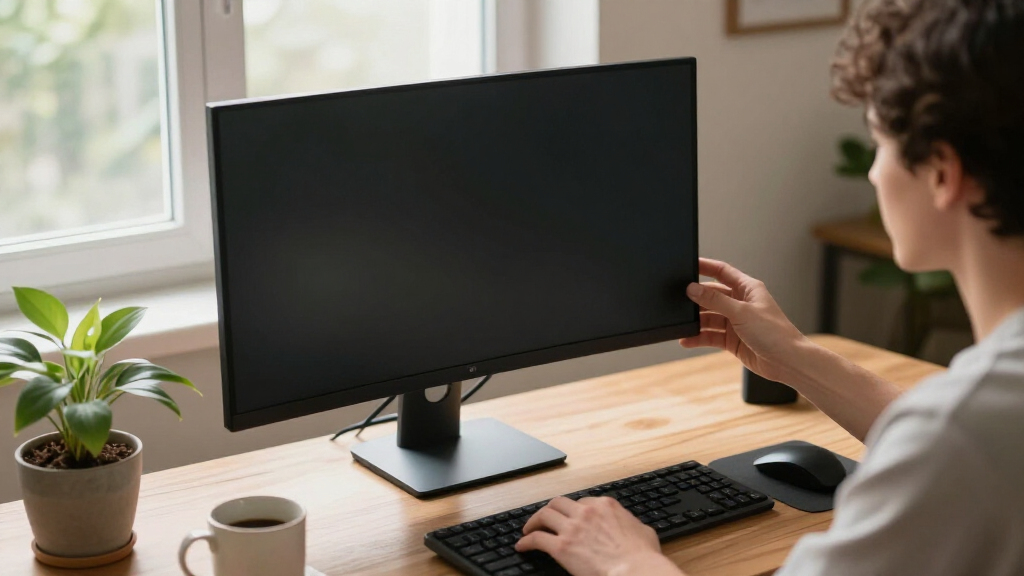
How We Picked
Our selection process centered on features that directly impact eye comfort, such as blue light reduction, flicker-free technology, and ergonomic adjustments. We prioritized monitors with proven certifications like TÜV or Eye Comfort standards. Refresh rates were considered, with 144Hz models favored for their ability to reduce eye strain during fast visuals, but we also included 60Hz and 120Hz options for versatility. Connectivity, display size, and additional features like built-in speakers were secondary factors, helping to create a well-rounded lineup for different needs and budgets.
Factors to Consider When Choosing Best Monitor For Eye Strain Reduction
When selecting a monitor to reduce eye strain, the key features to consider include blue light filtering, flicker-free technology, refresh rate, screen size, resolution, and ergonomic adjustability. A monitor with TÜV or similar certification indicates compliance with eye comfort standards. Higher refresh rates (like 120Hz or 144Hz) can lessen flickering perception, especially during fast-moving visuals. The ability to adjust height, tilt, and swivel allows you to set up your monitor in a position that minimizes strain and promotes better posture. Additionally, curved screens can help reduce peripheral vision fatigue, but they aren’t necessary for everyone. Balancing these features against your budget and primary use case will lead to the best choice for long-term eye health.
Blue Light Filtering and Flicker-Free Technology
These features are the foundation of eye-friendly monitors. Blue light filters can significantly reduce eye fatigue during extended use, especially in low-light environments. Flicker-free technology eliminates screen flickering that can cause headaches and eye strain, making it easier for your eyes to stay comfortable over hours of work or play. Look for monitors with TÜV or Eyesafe certifications for proven eye comfort standards.
Refresh Rate and Response Time
Higher refresh rates like 120Hz or 144Hz deliver smoother motion, reducing eye strain caused by flickering and lag, especially during fast-paced gaming or video editing. Response time matters less for eye health but contributes to overall visual comfort; 1ms response times help prevent ghosting and motion blur, making visuals easier on the eyes during rapid movements. For general productivity, 60Hz with eye care features can be sufficient, but higher rates enhance comfort during intense use.
Ergonomic Adjustments and Screen Size
Having a monitor that allows height, tilt, and swivel adjustments enables you to position it for optimal eye level and posture, reducing neck and eye strain. Larger screens (27-inch and above) can be easier to view without leaning forward, but if resolution remains 1080p, images may appear less sharp. Consider your workspace and how much time you spend in front of the screen to choose a size that balances comfort with clarity.
Additional Features
Features like built-in speakers, multiple connectivity options, and curved screens can add to your overall experience, but they are secondary to eye health. Curved displays can help reduce peripheral eye movement, but they are not essential. Focus on adjustable stands and eye care tech first, then add other features based on your personal preferences and needs.
Frequently Asked Questions
Why is blue light reduction important for eye health?
Blue light reduction technology minimizes the amount of high-energy blue light emitted by screens, which can contribute to eye fatigue, headaches, and disrupted sleep patterns. Using a monitor with blue light filters helps maintain eye comfort during long periods of use, making it particularly beneficial for those working late or spending many hours in front of a screen.
How does flicker-free technology improve eye comfort?
Flicker-free technology eliminates the flickering that occurs in many LED displays due to PWM (pulse-width modulation). This flickering can cause eye strain, headaches, and fatigue over time. Monitors with flicker-free tech provide a more stable visual experience, which is easier on the eyes during extended work or gaming sessions.
Is a curved monitor better for reducing eye strain?
Curved monitors can reduce peripheral eye strain by keeping the entire screen at a more consistent distance from your eyes, especially on larger displays. They also help create an immersive viewing experience that can lessen the need for excessive eye movement. However, their benefits depend on your workspace setup and personal preference, and they are not a substitute for other eye comfort features.
What ergonomic features should I look for in a monitor?
Look for monitors with height adjustment, tilt, swivel, and pivot capabilities. These allow you to position the screen at eye level, reducing neck and eye strain. An adjustable stand can help you customize your setup for maximum comfort, especially during long hours of work or gaming. A monitor that supports ergonomic adjustments can be a crucial factor in reducing fatigue and preventing discomfort.
Is resolution important for eye strain reduction?
Higher resolution monitors, like 4K, provide sharper images and text, which can reduce eye strain caused by pixelation or blurry visuals, especially on larger screens. However, for smaller sizes like 24 to 27 inches, 1080p resolution is generally sufficient if the display quality is good. The key is to match resolution to screen size and your visual needs; a lower resolution on a large screen can increase eye fatigue due to pixelation.
Conclusion
For individuals who spend long hours working or gaming, a monitor with excellent eye care features—like flicker-free tech, blue light filters, and ergonomic adjustability—should be your priority. Those seeking a versatile all-rounder might prefer the Dell 27 Plus, balancing performance and comfort. Gamers and immersive media fans could lean towards the Samsung curved monitor, provided they’re comfortable with its refresh rate adjustment. Users with limited desk space or who value ergonomics above all should consider the BenQ GW2790T, which emphasizes adjustable comfort and eye health. Overall, your choice depends on your specific usage patterns and workspace setup, but prioritizing eye safety features remains essential for long-term well-being.
Fall Picks
fall essentials
As an affiliate, we earn on qualifying purchases.