To fix foot pain at your standing desk, focus on maintaining a proper stance by distributing your weight evenly and avoiding locking your knees. Take regular breaks every 30 to 45 minutes to stretch your feet and legs, and elevate your feet during these pauses. Using ergonomic accessories like anti-fatigue mats or footrests can also help. Keep shifting your position to prevent strain—staying comfortable depends on applying these strategies consistently. If you want more tips, you’re in the right place.
Key Takeaways
- Distribute your weight evenly on both feet and avoid locking knees to reduce pressure.
- Use ergonomic accessories like footrests and anti-fatigue mats to support proper stance.
- Shift your stance regularly and incorporate movement to prevent prolonged foot strain.
- Take short breaks every 30-45 minutes to stretch, elevate feet, and improve circulation.
- Combine proper positioning with stretching exercises to alleviate foot pain and promote comfort.
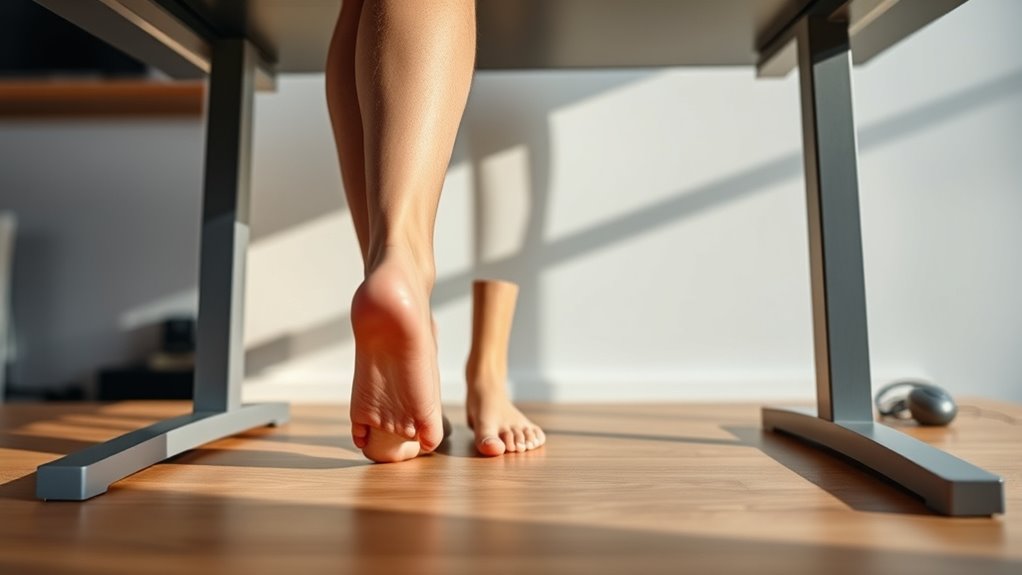
Standing desks are popular for promoting better posture and increasing energy, but they can also lead to foot pain if not used correctly. If you’ve noticed discomfort after long periods of standing, it’s likely your stance or routine needs adjusting. One effective way to combat foot pain is by incorporating ergonomic accessories into your setup. Anti-fatigue mats, for example, provide cushioning that reduces pressure on your feet and legs. Similarly, supportive footwear designed for standing desks can make a significant difference. These accessories work together to promote proper alignment and minimize strain, helping you stand comfortably for longer stretches. Additionally, understanding load calculations and proper installation practices can help set up your workspace for optimal comfort and safety.
Enhance comfort with anti-fatigue mats and supportive footwear to reduce foot strain during long standing hours.
Another key to alleviating foot pain is actively engaging in foot stretching exercises. Regular foot stretches improve flexibility, reduce tension, and enhance circulation, which can prevent soreness and discomfort. Simple stretches like rolling your feet over a tennis ball, stretching your calves, or flexing and pointing your toes can make a noticeable impact. Incorporating foot stretching into your routine ensures your muscles stay loose and responsive, preventing tightness that often causes pain after extended standing.
Your stance plays an essential role in foot health. Standing with your weight evenly distributed between both feet helps prevent overuse of one side, which can lead to pain and fatigue. Avoid locking your knees or standing rigidly, as this increases pressure on your feet and lower back. Instead, maintain a slight bend in your knees and shift your weight occasionally from one foot to the other. Using ergonomic accessories like footrests can also help you find a more natural, comfortable stance. Elevating one foot on a small footrest periodically gives your muscles a break, encouraging better posture and reducing strain.
Breaking up long periods of standing is vital to avoid foot pain. Aim to sit down or change positions every 30 to 45 minutes. When you sit, take the opportunity to stretch your feet and legs to improve circulation. Consider elevating your feet during breaks to lessen swelling and discomfort. Remember, standing in one position for too long is a common cause of foot pain, so be proactive about shifting your stance and incorporating movement. Combining ergonomic accessories, regular foot stretching, and mindful stance adjustments creates a sustainable routine that keeps foot pain at bay. With these simple strategies, you’ll be able to enjoy the benefits of your standing desk without suffering from persistent discomfort.

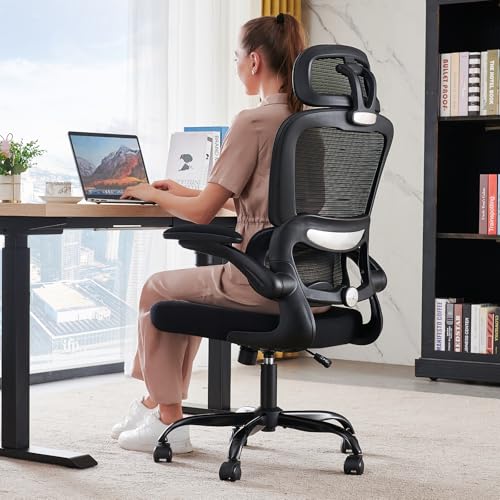
CAPOT Ergonomic Mesh Office Chair, Adjustable Lumbar High Back Desk Chair 400lbs, 4D Flip-up Arms, 3-Level Tilt Backrest, 3D Headrest, PU Wheels, Swivel Rolling Computer Seating for Long Desk Work
【STURDY, SNUG WORK CHAIR】Made for long sits over 8 hours of desk work. Micro-adjust lumbar support, flip-up arms,...
As an affiliate, we earn on qualifying purchases.
Frequently Asked Questions
Can Footwear Choices Affect Standing Desk Foot Pain?
Yes, your footwear impact can profoundly affect standing desk foot pain. Choosing the right shoe selection provides proper support, cushioning, and stability, reducing strain on your feet. Avoid unsupportive shoes like flip-flops or worn-out sneakers, and opt for ergonomic footwear designed for standing. This helps prevent pain, improves posture, and keeps you comfortable during long hours at your standing desk.
How Long Should I Stand at My Desk Daily?
You should aim to stand at your desk for about 15 to 30 minutes every hour. Coincidentally, ergonomic footwear with good footwear cushioning can make this easier, reducing foot pain. Break up your standing time with sitting breaks, and guarantee your stance is correct to avoid discomfort. Listen to your body—if your feet ache, take a break and switch to comfortable footwear to keep pain at bay.
Are There Stretches to Prevent Foot Pain?
Yes, you can do ankle stretches and arch exercises to prevent foot pain. Try ankle circles to improve mobility and calf stretches to loosen tight muscles. For your arches, flex and point your toes or use a towel to stretch your arch gently. Incorporate these into your daily routine to reduce discomfort, especially if you stand for long periods. Regular stretching keeps your feet happy and healthy.
Does Foot Pain Indicate Other Posture Issues?
Foot pain often signals deeper posture issues, like misaligned weight distribution or weak foot arches. Think of your feet as the foundation of a building—if compromised, everything above shifts. Using ergonomic accessories and foot arch support can stabilize your stance, but you might also need to adjust your overall posture. Addressing these root causes prevents pain and keeps your entire structure balanced and strong.
When Should I See a Doctor for Foot Pain?
You should see a doctor for your foot pain if it persists beyond a few days, worsens over time, or is severe enough to interfere with your daily activities. Don’t ignore persistent symptoms, especially if they’re accompanied by swelling, redness, or numbness. A medical consultation can help identify underlying issues and provide appropriate treatment, ensuring you recover comfortably and prevent future problems.
TRALT Office Chair Ergonomic Desk Chair, 330 LBS Home Mesh Office Desk Chairs with Wheels, Comfortable Gaming Chairs (Black)
Adjustable Lumbar, Not a Fixed Afterthought – Unlike flimsy plastic supports that crack or lose tension, this chair...
As an affiliate, we earn on qualifying purchases.
Conclusion
To keep your feet happy and your stance steady, remember that small adjustments can make a big difference. Think of your standing desk as a dance partner—you need to move and shift to stay in harmony. Take regular breaks, switch your weight, and stand with mindful awareness. With these simple steps, you’ll turn foot pain into a distant memory, allowing your workspace to become a stage for comfort and productivity.

GABRYLLY Ergonomic Office Chair, High Back Home Desk Chair with Headrest, Flip-Up Arms, 90-120° Tilt Lock and Wide Cushion, Big and Tall Mesh Chairs for Man Woman, Black Task Chair
【ERGONOMIC OFFICE CHAIR】- The ergonomic chair provides 4 supporting points(head/ back/ hips/ hands) and a proper lumbar support....
As an affiliate, we earn on qualifying purchases.

LG 27US500-W Ultrafine Monitor 27-Inch 4K UHD (3840x2160) HDR10 IPS Borderless Design Reader Mode Flicker Safe Switch App HDMI DisplayPort - White
4K UHD with 1000:1 Contrast Ratio - This UltraFine display with a 1000:1 contrast ratio displays deeper blacks...
As an affiliate, we earn on qualifying purchases.