To choose the right monitor size, consider your primary tasks—if gaming or multimedia is your focus, go for 27 inches or larger for immersion. For detailed editing or professional work, 24 to 27 inches with accurate colors work best. If space is limited or portability matters, 21 to 24 inches might suit you better. Keep in mind how workspace comfort and multitasking influence your decision. To discover the best fit for your needs, keep exploring the options ahead.
Key Takeaways
- Identify primary use: gaming, professional editing, multitasking, or portability needs.
- Consider available workspace and desk size to ensure comfortable fit and viewing distance.
- Opt for larger monitors (27 inches or more) for immersive gaming and detailed editing tasks.
- Choose smaller monitors (21-24 inches) for limited space, portability, or basic multitasking.
- Balance screen size with refresh rate and color accuracy for optimal performance based on tasks.
Are you struggling to choose the right monitor size for your needs? It’s a common challenge, especially with so many options available. The decision often hinges on understanding what you prioritize most—whether it’s immersive viewing, productivity, or gaming performance. When selecting a monitor size, consider how your environment and tasks influence what’s best for you. For example, larger screens provide more workspace and a more immersive experience, but they also require more desk space and can be overwhelming if your workspace is limited. Smaller monitors are portable and fit easily into tight spaces but may limit your ability to see multiple windows at once, impacting multitasking.
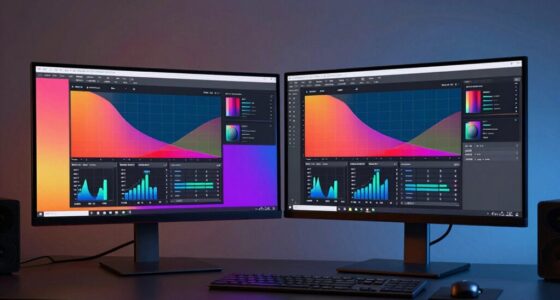
One key factor to think about is color calibration, especially if you work with photos, videos, or graphic design. Larger monitors often come with better color accuracy and more advanced calibration options, which can be essential for professional tasks. A bigger screen allows for more precise color adjustments and a broader viewing area, reducing eye strain during long editing sessions. In contrast, smaller monitors might lack the same level of calibration tools, which could affect your workflow if color fidelity is critical. Additionally, the refresh rate plays a role in selecting a monitor size, particularly for gaming or fast-paced tasks. Higher refresh rates, such as 120Hz or 144Hz, are generally easier to appreciate on larger screens, where the motion appears smoother and more natural. Smaller screens with high refresh rates can still deliver excellent performance, but the visual impact is less pronounced due to limited display real estate. Understanding monitor specifications and how they influence performance can help you make a more informed decision tailored to your specific needs.
When you’re deciding, think about how much space you have and what your primary use will be. If you’re into gaming or multimedia consumption, a larger monitor—27 inches or more—may be ideal to maximize immersion. For professional work, like editing or detailed design, a size that balances workspace and comfort—around 24 to 27 inches—works well, especially if you prioritize accurate color calibration. If portability or limited desk space is a concern, a smaller monitor around 21 to 24 inches might suit your needs without sacrificing too much functionality. Ultimately, your choice should align with your specific tasks and environment, making sure you get a monitor size that enhances your experience without overwhelming your workspace.

SANSUI 27 Inch Curved 160Hz Gaming Monitor, 1500R Curved Computer Gaming Monitor FHD 1080P, 4000:1, 110% sRGB, FPS/RTS, 1Ms MPRT|FreeSync|HDR|Low Blue Light|HDMI DP| VESA Support, HDMI Cable Incl.
27" 1500R Curved Gaming Monitor FHD 160Hz 1Ms (MPRT) for Gaming, Movie, Working.
As an affiliate, we earn on qualifying purchases.
As an affiliate, we earn on qualifying purchases.
Frequently Asked Questions
How Does Desk Space Influence Monitor Size Choice?
Your desk space greatly influences your monitor size choice because larger screens require more room for ergonomic adjustments and proper positioning. If your desk is limited, a smaller monitor helps maintain comfort and prevents clutter. Aesthetic considerations also matter—selecting a size that complements your workspace keeps it visually appealing. Balancing monitor size with your desk space ensures you stay ergonomic and create a pleasant environment without sacrificing functionality or style.
What Is the Ideal Monitor Size for Gaming?
For gaming, a 24 to 27-inch monitor strikes the perfect balance. It offers immersive visuals without overwhelming your desk space. Prioritize a high refresh rate—at least 144Hz—for smooth gameplay, and guarantee good color accuracy to enhance visuals. This size lets you see details clearly while maintaining comfort during long gaming sessions. Remember, the right size depends on your space, but this range generally delivers ideal performance.
How Important Is Resolution When Choosing Monitor Size?
Resolution is vital when choosing a monitor size because it directly affects resolution clarity and pixel density. Higher resolution offers sharper images, especially on larger screens, making details pop and reducing eye strain. If you opt for a large monitor without sufficient resolution, images can appear blurry or pixelated. So, prioritize a good resolution that matches your monitor size to guarantee ideal clarity and an immersive viewing experience.
Can a Larger Monitor Cause Eye Strain?
Yes, a larger monitor can cause eye strain if you don’t make proper ergonomic adjustments and monitor placement. When you sit too close or have the monitor positioned too high or low, your eyes work harder, leading to fatigue. To prevent this, adjust your monitor’s height and distance, ensuring your eyes stay level with the top of the screen. Taking regular breaks also helps reduce eye strain.
What Are the Best Monitor Sizes for Multitasking?
For multitasking, a 27 to 32-inch monitor is ideal, offering ample space for multiple windows. Imagine having three spreadsheets open side-by-side; this size enhances productivity. Look for features like accurate color calibration to keep visuals sharp and a high refresh rate to guarantee smooth changes. A larger screen helps you manage tasks efficiently, but ensure your workspace supports good ergonomics to prevent eye strain.

ViewSonic VA2456A-MHD 24 Inch 1080p Monitor, IPS Display with 120Hz for Enhanced Home and Office Productivity, Eye Care Technology, HDMI, DisplayPort, and VGA Inputs
VERSATILE MONITOR: 24 Inch Full HD (1920x1080p) IPS monitor with thin bezels and 120Hz refresh rate
As an affiliate, we earn on qualifying purchases.
As an affiliate, we earn on qualifying purchases.
Conclusion
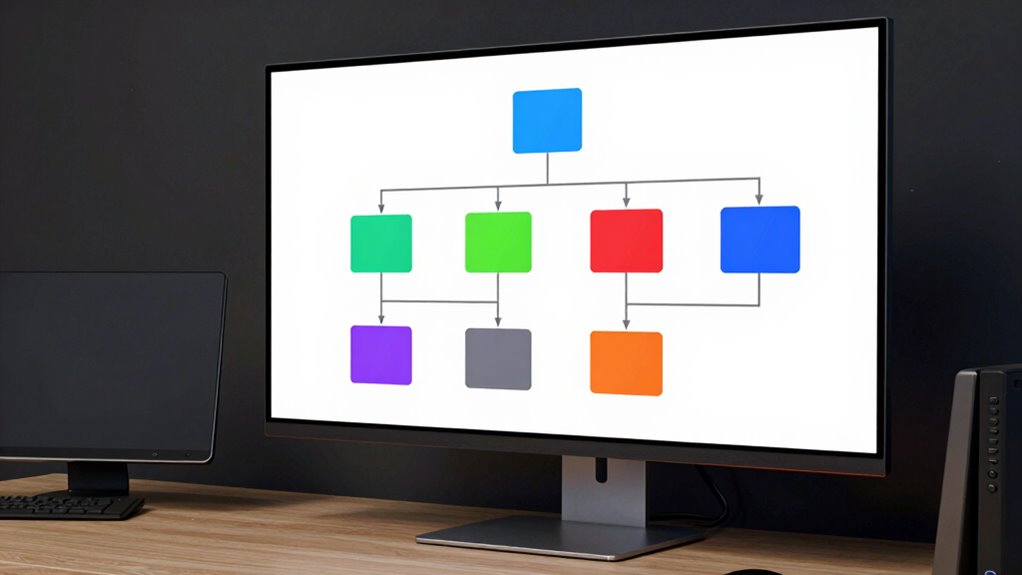
Choosing the right monitor size is like finding a trusted friend who fits perfectly into your life. With this decision tree, you can confidently navigate your options and pick the ideal screen for your needs. Remember, the right size enhances your experience, making work smoother or gaming more immersive. Trust your instincts, and don’t rush—your perfect monitor is out there, waiting like a beacon of clarity in a busy world.

Showscren 21.5inch Large Portable Monitor for Laptop, FHD 1080P 75Hz VESA Supported USB-C HDMI Extender Computer Monitor for Working Business Gaming
【21.5 Inch Extra Large View】 Larger viewing area than traditional 15.6-inch portable monitors. Perfect for multitasking with spreadsheets,…
As an affiliate, we earn on qualifying purchases.
As an affiliate, we earn on qualifying purchases.

Acer 27 Inch Monitor- KB272-27 Inch FHD IPS (1920 x 1080) Display, Up to 120Hz Refresh Rate, 99% sRGB, Tilt, Adaptive-Sync Support (FreeSync Compatible) 1ms (VRB), sRGB 99% Color, HDMI & VGA Ports
Incredible Images: The Acer KB272 G0bi 27" monitor with 1920 x 1080 Full HD resolution in a 16:9…
As an affiliate, we earn on qualifying purchases.
As an affiliate, we earn on qualifying purchases.