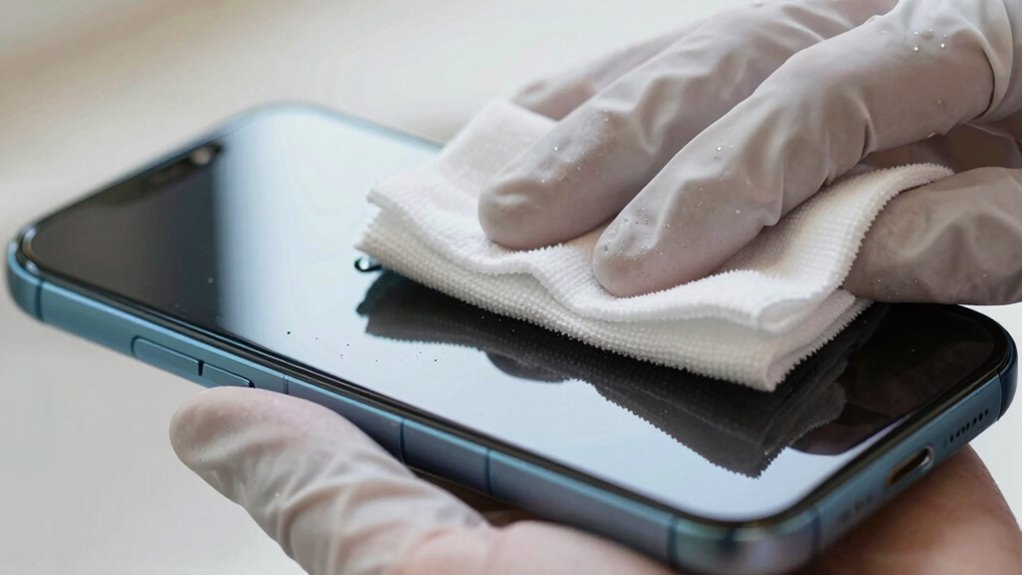

Stop cleaning your screens like kitchen counters—using harsh chemicals and scrubbing aggressively can damage delicate coatings and reduce display quality. Instead, use a soft microfiber cloth and a gentle, electronics-safe cleaner or a mix of distilled water and mild soap. Spray the cleaner onto the cloth, not directly on the screen, and wipe gently in circles. If you keep these tips in mind, you’ll learn how to protect your screen’s clarity and longevity.

Get comfort and recovery gear delivered free — and shop member deals
- Fast, free delivery on millions of items
- Access to Prime Big Deal Days deals on October 6–7
- Prime Video, Amazon Music and more included
Key Takeaways
- Avoid using harsh chemicals or abrasive cleaners that can damage delicate screen coatings.
- Do not spray liquids directly onto screens; always apply cleaner to a microfiber cloth first.
- Refrain from applying excessive pressure or scrubbing aggressively, which can cause scratches.
- Use gentle, non-abrasive microfiber cloths instead of rough materials like paper towels.
- Remember that screens require mild cleaning techniques, not the harshness used on kitchen counters.
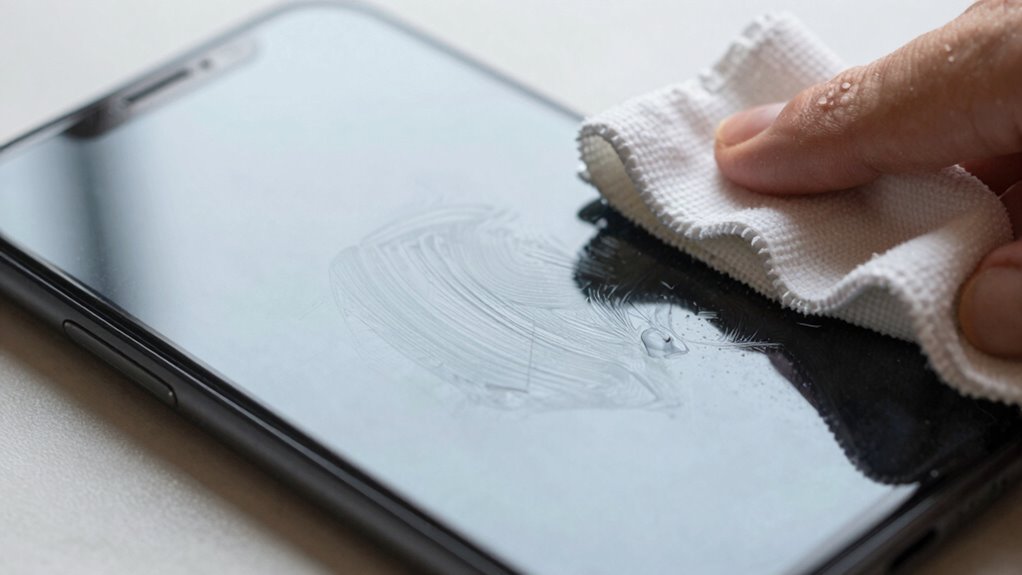
Many of us instinctively grab a cloth and wipe down our screens the way we clean countertops, but screens require gentler care. Unlike kitchen surfaces, screens have delicate coatings designed to enhance display quality and resist fingerprints. These screen coatings can be easily damaged by harsh cleaning chemicals or abrasive materials, leading to scratches, clouding, or reduced functionality. That’s why understanding how to properly clean your screens is essential to preserving their clarity and longevity.
You should avoid using strong cleaning chemicals like ammonia, bleach, or alcohol-based solutions. These substances can break down the protective coatings on your screen, causing permanent damage. Instead, opt for mild, non-abrasive cleaners specifically formulated for electronic displays. Sometimes, a simple mixture of distilled water and a tiny amount of gentle dish soap is enough to do the trick. Always remember, less is more—using too much liquid can seep into the device and cause internal harm.
When cleaning your screen, don’t press too hard or scrub aggressively. Light, circular motions with a soft microfiber cloth are best. Microfiber is gentle yet effective at picking up fingerprints, dust, and smudges without scratching the surface. Avoid paper towels or rough cloths, which can scratch delicate coatings. If there are stubborn smudges, slightly dampen the microfiber with your chosen cleaning solution—never spray directly onto the screen. Instead, spray onto the cloth and then wipe. This prevents excess liquid from seeping into the edges or vents, which could damage your device. Additionally, understanding the importance of screen coatings can help you avoid unintentional damage and prolong the life of your device. Proper cleaning techniques also include gentle handling to prevent coating deterioration, which is crucial for maintaining the screen’s visual quality over time. Being aware of how coating damage can occur helps you choose the safest cleaning practices.
microfiber screen cleaning cloth
As an affiliate, we earn on qualifying purchases.
As an affiliate, we earn on qualifying purchases.
Frequently Asked Questions
Can I Use Household Cleaners on My Screen?
You shouldn’t use household cleaners on your screen because they can damage the delicate screen coating. Instead, use a soft, lint-free cloth and a gentle, screen-specific cleaner to remove dust accumulation. Avoid harsh chemicals that might strip away the coating or cause scratches. Regular, careful cleaning keeps your screen clear and functioning well, preventing unnecessary damage. Always follow manufacturer instructions to preserve your device’s longevity.
How Often Should I Clean My Screen?
Think of your screen like a delicate painting; you wouldn’t dust it daily with harsh brushes. Usually, you should clean your screen weekly or when you notice dust or smudges. Regular screen dusting helps prevent buildup, and occasional screen polishing restores clarity. Avoid over-cleaning, which can cause damage. By maintaining a gentle routine, your screen stays clear, and you protect its longevity—just like caring for fine art.
What Tools Are Best for Screen Cleaning?
You should use a microfiber cloth and a gentle, DIY cleaning solution like a mix of water and a small amount of vinegar or isopropyl alcohol. Avoid harsh cleaning myths that suggest using abrasive materials or harsh chemicals. These tools and solutions effectively clean your screen without damage. Always spray your DIY solution onto the cloth, not directly onto the screen, to prevent moisture from seeping in.
Are There Specific Cleaning Products to Avoid?
You should avoid harsh chemicals and abrasive cloths when cleaning screens. These can damage the delicate surface, causing scratches or discoloration. Instead, opt for a gentle, screen-safe cleaner and a soft microfiber cloth. Stay away from ammonia-based or alcohol-heavy products, as they can harm the display’s coating. Using the right products and tools keeps your screen clear, smudge-free, and in great condition without risking any damage.
How Do I Prevent Streaks After Cleaning?
To prevent streaks after cleaning, use a microfiber cloth and a gentle cleaning solution like water with a drop of dish soap or a screen-specific cleaner. Avoid common screen myths, such as using harsh chemicals or paper towels, which can cause streaks or damage. Remember, cleaning myths often lead to improper care. Always wipe in gentle, circular motions and dry with a clean, dry cloth to keep your screen crystal clear and streak-free.
As an affiliate, we earn on qualifying purchases.
Conclusion
Remember, screens aren’t kitchen counters—they need gentle care. Using harsh cleaners or scrubbing aggressively can damage your device. Did you know that a study found that 60% of smartphone screens are contaminated with bacteria? That’s more than your average bathroom handle! So next time, grab a microfiber cloth and a little bit of water or specialized cleaner. Treat your screens with care, and they’ll stay clear and healthy longer.
distilled water screen cleaning spray
As an affiliate, we earn on qualifying purchases.
As an affiliate, we earn on qualifying purchases.
As an affiliate, we earn on qualifying purchases.
Evergreen bestsellers Picks
bestsellers
As an affiliate, we earn on qualifying purchases.