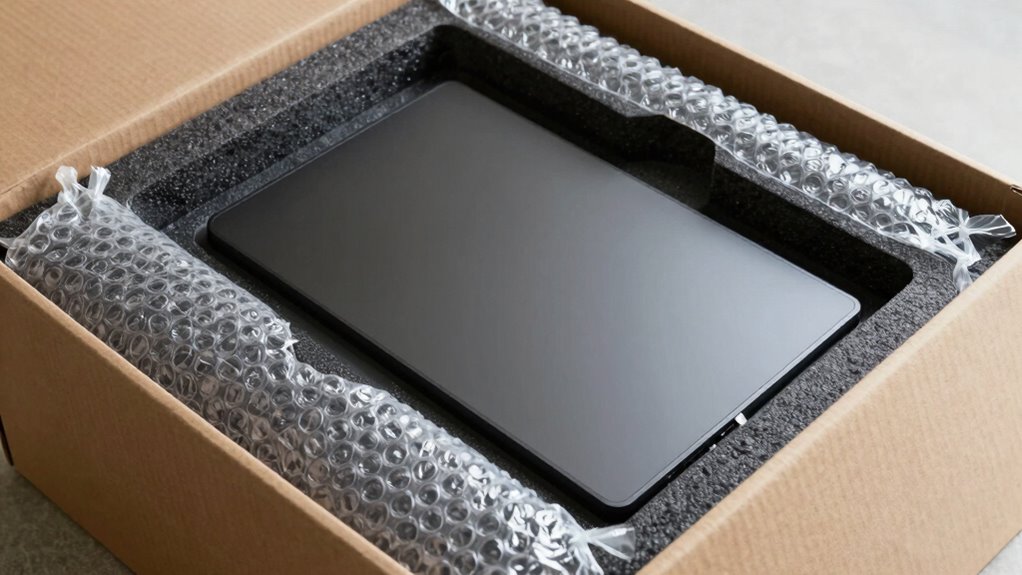

To pack a monitor safely, start by using the original or a snug-fitting box with plenty of bubble wrap and foam padding to absorb shocks. Lift the monitor with both hands and handle by the frame or stand, keeping the screen facing inward and protected with bubble wrap. Secure it tightly to prevent movement and label the box as “Fragile” and “This Side Up.” For more tips on avoiding damage during transit, keep exploring the best packing techniques.

Get comfort and recovery gear delivered free with Prime
- Fast, free delivery on millions of items
- Prime Video, Amazon Music and more included
- Member-only deals all year
Key Takeaways
- Use dedicated electronics boxes with snug foam or padding to secure the monitor during packing.
- Wrap the monitor with bubble wrap, especially over the screen, to prevent scratches and absorb shocks.
- Detach the stand carefully and cushion all sides with padding to prevent internal damage.
- Label the box as “Fragile” and “This Side Up,” and keep it upright during transport.
- Secure the packed monitor in the vehicle with straps to prevent movement and minimize impact risks.
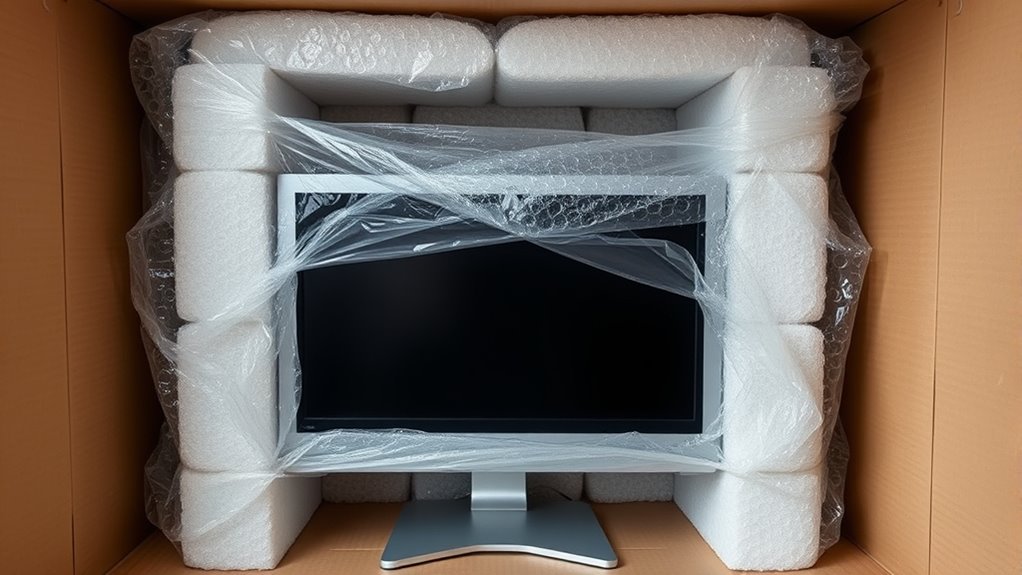
Transporting a monitor safely starts with proper preparation and careful handling. Before you even pick it up, gather the right packing materials to ensure maximum protection during transit. Sturdy boxes designed specifically for electronics are ideal, preferably ones that fit the monitor snugly. Bubble wrap is essential for cushioning, as it absorbs shocks and prevents scratches. Foam padding or packing peanuts can fill any gaps around the monitor to keep it from shifting. Don’t forget to include soft cloths or microfiber towels to wipe down the screen before packing, avoiding dirt or fingerprints from transferring onto the glass. Using the right packing materials makes a significant difference in minimizing the risk of damage, especially during rough handling or sudden jolts. Proper packaging also helps protect the monitor from environmental factors like dust and moisture during transit.
When it comes to handling tips, always lift the monitor with two hands to distribute weight evenly and avoid dropping it. Keep the screen facing inward or wrapped securely with bubble wrap to protect the glass surface. Handle the monitor by its frame or stand, never by the cords or fragile parts, which can get damaged easily. If the monitor has a stand, detach it carefully first, following the manufacturer’s instructions if available. This step prevents strain on the monitor’s mount points and reduces the chance of cracking or breaking. When placing the monitor into the packing box, make sure it is well-cushioned on all sides, with enough padding to absorb impacts from any accidental drops. Secure it tightly so it doesn’t move around during transport.
Additional handling tips include labeling the box as “Fragile” and “This Side Up” to alert handlers to treat it with care. Always carry the box upright to prevent internal components from shifting or damaging the screen. If you’re moving multiple items, keep the monitor separate from heavier objects that could cause impact damage. When stacking boxes, ensure the monitor’s box is on top to avoid pressure on the screen. During transport, avoid sudden stops or sharp turns that could jostle the monitor. If you’re using a vehicle, place the packed monitor on a flat surface and secure it with straps or bungee cords. This prevents sliding and minimizes vibrations that could harm the delicate parts inside. Protecting the monitor during transit is crucial to prevent damage‑prevention and ensure it arrives in perfect condition.
As an affiliate, we earn on qualifying purchases.
Frequently Asked Questions
What Are the Best Materials for Wrapping a Monitor?
For monitor wrapping, you should use soft, cushioning packing materials like bubble wrap or foam sheets to protect the screen from shocks and scratches. Wrap the monitor carefully, covering the entire surface, and secure it with packing tape. Use sturdy cardboard boxes designed for electronics, and add extra padding inside to prevent movement. These packing materials guarantee your monitor stays safe during transit and minimizes damage risks.
How Can I Prevent Static Damage During Packing?
Imagine your monitor as a delicate butterfly, easily harmed by static sparks. To prevent static damage, you should use grounding techniques by touching a grounded metal object before handling the monitor. Additionally, place your monitor in anti-static bags that dissipate static electricity safely. These simple steps create a safe pathway for static charges, protecting your monitor from unexpected electrostatic shocks during packing.
What Is the Ideal Orientation for Packing a Monitor?
You should position your monitor upright during packing, keeping the monitor in its normal viewing orientation. This packing position helps prevent internal pressure and potential damage to the screen or components. Always guarantee the monitor is securely cushioned with foam or bubble wrap, especially around the edges, to absorb shocks. Maintaining the correct monitor orientation during packing minimizes risks and ensures safe transportation, protecting your device effectively.
Should I Use Bubble Wrap or Foam for Extra Protection?
A stitch in time saves nine, so choose the best cushioning materials for your monitor. Use foam for its rigidity and snug fit, or bubble wrap for superior shock absorption. Both packing techniques protect against impacts, but foam provides a more secure, form-fitting shield. Wrap your monitor carefully, ensuring all sides are cushioned, then place it in a sturdy box. Proper packing minimizes risks and keeps your monitor safe during transit.
How Do I Securely Seal the Packing Box?
To securely seal the packing box, apply packing tape along all seams and edges, ensuring it’s firmly pressed down. Use cushioning materials like bubble wrap or foam around the monitor to prevent movement. Reinforce the box with multiple layers of tape, especially at corners and openings, to keep everything intact during transit. This method guarantees your monitor stays protected and the box stays sealed.
electronics shipping box with foam
As an affiliate, we earn on qualifying purchases.
As an affiliate, we earn on qualifying purchases.
Conclusion
To keep your monitor safe during transport, always use proper packing techniques like wrapping it in bubble wrap and securing it in a padded box. Did you know that improper packing can cause up to 60% of monitor damages during moving? By taking these simple precautions, you considerably reduce the risk of costly repairs or replacements. Protect your investment and ensure your monitor arrives in perfect condition—it’s worth the extra effort to prevent damage.
bubble wrap for monitor protection
As an affiliate, we earn on qualifying purchases.
As an affiliate, we earn on qualifying purchases.
As an affiliate, we earn on qualifying purchases.
Columbus Day / Indigenous Peoples' Day Picks
long weekend sales
As an affiliate, we earn on qualifying purchases.