
TL;DR
Building your own AI workstation used to be cheaper, but in 2026, prebuilt systems often match or beat DIY prices due to component shortages and bulk buying. The choice now depends on your need for speed, support, and customization, not just cost.
Think you need to build your own AI workstation to save money? Think again. The market has shifted dramatically in recent years. Component shortages, inflation, and bulk buying have pushed prices up for DIY parts, closing the gap with prebuilt systems. Now, the decision isn’t just about saving a few bucks — it’s about speed, support, and control.
If you’re serious about AI work, whether for training models or inference, you’ll want a machine that’s reliable and ready to go. This guide breaks down the real-world factors that matter today, helping you choose whether to pull out your screwdriver or just click ‘Order Now.’
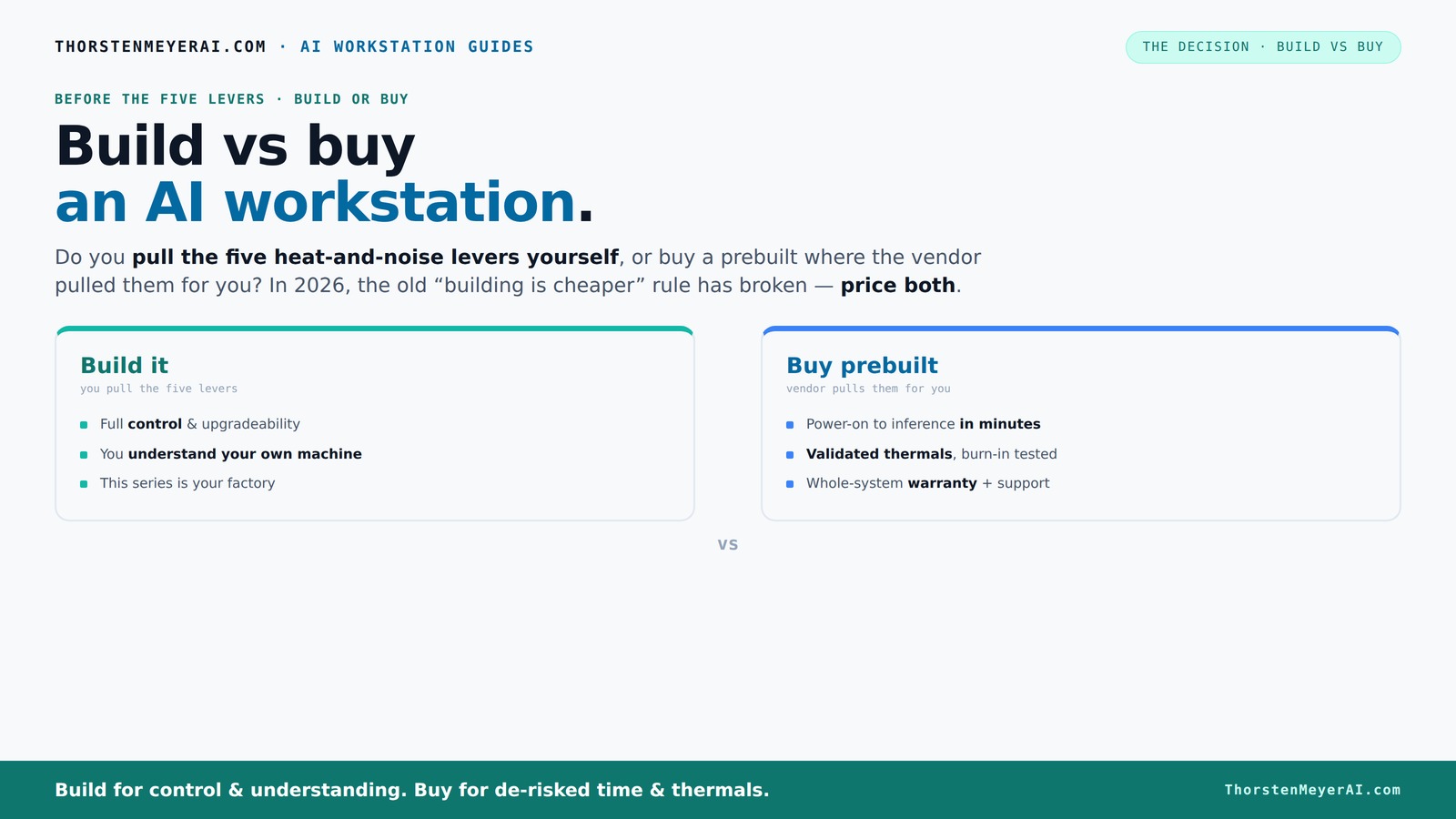
Build vs buy
an AI workstation.
The real question behind this whole series: do you pull the five heat-and-noise levers yourself, or buy a prebuilt where the vendor pulled them for you? And in 2026, the old “building is cheaper” rule has broken. Match your situation in Part 3.
Key Takeaways
- Component prices have surged in 2026, making prebuilt systems often as affordable or cheaper than DIY builds.
- Prebuilts offer validated thermals, warranties, and support that are hard to replicate on your own, especially for complex multi-GPU setups.
- Building your own machine grants full control over hardware choices and future upgrades but demands technical skill and time.
- Total cost of ownership includes support, downtime, and support, often tipping the scale toward prebuilt for professional workflows.
- Hybrid approaches — buying a core system and upgrading later — strike a practical balance for evolving AI needs.

Dell ECT1250 Tower Desktop Computer - Intel Core Ultra 5 225 Processor, 16GB DDR5 RAM, 512GB NVMe SSD, Intel UHD Graphics, Wi-Fi 6 & Bluetooth 5.4, Keyboard & Mouse, AI Copilot, Windows 11 Pro
- Processor: Intel Core Ultra 5-225 10-Core
- Memory: 16GB DDR5 RAM
- Storage: 512GB NVMe SSD
As an affiliate, we earn on qualifying purchases.
As an affiliate, we earn on qualifying purchases.
Why Building Your Own AI Workstation Is No Longer Automatically Cheaper
Building used to be the clear winner on cost, but that’s changed in 2026. Component prices have skyrocketed due to shortages and increased demand. For example, a GPU that cost $800 in 2024 now often sells for over $1,200. DDR5 RAM and SSDs follow similar trends. The old rule of thumb — build for less — no longer applies.
Many vendors bought in bulk before prices shot up, allowing them to offer systems at prices that are hard to match. A high-end prebuilt can now cost around $2,500, while assembling a comparable DIY system might push past $3,000 — once you factor in all the parts, shipping, and troubleshooting.
From a practical standpoint, this shift means that the cost advantage of building your own system is diminishing. The tradeoff involves not just the initial price, but also the time, effort, and expertise required to assemble, troubleshoot, and optimize a DIY machine. For many users, the potential savings are offset by these hidden costs, especially when factoring in the value of support and warranty services. Industry data indicates that support, warranty, and reduced downtime often make prebuilt systems more cost-effective overall, especially in professional environments where reliability is critical. This trend underscores that the traditional cost savings of DIY are less relevant, and the decision now hinges more on your workflow priorities, risk tolerance, and need for quick deployment.
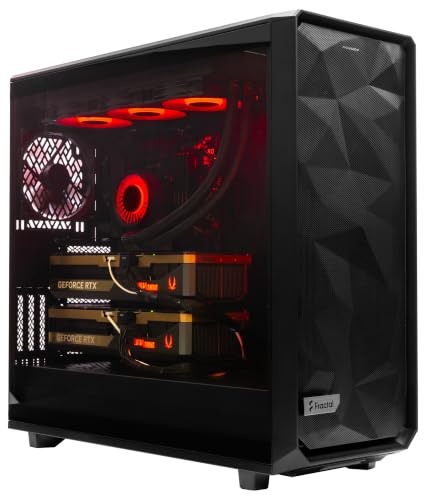
ArsenalPC MES2X Dual GPU AI Workstation - AMD Ryzen 9-9950X3D2 16 core 4.3GHz - Dual GPU GeForce RTX 5090-8TB (2x4TB RAID) NVMe SSD - 256GB DDR5-1600W - Windows 11 Pro - Liquid Cooled
- Processor: AMD Ryzen 9-9950X3D2 16-core 4.3GHz
- Memory: 256GB DDR5 RAM
- Graphics: Dual NVIDIA GeForce RTX 5090 64GB
As an affiliate, we earn on qualifying purchases.
As an affiliate, we earn on qualifying purchases.
Who Pulls the Levers: Build Yourself or Let the Vendor Tune It?
Pulling the five levers — undervolting the GPU, matching cooling, optimizing airflow, tuning fans, and placement — determines how quiet and cool your machine runs. When you build, you control these levers directly. You pick each part, tweak BIOS settings, and fine-tune airflow for your specific workload.
Prebuilt vendors like Lambda or BIZON handle this for you. They run extensive testing, optimize thermals, and often include water-cooling or advanced air cooling to keep noise and heat down. They validate the entire system under load, reducing your guesswork and risk of thermal throttling.
The implication here is that prebuilt systems can offer a more refined thermal and acoustic profile out of the box. This is particularly significant for long training runs or sensitive work environments where noise levels and thermal stability directly impact productivity and hardware longevity. Building your own system allows for granular control, enabling you to tailor cooling solutions to your specific needs, but it requires a deeper understanding and ongoing maintenance. The tradeoff involves balancing the desire for a quiet, cool operation against the effort and expertise needed to achieve it manually. For most professionals, the convenience of a vendor-tuned system often outweighs the potential benefits of DIY fine-tuning, especially when time and reliability are priorities.

High-Performance Gaming Desktop PC – Ryzen 7 5700X, GeForce RTX 3050 8GB
- Powerful Processor: Ryzen 7 5700X with 8 cores
- High-Speed RAM: 16GB DDR4 memory for multitasking
- Enhanced Graphics: GeForce RTX 3050 8GB GDDR6
As an affiliate, we earn on qualifying purchases.
As an affiliate, we earn on qualifying purchases.
Defining Your Workflow Needs: When to Build and When to Buy
Understanding your specific workflow needs is crucial in deciding whether to build or buy. If your projects require highly specialized hardware configurations, frequent upgrades, or custom cooling solutions, building your own system offers unmatched flexibility. Conversely, if you prioritize quick deployment, guaranteed support, and proven stability, prebuilt systems are the better choice.
For instance, startups or research teams working on evolving projects might benefit from a DIY approach, allowing them to adapt hardware as their needs change. Meanwhile, enterprise environments with tight deadlines and the need for reliable uptime will often lean toward prebuilt solutions that come with warranties and dedicated support teams.
Assess your technical skill level, time availability, and long-term plans. A DIY build can be a rewarding learning experience and tailored to your exact specifications, but it demands ongoing maintenance and troubleshooting. Prebuilt systems, on the other hand, are more of a plug-and-play solution that minimizes downtime and technical headaches.

LOGIC PRO 12.3 USER GUIDE FOR BEGINNERS: Step-by-Step Instructions to Record, Edit, Mix, Master, Build Beats, and Create Music with Chord ID, Session ... Breaker, MIDI, Plugins, and AI Workflow Tools
As an affiliate, we earn on qualifying purchases.
As an affiliate, we earn on qualifying purchases.
Conclusion: Making the Right Choice for 2026
If you’re looking for a straightforward, reliable AI workstation with minimal fuss, a prebuilt system makes a lot of sense. It’s a shortcut to productivity, with support baked in and thermal validation tested.
But if you crave control, want to customize every detail, or plan to upgrade over years, building your own can be a rewarding challenge. Either way, the good news is that in 2026, your choice no longer hinges solely on price — it’s about your workflow, risk tolerance, and future plans.
Frequently Asked Questions
Is it cheaper to build or buy a prebuilt AI workstation?
In 2026, component prices have surged, making prebuilt systems often as affordable or even cheaper than DIY builds when you factor in assembly, support, and warranties. Always compare both options with current prices for your specific configuration.How many GPUs do I actually need for AI training?
The number of GPUs depends on your workload. For most training tasks, 1-2 high-VRAM GPUs suffice. Large models or data-parallel tasks benefit from 4 or more GPUs, which are easier to manage in prebuilt systems designed for multi-GPU setups.What GPU is best for AI training versus inference?
For training, high VRAM models like the NVIDIA A100 or RTX 4090 are ideal. For inference, you can often get by with less VRAM — models like the RTX 3080 or even consumer-grade GPUs can work well, depending on your workload.Can I upgrade a prebuilt later?
Upgradeability varies by vendor and model. Many prebuilts restrict expansion, but some offer accessible PCIe slots and larger cases for future upgrades. Check the specific system’s specs before purchase if long-term flexibility is a priority.Is a local workstation better than cloud GPU instances?
For frequent, long-term workloads, local hardware can be more cost-effective over time. Cloud options are flexible but can become expensive for sustained use. The best choice depends on your project size, budget, and need for control.Conclusion
If you’re looking for a straightforward, reliable AI workstation with minimal fuss, a prebuilt system makes a lot of sense. It’s a shortcut to productivity, with support baked in and thermal validation tested.
But if you crave control, want to customize every detail, or plan to upgrade over years, building your own can be a rewarding challenge. Either way, the good news is that in 2026, your choice no longer hinges solely on price — it’s about your workflow, risk tolerance, and future plans.