
If you’re looking for comfort during long typing sessions, low-profile keyboards may be your best choice. Their slimmer design helps you keep your wrists in a more natural position, reducing strain and fatigue. They require less effort to press keys, promoting better endurance. While standard keyboards are bulkier and may need extra accessories, low-profile models are lighter and more portable. Curious about how these differences can impact your typing? Keep exploring to find out more.

Get comfort and recovery gear delivered free with Prime
- Fast, free delivery on millions of items
- Prime Video, Amazon Music and more included
- Member-only deals all year
Key Takeaways
- Low-profile keyboards promote a more natural wrist position, reducing strain during extended typing sessions.
- They require less finger effort due to shallower key travel, enhancing comfort over long periods.
- Their ergonomic design minimizes wrist movement, helping prevent repetitive strain injuries like carpal tunnel syndrome.
- Standard keyboards often need additional ergonomic accessories to ensure comfort during prolonged use.
- Advances in low-profile key switch technology now offer responsiveness comparable to traditional keyboards for long typing comfort.
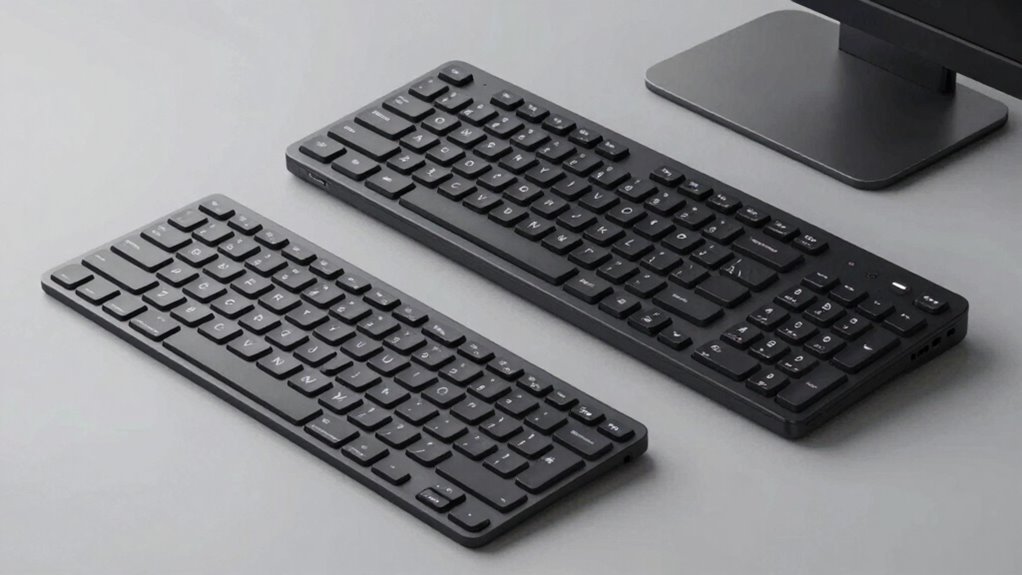
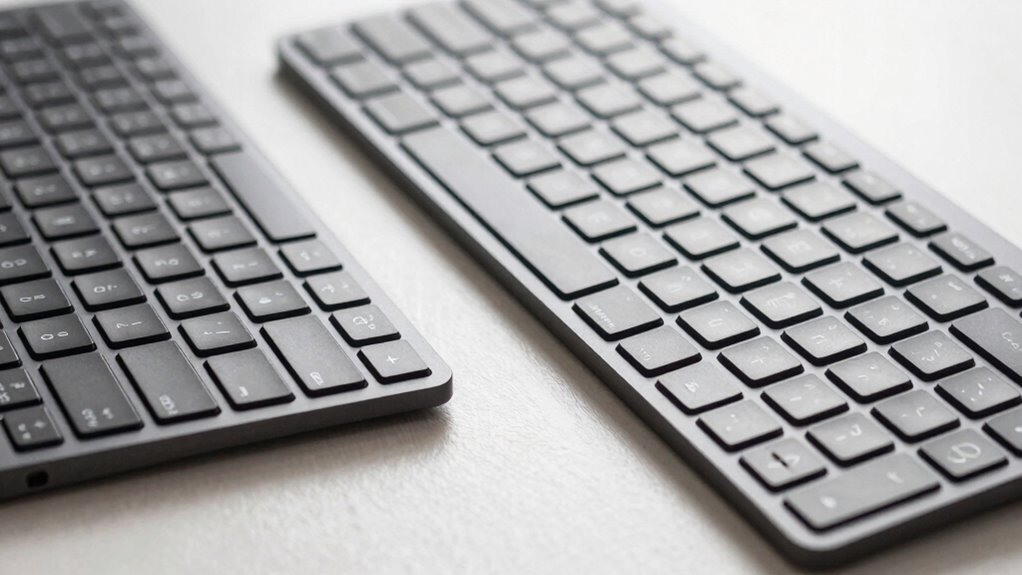
Choosing between low-profile and standard keyboards can markedly impact your typing experience, especially if you spend long hours at your computer. When considering which type to pick, you need to think about how each design affects your comfort and efficiency. Low-profile keyboards often have a slimmer profile, which means less vertical height and a more compact form. This design can offer significant ergonomic benefits, as they promote a more natural wrist position, reducing strain during extended typing sessions. Their shallow key travel minimizes the effort needed to press each key, helping to prevent fatigue over time. On the other hand, standard keyboards usually feature taller keys with deeper travel, which some users find more satisfying and precise. However, this can lead to increased wrist movement and potential discomfort if used for prolonged periods. Additionally, the design differences between these keyboards influence their suitability for various tasks and user preferences.
Portability advantages play an essential role in your decision. Low-profile keyboards are typically lighter and more compact, making them easier to carry around, whether you’re commuting, traveling, or working from different locations. Their slim design fits comfortably into bags and backpacks, allowing you to maintain productivity on the go without adding much bulk. Standard keyboards, being bulkier and heavier, are often better suited for fixed setups at a desk. But if mobility is a priority, the lightweight nature of low-profile models makes them an attractive choice. Furthermore, the manufacturing innovations in low-profile keyboards have improved their durability and responsiveness, making them more competitive with traditional options. Also, advancements in key switch technology have enhanced the feel and response of low-profile keys, bridging the gap with their standard counterparts.
In terms of ergonomic benefits, low-profile keyboards tend to reduce tension in your wrists because they require less upward and downward movement of your hands. This can help prevent repetitive strain injuries like carpal tunnel syndrome, especially if you type for hours every day. Their flatter design encourages a more natural hand position, which can alleviate discomfort and improve overall comfort during long sessions. The key travel of a keyboard also influences how comfortable and responsive your typing feels, impacting your overall experience. Standard keyboards, while sometimes more tactile, may necessitate a more pronounced wrist angle, potentially increasing strain if you don’t have ergonomic accessories like wrist rests. Understanding these differences can help you tailor your setup to suit your ergonomic needs and typing style.
Popular right now

De'Longhi Magnifica Evo Fully Automatic Espresso Machine with Manual Milk Frother, Silver

Dyson Ball Animal 3 Corded Upright Vacuum

Roborock F25 BX Cordless Wet Dry Vacuum Mop
As an affiliate, we earn on qualifying purchases.
Frequently Asked Questions
How Do Low-Profile Keyboards Impact Wrist Health?
Low-profile keyboards can reduce wrist strain because they promote a more natural wrist position and require less effort to press keys. Their ergonomic benefits help prevent discomfort during long typing sessions, making them a good choice for maintaining wrist health. You’ll likely experience less fatigue and fewer repetitive strain issues, especially if you tend to type for extended periods. Switching to a low-profile keyboard can be a smart move for your overall wrist well-being.
Are Low-Profile Keyboards More Durable Than Standard Ones?
Low-profile keyboards generally aren’t more durable than standard ones. They often use lighter, thinner materials that may wear out faster, especially if made from softer plastic. The key switch lifespan is usually shorter because low-profile switches tend to have fewer actuations before failure. If durability is your priority, a standard keyboard with sturdy materials like metal or high-quality plastic and longer-lasting switches is a better choice.
Which Keyboard Type Is Better for Gaming?
For gaming, a standard keyboard with mechanical switches and an ergonomic design is better. Mechanical switches provide quicker response times and durability, giving you an edge in fast-paced games. The ergonomic design reduces strain during long gaming sessions, boosting comfort and performance. Low-profile keyboards may be sleek, but they often lack the tactile feedback and responsiveness essential for gaming precision. So, choose a standard keyboard with mechanical switches for superior gaming experience.
Do Low-Profile Keyboards Require Different Maintenance?
Think of your low-profile keyboard as a sleek sports car—requiring special care to keep it running smoothly. You’ll need to perform regular keyboard cleaning to remove dust and debris, especially around the keys. When keycaps show wear, replacing them keeps the keyboard fresh. Unlike standard keyboards, low-profile models often have tighter spaces, so gentle cleaning tools and careful keycap replacement are essential to maintain their performance and appearance.
Can Low-Profile Keyboards Be Customized Easily?
Yes, low-profile keyboards can be customized easily, especially if they feature an ergonomic design and aesthetic appeal. You can swap out keycaps, add wrist rests, or even change switches if the model supports it. Their slim profile often makes customization simpler than standard keyboards, allowing you to tailor the look and feel to your preferences. This flexibility helps improve comfort during long typing sessions while maintaining a sleek, attractive appearance.
Conclusion
So, whether you prefer the sleek, chic look of a low-profile keyboard or the sturdy familiarity of a standard one, remember—your fingers might thank you now, but long hours could reveal the real winner. Ironically, what seems like a minor choice could turn into a major source of pain or comfort. In the end, it’s almost funny how something so small can make such a big difference in your daily grind. Choose wisely—you might just regret it later.