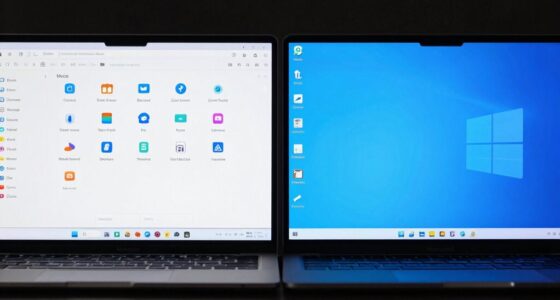
Your color settings change throughout the day because ambient lighting and your eyes’ natural adaptation affect how colors appear. Natural sunlight, which varies in brightness and hue, makes colors look more vibrant or dull. Indoor lighting can also cause shifts in perception. Your eyes adjust to these changes, making colors seem different even if the screen stays the same. If you keep exploring, you’ll discover how to manage these variations and keep your colors consistent.

Get comfort and recovery gear delivered free with Prime
- Fast, free delivery on millions of items
- Prime Video, Amazon Music and more included
- Member-only deals all year
Key Takeaways
- Ambient lighting conditions change throughout the day, affecting how colors are perceived on screens.
- Visual adaptation causes your eyes to adjust, making colors appear different depending on lighting.
- Color constancy helps maintain consistent color perception despite shifts in ambient light.
- Regular display calibration and environmental adjustments ensure color accuracy across different times.
- External factors like glare, light temperature, and screen settings influence perceived color consistency.

Ambient light plays a significant role in how you perceive colors on your screen. During the day, natural sunlight tends to be brighter and can cast a bluish or yellowish hue, depending on the time and weather. As the day progresses into evening or night, indoor lighting—often warmer and dimmer—alters your perception of color. Your eyes adapt to the surrounding light, and this adaptation influences how vibrant or muted colors appear. For instance, a bright, daylight environment can make colors seem more vivid, while a dim, warm-lit room can make them look dull or yellowish. This natural adjustment of your eyes is called visual adaptation, and it’s why colors seem to shift throughout the day. Understanding visual adaptation can help you better anticipate these changes and adjust your environment accordingly. Additionally, being aware of color constancy can help you recognize that your perception of colors may change based on lighting, even if the actual colors on your screen remain constant. Recognizing the impact of ambient lighting on color perception can further aid in maintaining accurate visual consistency. Paying attention to screen settings and how they respond to different lighting conditions can also improve your overall viewing experience. To minimize these discrepancies, you should consider adjusting your display calibration regularly, especially if you work with color-sensitive tasks like photo editing or design. Some screens come with automatic calibration tools, or you can use external calibration devices that measure and correct color output. Additionally, being mindful of ambient light can help maintain consistent color perception, and incorporating ambient light sensors can automatically optimize your display based on current lighting conditions. Using a desk lamp with neutral or cool light and avoiding direct reflections or glare can help you see the true colors on your screen.
Ultimately, understanding that ambient light and display calibration influence how colors look throughout the day helps you better manage your visual experience. When you know that your environment and device settings are factors, it becomes easier to create consistent, accurate color displays, regardless of the time. Recognizing these influences empowers you to make adjustments, so your visuals stay true to their intended appearance, no matter the lighting conditions outside or the calibration status of your display.
As an affiliate, we earn on qualifying purchases.
Frequently Asked Questions
Can Lighting Conditions Affect My Screen’s Color Accuracy?
Yes, lighting conditions can affect your screen’s color accuracy. When ambient light changes, your display’s perceived colors shift, making consistent color calibration difficult. To fix this, you should regularly perform display profiling and adjust your color calibration settings accordingly. Using tools like hardware calibrators helps maintain accurate colors regardless of lighting changes, ensuring your screen displays colors faithfully throughout different times of day.
Do Different Devices Display Colors Differently at Various Times?
Did you know that 70% of users notice color discrepancies across devices? Yes, different devices display colors differently at various times because of variations in display profiles and how each device handles color calibration. This is why your screens might look inconsistent. To fix this, regularly update your display profiles and calibrate your devices, ensuring uniform color accuracy and a consistent viewing experience regardless of the time of day.
How Do Ambient Light Sensors Adjust Color Settings Automatically?
Ambient light sensors automatically adjust your device’s color settings through sensor calibration, which detects changes in surrounding light. When the sensor picks up different lighting conditions, it signals the device to modify the display’s color calibration, ensuring consistent color appearance. This process helps your screen look natural and accurate regardless of the time of day. Proper sensor calibration is essential for smooth, automatic adjustments that keep your viewing experience ideal.
Can Software Updates Impact My Display’s Color Consistency?
Yes, software updates can definitely shake up your display’s color consistency. They often change default display profiles or tweak color calibration settings, making your screen look wildly different after each update. It’s like a surprise party for your eyes! To keep things steady, you’ll need to re-establish your preferred display profile and fine-tune color calibration. Otherwise, your colors might keep playing hide-and-seek every time you update.
Are There Settings to Stabilize Color Throughout the Day?
Yes, you can stabilize color throughout the day by adjusting your display settings. Use color calibration tools to fine-tune your monitor’s colors, guaranteeing consistency. Additionally, set display profiles that match your environment’s lighting conditions. Many operating systems allow you to save these profiles, which automatically help maintain steady color accuracy regardless of the time of day. Regular calibration ensures your display stays consistent and true to your preferred color settings.
ambient light sensor for monitors
As an affiliate, we earn on qualifying purchases.
As an affiliate, we earn on qualifying purchases.
Conclusion
So, next time your colors seem to shift like a chameleon with the sun, remember: it’s not just your device but the dance of daylight and your settings. Like a symphony, your screen responds to the environment’s tune, reminding you that perfection is fleeting—yet fascinating. Embrace the change, and let your eyes be the compass in this ever-shifting landscape of hues, where every moment offers a new perspective, a new palette to explore.
color calibration tool for screens
As an affiliate, we earn on qualifying purchases.
As an affiliate, we earn on qualifying purchases.
As an affiliate, we earn on qualifying purchases.
Columbus Day / Indigenous Peoples' Day Picks
long weekend sales
As an affiliate, we earn on qualifying purchases.