USB Power Delivery (PD) is a smart charging standard that adjusts wattage based on your device’s needs for faster, safer charging. It uses profiles to communicate voltage and current levels, allowing devices and chargers to negotiate the best power transfer. While higher wattage ports can deliver faster charging, actual speeds depend on device compatibility and cables. If you want to understand how it all works in detail, there’s more to discover below.
Key Takeaways
- USB PD dynamically adjusts power levels to deliver up to 100W, enabling fast and safe charging across devices.
- Power profiles specify voltage and current settings, ensuring device compatibility and safe power negotiation.
- Higher wattage ports do not always mean faster charging; actual speed depends on device support and cable quality.
- Devices communicate with chargers to agree on optimal power transfer, preventing damage and optimizing charging efficiency.
- Proper cables, environmental conditions, and device compatibility are crucial factors influencing actual charging speeds.
What Is USB Power Delivery and How Does It Work?
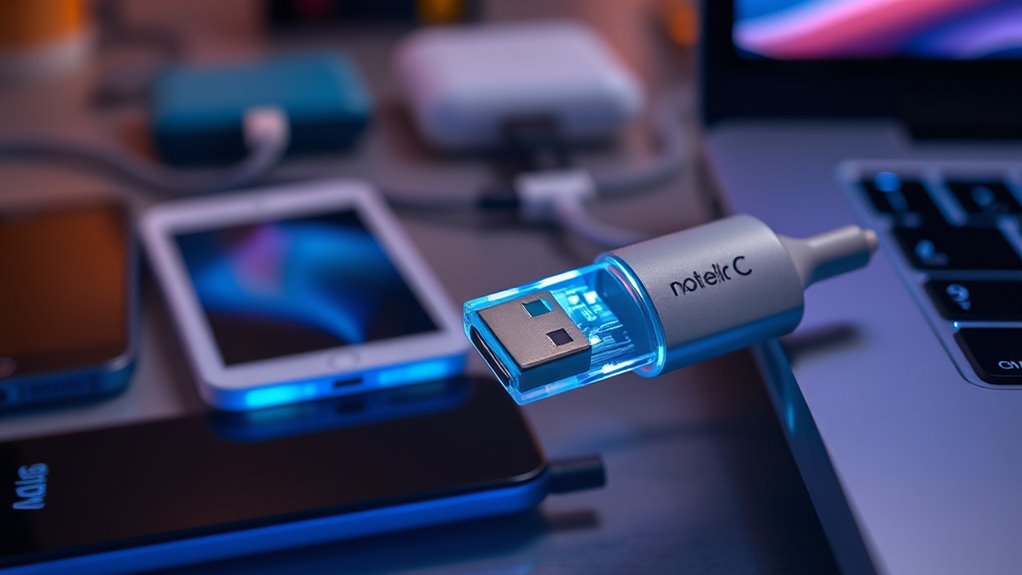
Have you ever wondered how your device quickly charges or powers multiple gadgets via a single cable? USB Power Delivery, or USB PD, makes that possible. It’s a flexible charging protocol that adjusts power levels based on your device’s needs. When you connect a compatible device, USB PD communicates between the charger and device to determine the most suitable power transfer. This negotiation happens almost instantly through data signals within the cable. Instead of a fixed voltage and current, USB PD can deliver up to 100 watts, allowing fast charging for phones, tablets, or even laptops. It’s designed to be versatile, enabling devices to draw only the power they need, avoiding damage and maximizing efficiency. This smart communication ensures quick, safe, and efficient charging every time.
Understanding Wattage: The Power Behind Your Devices
Wattage determines how much power your devices need and can handle, making it essential to understand for ideal charging. Different power delivery rates affect how quickly your gadgets charge and perform. Knowing device compatibility ensures you choose the right charger to deliver the appropriate wattage safely and efficiently.
Wattage Basics
Understanding wattage is essential because it determines how much power your devices need to operate efficiently. Wattage, measured in watts (W), combines voltage (V) and current (A) to show how much energy your device consumes or supplies. Higher wattage means more power, which can charge larger devices or run demanding peripherals. Knowing the wattage helps you select compatible chargers and avoid under- or over-powering your devices. For example, a smartphone might need 10W, while a laptop could require 60W or more. Wattage also influences charging speed and device performance. By understanding the basics of wattage, you can make smarter choices about cables, adapters, and overall device compatibility, ensuring safe and efficient operation.
Power Delivery Rates
Ever wonder how your devices get charged so quickly or efficiently? The answer lies in power delivery rates. These rates determine how fast energy flows from your charger to your device. With USB Power Delivery, charging speeds depend on the wattage being supplied, which can vary based on the cable, the charger, and your device’s capabilities. Higher power delivery rates mean more watts are transferred per second, leading to faster charging times. Some devices support rapid charging at 60W or even 100W, notably reducing wait times. It’s important to understand that these rates are dynamic—they can increase or decrease depending on the connection and what your device can handle. This flexibility helps optimize charging speed while ensuring safety and device longevity.
Device Compatibility
Since not all devices can handle the same power levels, understanding their compatibility with different wattages is vital. Devices are designed to operate within specific power ranges, and exceeding those limits can cause damage or reduce lifespan. To guarantee safe and efficient charging, check your device’s specifications for supported wattages.
Here are key points to take into account:
- Device Ratings: Confirm the maximum wattage your device can safely handle.
- Charger Compatibility: Use a charger that matches or is below your device’s wattage limit.
- Power Profiles: Different devices may require specific power profiles for ideal charging.
The Role of Power Profiles in USB PD
Have you ever wondered how USB Power Delivery guarantees your devices get the right amount of power? It uses predefined power profiles to standardize charging options. Each profile specifies voltage and current levels, ensuring compatibility and safety. These profiles help devices quickly identify suitable power levels without negotiation delays. Here’s a quick overview:
| Profile Name | Voltage | Current |
|---|---|---|
| Profile 1 | 5V | 3A |
| Profile 2 | 9V | 3A |
| Profile 3 | 15V | 3A |
| Profile 4 | 20V | 5A |
These profiles streamline power delivery, making charging efficient and safe while supporting a wide range of devices.
How Devices Negotiate Power: A Step-by-Step Process

When devices connect, they start by establishing initial power ranges to guarantee safe communication. Next, they negotiate a contractual power agreement to determine the best charging level. Understanding this step-by-step process helps you grasp how devices efficiently and safely manage power transfer.
Initial Power Ranges
Initially, devices communicate their power capabilities through a process called power negotiation, which begins with the discovery of initial power ranges. During this phase, your device shares its minimum and maximum power levels it can handle. This helps establish a baseline for safe and efficient power transfer. You’ll see that the initial power ranges are typically limited to lower wattages to ensure safety and compatibility.
Key points include:
- Devices specify their minimum and maximum voltage and current limits.
- Negotiation focuses on establishing a safe power profile.
- The process prevents overcurrent or voltage mismatches, protecting both devices.
This initial exchange sets the stage for more detailed power agreement steps, ensuring your devices work together smoothly without risking damage.
Contractual Power Negotiation
After devices establish their initial power ranges, they move on to the contractual power negotiation phase, where they agree on a specific power profile. During this process, the source and sink exchange messages to confirm their capabilities and desired power levels. The sink requests a particular voltage and current, and the source responds with acceptance or suggestions for adjustments. This negotiation guarantees both devices operate within safe limits and optimize power delivery. Once they reach an agreement, they send a contract message, solidifying the power profile. This contract ensures a stable and reliable connection, preventing overcurrent or undervoltage issues. The negotiation process is vital for enabling flexible, dynamic power management that adapts to different device needs and operational conditions.
Real-World Performance: What to Expect From USB PD
USB Power Delivery generally lives up to its promise of fast, efficient charging, but your actual experience depends on multiple factors. Your device, cable quality, and power source all influence charging speed and efficiency. For instance, newer smartphones and laptops often charge faster with PD, but older devices may only draw limited power. Using certified, high-quality cables ensures safe and superior performance. Additionally, the power output from your charger impacts results; a 60W charger delivers quicker charging than a 18W one. Keep in mind:
- Compatibility between device and charger is essential
- Cable quality can affect charging speed and safety
- Some devices may limit power intake regardless of the charger’s capacity
Understanding these factors helps you manage expectations and maximize your USB PD experience.
Common Misconceptions About USB Power Delivery
Many people believe that USB Power Delivery automatically guarantees the fastest possible charging, but this isn’t always the case. While USB PD can deliver higher wattages than standard chargers, actual charging speed depends on your device’s compatibility and the cable quality. Some devices may only accept lower power levels, even if your charger supports higher wattages. Additionally, not all cables are rated for fast charging; using the wrong cable can limit performance or cause safety issues. Another misconception is that USB PD charging is universally faster; in reality, the speed varies based on device profiles, battery health, and temperature. Understanding these factors helps manage expectations and avoid assuming that simply plugging into a high-wattage port guarantees rapid charging.
Tips for Maximizing Charging Efficiency With USB PD
To maximize charging efficiency with USB Power Delivery, using compatible devices and high-quality cables rated for fast charging is vital. Make certain your devices support the latest PD profiles to take full advantage of higher wattage. Keep cables in good condition, avoiding bends or damage that can reduce current flow. Additionally, use chargers that match your device’s power profile for ideal results. Here are some tips to boost efficiency:
Maximize USB Power Delivery efficiency with quality cables, compatible devices, and proper charging practices.
- Use certified cables and chargers designed for fast charging
- Keep ports and connectors clean for a solid connection
- Avoid charging at extremely high or low temperatures, which can impact performance
Following these practices helps you get the most out of your USB PD setup, reducing charge times and preserving battery health.
Frequently Asked Questions
Can USB PD Deliver Power to Multiple Devices Simultaneously?
Yes, USB PD can deliver power to multiple devices simultaneously, but it hinges on the device and port capabilities. Many USB hubs and chargers support this feature, allowing you to charge phones, tablets, or accessories at once. However, the total power output is shared among all connected devices, so each may receive less power than if connected individually. Always check your device’s specifications to guarantee compatibility.
How Does USB PD Differ From Traditional Charging Methods?
Did you know USB PD can deliver up to 100 watts of power? Unlike traditional chargers that use fixed voltage and current, USB PD dynamically adjusts power levels, allowing faster charging and compatibility across devices. You benefit from a universal standard that simplifies charging, reduces clutter, and supports multiple devices with a single cable. It’s smarter, more efficient, and designed to meet your device’s specific power needs seamlessly.
Are All USB-C Cables Compatible With USB PD?
Not all USB-C cables are compatible with USB PD. You need a cable rated for higher power transfer, typically labeled as USB-C with Power Delivery support. Look for cables that specify 5A current rating or are certified for USB PD. Using incompatible cables can limit charging speeds or even prevent charging altogether. Always check the cable specifications to guarantee they support the power levels your device needs.
What Safety Features Are Integrated Into USB PD?
You’ll be glad to know that USB PD includes safety features that protect your devices. For example, over-voltage protection prevents surges from damaging your gear, while current regulation ensures your device only draws safe amounts of power. Studies show that these safety mechanisms reduce device failure rates by up to 30%. These features work seamlessly, automatically disconnecting or adjusting power flow if any unsafe conditions are detected, keeping your devices secure during charging.
How Does Temperature Affect USB PD Performance?
Temperature directly impacts your USB PD performance by affecting connector and cable integrity, which can lead to overheating or reduced power transfer. When components get too hot, they may limit current to prevent damage, causing slower charging or even interruptions. To keep your device working at its best, make certain proper ventilation and avoid exposing your cables and ports to extreme heat, as maintaining a moderate temperature helps sustain consistent and safe power delivery.
Conclusion
Think of USB Power Delivery as a versatile bridge connecting your devices to the perfect power source. When you understand its wattage, profiles, and negotiation steps, you can navigate this bridge confidently. By maximizing its potential, you’re guiding your devices across a smooth, efficient highway of energy. Embrace USB PD as your reliable conduit, ensuring your tech stays powered up and ready to go, just like a well-maintained bridge keeps traffic flowing seamlessly.